
Macro support was praised for an easy-to-use macro tool that guides users through setup.
Pros: macro support, fingertip grip comfort
Cons: weight tuning, cable flexibility

Macro support was praised for an easy-to-use macro tool that guides users through setup.
Pros: macro support, fingertip grip comfort
Cons: weight tuning, cable flexibility
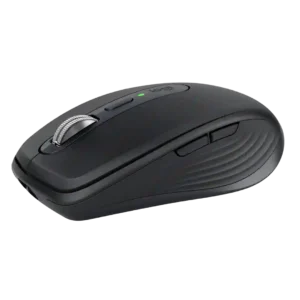
Smart Actions can turn a single mouse control into a multi-step workflow, making repetitive office tasks much faster. The feature is praised as a meaningful productivity addition rather than a...
Pros: motion consistency, programmable buttons
Cons: palm grip comfort, hand support

Macro support was treated as important for getting full use from the mouse.
Pros: premium feel, Accuracy and tracking precision
Cons: software stability, FPS gaming suitability
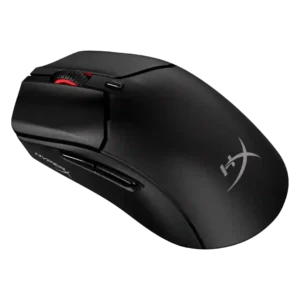
Macro support was viewed positively where mentioned, with reviewers noting macros were easy to assign through NGENUITY.
Pros: long-session comfort, balance and weight distribution
Cons: software stability, firmware reliability

Macro support is viewed as useful for gaming and productivity, especially when mapped to creative tools, inventory management, or key presses.
Pros: long-session comfort, sensor performance
Cons: handedness options, software stability

Macro support was positively tied to the software's broader customization options.
Pros: skate durability, cross-platform compatibility
Cons: handedness options, click noise

Macro support was split: some reviewers praised easy macros and presets, while another noted the software did not offer fully programmable macros in their assessment.
Pros: motion consistency, sensor performance
Cons: software stability, MMO gaming suitability
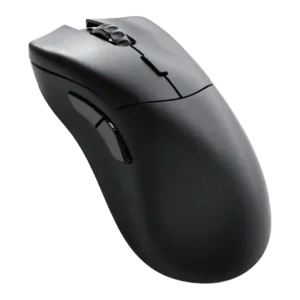
Macro support was mixed: reviewers liked having a macro recorder and extensive functions, but one found macros hit-or-miss in practice.
Pros: click latency, switch durability
Cons: Bluetooth support, handedness options

Macro support was adequate but limited: Hypershift helped, while the small number of extra macro inputs held it back.
Pros: Accuracy and tracking precision, sensor performance
Cons: handedness options, tilt gesture controls

Macro support has limited evidence; one reviewer notes macros can be set up, but the small button layout limits practical use.
Pros: click latency, fingertip grip comfort
Cons: firmware reliability, skate durability

Macro support was limited by the simple button layout, but HyperShift expanded options for reviewers who wanted extra commands.
Pros: motion consistency, wireless latency
Cons: handedness options, onboard memory

Macro support is a weakness where mentioned; reviewers noted absent or limited macro options, especially for MMO or complex-binding users.
Pros: durability over time, sensor performance
Cons: MMO gaming suitability, surface compatibility