Best for ergonomic design
ASUS ROG Harpe II Ace
4.6 attribute score
Highest scored product for this attribute based on supporting review evidence.

Highest scored product for this attribute based on supporting review evidence.
Balances the attribute score, supporting reviews, and overall product strength.
Has the broadest review evidence for this attribute.
Strongest overall product among items with scored evidence for this attribute.

Ergonomic design was praised for comfort and not fighting the user's grip, but reviewers stressed that shape fit remains personal.
Pros: glide smoothness, weight
Cons: handedness options

The ergonomic design was broadly praised for right-handed comfort, while left-handed users were consistently excluded.
Pros: value for money, sensor performance
Cons: software usability, grip texture

Ergonomics were mostly praised for comfort, though one reviewer treated the shape as neutral rather than standout.
Pros: battery life, software usability
Cons: click noise, fingertip grip comfort

Ergonomics were generally praised, especially for right-handed and larger-hand use.
Pros: glide smoothness, scroll wheel quality
Cons: analog joystick usability, shape comfort

Ergonomic design was context-dependent: the compact shape pleased smaller-hand users but was less ideal for large hands or ergonomic-specific preferences.
Pros: shape comfort, value for money
Cons: handedness options

Ergonomics were often praised for comfort and shape, though one review emphasized that the chunky shape is not for everyone.
Pros: button responsiveness, shape comfort

Ergonomics were divisive: some reviewers praised comfort and control, while others found the hump, narrowness, or larger-hand fit awkward.
Pros: weight, grip texture
Cons: software usability, profile switching

Ergonomic design is mixed: the size suits many grips, but reviewers also cite flatness, limited support, and right-click leverage issues for some users.
Pros: Accuracy and tracking precision, shape comfort
Cons: long-session comfort
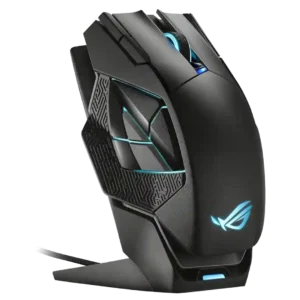
Ergonomics were polarized: finger rests and grips helped large-hand users, but the shape did not work for everyone.
Pros: charging convenience, RGB features
Cons: side button quality, weight