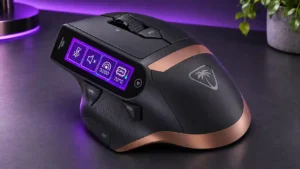
Overall: 3.6/5
Extra assignable buttons are welcomed for games, browsing, and frequently used commands.
Pros: charging convenience, battery life
Cons: Touchscreen usefulness, value for money

Overall: 3.6/5
Extra assignable buttons are welcomed for games, browsing, and frequently used commands.
Pros: charging convenience, battery life
Cons: Touchscreen usefulness, value for money
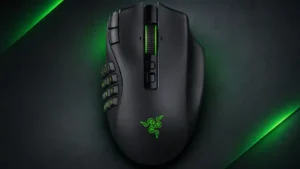
Overall: 4.2/5
Up to 23 programmable inputs and modifier layers provide substantial flexibility for abilities and work shortcuts.
Pros: Interchangeable side panels, MMO gaming suitability
Cons: value for money, FPS gaming suitability
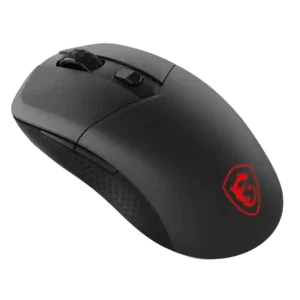
Overall: 4.4/5
The available buttons can be reassigned for gaming or productivity shortcuts. The implementation is straightforward, though not as extensive as stronger rival suites.
Pros: software usability, sensor performance
Cons: RGB features, scroll wheel quality
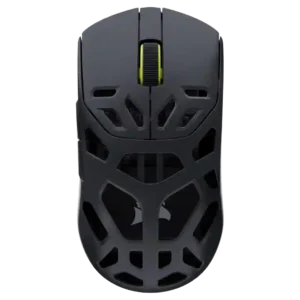
Overall: 4.2/5
Programmable-button usefulness was supported by hands-on Web Hub evidence that mouse buttons were easy to tweak.
Pros: shape comfort, sensor performance
Cons: value for money, side button quality
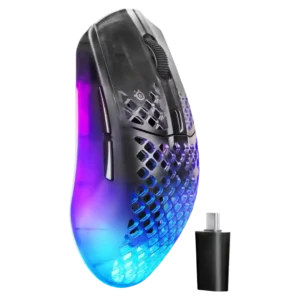
Overall: 4.3/5
Programmable-button evidence was limited but positive, tied to useful side-button configuration for daily workflows.
Pros: software usability, polling rate
Cons: palm grip comfort, fingertip grip comfort

Overall: 4.4/5
Programmable buttons were viewed as useful through Synapse customization, though the mouse remains a minimalist, low-button design.
Pros: value for money, weight
Cons: click noise, RGB features
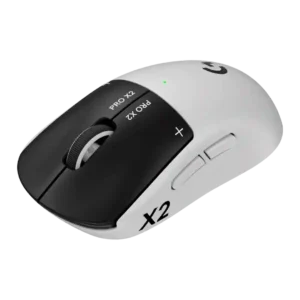
Overall: 4.0/5
Programmable buttons are useful through remapping and macros, but the limited button count hurts flexibility at this price.
Pros: switch feel, click latency
Cons: value for money, glide smoothness