Best for macro support
Logitech G PRO X Superlight 2
5.0 attribute score
Highest scored product for this attribute based on supporting review evidence.

Highest scored product for this attribute based on supporting review evidence.
Balances the attribute score, supporting reviews, and overall product strength.
Has the broadest review evidence for this attribute.
Strongest overall product among items with scored evidence for this attribute.

Macro support was praised for an easy-to-use macro tool that guides users through setup.
Pros: switch feel, polling rate
Cons: value for money, side button quality

Macro support was praised in the reviews that tested it, especially for program-specific macros and drag-and-drop command assignment.
Pros: shape comfort, programmable buttons
Cons: value for money, side button quality

Macro support was praised by reviewers who valued assigning important commands and macros through Logitech software.
Pros: button customization, switch feel
Cons: RGB features, weight tuning
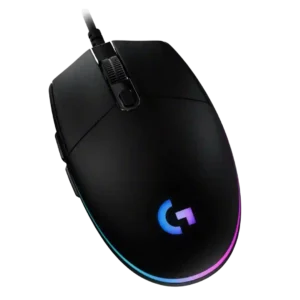
Macro support is a strong software benefit, with reviewers repeatedly noting macro creation, command sequences, and integrations that exceed expectations at the price.
Pros: value for money, RGB features
Cons: palm grip comfort, click noise

Macro support was positively tied to G Hub, with reviewers noting commands, macros, and media controls could be assigned to buttons.
Pros: shape comfort, battery life
Cons: value for money, DPI range

Macro support was positively received, with reviewers finding macro setup and assignment options useful despite broader software complaints.
Pros: RGB features, weight
Cons: value for money, scroll wheel quality

Macro support was viewed as a useful part of Logitech’s customization package, with reviewers noting it was available and easy enough to use.
Pros: value for money, weight
Cons: charging convenience, palm grip comfort

Macro support was positively mentioned through Logitech software and G-Shift style customization.
Pros: value for money, battery life
Cons: cable flexibility, RGB features

Macro support was positively noted in one review through G Hub, where the reviewer highlighted the ability to create macros.
Pros: value for money, weight
Cons: premium feel, polling rate

Macro support was useful through G Hub, but the limited button count reduced how far reviewers could take macro-heavy setups.
Pros: weight, shape comfort
Cons: side button quality, value for money

Macro support exists through G Hub, but the cited review notes macros require the software to be installed and running.
Pros: switch feel, click latency
Cons: value for money, glide smoothness