
Fingertip grip comfort is one of the clearest comfort strengths, especially for users who hold the mouse with fingers rather than palm contact.
Pros: Accuracy and tracking precision, shape comfort
Cons: long-session comfort

Fingertip grip comfort is one of the clearest comfort strengths, especially for users who hold the mouse with fingers rather than palm contact.
Pros: Accuracy and tracking precision, shape comfort
Cons: long-session comfort

Fingertip grip comfort was also strong, with reviewers calling it a good alternative and enjoying it more with use.
Pros: weight, battery life
Cons: polling rate, RGB features

Fingertip grip comfort was positive in the few reviews that addressed it directly.
Pros: shape comfort, value for money
Cons: handedness options

Fingertip comfort was generally usable to good, with reviewers noting the smaller shape and fingertip-oriented handling, but not universally ideal.
Pros: value for money, weight
Cons: premium feel, polling rate

Fingertip grip comfort was more context-dependent: one reviewer found it maneuverable, while another experienced fatigue with a fingertip/claw hybrid.
Pros: battery life, software usability
Cons: weight, FPS gaming suitability
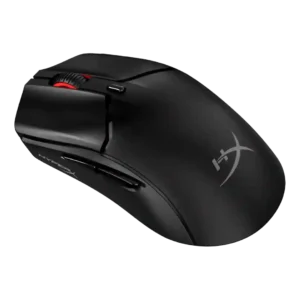
Fingertip comfort was strong for smaller hands but poor for at least one larger-hand relaxed fingertip user.
Pros: side button quality, scroll wheel quality
Cons: weight, FPS gaming suitability

Fingertip comfort was positive for some reviewers but less consistent, as the larger, taller V3 Pro was not ideal for all fingertip users.
Pros: build quality, software usability
Cons: value for money, polling rate
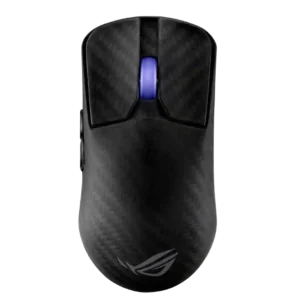
Fingertip comfort depended heavily on hand size, with some reviewers finding it workable and others saying the mouse was too large.
Pros: sensor performance, build quality
Cons: value for money, battery life

Fingertip grip comfort was mixed; some found it possible, while others found the ergonomic shell awkward for fingertip use.
Pros: value for money, sensor performance
Cons: software usability, grip texture
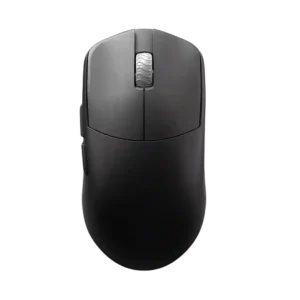
Fingertip grip comfort is conditional, with reviewers generally steering smaller-hand fingertip users toward smaller or flatter alternatives.
Pros: glide smoothness, build quality
Cons: side button quality, cable flexibility

Fingertip grip comfort was mixed to negative, with some comfort for hybrid users but stronger concerns that the big rear flare and weight hurt fingertip use.
Pros: value for money, button customization
Cons: fingertip grip comfort, portability

Fingertip comfort was mixed to weak because the mouse is heavy and shaped more for palm or claw grips.
Pros: scroll wheel quality, battery life
Cons: value for money, weight
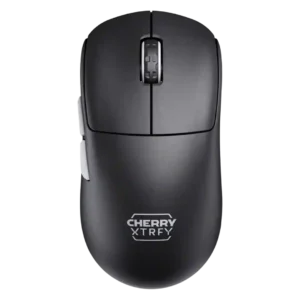
Fingertip grip support was less certain, with one reviewer saying a G Pro X was probably the safer fingertip option.
Pros: build quality, shape comfort
Cons: value for money, charging convenience
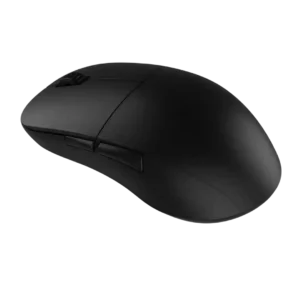
Fingertip comfort was mixed to negative: large hands may manage relaxed fingertip grip, but several reviewers found the width or scroll placement limiting.
Pros: value for money, glide smoothness
Cons: fingertip grip comfort, surface compatibility

Fingertip comfort was generally weak because the larger hump and body interfered with finger micro-adjustments, with only one reviewer finding it workable.
Pros: weight, shape comfort
Cons: side button quality, value for money

Fingertip grip comfort was more limited: some reviewers could make it work, but several advised fingertip users or smaller/larger hand extremes to be careful.
Pros: value for money, weight
Cons: Bluetooth support, cable flexibility
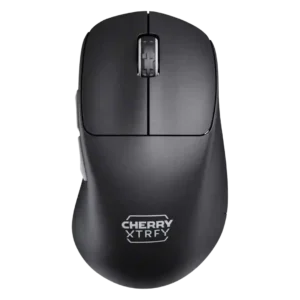
Fingertip grip comfort was weak in the available evidence because reviewers found the curvature or wider dimensions awkward for fingertip use.
Pros: build quality, weight
Cons: value for money, charging convenience

Fingertip grip comfort was weak, with reviewers describing the mouse as unwieldy or stiff in fingertip use.
Pros: battery life, glide smoothness
Cons: side button quality, value for money

Fingertip comfort was poor in the only scored review because the reviewer would not recommend the large shape for fingertip grippers.
Pros: value for money, ergonomic design
Cons: RGB features, portability