
Backlight brightness earned positive remarks, with reviewers calling the lighting impressively bright or noting strong shine.
Pros: value for money, typing feel
Cons: wrist rest quality, media controls

Backlight brightness earned positive remarks, with reviewers calling the lighting impressively bright or noting strong shine.
Pros: value for money, typing feel
Cons: wrist rest quality, media controls

Backlighting was treated as useful and bright enough for dim conditions, with one reviewer praising illumination and another finding it helpful during load-shedding.
Pros: switch feel, typing feel
Cons: software quality, volume control

Backlighting was generally bright enough, with reviewers calling out bright RGB and visible lighting through the keycaps.
Pros: customization options, gaming performance
Cons: value for money, noise level

Backlighting was bright enough for low-light use and described as vibrant, with only minor caveats about presentation.
Pros: sound dampening, value for money
Cons: ergonomics, polling rate

Backlighting was generally viewed as focused and granular, with reviewers noticing improved brightness control and stronger LED presentation.
Pros: value for money, wrist rest quality
Cons: software quality, ergonomics
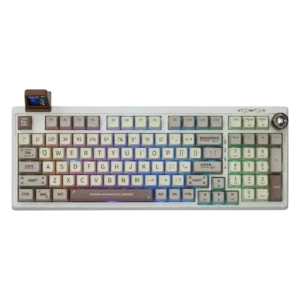
Backlight brightness received limited direct opinion, with one reviewer finding it not especially strong.
Pros: value for money, typing feel
Cons: software quality, reliability

Backlight brightness is a weak spot in the evidence, with PCMag specifically calling the RGB lighting underwhelming and dim.
Pros: switch feel, typing feel
Cons: software quality, key spacing