
If you want better noise level
Choose Analogue 3D. It scores 5.0 vs 1.9 for noise level, with a 4.4 overall score.

Choose the SteamOS version for a comfortable, console-like handheld with a sharp 120Hz screen and strong performance. Skip it if you prioritize long battery life, quiet fans, or effortless access to every PC game.
Steam-first players who want a console-like PC handheld with comfortable controls, a large 120Hz screen, and flexibility to tune performance.
Players who need long unplugged sessions, very quiet operation, a strong trackpad, or guaranteed access to Windows-only launchers, Game Pass, and anti-cheat titles.
The Lenovo Legion Go S is at its best with SteamOS, where reviewers consistently praise the console-like interface, comfortable grips, large 120Hz display, and stronger-than-expected handheld performance. Z1 Extreme configurations can be genuinely fast, while Z2 Go models remain capable when settings and resolution are managed carefully. The tradeoffs are substantial: gaming battery life is often around two hours, fan noise can be distracting, the tiny trackpad is widely disliked, and SteamOS still leaves gaps around Game Pass and some anti-cheat titles. Value also swings with configuration and sale pricing, making the SteamOS versions much easier to justify than the Windows-focused models reviewers tested.
Compared with other Video Game Console, this product is above average in reliability, storage expandability, user interface, near average in frame rate performance, performance, below average in battery life, noise level, game library quality.
| Attribute | This product | Category average | Difference |
|---|---|---|---|
| battery life | 2.3 | 4.0 | -1.7 |
| reliability | 4.2 | 2.4 | +1.7 |
| noise level | 1.9 | 3.5 | -1.7 |
| storage expandability | 5.0 | 3.3 | +1.7 |
| game library quality | 3.0 | 4.3 | -1.3 |
| availability | 2.0 | 3.4 | -1.4 |
| user interface | 4.5 | 3.5 | +1.0 |
| load times | 5.0 | 3.6 | +1.4 |
Choose Analogue 3D. It scores 5.0 vs 1.9 for noise level, with a 4.4 overall score.
Choose Lenovo Legion Go 2. It scores 5.0 vs 3.0 for game library quality, with a 3.6 overall score.
Choose Asus ROG Xbox Ally X20. It scores 5.0 vs 3.8 for audio quality, with a 4.0 overall score.
Choose Nintendo Switch 2. It scores 4.4 vs 3.4 for controller features, with a 3.7 overall score.
Compared with Lenovo Legion Go S
Most reviewers strongly prefer SteamOS because it is faster to navigate, easier to set up, and more console-like. Windows offers broader launcher and anti-cheat compatibility but brings much more handheld UI friction.
Demanding gaming commonly lands around 1.5 to 2.5 hours in the supplied reviews, depending on power mode, resolution, and game. Lower-power workloads can last longer.
Yes. Reviewers repeatedly praise the large 8-inch 120Hz IPS panel for sharpness, color, and smoothness, though the Steam Deck OLED is favored for contrast, brightness, and reflections.
Z1 Extreme models can deliver strong frame rates, while Z2 Go models often need medium or low settings, upscaling, or reduced resolution. Native-resolution performance varies significantly by game.
Generally yes. Rounded grips, Hall Effect sticks, adjustable triggers, and rear controls are widely praised, but the tiny trackpad is a frequent complaint.
It best fits Steam-first players who want quick resume, simple navigation, and a console-like experience. Players dependent on Game Pass or anti-cheat titles may prefer Windows despite its usability drawbacks.
These are a few of the reviews included in our analysis.



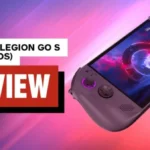
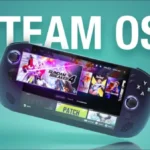
We're still in the first generation of handheld gaming PCs but stock Windows 11 isn't the answer.
Lenovo Legion Go S with SteamOS fixes Windows handheld frustrations, delivers excellent performance, and offers standout value in a crowded...
Lenovo Legion Go S Review | MMORPG.com The Lenovo Legion Go S is a great iteration on the first draft of Lenovo's handheld. Jason is here...
The Lenovo Legion Go S (SteamOS) is a lighter, cheaper, and more portable version of the original Legion Go, with surprisingly good gaming...
Lenovo’s handheld PC is bigger than its competitors, but does that mean it’s any better?
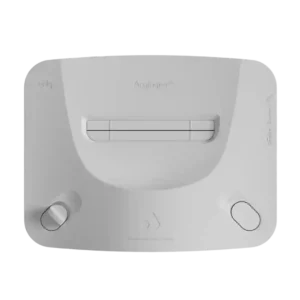
Choose it if you own N64 cartridges and want the most polished, low-lag way to play them on a 4K TV. Skip it if you want cheap emulation, broad flash-cart/controller...
Pros: display quality, performance
Cons: availability
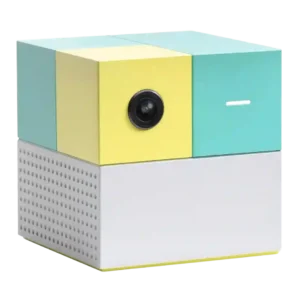
Best for easy, controller-free family play that gets kids moving. Skip it if you want deep games, cutting-edge graphics, or dislike paying for Play Pass.
Pros: game library quality, value for money
Cons: subscription service value, graphical performance
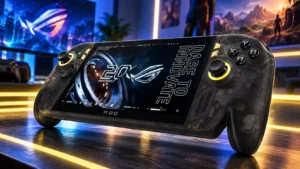
The vivid OLED screen and superb grip comfort make this a compelling premium Windows handheld. Its high price buys refinement rather than a major performance leap, and Windows still needs...
Pros: display quality, controller ergonomics
Cons: value for money, ease of use
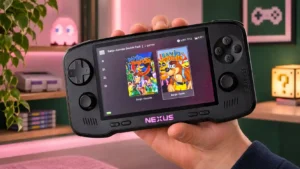
Evercade Nexus brings licensed physical classics to life with its bright screen, twin sticks, and excellent native ports. Slow booting, no suspend or TV output, and reported screen-assembly problems are...
Pros: controller features, display quality
Cons: TV output connectivity, Suspend and resume