
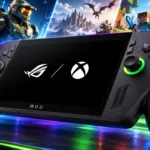
Asus ROG Xbox Ally X Feature Scores
Explore all 48 feature scores for Asus ROG Xbox Ally X, organized into pros and cons.
Scores by Feature
Summary
48 reviewed features-
Very positive 4.5-5.05 (10%)
-
Positive 3.5-4.427 (56%)
-
Neutral 2.5-3.412 (25%)
-
Negative 1.5-2.44 (8%)
Pros
Sort
-
Deep Xbox-style handles and well-distributed weight are the most consistent hardware strengths. Many owners find this their most comfortable handheld, particularly with larger hands.
-
Strong handheld processing makes many demanding PC games enjoyable and keeps ordinary Windows work responsive. Gains over older Ally hardware are useful but vary substantially by game and power setting.
-
Impulse triggers add enjoyable feedback to compatible racing and shooting games, and enhanced vibration earns enthusiastic long-term praise. Game support and perceived strength vary, while one test unit suffered intermittent motor faults.
-
Front-facing speakers receive strong praise for loud, clear and surprisingly immersive sound. Bass is more limited than the spacious presentation, and good headphones can still improve the experience.
-
Useful frame-rate gains make demanding handheld games more enjoyable, with lighter titles able to use the high-refresh display. A stable 30fps can be the realistic target for heavier games, and the generational uplift is far from uniform.
-
Lighter games can last many hours, while demanding titles and Turbo mode shorten sessions sharply. Most owners find moderate power profiles a good everyday compromise, although some tests show little improvement over the previous model.
-
Many modern games retain impressive detail on the small display, especially with sensible settings and upscaling. The heaviest titles still need compromises, and aggressive resolution reduction or ray tracing can spoil the balance.
-
The most persuasive improvement is often good performance at moderate wattage rather than maximum Turbo speed. Some tests find little benefit from pushing power higher or using the gaming shell, so efficient settings remain game-dependent.
-
Dual USB-C connections make charging alongside display glasses, docks or other devices especially useful. Some common connections need adapters, and wireless headphone pairing can still send you into desktop settings.
-
Game Pass adds recurring discoveries and a broad selection without buying each game separately. The bundled subscription tier disappoints one reviewer who expected the top plan with such expensive hardware.
-
Broad PC-store access and compatible Xbox purchases provide plenty to play without committing to a single storefront. Missing Xbox Play Anywhere support still leaves frustrating gaps for some console owners.
-
Most tests keep the grips comfortable even when the processor is working hard. An owner also reports severe heating after accidental waking inside a closed case, making dependable power behavior an important practical limitation.
-
MicroSD provides an easy way to add game storage, while a standard SSD slot supports larger internal upgrades. Replacing the SSD offers flexibility but requires opening the case carefully.
-
The black finish, textured detailing and controller-like shape appeal to some owners. Others find the projecting handles awkward-looking even while appreciating their practical comfort.
-
Supported cross-device cloud saves let owners continue established progress without manual transfers. Successful syncing makes switching between the handheld and a console particularly convenient.
-
Remote Play can provide an excellent large-console experience on the handheld when the source system handles the graphics. Strong home connections work best; hotel Wi-Fi and tethering can make results less reliable.
-
Cooling generally sustains performance effectively, with several favorable long-session reports. Comparisons with the newer X20 highlight additional thermal headroom available on that revision.
-
Charging is generally considered brisk enough to restore useful playtime during a break. Reported half-charge and full-charge times vary, so the broadly positive impression matters more than any single timing.
-
Portable cooperative and competitive play are both useful roles, with good results once suitable games are configured. Demanding online titles can need power-profile and graphics adjustments before they feel stable.
-
Dual USB-C ports make an external-glasses display especially convenient while charging. Full Windows connectivity also supports niche tasks such as loading music onto a compatible digital audio player.
-
Sticks and primary buttons often feel responsive and familiar, but the D-pad attracts repeated criticism. Loud face buttons, awkward menu placement and isolated trigger or stick issues temper otherwise strong handling.
-
Quick game/chat balancing and a broad calibration suite make sound settings useful and accessible. The best experience comes from having these controls within the gaming interface rather than deeper desktop menus.
-
One long-term comparison finds the Ally much easier to buy in stores than several high-end rivals. Readily available stock is a practical advantage when competing models are scarce.
-
Several long-term owners report little wear and no hardware failures. Others find the plastics insufficiently premium or encounter creaking, trigger defects and concerns about conventional thumbstick durability.
-
Fans are often quiet enough to fade into the background, particularly at moderate power. Face-button clatter is a separate recurring complaint and can be much more intrusive in a shared quiet room.
-
Cloud gaming can work impressively on a strong connection and provide a route to some console-only games. It remains an imperfect substitute when you want reliable local access to an existing Xbox purchase.
-
Very fast game downloads impress in one test. Streaming on hotel or tethered connections is less dependable, so network quality still matters more than the handheld's flexibility alone.
-
The large presentation box is attractive enough to display on a shelf. Its appeal here is decorative presentation rather than a claim of rarity or investment value.
-
A year of daily use brings no reported worsening in dust buildup. That is a reassuring ownership observation rather than a formal dust-protection certification.
-
PC releases of formerly console-bound Sony games provide a useful way for Xbox-oriented players to try titles they missed. This benefit comes from PC access rather than a new library of Ally-exclusive games.
-
Opening the case is feasible with ordinary screws and a pry tool, but opinions differ on how easy it feels. Numerous clips and the rear-button ribbon cable require care, even though access to the SSD is practical afterward.
-
The included terabyte feels generous for a handheld to one reviewer, but another finds that just a few large games consume much of it. How much you can keep installed depends heavily on the size of your library's games.
Cons
Sort
-
The Xbox name does not guarantee local access to your console purchases. Missing PC versions and incomplete Play Anywhere coverage are recurring disappointments, especially for older Xbox libraries.
-
The protective box and included stand receive some positive comments, but the basic cardboard stand often feels out of place in an expensive package. A missing carrying case is a repeated complaint, and one EU unit also lacked a charger.
-
Long-term hardware experiences can be reassuring, but software dependability varies widely. Lost input focus, failed launches, boot problems and inconsistent sleep can interrupt otherwise excellent gameplay.
-
Small text, limited interface scaling and tiny controls can make some games or desktop apps uncomfortable to read and operate. The seven-inch screen makes these shortcomings more noticeable.
-
Updates improve profiles, vibration, library tools and sometimes image quality over time. Separate Windows, store and ASUS maintenance remains cumbersome, and promised AI features do not consistently deliver useful handheld benefits.
-
Windows can technically handle movie playback and other media tasks, but one excerpt finds non-gaming use awkward compared with a tablet or laptop. Media capability alone is a weak reason to choose this form factor.
-
Experiences range from quick controller-led onboarding to hours of updates, sign-ins and recovery attempts. Additional launchers and PC compatibility fixes can prolong the path to the first game.
-
Suspend and resume is one of the most divisive parts of ownership. Some users report excellent charge retention and reliable returns, while others encounter random waking, heavy drain or forced resets.
-
Portable PC freedom is valuable around the house and away from it, but the thick grips and substantial weight require real bag space. Good balance helps during play more than it helps when packing.
-
Fingerprint login is a welcome shortcut when it works, and some tests find it quick and forgiving of finger angle. Missed readings and one later software-related failure show that reliability is uneven.
-
Installed games from several stores can be gathered into one useful library. The convenience is undermined by hidden installers, desktop-oriented launchers, promotions and inconsistent controller focus.
-
Some owners find games and apps noticeably quicker to open, while others wait through launchers, dependencies or lengthy game starts. Launch speed depends on the game and its storefront as well as the hardware.
-
Xbox Mode puts games and common settings within easier controller reach than the Windows desktop. Opinions on its polish are sharply divided: library aggregation and switching help, while ads, focus problems and overlapping menus still frustrate.
-
Comfort, demanding-game performance and flexible PC use can justify the investment for frequent players. The high purchase price, basic bundle and software rough edges remain substantial objections, with later owners finding better relative value or open-box deals.
-
The sharp 1080p panel and variable refresh help games look fluid, and several owners like its colors and reflection handling. The small screen, thick bezels and lack of OLED or HDR repeatedly disappoint at this price.
-
The gaming shell removes a substantial amount of Windows friction, and familiarity makes daily navigation easier. It still requires more learning, maintenance and occasional touch or mouse intervention than a dedicated console.
Use Cases
Best for
Sort
-
Indie, AA and lighter games are a particularly natural match for the comfortable handheld format. They often run smoothly at low power and leave much more time between charges, although poorly optimized exceptions exist.
-
Game Pass is a strong match for portable discovery and an existing Xbox PC library. It regularly gives owners appealing games to try, while the native PC catalog remains distinct from universal Xbox console compatibility.
-
The controller-style grips often stay comfortable through hours of play. Weight can still become tiring without support, and long untethered sessions depend on choosing less demanding games or lower power modes.
-
Existing Xbox PC, Steam, Epic, GOG and other libraries are a major reason to buy this Windows handheld. Centralized launching is convenient, although installing and maintaining every store is not equally seamless.
-
This is a capable way to play demanding PC releases away from a desk or television. Expect to tune settings, use upscaling or accept lower frame rates, and remember that some owners still prefer a home console for major visual showcases.
-
Forza titles repeatedly demonstrate the handheld's appeal through good performance, attractive scenery and useful trigger feedback. Short races fit portable play well, although one review encountered repeated Forza launch crashes.
-
Relaxed play on the sofa, in bed or while someone else uses the TV is a major ownership benefit. The angled screen and weight may need a different holding position when reclining.
-
Windows freedom, deep settings and access to PC experimentation reward players who enjoy customization. The appeal is strongest when flexibility matters enough to tolerate troubleshooting and unfinished software.
-
A substantial Xbox Play Anywhere library makes this a particularly useful companion to an existing console. It adds flexible places and times to play rather than guaranteeing that every console purchase will transfer.
-
Strong grips, broad Windows compatibility and useful performance make portable shooters a credible role. Some competitive titles need medium settings or more power, and setup errors can still interrupt the experience.
-
Bazzite and SteamOS can make the hardware feel more responsive and console-like for owners willing to change or dual-boot the operating system. Those favorable experiences describe customized setups rather than the original Windows configuration.
-
Retro-style games and emulation are rewarding low-power uses, often with long battery endurance. Some setups still require controller mapping or other PC configuration.
-
With a monitor, keyboard and mouse, the handheld can handle real daily writing, browsing and light creative tasks. Some owners use it as their main PC, while others find the small-screen Windows experience awkward for productivity.
-
Many owners value taking substantial PC libraries on flights, commutes and work trips. The bulky shape, game-dependent runtime and occasional need for an internet connection make planning and backup power useful on longer journeys.
-
Brief gaming opportunities between work, family responsibilities or other activities are a meaningful advantage. The fit still depends on the game, and one reviewer finds the chassis too bulky for casual few-minute bus sessions.
-
A good first Windows handheld for buyers who understand the learning curve and want broad PC-game access. Console newcomers expecting immediate, maintenance-free operation may find driver updates and troubleshooting discouraging.
-
Good headphones offer greater immersion than the built-in speakers in the listening comparisons. The speakers remain usable when private listening is unnecessary.
-
The tested platformers look attractive and fit the casual handheld rhythm well. Shorter, readily paused games are especially appealing to the owner who favors this genre.
-
PC modding opens enjoyable ways to improve favorite games beyond their console versions. A docked setup also works well for custom music-game tracks and compatible instrument controllers.
-
External displays and docks can turn the device into a useful compact PC or larger-screen gaming setup. Controller focus and compatibility problems sometimes make couch-based TV play less seamless than hoped.
-
The full-screen gaming environment can suppress desktop notifications and unwanted startup applications. That makes it easier to concentrate on play when Windows stays in the background.
-
Strategy and tactics games can fit relaxed handheld play beautifully when their controls suit the format. The lack of touchpads creates a disadvantage for mouse-oriented strategy interaction.
-
Orchestral music swells convincingly while dialogue stays clear over busy game effects. Speaker placement and output make the battle soundtrack enjoyable without losing voices.
-
Local installation is a major benefit for owners who want to avoid cloud-only play. Disconnected reliability remains game-dependent because launchers, DRM and unsynced saves can interfere before a journey.
Conditional or not ideal for
Sort
-
Remote streaming onlyRemote or cloud play works, but it rarely justifies buying this expensive local gaming hardware by itself. Cheaper, lighter streaming-focused devices are more sensible when that is the whole requirement.
-
Budget-conscious buyersThe purchase price is a poor fit for tight budgets, especially alongside cheaper handhelds or used Ally X units. Some later comparisons find it relatively attractive among increasingly expensive new premium models.
-
Gaming beside othersLoud face-button clicks can disturb someone nearby even when game audio is private. One owner switches to another handheld for bedside or shared quiet-room gaming.
-
Fighting gamesThe D-pad is a conditional fit for fighting games. One reviewer finds it crisp but imperfect on diagonals, while another considers its unreliable directional input a potential dealbreaker.
-
Atmospheric gamesDetailed horror environments can look excellent, and tested atmospheric titles often run well. Dark-scene contrast on the LCD is a real limitation for games where shadow detail matters.
-
Steam-only gamingSteam-focused players can use Big Picture as their primary launcher and avoid much of the Xbox front end. Whether that justifies the premium is disputed, with several recommendations favoring a cheaper Steam Deck for Steam-only libraries.
-
Outdoor playOutdoor visibility draws mixed reports: reflection handling helps some owners, and backyard play can be clear. Strong direct sun and dark scenes expose the LCD's brightness and contrast limits.