Best for accessibility features
Thrustmaster eSwap X2 H.E.
5.0 attribute score
Highest scored product for this attribute based on supporting review evidence.

Highest scored product for this attribute based on supporting review evidence.
Balances the attribute score, supporting reviews, and overall product strength.
Has the broadest review evidence for this attribute.
Strongest overall product among items with scored evidence for this attribute.
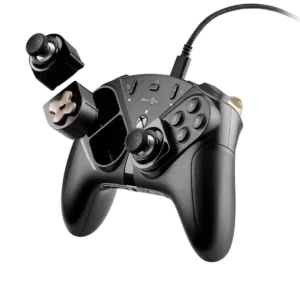
The modular layout is especially helpful for accessibility, letting players quickly rearrange stick and D-pad positions around different needs and preferences.
Pros: overall satisfaction, customization depth
Cons: value for money, upgrade value
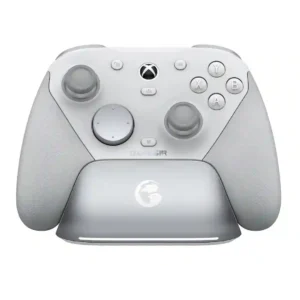
One reviewer with a disability found the G7 Pro’s quicker trigger response meaningfully helpful for slower reactions. Physical accessibility adjustments remain more limited than on some elite controllers.
Pros: overall satisfaction, premium feel
Cons: compatibility with Xbox, d-pad feel

The full-size spacing can be easier on stiff or arthritic hands than cramped mobile controls. Its larger grip may therefore improve access for some players, though it is not a...
Pros: overall satisfaction, overall comfort
Cons: phone grip and fit, durability
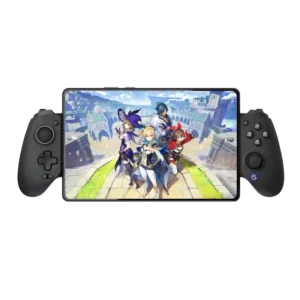
Extensive remapping, dead-zone controls, and physical customization let players tailor the controller to different access needs.
Pros: value for money, phone grip and fit
Cons: companion app quality, vibration quality
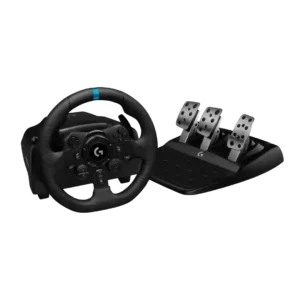
For one disabled reviewer, the wheel recreated a meaningful sense of driving that a standard controller could not provide.
Pros: overall satisfaction, brake pedal performance
Cons: value for money, TrueForce game support
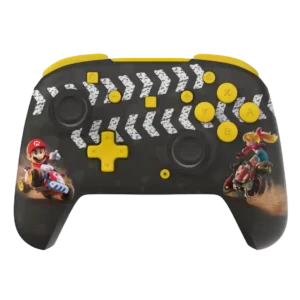
Programmable rear buttons can simplify complicated inputs for players who want easier access to frequently used actions.
Pros: overall satisfaction, value for money
Cons: premium feel, vibration quality
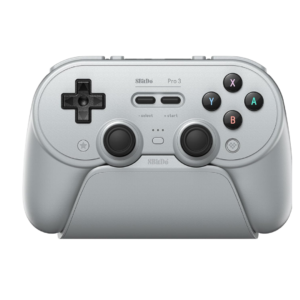
Axis inversion and controller-level remapping add useful flexibility for players who need alternate control behavior. Accessibility is not a major focus, but the available adjustments are welcome.
Pros: overall satisfaction, charging dock support
Cons: button noise, 2.4GHz dongle performance
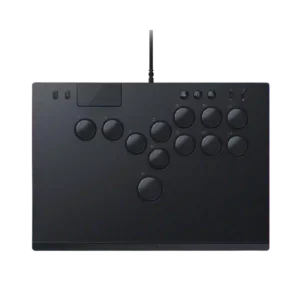
Accessibility evidence was positive, with the all-button layout framed as helpful for players who find arcade sticks a barrier.
Pros: face button responsiveness, button quality
Cons: value for money, learning curve

Vibration adjustment can help players who are sensitive to strong rumble, but the lack of illuminated face-button labels was called out as a real accessibility problem in dark rooms.
Pros: overall satisfaction, button quality
Cons: d-pad accuracy, charging dock support