
If you want better Companion software dependence
Choose VXE R1 Pro. It scores 4.4 vs 1.5 for Companion software dependence, with a 4.3 overall score.

The upright grip, premium construction and accurate sensor make this a compelling productivity mouse. Its 150-gram weight, adjustment period and basic scroll wheel make it less appealing for fast gaming and heavy scrolling.
Desk workers seeking reduced wrist strain, creative users who benefit from programmable shortcuts, and hybrid work-and-casual-gaming users who value comfort more than rapid aiming.
Competitive FPS gamers, left-handed users and people who rely heavily on free-spin scrolling should look elsewhere. First-time vertical mouse users should be prepared for an adjustment period.
The Razer Pro Click V2 Vertical is best approached as a premium productivity mouse with gaming-grade electronics rather than a competitive gaming mouse. Its upright handshake grip helps many users reduce wrist and forearm fatigue, and its textured thumb rest, solid construction and responsive sensor make everyday work enjoyable once the shape feels familiar. Customizable buttons, app-specific profiles and multiple wireless connections add practical flexibility. However, comfort varies by hand shape, and some users find the large body awkward or uncomfortable. The 150-gram weight makes quick flicks and repositioning difficult, while the lack of free-spin and horizontal scrolling limits office convenience. Battery life can be excellent with lighting disabled, but settings matter considerably. Synapse unlocks useful controls, although its complexity and dependence are frustrations. It is a strong option for comfort-first desk work and occasional gaming, provided the grip fits your hand.
Compared with other Mice, this product is above average in USB receiver storage, premium feel, DPI customization, near average in gaming suitability, button customization, below average in plug-and-play support, setup ease, Dedicated DPI switch.
| Attribute | This product | Category average | Difference |
|---|---|---|---|
| plug-and-play support | 1.5 | 4.8 | -3.3 |
| setup ease | 1.5 | 4.7 | -3.2 |
| Dedicated DPI switch | 2.0 | 4.3 | -2.3 |
| handedness options | 1.0 | 3.2 | -2.2 |
| sleep mode | 2.0 | 4.3 | -2.3 |
| repairability | 1.5 | 3.5 | -2.0 |
| Companion software dependence | 1.5 | 3.3 | -1.8 |
| Software resource usage | 2.3 | 4.0 | -1.8 |
Choose VXE R1 Pro. It scores 4.4 vs 1.5 for Companion software dependence, with a 4.3 overall score.
Choose Logitech Lift. It scores 5.0 vs 1.0 for handedness options, with a 4.1 overall score.
Choose Logitech MX Master 3S. It scores 5.0 vs 1.5 for setup ease, with a 4.2 overall score.
Choose Logitech MX Master 4. It scores 4.2 vs 1.5 for repairability, with a 3.6 overall score.
Compared with Razer Pro Click V2 Vertical
Many users find the handshake grip reduces wrist and arm fatigue, though the steep angle and thumb rest do not suit every hand.
The sensor and latency perform well, but the 150-gram body and upright shape make rapid flicks and lifting more difficult.
Runtime varies by lighting, polling rate and connection. One test estimated around 200 hours over the receiver with RGB off, while other users report significantly shorter runtime with lighting enabled.
No. Its wheel provides conventional notched scrolling without free-spin or left/right tilt.
Yes. It supports multiple Bluetooth devices, a 2.4GHz receiver and wired operation, though cycling between wireless connections can be awkward.
Basic operation is possible without Synapse, but adjusting lighting, polling rate, sleep behavior and custom controls requires software.
These are a few of the reviews included in our analysis.



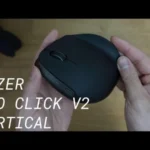

The Pro Click V2 Vertical Edition lacks a few features to be fully office-ready, but from an ergonomic perspective, it is excellent.
Razer's Pro Click v2 Lineup promises to be a game changer in modern ergonomics and productivity, but can it truly measure up? Find out in our...
The Pro Click V2 Vertical has a steep learning curve but effectively brings the ergonomic benefits of a vertical mouse to the gaming peripheral.
An in-depth review, including performance results, of the Razer Pro Click V2 Vertical Edition wireless ergonomic mouse.
Pretty lights and one-touch AI can't fix a broken design.

Best for travel, quiet shared spaces, precise any-surface tracking, and multi-device productivity. Skip it if you have large hands, want all-day palm support, or need a gaming-focused mouse.
Pros: portability, click noise
Cons: hand size compatibility, dongle-free setup

Choose it if you want a premium MMO/productivity mouse with 12 adjustable side buttons, strong battery life, and Stream Deck integration. Skip it if you need an ultralight FPS mouse,...
Pros: button customization, MMO gaming suitability
Cons: FPS gaming suitability

Fast tracking, a very light shell and a grippy coating make this a compelling affordable FPS mouse. The optional 4K receiver costs extra, and Bluetooth is absent.
Pros: Overall satisfaction, gaming suitability
Cons: polling rate, Software and driver support

Choose the Kone II if you want a large, ergonomic mouse with deep customization and strong sensor performance. Skip it if you have small hands, need an ambidextrous mouse, or...
Pros: value for money, button customization
Cons: fingertip grip comfort, portability