If you want better programmable buttons
Choose Logitech MX Anywhere 3S. It scores 5.0 vs 1.5 for programmable buttons, with a 4.5 overall score.

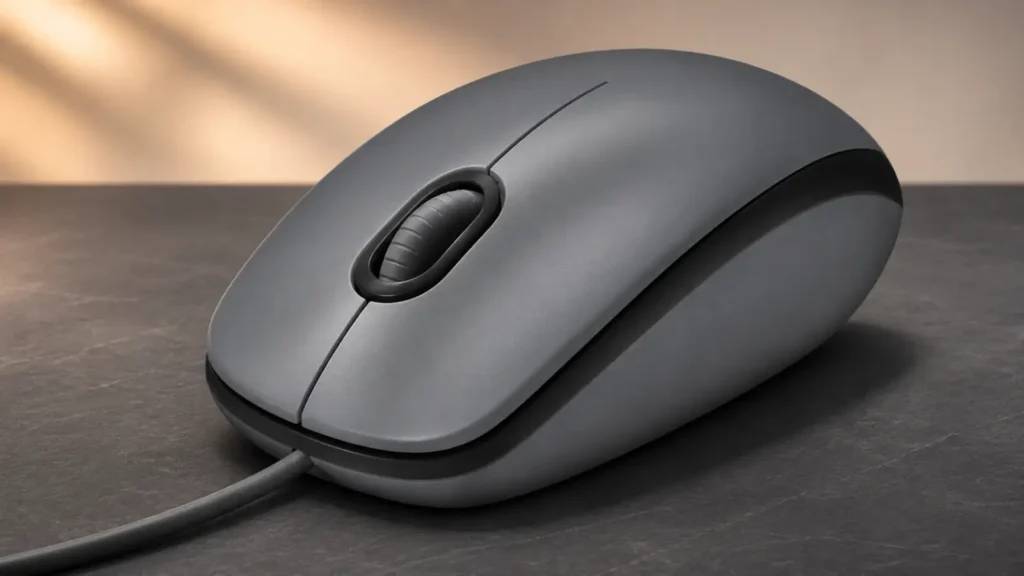
The M100 delivers inexpensive, hassle-free wired pointing in a lightweight ambidextrous body. Its short shape, basic controls and potential button issues make it less appealing for demanding gaming or prolonged work.
Budget-conscious everyday users, smaller-handed users and people who prefer a straightforward wired mouse without wireless pairing.
Demanding PC gamers, people with larger hands who use palm or claw grips, and users who need advanced productivity controls.
The Logitech M100 is a sensible choice when you need an inexpensive mouse that works without fuss. Several users praise its quick USB setup, responsive basic clicks and comfortable, lightweight body. Its symmetrical shape is particularly practical for fingertip grips and smaller hands, and the direct connection can be a welcome replacement for unreliable wireless mice. The tradeoffs become more apparent with demanding use: the fixed sensitivity, limited buttons and basic scroll wheel leave little room for customization. Larger hands may struggle with palm or claw grip, and comparative testing finds the cable stiff and the feet reluctant to glide. One long-term owner also reports double-clicking and unreliable middle-click behavior. It is a useful everyday budget mouse, rather than a substitute for a more capable office or gaming model.
Compared with other Mice, this product is above average in wired connectivity, motion latency, handedness options, near average in shape comfort, ease of use, below average in button customization, programmable buttons, glide smoothness.
| Attribute | This product | Category average | Difference |
|---|---|---|---|
| button customization | 1.5 | 4.4 | -2.9 |
| programmable buttons | 1.5 | 4.2 | -2.7 |
| glide smoothness | 2.0 | 4.5 | -2.5 |
| surface compatibility | 2.0 | 4.3 | -2.3 |
| long-session comfort | 2.0 | 4.2 | -2.2 |
| wired connectivity | 4.5 | 2.6 | +1.9 |
| free-spin scrolling | 2.0 | 4.0 | -2.0 |
| cable flexibility | 2.0 | 3.9 | -1.9 |
Choose Logitech MX Anywhere 3S. It scores 5.0 vs 1.5 for programmable buttons, with a 4.5 overall score.
Choose Logitech MX Master 3S. It scores 5.0 vs 1.5 for button customization, with a 4.2 overall score.
Choose Logitech M720 Triathlon. It scores 5.0 vs 2.0 for click consistency, with a 4.2 overall score.
Choose Logitech Lift. It scores 4.6 vs 2.0 for Connectivity versatility, with a 4.1 overall score.
Compared with Logitech M100
Basic operation is plug-and-play over USB; users describe getting started within seconds. There is no companion software for button customization.
Yes. Its symmetrical shape is suitable for either hand.
Its light weight and price appeal to some budget players, but fixed sensitivity, higher comparative click latency and unreliable middle clicks limit demanding gaming.
Fingertip grip is the most promising option. Its short shell is less comfortable for larger hands using palm or claw grips.
Opinions differ: one user describes the switches as fairly quiet, while another finds the clicks noticeably loud.
Some users enjoy the smooth scrolling, while others find the wheel clunky. It lacks free-spin and horizontal tilt functions.
Some owners report years of use and sturdy construction, but one long-term owner encountered double-clicking and unreliable middle clicks.
These are a few of the reviews included in our analysis.


Logitech M100. Owners like: Durable and long-lasting, still working after many years of use; Comfortable and good-feeling shape. Complaints...
The Logitech M100 is a middling wired office mouse. It's lightweight, feels well-built, and has an ambidextrous shape that's suitable for all...

Best for travel, quiet shared spaces, precise any-surface tracking, and multi-device productivity. Skip it if you have large hands, want all-day palm support, or need a gaming-focused mouse.
Pros: portability, click noise
Cons: hand size compatibility, dongle-free setup

Choose it if you want a premium MMO/productivity mouse with 12 adjustable side buttons, strong battery life, and Stream Deck integration. Skip it if you need an ultralight FPS mouse,...
Pros: button customization, MMO gaming suitability
Cons: FPS gaming suitability

Choose the Kone II if you want a large, ergonomic mouse with deep customization and strong sensor performance. Skip it if you have small hands, need an ambidextrous mouse, or...
Pros: value for money, button customization
Cons: fingertip grip comfort, portability
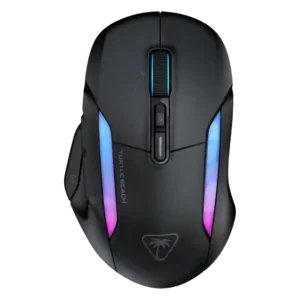
Good if you want a large, ergonomic wireless mouse with long battery life and deep customization. Skip it if you have small hands, prioritize ultralight FPS speed, or want the...
Pros: battery life, software usability
Cons: weight, FPS gaming suitability