Compare MSI Pro MP165 E6 vs Dell Ultrasharp U3425WE

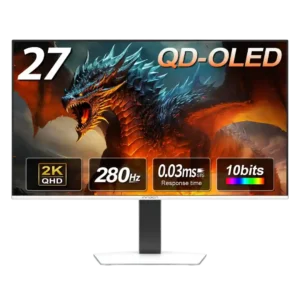
MSI Pro MP165 E6

MSI Pro MP165 E6

Overall score 4.1 / 5

Based on 90 scored reviews

vs
Dell Ultrasharp U3425WE

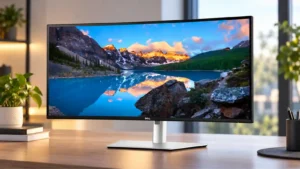
Dell Ultrasharp U3425WE

Overall score 4.0 / 5

Based on 53 scored reviews

How we score

Scorata scores summarize analyzed review evidence on a 1–5 scale; they are not laboratory measurements or a simple average of customer star ratings. Feature scores summarize the reviews covering that feature. The overall score averages feature scores within each review, then combines review averages. When both expert and customer evidence are available, those two groups receive equal weight. Products can have different review coverage, so small score gaps do not establish a winner.

Recommendations prioritize important features for the category, with a score of at least 3.5, a gap of at least 0.25 points and at least two supporting reviews per product. Features with widely varying scores or broad connectivity contexts are excluded from recommendations. These safeguards do not establish statistical significance.

Quick verdict

What each product is best for

The review evidence points to a tradeoff: portability and weight and premium feel versus contrast and refresh rate. Choose according to which strengths matter more to you; the overall score alone does not settle that choice.

Choose MSI Pro MP165 E6 for portability and weight and premium feel.

Choose Dell Ultrasharp U3425WE for contrast and refresh rate.

Why these recommendations?

MSI Pro MP165 E6

Where It Has the Edge

  • portability and weight is 5.0 vs 2.3. Portability is one of the strongest points: reviewers repeatedly praise the thin, light chassis and easy fit in...
  • premium feel is 5.0 vs 3.8. Some reviewers find the monitor noticeably sturdier and more premium-feeling than cheap rivals, despite its plastic construction.
  • design and aesthetics is 4.8 vs 4.2. The design is simple and functional, with slim bezels and a thinner profile earning positive comments rather than...

Dell Ultrasharp U3425WE

Where It Has the Edge

  • contrast is 4.2 vs 2.6. IPS Black delivers noticeably stronger contrast than ordinary IPS, with several testers praising its depth and pop. It...
  • refresh rate is 4.2 vs 2.9. The 120Hz refresh rate makes motion and cursor movement noticeably smoother and is a welcome upgrade over 60Hz....
MSI Pro MP165 E6 4.1 overall score
Dell Ultrasharp U3425WE 4.0 overall score

Compare features

Scores are out of 5. Missing scores mean missing review evidence, not a missing feature.

Scored on both products

Other features

Motion clarity
MSI Pro MP165 E6
2.0

Motion clarity is only average at 60Hz, and one owner reports heavy ghosting. It is fine for static work but not ideal for motion-heavy viewing.

Dell Ultrasharp U3425WE
5.0

The jump to 120Hz substantially reduces visible motion blur, making scrolling and cursor movement feel smoother. That improvement is especially noticeable when coming from a 60Hz display.

Portability and weight
MSI Pro MP165 E6
5.0

Portability is one of the strongest points: reviewers repeatedly praise the thin, light chassis and easy fit in laptop bags or travel setups.

Dell Ultrasharp U3425WE
2.3

This is a large, heavy display with a substantial base, so it is not especially portable. Its size also makes returns and desk placement more cumbersome than with a smaller monitor.

VRR compatibility
MSI Pro MP165 E6
1.5

VRR support is effectively absent, which limits gaming smoothness and flexibility.

Dell Ultrasharp U3425WE
4.0

Variable refresh rate over HDMI adds useful flexibility for occasional gaming. The support is limited by connection path rather than being a broad gaming-focused implementation.

Panel type
MSI Pro MP165 E6
2.5

The IPS-LCD panel is practical and affordable, but it looks dull and washed out next to OLED alternatives.

Dell Ultrasharp U3425WE
4.3

IPS Black is a strong fit for productivity, with excellent panel quality and better contrast than conventional IPS. It still cannot match OLED-class blacks and contrast, but avoids making OLED the only route to a premium work display.

Built-in speakers
MSI Pro MP165 E6
2.7

Speaker feedback is one of the clearest weaknesses: several reviewers call the sound tinny, muffled, or terrible, though a minority find it decent for basic audio.

Dell Ultrasharp U3425WE
4.3

The built-in speakers are better than the typical monitor speakers and plenty usable for calls, YouTube, and everyday audio. They still do not replace good dedicated speakers for buyers who care about sound quality.

Ghosting control
MSI Pro MP165 E6
1.0

Ghosting can be severe in scrolling and video according to one owner, making motion-heavy use a risk.

Dell Ultrasharp U3425WE
2.5

Fast-moving visuals can show modest ghosting even at 120Hz. That keeps motion performance behind monitors tuned specifically for gaming.

Color gamut
MSI Pro MP165 E6
3.0

Color gamut is the most consistent picture-quality compromise. Reviewers repeatedly describe muted or limited color, even though a handful of owners are satisfied with everyday vibrancy.

Dell Ultrasharp U3425WE
4.3

Color gamut is consistently strong, with broad sRGB coverage and roughly mid-90% DCI-P3 results in several tests. Coverage is good for productivity and light creative work, though it can fall short of Dell’s advertised P3 figure.

Refresh rate
MSI Pro MP165 E6
2.9

The 60Hz refresh rate is acceptable for office work and casual use but repeatedly criticized as a gaming limitation at this price.

Dell Ultrasharp U3425WE
4.2

The 120Hz refresh rate makes motion and cursor movement noticeably smoother and is a welcome upgrade over 60Hz. For office-only users, the benefit can feel modest relative to the added cost.

Stand adjustability
MSI Pro MP165 E6
4.4

The kickstand is generally sturdy and useful across several angles, though portrait use is awkward and some owners prefer an external stand.

Dell Ultrasharp U3425WE
3.1

The stand offers useful height, tilt, and swivel adjustment, though portrait rotation is not practical on this ultrawide. A few owners report hinge weakness or shakiness, so a monitor arm may be preferable for some desks.

Delivery condition
MSI Pro MP165 E6
1.8

A small number of units arrived scratched, making delivery condition an occasional concern despite the included sleeve.

Dell Ultrasharp U3425WE
3.0

Most reported deliveries were well packed and arrived intact, but there are isolated cases of damaged packaging or units that appeared previously used. Delivery condition can therefore depend heavily on the seller and shipment.

Response time
MSI Pro MP165 E6
4.0

The quoted 4ms response time is considered sufficient for casual gaming and video, not for serious competitive play.

Dell Ultrasharp U3425WE
2.8

The 5ms-class response time is acceptable for everyday work and casual gaming, but it is not competitive with dedicated gaming displays. Gaming-focused alternatives can deliver much faster pixel response.

Premium feel
MSI Pro MP165 E6
5.0

Some reviewers find the monitor noticeably sturdier and more premium-feeling than cheap rivals, despite its plastic construction.

Dell Ultrasharp U3425WE
3.8

The monitor feels premium in capability more than in styling: its integrated dock, KVM, and polished productivity features impress, while the physical design can look fairly plain for the price.

VESA mount compatibility
MSI Pro MP165 E6
3.3

VESA mounting is a differentiator in expert reviews, but customer reports conflict sharply, with some saying the two-hole implementation is not secure or not truly VESA-compatible.

Dell Ultrasharp U3425WE
4.5

VESA support makes it straightforward to move the large display onto a monitor arm. That is especially useful for reclaiming desk space from the substantial stock stand.

Black levels
MSI Pro MP165 E6
3.5

Black levels are acceptable for a budget IPS portable display, but they are visibly behind OLED depth.

Dell Ultrasharp U3425WE
4.7

Black levels are a meaningful improvement over older and conventional IPS displays, and owners upgrading from older Dell panels notice the difference. Newer QD-OLED screens still produce deeper blacks.

Single-player cinematic gaming suitability
MSI Pro MP165 E6
4.0

Single-player and slower-paced games are acceptable on the 60Hz panel, but cinematic quality is held back by muted color and limited contrast.

Dell Ultrasharp U3425WE
5.0

For slower single-player and story-driven games, the ultrawide image can look gorgeous. One owner specifically praises RPG and story-game visuals despite the monitor’s broader gaming limitations.

Cable management
MSI Pro MP165 E6
3.4

Right-angle cables can keep setups tidy, but side port placement and short included cables create clutter or reach problems in some desk layouts.

Dell Ultrasharp U3425WE
4.3

Cable management is usually a strength thanks to the stand routing, single-cable laptop setups, and daisy-chaining. With a fully populated KVM and hub setup, however, the large number of cables can still become messy.

Documentation quality
MSI Pro MP165 E6
1.3

Documentation is a weak point. Owners describe the printed instructions as sparse or poor pictographics, forcing some setup discovery on their own.

Dell Ultrasharp U3425WE
2.0

The included setup documentation is a weak point for at least one owner, who wanted clearer English instructions instead of mostly symbolic drawings. The monitor can still be installed without technical help.

Competitive gaming suitability
MSI Pro MP165 E6
1.8

Competitive gaming is a poor fit because the 60Hz ceiling limits fast-paced play. Casual gaming is much less problematic.

Dell Ultrasharp U3425WE
2.4

Competitive gaming is not this monitor’s strength. Its response time, lack of FreeSync/G-Sync, limited HDR, and productivity-first tuning make dedicated gaming monitors the better fit for serious players.

Sharpness
MSI Pro MP165 E6
5.0

Sharpness is a strong point for productivity: text and small UI elements are repeatedly described as crisp and easy to read.

Dell Ultrasharp U3425WE
4.5

Text and everyday imagery generally look crisp and clear, and many owners praise the sharpness for office work. The main caveats are lower pixel density than 4K screens and somewhat softer scaling on macOS.

Reflection handling
MSI Pro MP165 E6
4.8

The matte anti-glare finish works well indoors and in bright offices, though extreme sunlight can still overwhelm the panel.

Dell Ultrasharp U3425WE
4.4

The matte antiglare finish is effective in ambient light and can be especially helpful for glare-sensitive users. The tradeoff is that one tester felt the coating softened some of the extra contrast compared with a glossy surface.

Overall satisfaction
MSI Pro MP165 E6
4.4

Most owners are highly satisfied and many recommend it enthusiastically. Negative experiences cluster around specific failures, weak audio, or price-to-performance expectations.

Dell Ultrasharp U3425WE
4.1

Overall satisfaction is high among productivity-focused owners, with many calling it an excellent upgrade or favorite monitor. The strongest negative experiences center on defective panels, PBP problems, and difficult post-purchase support.

Resolution
MSI Pro MP165 E6
3.9

1080p is generally sharp enough at 15.6 inches and works well for office tasks, but some buyers find it merely adequate compared with higher-resolution screens.

Dell Ultrasharp U3425WE
4.2

The 3440×1440 resolution is widely liked for productivity and looks crisp to many users, but it is not 4K. At 34 inches, some testers find the pixel density less sharp than higher-resolution 27- or 32-inch alternatives.

PC gaming compatibility
MSI Pro MP165 E6
4.3

PC gaming works acceptably for casual play, but the display is not built for high-refresh gaming.

Dell Ultrasharp U3425WE
4.0

The monitor works well for casual PC gaming and mixed work-and-play setups, especially with 120Hz. It is better viewed as a productivity monitor that can game on the side than as a gaming-first display.

Port selection
MSI Pro MP165 E6
4.7

Port selection is a major strength, especially full-size HDMI plus USB-C. Several owners specifically value avoiding mini-HDMI adapters.

Dell Ultrasharp U3425WE
4.9

Port selection is a standout strength, with abundant USB-A, USB-C, Thunderbolt, video, Ethernet, and audio connectivity. The monitor can realistically serve as the connection center of a desk setup.

USB-C power delivery
MSI Pro MP165 E6
4.8

USB-C pass-through charging is a useful convenience, letting connected phones or computers receive power while the monitor is in use.

Dell Ultrasharp U3425WE
4.6

USB-C/Thunderbolt power delivery is highly useful for laptop users, combining video, peripheral access, and charging through one cable. Owners especially like being able to leave the laptop power brick out of the desk setup.

Productivity versatility
MSI Pro MP165 E6
4.9

Productivity is the monitor's clearest use case. Reviewers repeatedly praise it for second-screen work, coding, travel, editing, field diagnostics, and flexible office setups.

Dell Ultrasharp U3425WE
4.9

Productivity is the clearest strength: the 34-inch ultrawide comfortably holds multiple apps, spreadsheets, editors, and research windows at once. KVM, hub, and layout tools make it especially effective for work-from-home and multi-computer desks.

Viewing angles
MSI Pro MP165 E6
5.0

Viewing angles are a strength of the IPS panel and are specifically praised for off-axis use.

Dell Ultrasharp U3425WE
5.0

Viewing angles are excellent, maintaining comfortable visibility and color consistency even when the viewer is not centered. This is one of the practical advantages of the IPS-based panel.

Ownership and support

Value for money
MSI Pro MP165 E6
4.6

Value is a major strength when priced near or below $100, with many owners calling it a bargain. A few reviewers think cheaper rivals offer better picture or hardware for the money.

Dell Ultrasharp U3425WE
2.9

Value depends heavily on price and whether the dock, KVM, and connectivity will be used. Full MSRP draws criticism, while buyers at lower street prices often call it worth the money for an all-in-one productivity setup.

Reliability over time
MSI Pro MP165 E6
3.7

Most owners report reliable plug-and-play operation, but a few units suffered severe early failures. Reliability therefore looks good overall with a meaningful outlier risk.

Dell Ultrasharp U3425WE
3.0

Many owners report flawless operation and long periods of trouble-free use, but a smaller group experienced dead pixels or catastrophic panel failure. Reliability therefore looks strong for most units but uneven enough to matter at this price.

Warranty and support service
MSI Pro MP165 E6
3.0

Warranty value is praised in markets with strong coverage, but one international buyer reports no support outside the United States.

Dell Ultrasharp U3425WE
2.3

The three-year warranty is a selling point on paper and is praised by one expert, but customer experiences with actual support are much harsher. Dead-pixel thresholds, slow responses, and denied or difficult remedies are recurring complaints.

Setup ease
MSI Pro MP165 E6
4.6

Setup is usually one of the easiest parts of ownership, with many plug-and-play experiences over USB-C or HDMI. Cable and power quirks create a few notable exceptions.

Dell Ultrasharp U3425WE
4.4

Physical setup is usually quick, tool-free, and straightforward. The major exception is multi-computer split-screen configuration, which one buyer found difficult enough to abandon and return the monitor.

Performance

Contrast
MSI Pro MP165 E6
2.6

Contrast is typical budget IPS fare: usable for work, but dark scenes look washed out and gaming lacks depth.

Dell Ultrasharp U3425WE
4.2

IPS Black delivers noticeably stronger contrast than ordinary IPS, with several testers praising its depth and pop. It remains a step below OLED and can fall short of Dell’s idealized 2,000:1 target depending on settings.

On-screen display usability
MSI Pro MP165 E6
4.4

The OSD ranges from comprehensive and useful to slightly awkward or limited depending on the reviewer. Most appreciate having real controls at this price.

Dell Ultrasharp U3425WE
3.4

The OSD is functional and the single-joystick menu can be very good, but not everyone finds settings convenient to adjust. Dell Display Manager often provides an easier way to handle layouts and display controls.

Color accuracy
MSI Pro MP165 E6
3.4

Color quality is good enough for everyday use to some owners, but measured accuracy and muted hues make it unsuitable for color-critical work.

Dell Ultrasharp U3425WE
4.2

Color accuracy ranges from excellent after calibration to merely decent out of the box. Many users are happy with the colors, but serious creative work may benefit from calibration, and a few units look less convincing at default settings.

Overall picture quality
MSI Pro MP165 E6
4.2

Picture quality is widely considered good for basic portable-monitor use, especially text and productivity. Expert measurements expose muted color, average contrast, and budget-grade limitations.

Dell Ultrasharp U3425WE
4.6

Picture quality is broadly praised as crisp, colorful, and excellent for office use, with strong IPS Black contrast. It is less convincing against OLED or higher-resolution alternatives when brightness, HDR, or maximum sharpness are the priority.

Brightness
MSI Pro MP165 E6
3.6

Brightness is usually adequate to good for indoor portable use, with several owners praising it, though some reviewers find it mediocre or too dim for demanding lighting.

Dell Ultrasharp U3425WE
3.9

Brightness is generally sufficient for office use and even bright rooms, though measurements from some testers are modest compared with premium rivals. A few owners actually find the display brighter than they need.

Adaptive sync performance
MSI Pro MP165 E6
1.5

Adaptive Sync is absent, and that limitation contributes to merely tolerable motion performance. Buyers focused on variable-refresh gaming should look elsewhere.

Dell Ultrasharp U3425WE
1.8

The lack of FreeSync and G-Sync is a clear gaming limitation. Casual play is still possible, but buyers wanting robust adaptive-sync support have better options.

Comfort and build

Design and aesthetics
MSI Pro MP165 E6
4.8

The design is simple and functional, with slim bezels and a thinner profile earning positive comments rather than luxury-level praise.

Dell Ultrasharp U3425WE
4.2

The design is clean, understated, and office-friendly, with several buyers liking its professional look. Others find the silver finish and thick, basic styling underwhelming for such an expensive monitor.

Screen size
MSI Pro MP165 E6
4.3

The 15.6-inch size is widely appreciated for compact desks and travel, though one buyer found it too small for their purpose.

Dell Ultrasharp U3425WE
4.7

The 34-inch size lands in a sweet spot for many owners: wide enough for several windows without becoming as overwhelming as larger ultrawides. Multiple buyers specifically praise the usable workspace and comfortable scale.

Eye comfort features
MSI Pro MP165 E6
5.0

The eye-comfort package is well regarded, with anti-flicker, low-blue-light, and matte treatment framed as useful for long work sessions.

Dell Ultrasharp U3425WE
4.7

Eye comfort is a recurring strength, with praise for ComfortView Plus, the matte finish, and comfortable long-session use. Several owners specifically report less strain or squinting than with their previous displays.

Build quality
MSI Pro MP165 E6
4.5

Build impressions are mostly positive, with many owners finding it sturdy and travel-ready. A few reviewers criticize the flexible plastic chassis, so expectations should stay budget-minded.

Dell Ultrasharp U3425WE
4.7

Build quality is generally praised as sturdy, solid, and professional. The monitor feels made for long-term office use rather than for flashy gaming aesthetics.

Controls and connectivity

Software support
MSI Pro MP165 E6
4.5

MSI Display Kit adds convenient software controls and presets, giving the monitor more flexibility than many budget rivals.

Dell Ultrasharp U3425WE
4.6

Dell Display Manager is well liked for window layouts, display adjustments, and easier KVM-related control. Mac-oriented buyers also appreciate Dell’s more mature software and multi-device ecosystem.

Evidence available for one product

Other features

Aspect ratio
MSI Pro MP165 E6No score yet
Dell Ultrasharp U3425WE
4.3

The 21:9 ultrawide format is excellent for keeping several apps visible at once. One owner notes that some websites can look awkward when stretched across the full width.

Backlight bleed control
MSI Pro MP165 E6No score yet
Dell Ultrasharp U3425WE
4.0

Some backlight bleed is visible around the edges on dark screens, but it is described as mild and hard to notice during normal use. It is mainly a concern when viewing near-black content.

Carrying sleeve quality
MSI Pro MP165 E6
3.2

The included sleeve is appreciated for travel and some owners find it durable, but others worry that it lacks rigid protection or enough cushioning.

Dell Ultrasharp U3425WENo score yet
Console gaming compatibility
MSI Pro MP165 E6
4.2

Console compatibility is generally solid, especially with Nintendo Switch, though some setups require HDMI plus external power.

Dell Ultrasharp U3425WENo score yet
Curved screen immersion
MSI Pro MP165 E6No score yet
Dell Ultrasharp U3425WE
4.8

The gentle curve is widely liked because it adds immersion without feeling aggressive. Owners describe it as comfortable for scanning the full ultrawide workspace.

Heat management
MSI Pro MP165 E6
3.0

The monitor itself can stay cool over long sessions, but one owner reported alarming laptop heat when powering it over USB-C.

Dell Ultrasharp U3425WENo score yet
Screen uniformity
MSI Pro MP165 E6No score yet
Dell Ultrasharp U3425WE
1.2

Several dissatisfied owners report serious panel defects, including dead pixels, horizontal lines, black bars, and partially failed screen areas. These are not universal experiences, but the failures are severe when they occur.

Sleep and wake behavior
MSI Pro MP165 E6
1.0

Power behavior is usually uneventful, but one failed unit repeatedly shut itself off and another owner reported spontaneous power-offs.

Dell Ultrasharp U3425WENo score yet
Tripod mount versatility
MSI Pro MP165 E6
5.0

Tripod mounting is a standout practical extra for field work, cameras, presentations, and flexible positioning. Multiple reviewers call it a meaningful advantage over cheap portable monitors.

Dell Ultrasharp U3425WENo score yet
Ultrawide gaming experience
MSI Pro MP165 E6No score yet
Dell Ultrasharp U3425WE
3.5

The ultrawide shape and 120Hz make occasional gaming enjoyable, but the experience is held back by missing FreeSync and other gaming-first features. It works better as a bonus than a core reason to buy.

USB hub functionality
MSI Pro MP165 E6No score yet
Dell Ultrasharp U3425WE
4.8

The integrated USB/Thunderbolt hub is one of the strongest reasons to buy this monitor. Owners repeatedly praise being able to keep peripherals connected through the display and reduce dependence on a separate dock.

Performance

DisplayPort connectivity
MSI Pro MP165 E6
1.5

USB-C display connectivity can be convenient, but at least one owner found it unreliable across phones and foldables.

Dell Ultrasharp U3425WENo score yet
HDR performance
MSI Pro MP165 E6No score yet
Dell Ultrasharp U3425WE
2.2

HDR is one of the least consistent strengths: several hands-on testers say true HDR is missing or unimpressive, while another source presents DisplayHDR 600 capability positively. Buyers focused on impactful HDR should be cautious.

KVM switch performance
MSI Pro MP165 E6No score yet
Dell Ultrasharp U3425WE
4.9

The built-in KVM is one of the most consistently praised features, making it easy to share a keyboard and mouse across two computers. Responsiveness is strong, and multi-device desk setups become far simpler.

Listing accuracy
MSI Pro MP165 E6No score yet
Dell Ultrasharp U3425WE
1.0

One buyer found the product listing misleading because it referenced 5K even though this model is a 3440×1440 ultrawide. The complaint is about the listing language rather than the panel’s everyday image quality.

Picture-in-picture and picture-by-picture
MSI Pro MP165 E6No score yet
Dell Ultrasharp U3425WE
2.3

Picture-in-picture and split-screen modes can replace a two-monitor workflow when they work well. Two owners report severe PBP usability or pixelation problems, making this feature a meaningful risk if it is central to the purchase.

Ownership and support

HDMI 2.1 support
MSI Pro MP165 E6No score yet
Dell Ultrasharp U3425WE
3.5

HDMI is the only path called out for 120Hz variable-refresh-rate gaming, giving the monitor useful casual-gaming flexibility. The benefit is practical, though the gaming feature set remains limited overall.

Other Top Monitors to Consider

#1 MSI MPG 322UR QD-OLED X24
4.4

Best for exceptional 4K HDR, accurate color, fast 240Hz gaming, and strong work connectivity. Skip it if you need built-in speakers, ultrawide immersion, television-level HDR brightness, or a budget-friendly upgrade.

Pros: brightness, reflection handling

Cons: cable management

#2 MSI MPG 341CQR QD-OLED X36
4.4

Best for class-leading 360Hz ultrawide motion, spectacular HDR, deep blacks, and unusually strong work-and-play connectivity. Skip it if you want 4K-like text sharpness, a matte screen, or the best value...

Pros: overall satisfaction, sharpness

Cons: Resolution, cable management

#3 BenQ RD280UG
4.4

Choose the RD280UG for coding, trading, writing, or creative work that benefits from a tall, sharp 3:2 screen and strong eye-care features. Skip it for serious HDR, color-critical creation, esports,...

Pros: productivity versatility, aspect ratio

Cons: value for money, competitive gaming suitability

#4 InnoCN GA27S1Q
4.3

Best for fast 1440p OLED gaming, deep blacks, and a flexible stand at a bargain sale price. Skip it for bright rooms, USB-C/KVM productivity, or the reassurance of a three-year...

Pros: color gamut, overall picture quality

Cons: brightness, HDR performance