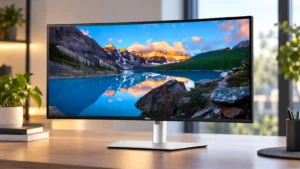
Compare Alogic Edge 40-inch 5K ultrawide vs Dell Ultrasharp U3425WE

Alogic Edge 40-inch 5K ultrawide

Alogic Edge 40-inch 5K ultrawide

Overall score 4.3 / 5

Based on 7 scored reviews

vs
Dell Ultrasharp U3425WE

Dell Ultrasharp U3425WE

Overall score 4.0 / 5

Based on 53 scored reviews

How we score

Scorata scores summarize analyzed review evidence on a 1–5 scale; they are not laboratory measurements or a simple average of customer star ratings. Feature scores summarize the reviews covering that feature. The overall score averages feature scores within each review, then combines review averages. When both expert and customer evidence are available, those two groups receive equal weight. Products can have different review coverage, so small score gaps do not establish a winner.

Recommendations prioritize important features for the category, with a score of at least 3.5, a gap of at least 0.25 points and at least two supporting reviews per product. Features with widely varying scores or broad connectivity contexts are excluded from recommendations. These safeguards do not establish statistical significance.

Quick verdict

What each product is best for

The review evidence points to a tradeoff: premium feel and aspect ratio versus built-in speakers and software support. Choose according to which strengths matter more to you; the overall score alone does not settle that choice.

Choose Alogic Edge 40-inch 5K ultrawide for premium feel and aspect ratio.

Choose Dell Ultrasharp U3425WE for built-in speakers and software support.

Why these recommendations?

Alogic Edge 40-inch 5K ultrawide

Where It Has the Edge

  • premium feel is 4.5 vs 3.8. Machined aluminum, glass, slim proportions, and Mac-matched finishes create a convincing premium feel. Loose hinge behavior on one...
  • aspect ratio is 4.9 vs 4.3. The 21:9 format is exceptionally effective for side-by-side apps, long timelines, and anamorphic footage without letterboxing. Reviewers repeatedly...
  • design and aesthetics is 4.9 vs 4.2. The slim aluminum-and-glass design closely matches Apple hardware and receives near-universal praise. Silver and Space Gray finishes help...

Dell Ultrasharp U3425WE

Where It Has the Edge

  • built-in speakers is 4.3 vs 2.1. The built-in speakers are better than the typical monitor speakers and plenty usable for calls, YouTube, and everyday...
  • software support is 4.6 vs 3.3. Dell Display Manager is well liked for window layouts, display adjustments, and easier KVM-related control. Mac-oriented buyers also...
  • USB hub functionality is 4.8 vs 4.2. The integrated USB/Thunderbolt hub is one of the strongest reasons to buy this monitor. Owners repeatedly praise being...
Alogic Edge 40-inch 5K ultrawide 4.3 overall score
Dell Ultrasharp U3425WE 4.0 overall score

Compare features

Scores are out of 5. Missing scores mean missing review evidence, not a missing feature.

Scored on both products

Other features

Screen uniformity
Alogic Edge 40-inch 5K ultrawide
4.0

The panel looked even and consistent at a typical 50% brightness, though a plain white screen revealed some edge luminance variation tied to viewing angle.

Dell Ultrasharp U3425WE
1.2

Several dissatisfied owners report serious panel defects, including dead pixels, horizontal lines, black bars, and partially failed screen areas. These are not universal experiences, but the failures are severe when they occur.

Built-in speakers
Alogic Edge 40-inch 5K ultrawide
2.1

The dual 3W speakers are consistently judged weak, tinny, or merely acceptable for calls. External speakers are strongly preferable for music, movies, and serious audio work.

Dell Ultrasharp U3425WE
4.3

The built-in speakers are better than the typical monitor speakers and plenty usable for calls, YouTube, and everyday audio. They still do not replace good dedicated speakers for buyers who care about sound quality.

Black levels
Alogic Edge 40-inch 5K ultrawide
3.0

Deep shadows look rich, but the darker-than-target gamma can hide shadow detail. Photographers doing critical tonal work will need careful calibration and output checks.

Dell Ultrasharp U3425WE
4.7

Black levels are a meaningful improvement over older and conventional IPS displays, and owners upgrading from older Dell panels notice the difference. Newer QD-OLED screens still produce deeper blacks.

Delivery condition
Alogic Edge 40-inch 5K ultrawide
4.5

The large display arrived efficiently protected with foam, stand parts, and accessories arranged securely around the panel.

Dell Ultrasharp U3425WE
3.0

Most reported deliveries were well packed and arrived intact, but there are isolated cases of damaged packaging or units that appeared previously used. Delivery condition can therefore depend heavily on the seller and shipment.

Stand adjustability
Alogic Edge 40-inch 5K ultrawide
4.4

Height, tilt, swivel, and in some accounts rotation make the stand unusually flexible. Some units or setups showed wobble, and the screen may not lower enough for shorter users.

Dell Ultrasharp U3425WE
3.1

The stand offers useful height, tilt, and swivel adjustment, though portrait rotation is not practical on this ultrawide. A few owners report hinge weakness or shakiness, so a monitor arm may be preferable for some desks.

VESA mount compatibility
Alogic Edge 40-inch 5K ultrawide
3.7

A standard 100×100mm VESA pattern adds mounting choice, but the panel’s size and weight make a very sturdy arm essential. One reviewer advised against arm mounting altogether.

Dell Ultrasharp U3425WE
4.5

VESA support makes it straightforward to move the large display onto a monitor arm. That is especially useful for reclaiming desk space from the substantial stock stand.

Viewing angles
Alogic Edge 40-inch 5K ultrawide
4.3

The IPS panel generally keeps colors consistent from wide angles, but the extreme edges can appear darker from a centered seat. The issue is noticeable on uniform bright content rather than normal work.

Dell Ultrasharp U3425WE
5.0

Viewing angles are excellent, maintaining comfortable visibility and color consistency even when the viewer is not centered. This is one of the practical advantages of the IPS-based panel.

Premium feel
Alogic Edge 40-inch 5K ultrawide
4.5

Machined aluminum, glass, slim proportions, and Mac-matched finishes create a convincing premium feel. Loose hinge behavior on one unit kept the presentation from feeling flawless.

Dell Ultrasharp U3425WE
3.8

The monitor feels premium in capability more than in styling: its integrated dock, KVM, and polished productivity features impress, while the physical design can look fairly plain for the price.

Aspect ratio
Alogic Edge 40-inch 5K ultrawide
4.9

The 21:9 format is exceptionally effective for side-by-side apps, long timelines, and anamorphic footage without letterboxing. Reviewers repeatedly saw it as a cleaner alternative to two or even three displays.

Dell Ultrasharp U3425WE
4.3

The 21:9 ultrawide format is excellent for keeping several apps visible at once. One owner notes that some websites can look awkward when stretched across the full width.

PC gaming compatibility
Alogic Edge 40-inch 5K ultrawide
3.3

The monitor works well with PCs and can handle casual games, but its strengths remain productivity and creative work rather than gaming-first use.

Dell Ultrasharp U3425WE
4.0

The monitor works well for casual PC gaming and mixed work-and-play setups, especially with 120Hz. It is better viewed as a productivity monitor that can game on the side than as a gaming-first display.

Cable management
Alogic Edge 40-inch 5K ultrawide
4.9

One USB-C cable can carry video, data, Ethernet access, and up to 90W charging, dramatically reducing desk clutter. Replacing a multi-monitor setup also removes extra power and display cables.

Dell Ultrasharp U3425WE
4.3

Cable management is usually a strength thanks to the stand routing, single-cable laptop setups, and daisy-chaining. With a fully populated KVM and hub setup, however, the large number of cables can still become messy.

USB hub functionality
Alogic Edge 40-inch 5K ultrawide
4.2

The integrated dock is highly convenient for video, Ethernet, charging, and basic peripherals. Its downstream USB-C ports run at slow USB 2.0 speeds, so it cannot replace a high-performance Thunderbolt dock.

Dell Ultrasharp U3425WE
4.8

The integrated USB/Thunderbolt hub is one of the strongest reasons to buy this monitor. Owners repeatedly praise being able to keep peripherals connected through the display and reduce dependence on a separate dock.

Overall satisfaction
Alogic Edge 40-inch 5K ultrawide
4.6

Across the valid 5K2K reviews, satisfaction is consistently high for productivity, creative work, and Mac integration. Reservations center on price, stand wobble, weak speakers, and specialized color or gaming needs.

Dell Ultrasharp U3425WE
4.1

Overall satisfaction is high among productivity-focused owners, with many calling it an excellent upgrade or favorite monitor. The strongest negative experiences center on defective panels, PBP problems, and difficult post-purchase support.

Motion clarity
Alogic Edge 40-inch 5K ultrawide
4.7

Motion during scrolling and timeline work is consistently described as smooth or fluid, with the 100Hz refresh rate providing an obvious improvement over 60Hz panels.

Dell Ultrasharp U3425WE
5.0

The jump to 120Hz substantially reduces visible motion blur, making scrolling and cursor movement feel smoother. That improvement is especially noticeable when coming from a 60Hz display.

Resolution
Alogic Edge 40-inch 5K ultrawide
4.5

The 5120×2160 panel delivers a major jump in usable detail and is consistently praised for creative work. It is not Retina-class at 40 inches, so several reviewers preferred a scaled macOS resolution.

Dell Ultrasharp U3425WE
4.2

The 3440×1440 resolution is widely liked for productivity and looks crisp to many users, but it is not 4K. At 34 inches, some testers find the pixel density less sharp than higher-resolution 27- or 32-inch alternatives.

Color gamut
Alogic Edge 40-inch 5K ultrawide
4.6

Coverage of sRGB and DCI-P3 is a major strength, while Adobe RGB lands in the high-80s to mid-90s depending on the test. That is ample for video and general creative work but less ideal for final print preparation.

Dell Ultrasharp U3425WE
4.3

Color gamut is consistently strong, with broad sRGB coverage and roughly mid-90% DCI-P3 results in several tests. Coverage is good for productivity and light creative work, though it can fall short of Dell’s advertised P3 figure.

Reflection handling
Alogic Edge 40-inch 5K ultrawide
4.7

The matte coating handles office and studio reflections very well and is repeatedly preferred for work near windows. Bright windows can still create highlights depending on placement.

Dell Ultrasharp U3425WE
4.4

The matte antiglare finish is effective in ambient light and can be especially helpful for glare-sensitive users. The tradeoff is that one tester felt the coating softened some of the extra contrast compared with a glossy surface.

Port selection
Alogic Edge 40-inch 5K ultrawide
4.6

USB-C, DisplayPort, HDMI, Ethernet, audio, and downstream USB-C cover most modern workstation needs. The main omissions are USB-A, an SD card reader, and faster accessory ports.

Dell Ultrasharp U3425WE
4.9

Port selection is a standout strength, with abundant USB-A, USB-C, Thunderbolt, video, Ethernet, and audio connectivity. The monitor can realistically serve as the connection center of a desk setup.

Response time
Alogic Edge 40-inch 5K ultrawide
3.0

The measured 14ms gray-to-gray response is acceptable for office work and content creation but clearly too slow for demanding gaming.

Dell Ultrasharp U3425WE
2.8

The 5ms-class response time is acceptable for everyday work and casual gaming, but it is not competitive with dedicated gaming displays. Gaming-focused alternatives can deliver much faster pixel response.

Refresh rate
Alogic Edge 40-inch 5K ultrawide
4.4

At 100Hz, scrolling, timeline movement, and everyday animation look noticeably smoother than on typical 60Hz productivity monitors. Serious gamers may still want a faster dedicated display.

Dell Ultrasharp U3425WE
4.2

The 120Hz refresh rate makes motion and cursor movement noticeably smoother and is a welcome upgrade over 60Hz. For office-only users, the benefit can feel modest relative to the added cost.

Panel type
Alogic Edge 40-inch 5K ultrawide
4.5

The IPS panel was praised for maintaining accurate color across broad viewing positions, making the flat screen well suited to productivity and color-sensitive work.

Dell Ultrasharp U3425WE
4.3

IPS Black is a strong fit for productivity, with excellent panel quality and better contrast than conventional IPS. It still cannot match OLED-class blacks and contrast, but avoids making OLED the only route to a premium work display.

Productivity versatility
Alogic Edge 40-inch 5K ultrawide
5.0

This is the monitor’s standout quality: it handles timelines, spreadsheets, coding, writing, browsing, and multiple apps exceptionally well. Reviewers repeatedly found it capable of replacing a dual- or triple-monitor workspace.

Dell Ultrasharp U3425WE
4.9

Productivity is the clearest strength: the 34-inch ultrawide comfortably holds multiple apps, spreadsheets, editors, and research windows at once. KVM, hub, and layout tools make it especially effective for work-from-home and multi-computer desks.

Competitive gaming suitability
Alogic Edge 40-inch 5K ultrawide
2.3

Competitive gaming is not this monitor’s strength. Its response time and 100Hz ceiling are fine for occasional play but too slow for fast shooters and esports-focused buyers.

Dell Ultrasharp U3425WE
2.4

Competitive gaming is not this monitor’s strength. Its response time, lack of FreeSync/G-Sync, limited HDR, and productivity-first tuning make dedicated gaming monitors the better fit for serious players.

Sharpness
Alogic Edge 40-inch 5K ultrawide
4.5

Text, UI elements, photos, and video detail look crisp for a 40-inch ultrawide. The 139ppi density is a big improvement over QHD models, but users accustomed to Retina displays can still see the difference.

Dell Ultrasharp U3425WE
4.5

Text and everyday imagery generally look crisp and clear, and many owners praise the sharpness for office work. The main caveats are lower pixel density than 4K screens and somewhat softer scaling on macOS.

Performance

Picture-in-picture and picture-by-picture
Alogic Edge 40-inch 5K ultrawide
4.3

Picture-in-Picture and Picture-by-Picture make good use of the wide panel for multiple sources. PiP drew the strongest praise, while PbP was useful but less compelling for at least one reviewer.

Dell Ultrasharp U3425WE
2.3

Picture-in-picture and split-screen modes can replace a two-monitor workflow when they work well. Two owners report severe PBP usability or pixelation problems, making this feature a meaningful risk if it is central to the purchase.

On-screen display usability
Alogic Edge 40-inch 5K ultrawide
4.3

The rear joystick gives quick access to common controls and becomes fast to use. One reviewer found the menu initially confusing, but the overall layout was considered thoughtful and responsive.

Dell Ultrasharp U3425WE
3.4

The OSD is functional and the single-joystick menu can be very good, but not everyone finds settings convenient to adjust. Dell Display Manager often provides an easier way to handle layouts and display controls.

HDR performance
Alogic Edge 40-inch 5K ultrawide
1.5

HDR is a clear weak spot: one lab test measured only 168 nits in HDR, far below the monitor’s strong SDR brightness.

Dell Ultrasharp U3425WE
2.2

HDR is one of the least consistent strengths: several hands-on testers say true HDR is missing or unimpressive, while another source presents DisplayHDR 600 capability positively. Buyers focused on impactful HDR should be cautious.

Brightness
Alogic Edge 40-inch 5K ultrawide
4.2

SDR brightness is comfortably strong for office and studio use, with one test reaching 417 nits. It trails brighter Apple displays and does not translate into convincing HDR performance.

Dell Ultrasharp U3425WE
3.9

Brightness is generally sufficient for office use and even bright rooms, though measurements from some testers are modest compared with premium rivals. A few owners actually find the display brighter than they need.

Contrast
Alogic Edge 40-inch 5K ultrawide
4.5

Measured contrast around 1430:1 looked strong in practical use, giving images pleasing depth at a normal working brightness.

Dell Ultrasharp U3425WE
4.2

IPS Black delivers noticeably stronger contrast than ordinary IPS, with several testers praising its depth and pop. It remains a step below OLED and can fall short of Dell’s idealized 2,000:1 target depending on settings.

Color accuracy
Alogic Edge 40-inch 5K ultrawide
4.3

Color accuracy can be excellent after calibration, including outstanding lab results. Several reviewers warned that the warm or slightly off factory presentation should be corrected before color-critical work.

Dell Ultrasharp U3425WE
4.2

Color accuracy ranges from excellent after calibration to merely decent out of the box. Many users are happy with the colors, but serious creative work may benefit from calibration, and a few units look less convincing at default settings.

Overall picture quality
Alogic Edge 40-inch 5K ultrawide
4.6

Reviewers consistently describe the 5K2K image as bright, detailed, and impressive, especially after calibration. Weak HDR and slightly lower-than-Retina density are the principal picture-quality compromises.

Dell Ultrasharp U3425WE
4.6

Picture quality is broadly praised as crisp, colorful, and excellent for office use, with strong IPS Black contrast. It is less convincing against OLED or higher-resolution alternatives when brightness, HDR, or maximum sharpness are the priority.

Ownership and support

Warranty and support service
Alogic Edge 40-inch 5K ultrawide
4.3

The two-year warranty provides reasonable peace of mind, and Alogic’s support reputation among Mac users is described positively.

Dell Ultrasharp U3425WE
2.3

The three-year warranty is a selling point on paper and is praised by one expert, but customer experiences with actual support are much harsher. Dead-pixel thresholds, slow responses, and denied or difficult remedies are recurring complaints.

HDMI 2.1 support
Alogic Edge 40-inch 5K ultrawide
2.0

HDMI is limited by the monitor’s HDMI 2.0 implementation, including a 30Hz cap at full 5K resolution in one test. USB-C or DisplayPort is the better route for the full 100Hz experience.

Dell Ultrasharp U3425WE
3.5

HDMI is the only path called out for 120Hz variable-refresh-rate gaming, giving the monitor useful casual-gaming flexibility. The benefit is practical, though the gaming feature set remains limited overall.

Value for money
Alogic Edge 40-inch 5K ultrawide
4.0

The price is high, but reviewers often saw fair value in the huge workspace, strong color, and integrated docking compared with multiple displays or premium Apple alternatives. Wobble and weak audio make the cost harder to justify for some.

Dell Ultrasharp U3425WE
2.9

Value depends heavily on price and whether the dock, KVM, and connectivity will be used. Full MSRP draws criticism, while buyers at lower street prices often call it worth the money for an all-in-one productivity setup.

Setup ease
Alogic Edge 40-inch 5K ultrawide
4.3

Physical assembly is generally simple despite the monitor’s size, and several reviewers found it surprisingly easy. Color-critical users should budget extra time for calibration after setup.

Dell Ultrasharp U3425WE
4.4

Physical setup is usually quick, tool-free, and straightforward. The major exception is multi-computer split-screen configuration, which one buyer found difficult enough to abandon and return the monitor.

Controls and connectivity

Software support
Alogic Edge 40-inch 5K ultrawide
3.3

Basic Mac operation is reliable, but integration is not as seamless as Apple’s own displays. Scaling can be less clean, and keyboard control for volume and brightness was missing in one test pending firmware.

Dell Ultrasharp U3425WE
4.6

Dell Display Manager is well liked for window layouts, display adjustments, and easier KVM-related control. Mac-oriented buyers also appreciate Dell’s more mature software and multi-device ecosystem.

Comfort and build

Design and aesthetics
Alogic Edge 40-inch 5K ultrawide
4.9

The slim aluminum-and-glass design closely matches Apple hardware and receives near-universal praise. Silver and Space Gray finishes help it blend naturally into Mac-focused workspaces.

Dell Ultrasharp U3425WE
4.2

The design is clean, understated, and office-friendly, with several buyers liking its professional look. Others find the silver finish and thick, basic styling underwhelming for such an expensive monitor.

Eye comfort features
Alogic Edge 40-inch 5K ultrawide
4.3

The matte finish, smoother 100Hz motion, and sensible scaling options make long work sessions easier on the eyes. Choosing a readable scaled resolution is important because native 5120×2160 can make text very small.

Dell Ultrasharp U3425WE
4.7

Eye comfort is a recurring strength, with praise for ComfortView Plus, the matte finish, and comfortable long-session use. Several owners specifically report less strain or squinting than with their previous displays.

Build quality
Alogic Edge 40-inch 5K ultrawide
4.4

The metal-and-glass construction usually feels solid, substantial, and premium. The main exception is reported hinge looseness or wobble, which undermined confidence for some reviewers.

Dell Ultrasharp U3425WE
4.7

Build quality is generally praised as sturdy, solid, and professional. The monitor feels made for long-term office use rather than for flashy gaming aesthetics.

Screen size
Alogic Edge 40-inch 5K ultrawide
4.7

The 40-inch canvas is the product’s defining advantage, giving spreadsheets, timelines, and several windows room to breathe. Its near-meter width and awkward weight demand a large, stable desk.

Dell Ultrasharp U3425WE
4.7

The 34-inch size lands in a sweet spot for many owners: wide enough for several windows without becoming as overwhelming as larger ultrawides. Multiple buyers specifically praise the usable workspace and comfortable scale.

Evidence available for one product

Performance

Adaptive sync performance
Alogic Edge 40-inch 5K ultrawideNo score yet
Dell Ultrasharp U3425WE
1.8

The lack of FreeSync and G-Sync is a clear gaming limitation. Casual play is still possible, but buyers wanting robust adaptive-sync support have better options.

DisplayPort connectivity
Alogic Edge 40-inch 5K ultrawide
4.5

DisplayPort 1.4 gives PC users a direct, adapter-free connection and preserves the intended visual experience. It is a strong alternative when USB-C is unavailable.

Dell Ultrasharp U3425WENo score yet
KVM switch performance
Alogic Edge 40-inch 5K ultrawideNo score yet
Dell Ultrasharp U3425WE
4.9

The built-in KVM is one of the most consistently praised features, making it easy to share a keyboard and mouse across two computers. Responsiveness is strong, and multi-device desk setups become far simpler.

Listing accuracy
Alogic Edge 40-inch 5K ultrawideNo score yet
Dell Ultrasharp U3425WE
1.0

One buyer found the product listing misleading because it referenced 5K even though this model is a 3440×1440 ultrawide. The complaint is about the listing language rather than the panel’s everyday image quality.

Other features

Backlight bleed control
Alogic Edge 40-inch 5K ultrawideNo score yet
Dell Ultrasharp U3425WE
4.0

Some backlight bleed is visible around the edges on dark screens, but it is described as mild and hard to notice during normal use. It is mainly a concern when viewing near-black content.

Curved screen immersion
Alogic Edge 40-inch 5K ultrawideNo score yet
Dell Ultrasharp U3425WE
4.8

The gentle curve is widely liked because it adds immersion without feeling aggressive. Owners describe it as comfortable for scanning the full ultrawide workspace.

Documentation quality
Alogic Edge 40-inch 5K ultrawideNo score yet
Dell Ultrasharp U3425WE
2.0

The included setup documentation is a weak point for at least one owner, who wanted clearer English instructions instead of mostly symbolic drawings. The monitor can still be installed without technical help.

Ghosting control
Alogic Edge 40-inch 5K ultrawideNo score yet
Dell Ultrasharp U3425WE
2.5

Fast-moving visuals can show modest ghosting even at 120Hz. That keeps motion performance behind monitors tuned specifically for gaming.

Portability and weight
Alogic Edge 40-inch 5K ultrawideNo score yet
Dell Ultrasharp U3425WE
2.3

This is a large, heavy display with a substantial base, so it is not especially portable. Its size also makes returns and desk placement more cumbersome than with a smaller monitor.

Single-player cinematic gaming suitability
Alogic Edge 40-inch 5K ultrawideNo score yet
Dell Ultrasharp U3425WE
5.0

For slower single-player and story-driven games, the ultrawide image can look gorgeous. One owner specifically praises RPG and story-game visuals despite the monitor’s broader gaming limitations.

Sleep and wake behavior
Alogic Edge 40-inch 5K ultrawide
2.0

A bright pulsing status light while the monitor sleeps can be distracting, especially in a bedroom or dark workspace.

Dell Ultrasharp U3425WENo score yet
Ultrawide gaming experience
Alogic Edge 40-inch 5K ultrawideNo score yet
Dell Ultrasharp U3425WE
3.5

The ultrawide shape and 120Hz make occasional gaming enjoyable, but the experience is held back by missing FreeSync and other gaming-first features. It works better as a bonus than a core reason to buy.

USB-C power delivery
Alogic Edge 40-inch 5K ultrawideNo score yet
Dell Ultrasharp U3425WE
4.6

USB-C/Thunderbolt power delivery is highly useful for laptop users, combining video, peripheral access, and charging through one cable. Owners especially like being able to leave the laptop power brick out of the desk setup.

VRR compatibility
Alogic Edge 40-inch 5K ultrawideNo score yet
Dell Ultrasharp U3425WE
4.0

Variable refresh rate over HDMI adds useful flexibility for occasional gaming. The support is limited by connection path rather than being a broad gaming-focused implementation.

Ownership and support

Reliability over time
Alogic Edge 40-inch 5K ultrawideNo score yet
Dell Ultrasharp U3425WE
3.0

Many owners report flawless operation and long periods of trouble-free use, but a smaller group experienced dead pixels or catastrophic panel failure. Reliability therefore looks strong for most units but uneven enough to matter at this price.

Other Top Monitors to Consider

#1 MSI MPG 322UR QD-OLED X24
4.4

Best for exceptional 4K HDR, accurate color, fast 240Hz gaming, and strong work connectivity. Skip it if you need built-in speakers, ultrawide immersion, television-level HDR brightness, or a budget-friendly upgrade.

Pros: brightness, reflection handling

Cons: cable management

#2 MSI MPG 341CQR QD-OLED X36
4.4

Best for class-leading 360Hz ultrawide motion, spectacular HDR, deep blacks, and unusually strong work-and-play connectivity. Skip it if you want 4K-like text sharpness, a matte screen, or the best value...

Pros: overall satisfaction, sharpness

Cons: Resolution, cable management

#3 BenQ RD280UG
4.4

Choose the RD280UG for coding, trading, writing, or creative work that benefits from a tall, sharp 3:2 screen and strong eye-care features. Skip it for serious HDR, color-critical creation, esports,...

Pros: productivity versatility, aspect ratio

Cons: value for money, competitive gaming suitability

#4 InnoCN GA27S1Q
4.3

Best for fast 1440p OLED gaming, deep blacks, and a flexible stand at a bargain sale price. Skip it for bright rooms, USB-C/KVM productivity, or the reassurance of a three-year...

Pros: color gamut, overall picture quality

Cons: brightness, HDR performance