Compare InnoCN GA27S1Q vs Dell S2725DC

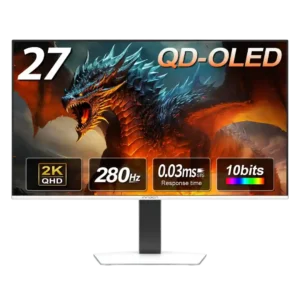
InnoCN GA27S1Q

InnoCN GA27S1Q

Overall score 4.3 / 5

Based on 9 scored reviews

vs
Dell S2725DC

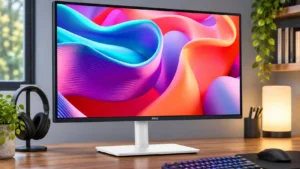
Dell S2725DC

Overall score 4.1 / 5

Based on 6 scored reviews

How we score

Scorata scores summarize analyzed review evidence on a 1–5 scale; they are not laboratory measurements or a simple average of customer star ratings. Feature scores summarize the reviews covering that feature. The overall score averages feature scores within each review, then combines review averages. When both expert and customer evidence are available, those two groups receive equal weight. Products can have different review coverage, so small score gaps do not establish a winner.

Recommendations prioritize important features for the category, with a score of at least 3.5, a gap of at least 0.25 points and at least two supporting reviews per product. Features with widely varying scores or broad connectivity contexts are excluded from recommendations. These safeguards do not establish statistical significance.

Quick verdict

What each product is best for

The review evidence points to a tradeoff: competitive gaming suitability and overall picture quality versus USB hub functionality and built-in speakers. Choose according to which strengths matter more to you; the overall score alone does not settle that choice.

Choose InnoCN GA27S1Q for competitive gaming suitability and overall picture quality.

Choose Dell S2725DC for USB hub functionality and built-in speakers.

Why these recommendations?

InnoCN GA27S1Q

Where It Has the Edge

  • competitive gaming suitability is 5.0 vs 2.0. The combination of 280Hz refresh, near-instant response, and clean motion makes this a highly capable competitive gaming monitor.
  • overall picture quality is 5.0 vs 3.5. Picture quality is the headline attraction: deep blacks, vivid color, sharp motion, and high contrast make games and...
  • panel type is 5.0 vs 4.0. The QD-OLED panel is the monitor’s defining strength, delivering richer color, deeper blacks, and a more striking image...

Dell S2725DC

Where It Has the Edge

  • USB hub functionality is 4.7 vs 1.7. The USB hub is one of its best features. Ports on the back and a retractable front-facing pair...
  • built-in speakers is 3.6 vs 2.7. Built-in speakers save space and can handle calls or background videos. Their presence is welcome, but they are...
  • port selection is 4.3 vs 4.0. USB-C, USB-A, HDMI and DisplayPort cover most ordinary office connections, with an especially handy retractable pair. Very fast...
InnoCN GA27S1Q 4.3 overall score
Dell S2725DC 4.1 overall score

Compare features

Scores are out of 5. Missing scores mean missing review evidence, not a missing feature.

Scored on both products

Other features

Competitive gaming suitability
InnoCN GA27S1Q
5.0

The combination of 280Hz refresh, near-instant response, and clean motion makes this a highly capable competitive gaming monitor.

Dell S2725DC
2.0

The S2725DC is aimed at everyday work and occasional play rather than serious competition; blurry motion makes it a poor choice for fast, demanding matches.

Ghosting control
InnoCN GA27S1Q
5.0

Motion tests showed no visible ghosting or inverse-ghosting trails, reinforcing the panel’s excellent gaming clarity.

Dell S2725DC
2.0

Blur is a significant weakness for games with fast movement, despite the impressive-sounding refresh specification.

USB hub functionality
InnoCN GA27S1Q
1.7

There is no USB hub, a repeated omission that limits peripheral connectivity and weakens the monitor’s productivity appeal.

Dell S2725DC
4.7

The USB hub is one of its best features. Ports on the back and a retractable front-facing pair make it easy to connect laptops and temporary accessories.

Black levels
InnoCN GA27S1Q
5.0

Black levels are a standout, staying truly dark instead of washing into gray and preserving detail in shadow-heavy scenes.

Dell S2725DC
3.0

Black depth is behind a higher-contrast Dell VA alternative, making dark-room image performance less compelling.

Console gaming compatibility
InnoCN GA27S1Q
4.8

Console support is strong, with 1440p, 120Hz, VRR, and low-latency options. Some Xbox and 4K-upscaling settings may need extra toggling before they work correctly.

Dell S2725DC
3.0

Console owners face a narrower selection of accepted video signals than on some comparable Dell 4K models.

Reflection handling
InnoCN GA27S1Q
3.6

The glossy or semi-gloss finish makes colors pop and handles reflections reasonably well in moderate lighting. Strong windows or intense room light can raise blacks, add a magenta tint, and become distracting.

Dell S2725DC
2.0

Reflections become distracting when the screen faces sunshine or a bright lamp, even though ordinary well-lit offices are manageable.

Cable management
InnoCN GA27S1Q
2.5

Cable management is weak because the stand lacks a built-in clip or routing hole, and the external power brick adds extra clutter.

Dell S2725DC
4.0

Single-cable laptop hookup and improved rear routing keep the desk tidy. The revised clip helps, though not everyone finds it perfect.

Motion clarity
InnoCN GA27S1Q
5.0

Fast movement stays clean and sharp, with reviewers repeatedly praising the smoothness in both esports and cinematic games.

Dell S2725DC
3.8

Fast scrolling feels fluid thanks to 144Hz, but more demanding testing identifies blurry motion in moving scenes. Enthusiasm about its rated response speed is not unanimous.

Productivity versatility
InnoCN GA27S1Q
3.5

The color performance and ergonomic stand make it useful for creative work, but text fringing and the lack of USB-C or KVM features reduce its appeal as an all-in-one office display.

Dell S2725DC
4.6

The S2725DC covers office documents, coding and light entertainment without needing separate specialist displays, though it is not ideal for demanding creative work.

Color gamut
InnoCN GA27S1Q
5.0

Color coverage is consistently excellent, with vibrant reds and greens and measured gamut results that meet or beat the advertised claims.

Dell S2725DC
4.0

Near-complete sRGB coverage is praised for an everyday monitor, without making this a specialist wide-gamut display.

Panel type
InnoCN GA27S1Q
5.0

The QD-OLED panel is the monitor’s defining strength, delivering richer color, deeper blacks, and a more striking image than typical IPS or VA screens.

Dell S2725DC
4.0

The IPS panel favors broad viewing angles and surprisingly good contrast for its class, but it cannot deliver the deepest blacks of some VA alternatives.

PC gaming compatibility
InnoCN GA27S1Q
5.0

PC gaming is an excellent fit thanks to the fast OLED response, 280Hz refresh, vivid SDR image, and extensive tuning controls.

Dell S2725DC
4.0

PC gaming works well as a secondary use, especially with the higher refresh rate. Its motion handling is less convincing than a purpose-built gaming monitor.

Premium feel
InnoCN GA27S1Q
5.0

The image and clean white design feel more premium than the price suggests, with little about the monitor immediately revealing its budget positioning.

Dell S2725DC
4.0

The smooth rear finish and unusually complete connectivity feel polished for a lower-priced display, without aiming to be a luxury product.

Built-in speakers
InnoCN GA27S1Q
2.7

The small speakers are generally described as acceptable for close-up or backup use, not immersive listening. One walkthrough reported no built-in speakers at all, creating some uncertainty.

Dell S2725DC
3.6

Built-in speakers save space and can handle calls or background videos. Their presence is welcome, but they are not meant to replace good external speakers.

Response time
InnoCN GA27S1Q
5.0

Response performance is consistently excellent, with measured results near the top of the OLED monitors one reviewer had tested.

Dell S2725DC
4.3

Rated response speed and fast-feeling scrolling impress some users, but the panel still shows motion blur in more demanding tests.

Overall satisfaction
InnoCN GA27S1Q
4.8

Overall sentiment is strongly positive, with most reviewers recommending it as an affordable route into fast QD-OLED gaming. The main dissent centers on whether its street price is low enough versus better-known brands.

Dell S2725DC
4.3

The overall reception is positive for the office-friendly feature set, with the clearest cautions concerning professional creative work, demanding games and modest built-in audio.

Sharpness
InnoCN GA27S1Q
3.9

Game imagery looks crisp, but text clarity is less consistent. Some reviewers found everyday text comfortable, while another saw unusually noticeable fringing and pixelation.

Dell S2725DC
3.5

Text is suitably crisp for the intended office audience, though comparisons to higher-pixel-density displays reveal a softer image.

Port selection
InnoCN GA27S1Q
4.0

The core video selection is strong with dual HDMI and dual DisplayPort, but the lack of USB-C, USB expansion, and KVM functionality keeps it from feeling fully equipped.

Dell S2725DC
4.3

USB-C, USB-A, HDMI and DisplayPort cover most ordinary office connections, with an especially handy retractable pair. Very fast transfer speeds and dedicated audio outputs are not its strengths.

Refresh rate
InnoCN GA27S1Q
5.0

The 280Hz refresh rate feels exceptionally fluid and is more than fast enough for most competitive players.

Dell S2725DC
4.8

The 144Hz refresh rate makes scrolling and mouse movement noticeably smoother than basic 60Hz office screens and adds some appeal for casual games.

VRR compatibility
InnoCN GA27S1Q
3.8

VRR delivers smooth, tear-free play once enabled, but dark scenes and loading screens may show the flicker common to OLED displays.

Dell S2725DC
4.0

VRR support helps make the S2725DC more flexible for casual PC gaming, although the panel still has visible blur.

Resolution
InnoCN GA27S1Q
3.7

The 1440p resolution is widely treated as a strong match for a 27-inch gaming screen. It looks sharp in games, though text can appear less dense and more fringed than on a 4K display.

Dell S2725DC
3.6

QHD looks clear at 27 inches for daily documents and spreadsheets. It lacks the density of 4K, and users who need very fine text or packed workflows may notice the tradeoff.

Stand adjustability
InnoCN GA27S1Q
5.0

The stand is a major strength, offering height, tilt, swivel, and pivot adjustments with sturdy construction and a desk-friendly base.

Dell S2725DC
5.0

Height, swivel, tilt and portrait rotation offer generous flexibility for an affordable monitor, especially in multi-display workstations.

VESA mount compatibility
InnoCN GA27S1Q
5.0

Standard 100 x 100 VESA support makes moving the display to a monitor arm simple.

Dell S2725DC
5.0

The conventional VESA mounting pattern makes it easy to fit existing monitor arms and desk mounts.

Ownership and support

Warranty and support service
InnoCN GA27S1Q
2.0

The one-year warranty is a consistent concern because many competing OLED monitors offer three years and explicit burn-in coverage.

Dell S2725DC
5.0

Dell’s described advanced-exchange warranty, including return shipping, is considered convenient, though no actual warranty claim is reported.

HDMI 2.1 support
InnoCN GA27S1Q
5.0

Dual HDMI 2.1 inputs make it easy to connect a gaming PC and modern console while retaining high-refresh 1440p support.

Dell S2725DC
3.0

It cannot match the broader console-signal support offered by a sibling with more complete HDMI 2.1 bandwidth.

Setup ease
InnoCN GA27S1Q
5.0

Assembly is quick and tool-free, with the stand snapping into place and ports positioned for easy access.

Dell S2725DC
4.5

Assembly and daily laptop connections are generally simple, but the stand should be secured carefully before repeated height adjustments.

Value for money
InnoCN GA27S1Q
4.6

Most reviewers see the monitor as an exceptional OLED value around $380 to $450, especially for its speed and image quality. One reviewer argued that $400 is too close to mainstream-brand alternatives and preferred it nearer $300.

Dell S2725DC
4.8

The blend of 1440p, 144Hz, an adjustable stand and USB-C charging represents solid value. A simpler 60Hz monitor may cost less if these extras are unnecessary.

Performance

Overall picture quality
InnoCN GA27S1Q
5.0

Picture quality is the headline attraction: deep blacks, vivid color, sharp motion, and high contrast make games and HDR media look striking.

Dell S2725DC
3.5

Its clean picture and balanced colors are pleasing for daily tasks, but HDR and top-tier image detail are missing.

HDR performance
InnoCN GA27S1Q
3.1

HDR is the most divisive part of the picture. OLED contrast remains impressive, but several reviewers found the default image too dim and the presets too restricted, while one found HDR video excellent.

Dell S2725DC
2.0

The lack of HDR is a meaningful limitation for creators and anyone expecting richer high-dynamic-range visuals.

Contrast
InnoCN GA27S1Q
5.0

Near-infinite OLED contrast gives highlights extra punch and makes games and HDR scenes look dramatically more dimensional.

Dell S2725DC
4.0

Its contrast is praised as strong for IPS, but nearby VA models can still achieve deeper blacks.

Brightness
InnoCN GA27S1Q
3.2

Brightness is adequate in controlled lighting but trails brighter IPS, Mini-LED, and premium OLED rivals. Highlight mode helps, yet sunlit rooms remain a weak fit.

Dell S2725DC
4.0

Bright enough for most regular offices, it also compares favorably with many basic displays. Sunlight and strong lamp reflections can still make the picture harder to see.

Color accuracy
InnoCN GA27S1Q
4.0

Color accuracy is strong enough for photo editing and less demanding creative work, though one reviewer found the default balance slightly cool and preferred a warmer adjustment.

Dell S2725DC
3.5

Colors look balanced in general use, but 4K siblings with an sRGB mode offer better accuracy before calibration. Precision work is not its specialty.

DisplayPort connectivity
InnoCN GA27S1Q
4.8

Two DisplayPort inputs are unusually generous for the price and are useful for multi-PC or desktop-heavy setups.

Dell S2725DC
5.0

A full-size DisplayPort is welcomed as a versatile option alongside USB-C and HDMI.

On-screen display usability
InnoCN GA27S1Q
4.4

The joystick makes navigation much easier than traditional monitor buttons, and most found the menu intuitive. Its dated appearance and occasionally tedious structure keep it from being perfect.

Dell S2725DC
4.5

The on-screen menu and rear joystick are straightforward to use for brightness, input and display adjustments.

Adaptive sync performance
InnoCN GA27S1Q
4.0

Adaptive sync works well after it is enabled, including high-refresh console output. Setup can require a little menu tinkering.

Dell S2725DC
4.0

FreeSync-style variable refresh is a worthwhile extra at this price, particularly for occasional gaming rather than competitive play.

Comfort and build

Build quality
InnoCN GA27S1Q
5.0

The stand and chassis feel robust, with the metal base receiving particular praise for sturdiness.

Dell S2725DC
4.5

The stand feels steady and the improved rear cover looks sturdier than earlier examples, giving an inexpensive monitor reassuring everyday construction.

Design and aesthetics
InnoCN GA27S1Q
4.7

The clean white finish, slim bezels, and restrained styling look modern and distinctive. Rear RGB is less convincing, and the stand shape drew one mild criticism.

Dell S2725DC
4.3

Slim bezels, a pale rear shell and restrained styling make the monitor feel clean and office-appropriate rather than flashy.

Eye comfort features
InnoCN GA27S1Q
5.0

Low-blue-light and flicker-free options are welcome for reducing strain during long sessions.

Dell S2725DC
5.0

The screen is comfortable to look at through long sessions, and the four-star eye-comfort certification earns praise. This is a comfort assessment, not a guarantee against eye strain.

Screen size
InnoCN GA27S1Q
5.0

At 27 inches, the screen size pairs especially well with 1440p for a balanced desktop gaming setup.

Dell S2725DC
5.0

The 27-inch panel is widely regarded as a comfortable size for work, reading and keeping multiple tasks visible without moving to a much larger display.

Evidence available for one product

Other features

Ease of use
InnoCN GA27S1QNo score yet
Dell S2725DC
5.0

Simple initial settings, intuitive controls and one-cable hookups make this an easy display to live with.

Burn-in protection
InnoCN GA27S1Q
4.9

OLED-care controls are unusually comprehensive, including pixel shift, static-icon and taskbar detection, screen saving, and panel cleaning. Some protections cannot be fully disabled, but the breadth of safeguards is widely praised.

Dell S2725DCNo score yet
Desk footprint
InnoCN GA27S1QNo score yet
Dell S2725DC
4.7

A one-cable laptop connection avoids separate docks and adapters, and the compact 27-inch form suits modest desktops or paired layouts.

Device compatibility
InnoCN GA27S1QNo score yet
Dell S2725DC
5.0

MacBooks, iPads, iPhones, Windows laptops and desktops were connected successfully in hands-on testing.

Documentation quality
InnoCN GA27S1Q
1.8

The included documentation and product listing leave important settings and specifications unexplained, so buyers may need to hunt for details. One listing image even suggests USB ports the monitor does not have.

Dell S2725DCNo score yet
Gaming image presets
InnoCN GA27S1Q
4.3

The monitor offers an unusually large set of presets and customization controls, especially in SDR. HDR limits those controls, and some presets look too similar.

Dell S2725DCNo score yet
Heat management
InnoCN GA27S1Q
5.0

Low power consumption helps the monitor run cool during use.

Dell S2725DCNo score yet
Included accessories
InnoCN GA27S1QNo score yet
Dell S2725DC
4.0

The included USB-C cable is praised for its useful length. One reviewer wishes the cables matched the monitor’s light-colored finish.

Portability and weight
InnoCN GA27S1QNo score yet
Dell S2725DC
3.0

Its unusually light body is manageable, but some monitor arms may need substantial tension adjustments to stay balanced.

Single-player cinematic gaming suitability
InnoCN GA27S1Q
5.0

Single-player games benefit from the deep blacks, vivid color, and strong contrast, giving cinematic scenes far more impact than conventional panels.

Dell S2725DCNo score yet
Speaker quality
InnoCN GA27S1QNo score yet
Dell S2725DC
2.7

Sound quality divides opinion: the speakers are adequate or surprisingly pleasing for calls and casual videos, but limited for clear, full-bodied listening.

USB-C power delivery
InnoCN GA27S1QNo score yet
Dell S2725DC
4.7

A USB-C lead can carry the display, peripherals and up to 65W laptop charging. This is convenient for typical laptops, but may not power more demanding workstations completely.

Viewing angles
InnoCN GA27S1QNo score yet
Dell S2725DC
5.0

The IPS screen keeps the picture relatively consistent when viewed from the side, making it easier to work with someone seated nearby.

Battery and charging

Charging speed
InnoCN GA27S1QNo score yet
Dell S2725DC
4.0

Front-access ports can charge phones and other small devices conveniently, though they are not positioned as high-power, high-speed connections.

Performance

Cleaning ease
InnoCN GA27S1QNo score yet
Dell S2725DC
5.0

The smoother back panel is easier to wipe down than a textured finish.

KVM switch performance
InnoCN GA27S1Q
1.0

There is no KVM switch, reinforcing that this is primarily a gaming display rather than a multi-device productivity hub.

Dell S2725DCNo score yet
Local dimming performance
InnoCN GA27S1Q
5.0

Per-pixel OLED lighting produces clean dark scenes without the halos associated with zone-based backlights.

Dell S2725DCNo score yet
Picture-in-picture and picture-by-picture
InnoCN GA27S1Q
5.0

Picture-in-picture support is a useful extra for displaying multiple connected sources at once.

Dell S2725DCNo score yet

Ownership and support

Reliability over time
InnoCN GA27S1Q
5.0

The extensive OLED-care system inspired confidence about long-term use, though this optimism is based on protective features rather than years of ownership.

Dell S2725DCNo score yet

Controls and connectivity

Software support
InnoCN GA27S1Q
5.0

A downloadable desktop app mirrors the OSD controls, letting users adjust the monitor without reaching for the rear joystick.

Dell S2725DCNo score yet

Other Top Monitors to Consider

#1 ASUS ROG Swift OLED PG27UCDM
4.4

The 27-inch 4K OLED picture is exceptionally crisp and responsive, with useful USB-C and KVM extras. Its high price, oversized stand, and bright-room compromises limit its appeal.

Pros: sharpness, overall satisfaction

Cons: value for money, VRR flicker

#2 MSI MPG 322UR QD-OLED X24

4.4

Best for exceptional 4K HDR, accurate color, fast 240Hz gaming, and strong work connectivity. Skip it if you need built-in speakers, ultrawide immersion, television-level HDR brightness, or a budget-friendly upgrade.

Pros: brightness, reflection handling

Cons: cable management

#3 MSI MPG 341CQR QD-OLED X36

4.4

Best for class-leading 360Hz ultrawide motion, spectacular HDR, deep blacks, and unusually strong work-and-play connectivity. Skip it if you want 4K-like text sharpness, a matte screen, or the best value...

Pros: overall satisfaction, sharpness

Cons: Resolution, cable management

#4 BenQ RD280UG

4.4

Choose the RD280UG for coding, trading, writing, or creative work that benefits from a tall, sharp 3:2 screen and strong eye-care features. Skip it for serious HDR, color-critical creation, esports,...

Pros: productivity versatility, aspect ratio

Cons: value for money, competitive gaming suitability