Other features
Aspect ratio
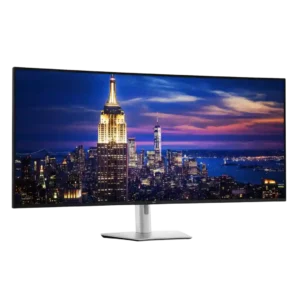
Dell UltraSharp 52 Thunderbolt Hub Monitor, U5226KW
3.8
The tall ultrawide shape preserves more vertical room than super-ultrawides, which editors and multitaskers value. Some users still prefer standard 16:9 or wider 32:9 layouts, and the extreme width can feel awkward in certain apps.
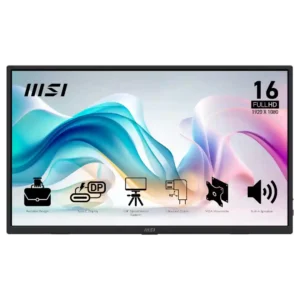
MSI Pro MP165 E6No score yet
Backlight bleed control
Dell UltraSharp 52 Thunderbolt Hub Monitor, U5226KW
5.0
Backlight bleed stayed unobtrusive even in dark scenes on the tested panel. That is an impressive result for a screen this large.
MSI Pro MP165 E6No score yet
Burn-in protection
Dell UltraSharp 52 Thunderbolt Hub Monitor, U5226KW
5.0
Because it uses IPS Black rather than OLED, static professional interfaces do not carry the same burn-in risk. That makes it especially attractive for dashboards, spreadsheets, and other all-day fixed content.
MSI Pro MP165 E6No score yet
Carrying sleeve quality
Dell UltraSharp 52 Thunderbolt Hub Monitor, U5226KWNo score yet
MSI Pro MP165 E6
3.2
The included sleeve is appreciated for travel and some owners find it durable, but others worry that it lacks rigid protection or enough cushioning.
Curved screen immersion
Dell UltraSharp 52 Thunderbolt Hub Monitor, U5226KW
3.7
The gentle curve usually keeps the giant screen comfortable without visibly warping office content. Its subtlety suits office work, though a deeper curve would pull in the edges, reduce reflections, and improve immersion.
MSI Pro MP165 E6No score yet
Documentation quality
Dell UltraSharp 52 Thunderbolt Hub Monitor, U5226KWNo score yet
MSI Pro MP165 E6
1.3
Documentation is a weak point. Owners describe the printed instructions as sparse or poor pictographics, forcing some setup discovery on their own.
Input lag
Dell UltraSharp 52 Thunderbolt Hub Monitor, U5226KW
5.0
Measured input latency was exceptionally low at roughly a few milliseconds, making interactions feel immediate despite the monitor's productivity focus.
MSI Pro MP165 E6No score yet
Overdrive tuning
Dell UltraSharp 52 Thunderbolt Hub Monitor, U5226KW
1.5
The fast overdrive setting is not recommended: it harms picture clarity without delivering a worthwhile gaming improvement. Normal mode is the safer choice.
MSI Pro MP165 E6No score yet
Portability and weight
Dell UltraSharp 52 Thunderbolt Hub Monitor, U5226KWNo score yet
MSI Pro MP165 E6
5.0
Portability is one of the strongest points: reviewers repeatedly praise the thin, light chassis and easy fit in laptop bags or travel setups.
Screen uniformity
Dell UltraSharp 52 Thunderbolt Hub Monitor, U5226KW
3.4
Uniformity varies by sample and measurement method. Several units were reasonably consistent for such a huge panel, while one showed a pronounced brightness difference and others had weaker corners.
MSI Pro MP165 E6No score yet
Tripod mount versatility
Dell UltraSharp 52 Thunderbolt Hub Monitor, U5226KWNo score yet
MSI Pro MP165 E6
5.0
Tripod mounting is a standout practical extra for field work, cameras, presentations, and flexible positioning. Multiple reviewers call it a meaningful advantage over cheap portable monitors.
Ultrawide gaming experience
Dell UltraSharp 52 Thunderbolt Hub Monitor, U5226KW
4.3
Supported ultrawide games feel expansive and can eliminate side bars, making strategy, racing, and cinematic play impressive. Not every title handles the aspect ratio properly, and the shallow curve is less enveloping than gaming-first ultrawides.
MSI Pro MP165 E6No score yet
USB-C power delivery
Dell UltraSharp 52 Thunderbolt Hub Monitor, U5226KWNo score yet
MSI Pro MP165 E6
4.8
USB-C pass-through charging is a useful convenience, letting connected phones or computers receive power while the monitor is in use.
USB hub functionality
Dell UltraSharp 52 Thunderbolt Hub Monitor, U5226KW
4.9
The built-in Thunderbolt and USB hub is one of the monitor's greatest strengths, often replacing a separate dock. High-speed rear ports, front pop-out connections, charging, Ethernet, and laptop power make one-cable desks practical.
MSI Pro MP165 E6No score yet
Ownership and support
HDMI 2.1 support
Dell UltraSharp 52 Thunderbolt Hub Monitor, U5226KW
4.5
The two HDMI 2.1 inputs add modern multi-device flexibility and worked well in tested PC setups. They are less dependable for consoles because of the screen's uncommon resolutions and proportions.
MSI Pro MP165 E6No score yet
Performance
HDR performance
Dell UltraSharp 52 Thunderbolt Hub Monitor, U5226KW
2.1
The monitor does not support HDR, a consistent drawback at this price. Its strong, accurate SDR image is still preferable to the weak pseudo-HDR often found on edge-lit IPS monitors.
MSI Pro MP165 E6No score yet
KVM switch performance
Dell UltraSharp 52 Thunderbolt Hub Monitor, U5226KW
4.4
The integrated KVM is a major advantage for multi-computer desks, especially when paired with picture-by-picture and Ethernet switching. Hardware and network switching can be excellent, but one detailed test found USB auto-KVM slow and buggy while network KVM worked flawlessly.
MSI Pro MP165 E6No score yet
Picture-in-picture and picture-by-picture
Dell UltraSharp 52 Thunderbolt Hub Monitor, U5226KW
4.7
Picture-in-picture, picture-by-picture, and true screen partitioning are defining strengths, letting the panel behave like several displays or accept multiple systems at once. The many layouts are flexible, though certain Mac and console combinations have limitations.
MSI Pro MP165 E6No score yet