Other features
Ease of use
Dell UltraSharp 52 Thunderbolt Hub Monitor, U5226KWNo score yet
AOC Q27G3XMN
1.8
Initial setup is straightforward, but daily adjustments can be irritating because the control buttons and menu navigation require too many presses.
Curved screen immersion
Dell UltraSharp 52 Thunderbolt Hub Monitor, U5226KW
3.7
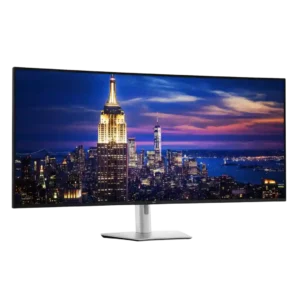
The gentle curve usually keeps the giant screen comfortable without visibly warping office content. Its subtlety suits office work, though a deeper curve would pull in the edges, reduce reflections, and improve immersion.
AOC Q27G3XMNNo score yet
Delivery condition
Dell UltraSharp 52 Thunderbolt Hub Monitor, U5226KW
5.0
The oversized packaging is extremely protective, with structured compartments and ample cushioning intended to prevent shipping damage. The box itself is enormous, but the protection was praised.
AOC Q27G3XMNNo score yet
Desk footprint
Dell UltraSharp 52 Thunderbolt Hub Monitor, U5226KWNo score yet
AOC Q27G3XMN
2.5
The wide stand gives the screen a steady base but reaches far back on the desk; shallower workspaces may feel cramped.
Device compatibility
Dell UltraSharp 52 Thunderbolt Hub Monitor, U5226KWNo score yet
AOC Q27G3XMN
4.0
It works well with PCs and can also be paired with a Mac using DisplayPort-over-USB-C, though the chosen connection affects maximum refresh rate and VRR.
Documentation quality
Dell UltraSharp 52 Thunderbolt Hub Monitor, U5226KWNo score yet
AOC Q27G3XMN
3.5
Setup materials and included guides are helpful, but factory calibration reporting has also been criticized as confusing or inaccurate.
Firmware updateability
Dell UltraSharp 52 Thunderbolt Hub Monitor, U5226KWNo score yet
AOC Q27G3XMN
1.0
The absence of user-installable firmware updates is a significant drawback for owners who encounter a software or control bug.
Gaming image presets
Dell UltraSharp 52 Thunderbolt Hub Monitor, U5226KWNo score yet
AOC Q27G3XMN
4.2
There are useful game, HDR and shadow adjustments, with the default DisplayHDR mode commonly preferred. Some alternatives oversharpen or oversaturate the image.
Image scaling
Dell UltraSharp 52 Thunderbolt Hub Monitor, U5226KWNo score yet
AOC Q27G3XMN
2.0
Non-native resolutions appear softer than desired, and the limited sharpness controls make it hard to fine-tune older or lower-resolution sources.
Included accessories
Dell UltraSharp 52 Thunderbolt Hub Monitor, U5226KWNo score yet
AOC Q27G3XMN
5.0
The box includes useful display cables and power connections, avoiding an immediate extra cable purchase for common setups.
Portability and weight
Dell UltraSharp 52 Thunderbolt Hub Monitor, U5226KWNo score yet
AOC Q27G3XMN
4.0
Despite being fairly substantial, the display is manageable to set up and reposition; it is not a lightweight travel screen.
Power efficiency
Dell UltraSharp 52 Thunderbolt Hub Monitor, U5226KWNo score yet
AOC Q27G3XMN
3.0
Power use is typical rather than exceptional, and one comparative measurement finds it somewhat less efficient than rival Mini LED designs.
Retail availability
Dell UltraSharp 52 Thunderbolt Hub Monitor, U5226KWNo score yet
AOC Q27G3XMN
1.8
Stock and regional distribution have been inconsistent, so buyers may encounter shortages or substantially different prices.
Scanline artifacts
Dell UltraSharp 52 Thunderbolt Hub Monitor, U5226KWNo score yet
AOC Q27G3XMN
2.5
Faint horizontal banding can appear in particular colors at the highest refresh rate; lowering it toward 144Hz reduces the visibility.
Screen coating clarity
Dell UltraSharp 52 Thunderbolt Hub Monitor, U5226KWNo score yet
AOC Q27G3XMN
4.5
The relatively light matte coating preserves a clearer, less grainy image than many heavier anti-glare surfaces, though reflections are more defined.
SDR/HDR mode switching
Dell UltraSharp 52 Thunderbolt Hub Monitor, U5226KWNo score yet
AOC Q27G3XMN
4.3
Automatic transitions between SDR and HDR can preserve separate preferred settings, reducing the need for repeat configuration.
Text fringing
Dell UltraSharp 52 Thunderbolt Hub Monitor, U5226KWNo score yet
AOC Q27G3XMN
5.0
Standard RGB subpixels give text a cleaner appearance than certain OLED subpixel layouts, avoiding some of their fringing or ClearType softness.
Ultrawide gaming experience
Dell UltraSharp 52 Thunderbolt Hub Monitor, U5226KW
4.3
Supported ultrawide games feel expansive and can eliminate side bars, making strategy, racing, and cinematic play impressive. Not every title handles the aspect ratio properly, and the shallow curve is less enveloping than gaming-first ultrawides.
AOC Q27G3XMNNo score yet
VRR flicker
Dell UltraSharp 52 Thunderbolt Hub Monitor, U5226KWNo score yet
AOC Q27G3XMN
2.1
Brightness flicker as frame rates fluctuate is one of its most significant recurring drawbacks. Some find it tolerable in active play, while others disable VRR in affected games.
Performance
Automatic brightness limiting
Dell UltraSharp 52 Thunderbolt Hub Monitor, U5226KWNo score yet
AOC Q27G3XMN
4.0
High HDR brightness can be sustained during normal gaming, although unusually long full-white scenes may trigger temporary dimming as the panel manages heat.
Black equalizer performance
Dell UltraSharp 52 Thunderbolt Hub Monitor, U5226KWNo score yet
AOC Q27G3XMN
4.0
Shadow Control can lift dark areas to make opponents easier to spot, though it is a fairly standard gaming adjustment.
Listing accuracy
Dell UltraSharp 52 Thunderbolt Hub Monitor, U5226KWNo score yet
AOC Q27G3XMN
2.0
The advertised 1ms response figure is an idealized specification rather than representative behavior across all pixel transitions and settings.
Local dimming performance
Dell UltraSharp 52 Thunderbolt Hub Monitor, U5226KWNo score yet
AOC Q27G3XMN
4.1
The 336-zone backlight delivers unusually strong contrast for its price, but opinions diverge on blooming, zone transitions and flicker. Several recommend Strong for video while others prefer Medium or disabling it for desktop work.
Operating noise
Dell UltraSharp 52 Thunderbolt Hub Monitor, U5226KWNo score yet
AOC Q27G3XMN
1.0
At least one detailed long-term account reports audible coil whine at certain brightness settings, with another tested unit behaving differently.
Controls and connectivity
Software and driver support
Dell UltraSharp 52 Thunderbolt Hub Monitor, U5226KWNo score yet
AOC Q27G3XMN
1.0
Third-party brightness-control tools are reported as unreliable over DisplayPort, with commands sometimes ignored and no easy software fix.
Ownership and support
Warranty and support service
Dell UltraSharp 52 Thunderbolt Hub Monitor, U5226KW
4.9
Dell's three-year premium-panel and advanced-exchange coverage reassures buyers spending nearly $3,000. Rapid replacement promises and stronger support expectations than some competitors add meaningful peace of mind.
AOC Q27G3XMNNo score yet