Compare MSI MPG 341CQR QD-OLED X36 vs Asus ROG Swift 34 QD-OLED PG34WCDN

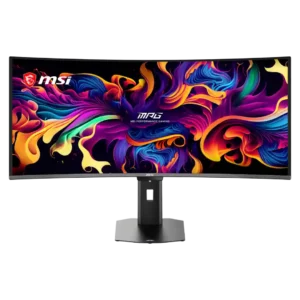
MSI MPG 341CQR QD-OLED X36

MSI MPG 341CQR QD-OLED X36

Overall score 4.4 / 5

Based on 27 scored reviews

vs
Asus ROG Swift 34 QD-OLED PG34WCDN

Asus ROG Swift 34 QD-OLED PG34WCDN

Overall score 4.5 / 5

Based on 10 scored reviews

How we score

Scorata scores summarize analyzed review evidence on a 1–5 scale; they are not laboratory measurements or a simple average of customer star ratings. Feature scores summarize the reviews covering that feature. The overall score averages feature scores within each review, then combines review averages. When both expert and customer evidence are available, those two groups receive equal weight. Products can have different review coverage, so small score gaps do not establish a winner.

Recommendations prioritize important features for the category, with a score of at least 3.5, a gap of at least 0.25 points and at least two supporting reviews per product. Features with widely varying scores or broad connectivity contexts are excluded from recommendations. These safeguards do not establish statistical significance.

Quick verdict

What each product is best for

The review evidence points to a tradeoff: console gaming compatibility and black levels versus cable management and software support. Choose according to which strengths matter more to you; the overall score alone does not settle that choice.

Choose MSI MPG 341CQR QD-OLED X36 for console gaming compatibility and black levels.

Choose Asus ROG Swift 34 QD-OLED PG34WCDN for cable management and software support.

Why these recommendations?

MSI MPG 341CQR QD-OLED X36

Where It Has the Edge

  • console gaming compatibility is 4.5 vs 3.5. Console Mode accepts 4K HDR signals and adds HDMI 2.1, VRR, ALLM, and CEC support. The ultrawide panel...
  • black levels is 5.0 vs 4.4. True OLED blacks are a defining strength, with no glow and substantially better ambient-light performance than earlier QD-OLED...
  • value for money is 3.5 vs 3.0. The monitor delivers flagship ultrawide OLED performance and a rich feature set at a competitive premium price. Cheaper...

Asus ROG Swift 34 QD-OLED PG34WCDN

Where It Has the Edge

  • cable management is 5.0 vs 2.8. The stand's cable cutaway and integrated switching simplify a desk with several connected devices, even if the wide...
  • software support is 5.0 vs 3.6. DisplayWidget software makes OLED care and color adjustments easier than navigating several levels of physical menus.
  • brightness is 4.9 vs 3.7. The new panel produces brighter SDR images and impressive HDR highlights, with peaks near 1,300 nits in small...
MSI MPG 341CQR QD-OLED X36 4.4 overall score
Asus ROG Swift 34 QD-OLED PG34WCDN 4.5 overall score

Compare features

Scores are out of 5. Missing scores mean missing review evidence, not a missing feature.

Scored on both products

Other features

Cable management
MSI MPG 341CQR QD-OLED X36
2.8

The compact stand improves desk space, but cable routing is inconsistent. Its small opening and lack of clips or a routing shelf can leave a fully connected setup looking cluttered.

Asus ROG Swift 34 QD-OLED PG34WCDN
5.0

The stand's cable cutaway and integrated switching simplify a desk with several connected devices, even if the wide monitor still needs substantial space.

Console gaming compatibility
MSI MPG 341CQR QD-OLED X36
4.5

Console Mode accepts 4K HDR signals and adds HDMI 2.1, VRR, ALLM, and CEC support. The ultrawide panel may still display consoles in a 16:9 area.

Asus ROG Swift 34 QD-OLED PG34WCDN
3.5

Xbox and PlayStation signals work well, including 4K input downscaling and 120Hz play. Manual 16:9 selection and some ELMB restrictions make it less seamless than on PC.

Premium feel
MSI MPG 341CQR QD-OLED X36
4.1

The metal base, solid construction, and polished OLED image feel premium, though the conservative plastic-heavy styling and cable routing fall short of the very best luxury designs.

Asus ROG Swift 34 QD-OLED PG34WCDN
5.0

Refined surfaces, sturdy construction and a slim OLED display section help it look the part of a flagship gaming monitor.

Resolution
MSI MPG 341CQR QD-OLED X36
2.5

The 3440×1440 resolution balances immersion, performance, and usable detail for games, but roughly 110 PPI looks soft beside 4K monitors during text-heavy work.

Asus ROG Swift 34 QD-OLED PG34WCDN
3.4

The 3440×1440 ultrawide format provides useful working space and sharp images, especially with RGB stripe. It is not as finely detailed as true 4K or higher-density rivals.

Gaming image presets
MSI MPG 341CQR QD-OLED X36
3.5

The monitor offers many genre and professional presets with extensive customization. Some gaming presets are visibly inaccurate, so User or sRGB modes are usually better starting points.

Asus ROG Swift 34 QD-OLED PG34WCDN
4.3

Shooter, strategy and other presets, plus crosshairs and performance overlays, add flexibility. Differences between some presets are subtle.

Sleep and wake behavior
MSI MPG 341CQR QD-OLED X36
4.0

Presence sensing can dim, lock, sleep, and wake the display automatically, reducing wear and protecting privacy. Some units wake slowly or adjust brightness too aggressively until settings are tuned.

Asus ROG Swift 34 QD-OLED PG34WCDN
4.7

The built-in proximity sensor can black the panel when you leave and bring it back promptly when you return, supporting both convenience and care.

Black levels
MSI MPG 341CQR QD-OLED X36
5.0

True OLED blacks are a defining strength, with no glow and substantially better ambient-light performance than earlier QD-OLED generations.

Asus ROG Swift 34 QD-OLED PG34WCDN
4.4

OLED delivers extremely deep blacks in controlled lighting, and BlackShield reduces the purple cast of older QD-OLEDs. In brighter rooms, blacks can still look gray.

Screen uniformity
MSI MPG 341CQR QD-OLED X36
4.1

Most units show excellent color consistency and clean OLED uniformity, but a few samples measured dimmer outer edges or unexplained luminance variation.

Asus ROG Swift 34 QD-OLED PG34WCDN
4.7

Screen-wide consistency is generally excellent, with little dirty-screen effect, though faint banding can appear in dark material.

Stand adjustability
MSI MPG 341CQR QD-OLED X36
4.4

The compact stand offers good height, tilt, swivel, and limited pivot adjustment while occupying less desk space. It cannot rotate fully into portrait orientation.

Asus ROG Swift 34 QD-OLED PG34WCDN
5.0

Height, tilt and swivel adjustments are smooth and practical, although the stand does not pivot to portrait.

Sharpness
MSI MPG 341CQR QD-OLED X36
4.4

The RGB stripe subpixel layout nearly eliminates the colored text fringing of earlier QD-OLED panels. Fine detail is much cleaner, but 110-PPI density still cannot match a 4K monitor.

Asus ROG Swift 34 QD-OLED PG34WCDN
4.9

RGB-stripe subpixels remove the characteristic fuzzy text edges of older QD-OLEDs, giving unexpectedly crisp 1440p-class results.

USB hub functionality
MSI MPG 341CQR QD-OLED X36
4.5

The two-port USB hub and KVM switch make it easy to share peripherals between a desktop and USB-C laptop, though the 5Gbps ports can limit fast external storage.

Asus ROG Swift 34 QD-OLED PG34WCDN
5.0

A cluster of USB-A ports plus USB-C and KVM support adds practical peripheral flexibility, with more ports than some rivals.

VESA mount compatibility
MSI MPG 341CQR QD-OLED X36
4.5

Standard 100×100mm VESA support makes it easy to replace the included stand with an arm and reclaim additional desk space.

Asus ROG Swift 34 QD-OLED PG34WCDN
4.0

VESA mounting provides a welcome route to an arm or alternative support instead of using the wide stock stand.

VRR compatibility
MSI MPG 341CQR QD-OLED X36
4.1

VRR works across Nvidia, AMD, HDMI 2.1 consoles, and a broad 48–360Hz range. Dark-scene brightness flicker remains the main limitation.

Asus ROG Swift 34 QD-OLED PG34WCDN
3.8

Multiple major VRR formats are supported, but the anti-flicker setting narrows the active VRR range and can disable compensation at low frame rates.

Overall satisfaction
MSI MPG 341CQR QD-OLED X36
4.6

The consensus is overwhelmingly positive, with many calling it the best or most complete 34-inch QD-OLED ultrawide yet. Price, pixel density, and a few firmware quirks keep it from perfection.

Asus ROG Swift 34 QD-OLED PG34WCDN
5.0

This is widely considered an excellent high-end ultrawide, with stronger text, speed and HDR than previous generations. Pricing and some OLED compromises temper the enthusiasm.

Reflection handling
MSI MPG 341CQR QD-OLED X36
4.0

DarkArmor substantially reduces the purple-gray haze and mirror-like reflections of older QD-OLED panels. The glossy surface can still struggle with strong direct sunlight or very bright rooms.

Asus ROG Swift 34 QD-OLED PG34WCDN
4.4

BlackShield noticeably lessens direct reflections and purple-tinted raised blacks. It cannot fully match the brighter-room black depth of some WOLED alternatives.

Competitive gaming suitability
MSI MPG 341CQR QD-OLED X36
4.7

The 360Hz refresh, near-instant response, and low latency make it unusually capable for competitive play. Dedicated esports players may still prefer a smaller 16:9 display.

Asus ROG Swift 34 QD-OLED PG34WCDN
5.0

Instantaneous-feeling response, negligible input lag and 360Hz updates make this a standout for shooters and esports, assuming the PC can deliver high frame rates.

Productivity versatility
MSI MPG 341CQR QD-OLED X36
4.3

The wide desktop, USB-C charging, KVM, accurate color, and improved RGB-stripe text make it far more practical for work than earlier QD-OLED ultrawides. Low pixel density still limits fine text sharpness.

Asus ROG Swift 34 QD-OLED PG34WCDN
4.0

Clean text, multitasking width, USB-C charging and KVM switching make occasional work comfortable. Continuous static desktop use is a poor match for OLED longevity.

Aspect ratio
MSI MPG 341CQR QD-OLED X36
4.0

The 21:9 format adds useful horizontal space and strong immersion while remaining easier to drive than 4K. Some games and 16:9 video still produce pillarboxing.

Asus ROG Swift 34 QD-OLED PG34WCDN
4.3

The 21:9 view opens up peripheral game scenery and more desktop space. Alternative aspect ratios can help focus competitive play, but consoles require manual switching.

Color gamut
MSI MPG 341CQR QD-OLED X36
4.8

QD-OLED color coverage is exceptionally wide, reaching nearly all of DCI-P3 and strong Adobe RGB coverage for vivid games and capable creative work.

Asus ROG Swift 34 QD-OLED PG34WCDN
5.0

Exceptionally broad DCI-P3 coverage and vivid QD-OLED color volume give games and HDR media rich, saturated tones.

Input lag
MSI MPG 341CQR QD-OLED X36
4.8

Measured latency is extremely low at 360Hz, making control inputs feel immediate in fast games.

Asus ROG Swift 34 QD-OLED PG34WCDN
5.0

Exceptionally low processing delay makes even fast shooters feel immediate and reactive.

Motion clarity
MSI MPG 341CQR QD-OLED X36
4.8

Motion clarity is outstanding at 360Hz, keeping small moving objects and fast camera pans unusually legible. The improvement over 240Hz is visible, though smaller than the jump from 120Hz.

Asus ROG Swift 34 QD-OLED PG34WCDN
5.0

Smooth 360Hz updates and very fast OLED pixels make moving targets and camera pans extremely clean; lower frame rates show less benefit.

Burn-in protection
MSI MPG 341CQR QD-OLED X36
4.5

OLED Care 3.0 provides extensive pixel shifting, static-element dimming, panel refresh, and presence-sensing protection. Most features stay unobtrusive, though scheduled refreshes and sensor behavior can occasionally interrupt use.

Asus ROG Swift 34 QD-OLED PG34WCDN
4.3

Pixel care, screen shifting, proximity-based shutoff and related settings help limit prolonged static exposure. They reduce risk rather than eliminate OLED burn-in.

Refresh rate
MSI MPG 341CQR QD-OLED X36
4.9

The 360Hz refresh rate is a landmark for 34-inch ultrawide OLEDs, delivering exceptionally fluid gaming and desktop motion. Reaching its full benefit requires a powerful PC or lighter competitive games.

Asus ROG Swift 34 QD-OLED PG34WCDN
5.0

The 360Hz refresh rate is a substantial jump over older 175Hz and 240Hz ultrawides, with the biggest payoff in games that can actually reach high fps.

Ultrawide gaming experience
MSI MPG 341CQR QD-OLED X36
4.9

The 34-inch 21:9 presentation is highly immersive and adds useful peripheral vision in supported games. Its combination of OLED contrast and 360Hz speed makes the format unusually versatile.

Asus ROG Swift 34 QD-OLED PG34WCDN
5.0

Expansive 21:9 framing meets elite speed, striking contrast and smooth motion; the 34-inch curve feels immersive without overwhelming the desk.

Curved screen immersion
MSI MPG 341CQR QD-OLED X36
4.7

The gentle 1800R curve fills peripheral vision without feeling overly aggressive. It works especially well for racing, open-world, and first-person games.

Asus ROG Swift 34 QD-OLED PG34WCDN
4.8

The moderate 1800R curve is widely appreciated as immersive without the more aggressive wrap of earlier designs.

Response time
MSI MPG 341CQR QD-OLED X36
4.9

Near-instant OLED pixel response produces exceptionally clean transitions with virtually no perceptible delay, ghosting, or overshoot.

Asus ROG Swift 34 QD-OLED PG34WCDN
5.0

Near-instant OLED transitions keep motion crisp and reduce smearing without distracting overshoot.

Port selection
MSI MPG 341CQR QD-OLED X36
4.9

Two HDMI 2.1 ports, DisplayPort, 98W USB-C, USB-A, USB-B, audio out, and KVM support form an unusually complete connection package.

Asus ROG Swift 34 QD-OLED PG34WCDN
4.9

DisplayPort 2.1, dual HDMI 2.1, USB-C, several USB-A ports and a headphone output form a particularly well-rounded connection set.

Backlight bleed control
MSI MPG 341CQR QD-OLED X36
5.0

The self-emissive OLED panel has no traditional backlight bleed, IPS glow, or VA glow, giving dark scenes a cleaner appearance.

Asus ROG Swift 34 QD-OLED PG34WCDN
5.0

The self-emissive OLED screen avoids the backlight bleed associated with many LCDs.

Ghosting control
MSI MPG 341CQR QD-OLED X36
5.0

Fast movement remains clean with no visible ghosting or conventional OLED trailing at 360Hz.

Asus ROG Swift 34 QD-OLED PG34WCDN
5.0

Near-instant OLED response avoids obvious ghost trails and inverse-overshoot artifacts, including during VRR operation.

Overdrive tuning
MSI MPG 341CQR QD-OLED X36
5.0

OLED response requires no aggressive overdrive, and transitions remain free of visible overshoot or slow trailing across refresh rates.

Asus ROG Swift 34 QD-OLED PG34WCDN
5.0

Pixel response stays clean across refresh rates without constant overdrive adjustments, making gaming setup simpler.

Panel type
MSI MPG 341CQR QD-OLED X36
5.0

The fifth-generation QD-OLED panel meaningfully improves brightness, ambient-light black depth, text rendering, and durability over earlier generations.

Asus ROG Swift 34 QD-OLED PG34WCDN
5.0

The latest QD-OLED generation combines OLED's near-instant motion and deep blacks with improved text rendering and higher brightness.

PC gaming compatibility
MSI MPG 341CQR QD-OLED X36
5.0

High-bandwidth inputs, broad VRR support, 360Hz operation, and a manageable 3440×1440 workload make it an excellent match for high-end gaming PCs.

Asus ROG Swift 34 QD-OLED PG34WCDN
5.0

High-bandwidth ports, VRR support and a 360Hz ceiling make it well equipped for modern PC gaming, from shooters to graphically demanding single-player titles.

Single-player cinematic gaming suitability
MSI MPG 341CQR QD-OLED X36
5.0

The wide 21:9 canvas, perfect blacks, vivid HDR, and rich color make story-driven, racing, and open-world games especially cinematic.

Asus ROG Swift 34 QD-OLED PG34WCDN
5.0

Detailed scenes, immersive 21:9 framing and vivid HDR make cinematic single-player games look superb.

Viewing angles
MSI MPG 341CQR QD-OLED X36
5.0

Brightness, color, and contrast remain stable from very wide angles, with the curve becoming a larger limitation than the OLED panel itself.

Asus ROG Swift 34 QD-OLED PG34WCDN
5.0

Colors and brightness stay consistent from off-center positions, a familiar advantage of OLED technology.

Performance

Black equalizer performance
MSI MPG 341CQR QD-OLED X36
4.5

Dark-scene visibility is excellent, revealing faint enemies and shadow detail without sacrificing the panel’s deep blacks.

Asus ROG Swift 34 QD-OLED PG34WCDN
3.0

Shadow Boost can make darker SDR game areas easier to inspect, but its strongest dynamic setting also alters midtones noticeably.

Brightness
MSI MPG 341CQR QD-OLED X36
3.7

Full-screen SDR brightness around 300 nits is a useful improvement and adequate for most indoor rooms. Bright scenes still look dimmer than top LCD or newer high-brightness OLED alternatives.

Asus ROG Swift 34 QD-OLED PG34WCDN
4.9

The new panel produces brighter SDR images and impressive HDR highlights, with peaks near 1,300 nits in small areas. Large bright regions remain more restrained.

HDR performance
MSI MPG 341CQR QD-OLED X36
4.2

HDR is a major highlight, combining deep blacks, vivid color, and peaks up to roughly 1,300 nits. EOTF Boost is often the best-balanced mode, though firmware behavior and large bright scenes are not always perfect.

Asus ROG Swift 34 QD-OLED PG34WCDN
4.8

HDR is a major strength thanks to pixel-level contrast and improved peak output. No single mode combines full accuracy, peak intensity and freedom from dimming.

Adaptive sync performance
MSI MPG 341CQR QD-OLED X36
4.3

Adaptive Sync works smoothly across Nvidia and AMD graphics cards, keeping gameplay tear-free. OLED VRR flicker can still appear in dark scenes with unstable frame rates.

Asus ROG Swift 34 QD-OLED PG34WCDN
4.8

FreeSync and G-Sync compatibility help keep fast games smooth, with generally clean response even under changing frame rates. The dedicated anti-flicker mode brings its own limitations.

Picture-in-picture and picture-by-picture
MSI MPG 341CQR QD-OLED X36
4.5

PiP and PbP modes let multiple systems share the ultrawide workspace, adding useful flexibility for multitasking and mixed-device setups.

Asus ROG Swift 34 QD-OLED PG34WCDN
5.0

Picture-in-picture and side-by-side source modes are convenient when keeping two connected systems visible at once.

Color accuracy
MSI MPG 341CQR QD-OLED X36
4.7

Factory accuracy is excellent in the better modes, and sRGB calibration frequently measures near professional-grade levels. Some default wide-gamut presets oversaturate SDR content.

Asus ROG Swift 34 QD-OLED PG34WCDN
4.3

Dedicated sRGB and wide-gamut modes can be exceptionally accurate, and calibration results are excellent. Default oversaturation and inconsistent gamma in some modes call for attention.

Overall picture quality
MSI MPG 341CQR QD-OLED X36
4.8

Deep blacks, vibrant wide-gamut color, strong HDR, and improved text rendering create one of the best-looking ultrawide OLED images available.

Asus ROG Swift 34 QD-OLED PG34WCDN
5.0

Vibrant colors, rich contrast, crisp text and clear motion produce a consistently striking image across work and games.

On-screen display usability
MSI MPG 341CQR QD-OLED X36
4.3

The joystick-driven OSD is well labeled, responsive, and packed with useful image, HDR, KVM, and OLED Care controls. The sheer number of options can require careful setup.

Asus ROG Swift 34 QD-OLED PG34WCDN
4.5

Clear menu organization and a responsive joystick earn praise; DisplayWidget is often quicker for complex settings.

Contrast
MSI MPG 341CQR QD-OLED X36
5.0

Per-pixel lighting delivers effectively infinite contrast, giving games and movies exceptional depth without blooming around bright objects.

Asus ROG Swift 34 QD-OLED PG34WCDN
5.0

Perfect-pixel OLED blacks alongside bright highlights create exceptional depth, especially in dark scenes.

DisplayPort connectivity
MSI MPG 341CQR QD-OLED X36
5.0

DisplayPort provides enough bandwidth for the native 3440×1440 resolution at 360Hz, and included high-bandwidth cabling simplifies setup.

Asus ROG Swift 34 QD-OLED PG34WCDN
5.0

Full-bandwidth DisplayPort 2.1 UHBR20 can run 3440×1440 at 360Hz without DSC, a standout advantage for suitably equipped PCs.

Local dimming performance
MSI MPG 341CQR QD-OLED X36
5.0

Per-pixel OLED lighting is more precise than even full-array local dimming, eliminating blooming and preserving tiny bright details against black backgrounds.

Asus ROG Swift 34 QD-OLED PG34WCDN
5.0

Unlike zoned LCD backlights, individual OLED pixels can turn fully off next to bright pixels, avoiding halos.

Comfort and build

Eye comfort features
MSI MPG 341CQR QD-OLED X36
4.5

The panel is effectively flicker-free in normal use, and the low-blue-light and monochrome options reduce eye strain without an excessively yellow image.

Asus ROG Swift 34 QD-OLED PG34WCDN
3.0

Blue-light modes are available, but certain settings conflict with Uniform Brightness and the strongest filter restricts brightness.

Screen coating durability
MSI MPG 341CQR QD-OLED X36
4.4

The upgraded 3H DarkArmor surface is tougher and more scratch resistant than previous QD-OLED coatings, though it still deserves careful handling.

Asus ROG Swift 34 QD-OLED PG34WCDN
3.0

The harder coating is an improvement in principle, but scratches were seen on one tested sample, leaving real-world durability uncertain.

Screen size
MSI MPG 341CQR QD-OLED X36
5.0

The 34-inch panel provides enough horizontal space to reveal more of supported games and replace a dual-monitor layout without becoming excessively tall.

Asus ROG Swift 34 QD-OLED PG34WCDN
4.0

At 34 inches, the display adds horizontal room for games and windows without approaching the bulk of 39- or 49-inch models.

Build quality
MSI MPG 341CQR QD-OLED X36
4.7

The chassis and stand feel sturdy, well engineered, and more refined than earlier MSI ultrawides, with a compact metal base adding stability.

Asus ROG Swift 34 QD-OLED PG34WCDN
5.0

Solid construction, a refined finish and a sturdy stand help it feel premium. The angular gaming presentation may be more divisive than the physical quality.

Design and aesthetics
MSI MPG 341CQR QD-OLED X36
3.7

The slim black chassis and compact stand look clean and professional, but the restrained styling does not always feel as luxurious as similarly priced Asus or Samsung models.

Asus ROG Swift 34 QD-OLED PG34WCDN
4.0

Aggressive ROG styling, sharp angles and RGB flourishes look striking to some but overly gamer-focused to others.

Controls and connectivity

Software support
MSI MPG 341CQR QD-OLED X36
3.6

Gaming Intelligence and remote controls provide useful OSD access, profiles, shortcuts, and firmware updates. Early samples required updates, and app polish or availability was inconsistent.

Asus ROG Swift 34 QD-OLED PG34WCDN
5.0

DisplayWidget software makes OLED care and color adjustments easier than navigating several levels of physical menus.

Ownership and support

Warranty and support service
MSI MPG 341CQR QD-OLED X36
4.7

The three-year warranty includes OLED burn-in coverage, providing valuable protection for an expensive monitor. Firmware support has been active, though early behavior needed refinement.

Asus ROG Swift 34 QD-OLED PG34WCDN
4.0

A three-year warranty explicitly covering burn-in adds reassurance, although it cannot rule out wear after coverage ends.

Value for money
MSI MPG 341CQR QD-OLED X36
3.5

The monitor delivers flagship ultrawide OLED performance and a rich feature set at a competitive premium price. Cheaper 240Hz OLEDs remain better value for buyers who do not need 360Hz or the newest panel improvements.

Asus ROG Swift 34 QD-OLED PG34WCDN
3.0

Performance and features are compelling, but the asking price is steep compared with capable 240Hz and 280Hz alternatives. The premium is easiest to justify for speed enthusiasts.

HDMI 2.1 support
MSI MPG 341CQR QD-OLED X36
5.0

Dual HDMI 2.1 inputs handle the monitor’s full resolution and refresh capabilities while also supporting modern console features.

Asus ROG Swift 34 QD-OLED PG34WCDN
4.5

The HDMI 2.1 connections support demanding inputs and console gaming, though 360Hz over HDMI uses DSC.

Evidence available for one product

Other features

Ease of use
MSI MPG 341CQR QD-OLED X36No score yet
Asus ROG Swift 34 QD-OLED PG34WCDN
3.8

The OSD is generally intuitive and DisplayWidget makes adjustments easier, although reaching rear ports and enabling ELMB can be cumbersome.

AI scene optimization
MSI MPG 341CQR QD-OLED X36No score yet
Asus ROG Swift 34 QD-OLED PG34WCDN
5.0

Display Center can recognize games and automatically switch to appropriate picture presets; switching between strategy and shooter titles worked as intended.

Backlight strobing
MSI MPG 341CQR QD-OLED X36No score yet
Asus ROG Swift 34 QD-OLED PG34WCDN
4.0

ELMB black-frame insertion gives lower-frame-rate games motion clarity approaching the monitor's native 360Hz mode, although it requires a more involved setup.

Blooming control
MSI MPG 341CQR QD-OLED X36No score yet
Asus ROG Swift 34 QD-OLED PG34WCDN
5.0

Per-pixel light control keeps bright objects from sprouting distracting halos, a significant OLED advantage over zone-dimmed LCDs.

Built-in RGB lighting
MSI MPG 341CQR QD-OLED X36No score yet
Asus ROG Swift 34 QD-OLED PG34WCDN
4.7

The illuminated rear branding and desk projection add attractive flair without being overly intrusive. They favor a distinctly gaming-oriented look.

Built-in speakers
MSI MPG 341CQR QD-OLED X36No score yet
Asus ROG Swift 34 QD-OLED PG34WCDN
3.0

Audio must come from external speakers or headphones. One owner does not mind the omission, but anyone wanting monitor audio will need another device.

Delivery condition
MSI MPG 341CQR QD-OLED X36
5.0

The monitor is packed securely in layered foam with the panel well protected, reducing the chance of shipping damage.

Asus ROG Swift 34 QD-OLED PG34WCDNNo score yet
Desk footprint
MSI MPG 341CQR QD-OLED X36No score yet
Asus ROG Swift 34 QD-OLED PG34WCDN
3.8

A 34-inch ultrawide is less cumbersome than jumbo monitors, yet the broad, pronged stand takes room and is not everyone's preferred base.

Device compatibility
MSI MPG 341CQR QD-OLED X36No score yet
Asus ROG Swift 34 QD-OLED PG34WCDN
4.0

PC connections are broad, and supported PlayStation and Xbox signal formats work through the available inputs. Consoles still need aspect-ratio adjustment.

ELMB strobing quality
MSI MPG 341CQR QD-OLED X36No score yet
Asus ROG Swift 34 QD-OLED PG34WCDN
4.0

Black-frame insertion markedly sharpens motion at 120Hz and 180Hz. Requiring fixed refresh, disabled VRR and multiple setting changes reduces convenience.

Firmware updateability
MSI MPG 341CQR QD-OLED X36No score yet
Asus ROG Swift 34 QD-OLED PG34WCDN
4.0

Automatic updates through DisplayWidget are useful, particularly for a monitor whose early firmware has drawn feature requests.

GPU demands
MSI MPG 341CQR QD-OLED X36No score yet
Asus ROG Swift 34 QD-OLED PG34WCDN
2.7

The full 360Hz advantage depends on sufficiently high game frame rates; heavy titles and weaker GPUs cannot always show the benefit.

Gradient smoothness
MSI MPG 341CQR QD-OLED X36No score yet
Asus ROG Swift 34 QD-OLED PG34WCDN
3.0

Gray uniformity is strong overall, but mild banding appears in some darker gradients.

HDR highlight detail
MSI MPG 341CQR QD-OLED X36No score yet
Asus ROG Swift 34 QD-OLED PG34WCDN
4.9

Tiny bright elements can reach around 1,300 nits, making neon, explosions and reflections stand out. Larger bright scenes can lose some of that punch.

Heat management
MSI MPG 341CQR QD-OLED X36No score yet
Asus ROG Swift 34 QD-OLED PG34WCDN
4.0

The updated panel material offers added brightness without a stated increase in heat generation, an encouraging efficiency improvement.

Image scaling
MSI MPG 341CQR QD-OLED X36No score yet
Asus ROG Swift 34 QD-OLED PG34WCDN
3.0

Screen-size emulation is flexible, but a tested 27-inch mode looked softer than expected pending a proposed firmware correction.

OLED motion blur reduction
MSI MPG 341CQR QD-OLED X36No score yet
Asus ROG Swift 34 QD-OLED PG34WCDN
4.3

ELMB offers a useful way to increase motion clarity when running below 360fps, but is incompatible with variable refresh and not available at every rate.

Packaging presentation
MSI MPG 341CQR QD-OLED X36No score yet
Asus ROG Swift 34 QD-OLED PG34WCDN
5.0

Molded protection and neat internal packing keep the large display secure during delivery.

Per-input settings memory
MSI MPG 341CQR QD-OLED X36No score yet
Asus ROG Swift 34 QD-OLED PG34WCDN
2.0

Aspect-ratio modes were not remembered independently for different inputs in early testing, forcing manual changes when swapping PC and console.

Power efficiency
MSI MPG 341CQR QD-OLED X36No score yet
Asus ROG Swift 34 QD-OLED PG34WCDN
3.7

Presence-triggered shutoff and newer panel material help offset consumption, although running at the very highest refresh rate can raise power use.

Screen coating clarity
MSI MPG 341CQR QD-OLED X36No score yet
Asus ROG Swift 34 QD-OLED PG34WCDN
4.3

The newer coating maintains a clear, glossy-looking image while reducing reflected-light problems compared with earlier QD-OLED finishes.

Stand stability
MSI MPG 341CQR QD-OLED X36No score yet
Asus ROG Swift 34 QD-OLED PG34WCDN
4.3

The stand is solid with little wobble, though its large pronged footprint does not always provide a clear advantage over smaller bases.

Text fringing
MSI MPG 341CQR QD-OLED X36No score yet
Asus ROG Swift 34 QD-OLED PG34WCDN
5.0

The new RGB-stripe layout essentially eliminates the pink-green text fringes seen on older QD-OLED monitors, a major benefit for reading and work.

Tripod mount versatility
MSI MPG 341CQR QD-OLED X36No score yet
Asus ROG Swift 34 QD-OLED PG34WCDN
5.0

An integrated camera thread on the stand is genuinely useful for positioning webcam or creator accessories without another clamp.

USB-C power delivery
MSI MPG 341CQR QD-OLED X36No score yet
Asus ROG Swift 34 QD-OLED PG34WCDN
5.0

Its 90W USB-C supply comfortably exceeds basic charging-only ports and supports many laptops, even though one comparable MSI offers slightly more power.

VRR flicker
MSI MPG 341CQR QD-OLED X36No score yet
Asus ROG Swift 34 QD-OLED PG34WCDN
3.8

Standard operation ranges from minimally distracting to noticeable flicker under unstable frame rates. Anti-flicker can help, but sacrifices useful VRR behavior.

Performance

Automatic brightness limiting
MSI MPG 341CQR QD-OLED X36No score yet
Asus ROG Swift 34 QD-OLED PG34WCDN
2.8

Higher SDR brightness can fluctuate as white areas grow, while Uniform Brightness holds a steadier but lower level. HDR peak modes can also dim substantially in brighter scenes.

Cleaning ease
MSI MPG 341CQR QD-OLED X36No score yet
Asus ROG Swift 34 QD-OLED PG34WCDN
5.0

Fingerprints and smudges wipe away more easily than on older QD-OLED coatings, a practical benefit for routine care.

KVM switch performance
MSI MPG 341CQR QD-OLED X36No score yet
Asus ROG Swift 34 QD-OLED PG34WCDN
5.0

The integrated KVM lets one keyboard and mouse follow a change between connected computers, avoiding extra desktop switching hardware.

Controls and connectivity

Color calibration controls
MSI MPG 341CQR QD-OLED X36No score yet
Asus ROG Swift 34 QD-OLED PG34WCDN
4.4

Adjustable sRGB and DCI-P3 options, six-axis saturation and software tools provide strong control. An Adobe RGB preset is missed, and one sRGB mode locks certain settings.

HDR tone mapping accuracy
MSI MPG 341CQR QD-OLED X36No score yet
Asus ROG Swift 34 QD-OLED PG34WCDN
3.3

True Black 500 tracks the target curve more accurately but limits highlights. Brighter modes can overbrighten or dim scenes and sacrifice tonal detail.

Software and driver support
MSI MPG 341CQR QD-OLED X36No score yet
Asus ROG Swift 34 QD-OLED PG34WCDN
4.0

ASUS Display Center provides mouse-based access to a wider range of display settings, though its experimental voice features were unreliable in one test.

Voice control reliability
MSI MPG 341CQR QD-OLED X36No score yet
Asus ROG Swift 34 QD-OLED PG34WCDN
1.0

The experimental voice-controlled settings feature failed to work despite troubleshooting, making it unreliable as a real convenience.

Tracking and training

Gamma tracking
MSI MPG 341CQR QD-OLED X36No score yet
Asus ROG Swift 34 QD-OLED PG34WCDN
2.7

Several measurements found gamma behavior outside the intended target, sometimes darkening or overbrightening content. Careful preset selection or calibration helps.

Ownership and support

Reliability over time
MSI MPG 341CQR QD-OLED X36
4.5

Extensive care features, a tougher panel, and months-long heavy use inspire confidence for daily PC duty. Long-term burn-in risk is reduced rather than eliminated.

Asus ROG Swift 34 QD-OLED PG34WCDNNo score yet
Setup ease
MSI MPG 341CQR QD-OLED X36
5.0

Tool-free stand attachment and accessible connections make assembly and initial setup quick, often taking only a few minutes.

Asus ROG Swift 34 QD-OLED PG34WCDNNo score yet

Reviews Comparing These Products

These are a few of the reviews included in our analysis.

Other Top Monitors to Consider

#2 ASUS ROG Strix OLED XG27ACDNG
4.4

Lightning-fast 360Hz OLED gaming, rich color and an unusually flexible USB-C/KVM setup are the big draws. Strong room lighting, limited full-screen HDR brightness and static-content burn-in concerns keep it from...

Pros: color gamut, overall satisfaction

Cons: reflection handling, VRR flicker

#3 ASUS ROG Swift OLED PG27UCDM
4.4

The 27-inch 4K OLED picture is exceptionally crisp and responsive, with useful USB-C and KVM extras. Its high price, oversized stand, and bright-room compromises limit its appeal.

Pros: sharpness, overall satisfaction

Cons: value for money, VRR flicker

#4 MSI MPG 322UR QD-OLED X24
4.4

Best for exceptional 4K HDR, accurate color, fast 240Hz gaming, and strong work connectivity. Skip it if you need built-in speakers, ultrawide immersion, television-level HDR brightness, or a budget-friendly upgrade.

Pros: brightness, reflection handling

Cons: cable management

#6 Dell Alienware AW3426DW
4.4

The AW3426DW brings vivid, fast ultrawide OLED gaming and much clearer text at an appealing price. Its missing USB-C video, KVM, and speakers make it less versatile than premium rivals.

Pros: brightness, value for money

Cons: port selection, built-in speakers