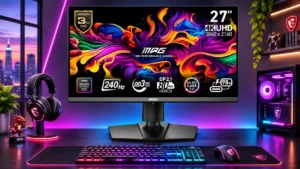
Compare MSI MPG 322URX QD-OLED vs MSI MPG 272URX QD-OLED

MSI MPG 322URX QD-OLED

MSI MPG 322URX QD-OLED

Overall score 4.0 / 5

Based on 83 scored reviews

vs
MSI MPG 272URX QD-OLED

MSI MPG 272URX QD-OLED

Overall score 4.2 / 5

Based on 26 scored reviews

How we score

Scorata scores summarize analyzed review evidence on a 1–5 scale; they are not laboratory measurements or a simple average of customer star ratings. Feature scores summarize the reviews covering that feature. The overall score averages feature scores within each review, then combines review averages. When both expert and customer evidence are available, those two groups receive equal weight. Products can have different review coverage, so small score gaps do not establish a winner.

Recommendations prioritize important features for the category, with a score of at least 3.5, a gap of at least 0.25 points and at least two supporting reviews per product. Features with widely varying scores or broad connectivity contexts are excluded from recommendations. These safeguards do not establish statistical significance.

Quick verdict

What each product is best for

The review evidence points to a tradeoff: VESA mount compatibility and Stand stability versus eye comfort features and gaming image presets. Choose according to which strengths matter more to you; the overall score alone does not settle that choice.

Choose MSI MPG 322URX QD-OLED for VESA mount compatibility and Stand stability.

Choose MSI MPG 272URX QD-OLED for eye comfort features and gaming image presets.

Why these recommendations?

MSI MPG 322URX QD-OLED

Where It Has the Edge

  • VESA mount compatibility is 4.7 vs 4.0. Standard 100mm mounting makes monitor arms straightforward, although recessed holes can rule out some quick-release attachments.
  • Stand stability is 5.0 vs 4.4. A substantial, steady stand earns approval; rubber feet and a secure base minimize wobble.
  • Text fringing is 4.8 vs 4.4. High 4K pixel density largely disguises the triangular OLED subpixel fringing, making text reasonably clear, though LCDs can...

MSI MPG 272URX QD-OLED

Where It Has the Edge

  • eye comfort features is 5.0 vs 1.5. Low-blue-light modes and exceptionally crisp text help some users work comfortably, including those sensitive to older OLED fringing.
  • gaming image presets is 3.8 vs 2.0. Game and Professional presets offer convenient choices, but default Eco settings can look muted and some enhanced modes...
  • HDR highlight detail is 5.0 vs 4.5. Isolated lights and specular reflections stand out sharply against OLED blacks. Large bright areas lose luminance, especially in...
MSI MPG 322URX QD-OLED 4.0 overall score
MSI MPG 272URX QD-OLED 4.2 overall score

Compare features

Scores are out of 5. Missing scores mean missing review evidence, not a missing feature.

Scored on both products

Comfort and build

Eye comfort features
MSI MPG 322URX QD-OLED
1.5

The immersive display can cause fatigue during very long sessions or when viewed too closely on a shallow desk.

MSI MPG 272URX QD-OLED
5.0

Low-blue-light modes and exceptionally crisp text help some users work comfortably, including those sensitive to older OLED fringing.

Screen size
MSI MPG 322URX QD-OLED
4.8

The 32-inch format is a sweet spot for immersion and side-by-side windows, but it is large for shallow desks or clustered displays.

MSI MPG 272URX QD-OLED
3.5

The compact 27-inch format is attractive for competitive play and constrained desks, yet some reviewers prefer 32 inches for movies, RPGs and more workspace.

Screen bezel design
MSI MPG 322URX QD-OLED
5.0

Slim edges increase screen presence and give the monitor a clean, modern look.

MSI MPG 272URX QD-OLED
4.0

The narrow side and top borders contribute to a clean, modern appearance without dominating the workspace.

Screen coating durability
MSI MPG 322URX QD-OLED
1.2

Several owners warn that the glossy surface scratches, marks or loses coating too easily, making even careful cleaning risky.

MSI MPG 272URX QD-OLED
2.0

The glossy surface looks clean and vibrant but is reported as relatively easy to scratch, calling for careful cleaning.

Design and aesthetics
MSI MPG 322URX QD-OLED
4.5

Thin bezels and restrained styling fit gaming and work desks alike, though some details feel less premium than earlier MSI models.

MSI MPG 272URX QD-OLED
4.1

The restrained black chassis and thin bezels generally fit both gaming and office environments. Opinions split on whether the plastic-heavy finish feels suitably premium.

Build quality
MSI MPG 322URX QD-OLED
4.2

The stand and chassis often feel solid, though several experts find the plastic construction less luxurious than the price suggests. One owner reported a damaged unit.

MSI MPG 272URX QD-OLED
3.8

The chassis and stand generally feel sturdy, although several reviewers find the plastic surfaces less luxurious than the price suggests.

Performance

Long-range enemy visibility
MSI MPG 322URX QD-OLED
5.0

One player credits the contrast and clarity with making distant enemies easier to pick out without a scope.

MSI MPG 272URX QD-OLED
2.0

Extremely dense 4K detail can make distant targets appear smaller than expected in some competitive games.

Operating noise
MSI MPG 322URX QD-OLED
3.0

Fanless operation avoids constant cooling noise. An owner nevertheless reports periodic clicking as the monitor searches for an input while idle.

MSI MPG 272URX QD-OLED
5.0

A fanless cooling approach is appreciated for avoiding active-cooling noise, though it is not a substitute for burn-in precautions.

Automatic brightness limiting
MSI MPG 322URX QD-OLED
2.7

Full-screen SDR levels are fairly stable, but HDR brightness limiting noticeably dims broader highlights and bright scenes.

MSI MPG 272URX QD-OLED
4.0

SDR can remain pleasantly steady when windows resize, but brighter HDR modes trade large-area consistency for higher small-window peaks. Some testers find the shifts distracting.

DisplayPort connectivity
MSI MPG 322URX QD-OLED
3.8

Full-bandwidth DisplayPort 2.1 UHBR20 is its signature upgrade, allowing 4K/240Hz without DSC. The practical advantage is debated, and several owners report port failures.

MSI MPG 272URX QD-OLED
4.9

The full-bandwidth DP 2.1 UHBR20 input is a key differentiator, enabling uncompressed 4K/240Hz with compatible hardware. Older GPUs can use DSC, although some driver features and refresh options may differ.

Black equalizer performance
MSI MPG 322URX QD-OLED
3.5

Shadow-boosting tools can make enemies easier to spot, but lifting blacks can undermine cinematic atmosphere.

MSI MPG 272URX QD-OLED
3.0

Dark-scene boosting may make some gameplay objects easier to see, but can alter the intended visual balance.

Color accuracy
MSI MPG 322URX QD-OLED
4.8

Strong sRGB performance and vivid, believable color win praise, with some measured results outstanding. HDR or factory presets can need adjustment and wider-gamut professional work is less assured.

MSI MPG 272URX QD-OLED
4.3

Several tests found excellent calibration or color-space presets, particularly in sRGB. Some units and brighter presets show warm white points, gamma shifts or oversaturated colors, so settings matter.

Picture-in-picture and picture-by-picture
MSI MPG 322URX QD-OLED
4.0

PC software offers picture-in-picture and picture-by-picture settings for juggling input sources.

MSI MPG 272URX QD-OLED
4.5

Showing multiple sources in one monitor adds flexibility for content creators and mixed-computer desks.

KVM switch performance
MSI MPG 322URX QD-OLED
4.7

The KVM is a favorite for sharing peripherals between machines, with several owners reporting seamless switching. A Mac user encountered wake-related trouble.

MSI MPG 272URX QD-OLED
5.0

An integrated KVM enables a gaming PC and work laptop to share keyboard and mouse peripherals. It is repeatedly highlighted as a meaningful advantage over simpler gaming displays.

Brightness
MSI MPG 322URX QD-OLED
2.7

Small HDR highlights can look intense, but full-screen SDR brightness and bright outdoor HDR scenes are comparatively muted. Some owners nevertheless find the panel bright enough indoors.

MSI MPG 272URX QD-OLED
3.0

Small HDR highlights can look dazzling, but full-screen and SDR luminance are modest for a premium monitor. Presets make a material difference, and sunlight exposes the limitations quickly.

On-screen display usability
MSI MPG 322URX QD-OLED
4.1

The responsive joystick and clear OSD win praise, although split menus and one owner’s unresponsive buttons draw criticism.

MSI MPG 272URX QD-OLED
3.8

The joystick and organized menus are often considered straightforward, and software control adds convenience. Some find the Gaming and Professional menus awkward, while maintenance notifications can be intrusive.

HDR performance
MSI MPG 322URX QD-OLED
4.1

Excellent blacks and punchy small highlights can make HDR games and films stunning. Bright scenes, ambient light and aggressive dimming keep the experience from being flawless.

MSI MPG 272URX QD-OLED
4.3

Dark HDR scenes, concentrated highlights and vibrant colors are recurring showpieces. Bright, expansive scenes lack the same punch, and optimal results can depend on the chosen HDR mode.

Display Stream Compression clarity
MSI MPG 322URX QD-OLED
4.4

Testers find DSC visually indistinguishable from uncompressed output in ordinary use. Avoiding DSC offers peace of mind more than a proven picture-quality jump.

MSI MPG 272URX QD-OLED
4.5

Direct comparisons found little to no visible picture difference between DSC and uncompressed output. DP 2.1 mainly expands connection options and avoids some GPU feature restrictions.

Overall picture quality
MSI MPG 322URX QD-OLED
5.0

The 4K QD-OLED image repeatedly impresses with saturated color, fine detail and exceptional blacks. Bright-room limitations remain.

MSI MPG 272URX QD-OLED
5.0

The combination of dense 4K detail, OLED contrast and rich color earns enthusiastic praise for games and media.

Color brightness
MSI MPG 322URX QD-OLED
5.0

Bright, punchy colors help scenes pop, even where the panel lacks the highest full-screen luminance.

MSI MPG 272URX QD-OLED
5.0

Saturated bright colors hold their impact in HDR, giving glowing objects and natural accents pleasing separation.

Contrast
MSI MPG 322URX QD-OLED
5.0

Per-pixel lighting gives exceptionally deep contrast and makes bright colors stand out against dark surroundings.

MSI MPG 272URX QD-OLED
5.0

Individually lit OLED pixels give dramatic dark-to-light separation without the halos of zoned LCD backlights. That signature effect looks best away from bright reflections.

Other features

USB port accessibility
MSI MPG 322URX QD-OLED
2.0

One long-term user dislikes low rear port placement because thick cables are hard to route comfortably.

MSI MPG 272URX QD-OLED
5.0

Extra downstream connections on the monitor are easier to reach than peripherals plugged behind a desktop PC.

Desk footprint
MSI MPG 322URX QD-OLED
2.8

The 32-inch screen is immersive, but shallow desks and multi-monitor arrangements can feel cramped; a suitably strong arm may help.

MSI MPG 272URX QD-OLED
4.9

The compact 27-inch panel and relatively flat base fit desks where 32-inch displays could crowd peripherals. This is a central attraction for limited workspace.

Gaming image presets
MSI MPG 322URX QD-OLED
2.0

Several profiles look good, especially sRGB, yet splitting gaming and professional menus complicates switching; unsuitable modes can make text difficult to read.

MSI MPG 272URX QD-OLED
3.8

Game and Professional presets offer convenient choices, but default Eco settings can look muted and some enhanced modes oversaturate or oversharpen.

Premium feel
MSI MPG 322URX QD-OLED
2.3

Sturdy construction helps, but the plastic shell and simpler printed branding fall short of the most luxurious feel.

MSI MPG 272URX QD-OLED
3.5

Some call the monitor sleek and premium, while others say plastic surfaces and simple detailing undermine the flagship price.

Included accessories
MSI MPG 322URX QD-OLED
3.1

Included HDMI, USB and high-bandwidth DP cables help setup, but the DP lead is repeatedly criticized for being unusually short.

MSI MPG 272URX QD-OLED
2.0

The basic cables and mounting accessories are useful, but at least one unit included a DisplayPort cable too short for flexible PC placement.

Built-in RGB lighting
MSI MPG 322URX QD-OLED
4.0

Subtle rear RGB adds a touch of gaming character without dominating the setup, and the lighting can be disabled.

MSI MPG 272URX QD-OLED
3.0

Rear lighting adds a subtle gaming accent rather than practical bias illumination. Some appreciate the restraint; others consider its hidden position pointless.

Gaming feature selection
MSI MPG 322URX QD-OLED
3.5

Useful shortcuts, KVM and gaming aids round out the package, but some AI-assisted tools raise fair-play concerns.

MSI MPG 272URX QD-OLED
4.5

Crosshair, scope, timer and visibility tools form a generous feature menu, though some of the AI-based additions are regarded as gimmicks.

Single-player cinematic gaming suitability
MSI MPG 322URX QD-OLED
5.0

The larger panel, striking blacks and vibrant highlights transform cinematic and open-world games into especially immersive experiences.

MSI MPG 272URX QD-OLED
4.0

Detailed 4K imagery, rich color and OLED blacks make visual adventures look spectacular. A number of reviewers still prefer a physically larger panel for cinematic immersion.

USB-C power delivery
MSI MPG 322URX QD-OLED
4.1

Up to 98W USB-C makes laptop charging and single-cable desk setups practical, but one owner says charging was disabled until manually enabled.

MSI MPG 272URX QD-OLED
4.9

USB-C video plus roughly 90–98W charging makes laptop connections especially convenient. It does not replace every feature of a full docking station or guarantee full power for demanding gaming laptops.

Shadow detail
MSI MPG 322URX QD-OLED
5.0

Clean dark-scene rendering helps make shadowy areas look deep while preserving visibility of enemies in corners.

MSI MPG 272URX QD-OLED
4.3

Deep scenes typically reveal a surprising amount of texture and black-level separation, though one unit showed minor SDR shadow crushing.

VESA mount compatibility
MSI MPG 322URX QD-OLED
4.7

Standard 100mm mounting makes monitor arms straightforward, although recessed holes can rule out some quick-release attachments.

MSI MPG 272URX QD-OLED
4.0

A standard 100×100 mount supports monitor arms, though some recessed quick-release mechanisms may not fit cleanly.

Stand adjustability
MSI MPG 322URX QD-OLED
4.1

Height, tilt and swivel are generally convenient and solid, but limited pivot prevents portrait use with the stock stand and a few owners report sticking.

MSI MPG 272URX QD-OLED
4.7

Height, tilt, swivel and portrait pivot provide flexible positioning without immediately buying a monitor arm. The space-efficient base is a practical plus.

VRR flicker
MSI MPG 322URX QD-OLED
2.6

Flickering is generally occasional but can stand out during large frame-rate shifts, loading screens or certain Mac configurations.

MSI MPG 272URX QD-OLED
2.0

Flickering during changing frame rates is a recurring OLED caveat, most apparent in dark game scenes. Limiting frame rates or refresh variability can reduce the distraction.

Black levels
MSI MPG 322URX QD-OLED
4.7

Near-inky OLED blacks are a signature strength, especially in dark games and movies. Direct ambient light can raise them toward purple-gray, and one user found them too harsh.

MSI MPG 272URX QD-OLED
4.1

In dim rooms the OLED panel produces deep, convincing blacks with clear separation from bright elements. Direct ambient light can raise blacks toward purple-gray, diminishing that advantage.

Stand stability
MSI MPG 322URX QD-OLED
5.0

A substantial, steady stand earns approval; rubber feet and a secure base minimize wobble.

MSI MPG 272URX QD-OLED
4.4

The stand feels reassuringly planted despite its comparatively compact base. A little extra weight can help keep the panel secure.

Burn-in protection
MSI MPG 322URX QD-OLED
3.4

MSI provides multiple OLED Care safeguards and a burn-in warranty, which reassure many owners. Recurring panel-care prompts can become intrusive.

MSI MPG 272URX QD-OLED
4.0

OLED Care options, pixel shifting, static-content safeguards and a custom thermal design reassure buyers. They reduce rather than remove burn-in risk, especially for fixed desktop content.

Built-in speakers
MSI MPG 322URX QD-OLED
2.5

Some customer accounts describe speakers as adequate, but others specifically complain that no speakers are present. An expert inspection also reports none, so external audio is the safer assumption.

MSI MPG 272URX QD-OLED
3.0

There are no integrated speakers, but several users of gaming headsets consider the omission minor.

Cable management
MSI MPG 322URX QD-OLED
3.5

The stand offers basic routing and downward-facing connectors can keep a desk tidy, but thick cables and low port placement complicate hiding leads.

MSI MPG 272URX QD-OLED
4.0

The stand provides routing options but may let thick cables bow visibly beneath the panel. A flatter base leaves some usable desktop space.

HDR highlight detail
MSI MPG 322URX QD-OLED
4.5

Tiny HDR highlights stand out vividly, but larger bright areas lose punch and some tone-mapping behavior limits detail.

MSI MPG 272URX QD-OLED
5.0

Isolated lights and specular reflections stand out sharply against OLED blacks. Large bright areas lose luminance, especially in Peak 1000 mode.

HDR mode versatility
MSI MPG 322URX QD-OLED
3.0

True Black 400 holds up better in bright scenes, while Peak 1000 favors small highlights. Neither mode delivers every HDR benefit at once.

MSI MPG 272URX QD-OLED
3.5

True Black 400 tends to preserve consistency in bright scenes, while Peak 1000 favors isolated highlights. Neither delivers every advantage at once, so the best mode depends on content.

Power efficiency
MSI MPG 322URX QD-OLED
5.0

The fanless OLED draws relatively little power in darker content and was praised for low minimum consumption.

MSI MPG 272URX QD-OLED
4.5

A smaller panel and efficient QD-OLED design keep measured draw reasonable for the visual performance delivered.

Screen uniformity
MSI MPG 322URX QD-OLED
4.5

Measured uniformity is generally excellent, with some modest corner variation on one tested sample.

MSI MPG 272URX QD-OLED
5.0

Measured color and brightness distribution is strikingly even, with clean whites and very few visible blotches. This is a reliable advantage of the panel type.

Reflection handling
MSI MPG 322URX QD-OLED
2.6

The glossy surface gives wonderful clarity but is vulnerable to reflections and purplish blacks in brighter spaces. A few viewers have less trouble under controlled lighting.

MSI MPG 272URX QD-OLED
3.0

The coating tempers ordinary reflections, but a window or direct lamp can still appear as a distinct glare source. Users should consider room layout.

Text fringing
MSI MPG 322URX QD-OLED
4.8

High 4K pixel density largely disguises the triangular OLED subpixel fringing, making text reasonably clear, though LCDs can still look cleaner.

MSI MPG 272URX QD-OLED
4.4

Dense 4K pixels make small text substantially cleaner than on earlier, lower-resolution QD-OLED screens. Very sensitive users may still notice subtle colored edging, particularly in certain fonts or scaling modes.

Pixel density
MSI MPG 322URX QD-OLED
4.7

4K at 32 inches looks crisp from normal viewing distances, though 27-inch 4K panels remain sharper for close text inspection.

MSI MPG 272URX QD-OLED
5.0

The approximately 166-PPI 27-inch 4K panel is consistently celebrated for fine detail and unusually crisp type. The improvement is especially easy to see when moving from 27-inch 1440p OLED.

GPU demands
MSI MPG 322URX QD-OLED
2.6

The monitor works with older graphics cards, but feeding 4K at 240fps in demanding games is difficult even for high-end hardware.

MSI MPG 272URX QD-OLED
2.9

Pushing 4K at 240 frames per second is a demanding target, especially in modern visually complex games. Upscaling, reduced settings or lower frame rates are realistic compromises.

Console gaming compatibility
MSI MPG 322URX QD-OLED
4.7

Two HDMI 2.1 connections support current console gaming well, including 4K/120Hz use. At 60Hz, the 240Hz-focused premium is harder to justify.

MSI MPG 272URX QD-OLED
4.4

Modern consoles work well at 4K up to 120Hz through HDMI 2.1, with vivid OLED contrast and fast response. They cannot exploit the entire 240Hz capacity.

Input lag
MSI MPG 322URX QD-OLED
4.7

Low latency makes high-refresh PC play very responsive. One owner noticed slightly less immediate feedback at console-style lower refresh rates.

MSI MPG 272URX QD-OLED
5.0

Tests and gameplay impressions show quick reactions and a responsive feel at high refresh rates. Low-refresh-rate figures are somewhat less exceptional, but largely acceptable for casual use.

Port selection
MSI MPG 322URX QD-OLED
4.6

DP 2.1, dual HDMI 2.1, USB-C and USB hub ports provide flexibility. A few reviewers wish for better audio output options.

MSI MPG 272URX QD-OLED
4.9

Two HDMI 2.1 inputs, high-bandwidth DisplayPort, USB-C, USB-A and USB-B give the 272URX a notably flexible input selection. It is particularly useful on desks with more than one computer.

PC gaming compatibility
MSI MPG 322URX QD-OLED
4.8

Modern gaming PCs can exploit superb 4K clarity and 240Hz speed; advanced graphics hardware helps unlock more of that performance.

MSI MPG 272URX QD-OLED
5.0

The high-bandwidth inputs and OLED performance suit modern gaming PCs, with the best results from machines capable of high 4K frame rates.

Competitive gaming suitability
MSI MPG 322URX QD-OLED
4.4

240Hz OLED motion and fast response earn strong marks for shooters. AI-assisted tools warrant caution in online play, and 4K demands considerable GPU power.

MSI MPG 272URX QD-OLED
4.6

Quick OLED transitions, low lag and a 27-inch screen create an excellent setup for fast competitive titles. Some esports-focused rivals offer higher refresh rates, and a forced maintenance prompt can interrupt a match.

Refresh rate
MSI MPG 322URX QD-OLED
4.9

At 240Hz, fast gameplay is exceptionally fluid, though demanding 4K games often run far below the ceiling.

MSI MPG 272URX QD-OLED
5.0

At 240Hz, games and scrolling can feel exceptionally fluid while retaining native 4K resolution. Taking full advantage in demanding titles requires an unusually fast gaming PC.

Color gamut
MSI MPG 322URX QD-OLED
4.9

A broad, saturated palette gives games and films striking depth, with excellent measured DCI-P3 coverage. Professional Adobe RGB work is less compelling.

MSI MPG 272URX QD-OLED
5.0

Wide DCI-P3 and substantial Adobe RGB coverage create rich, saturated imagery. Calibrated modes make that breadth useful beyond games, including many creative tasks.

Overall satisfaction
MSI MPG 322URX QD-OLED
4.8

Most praise the visual experience and gaming performance, but a smaller group strongly dislikes the price, firmware quirks or early hardware faults.

MSI MPG 272URX QD-OLED
4.9

Most assessments place this among the strongest compact 4K OLED gaming monitors, with clear praise for detail and responsiveness. The price and modest bright-room performance temper the enthusiasm.

Sharpness
MSI MPG 322URX QD-OLED
5.0

The large 4K screen keeps details crisp across games and desktop content.

MSI MPG 272URX QD-OLED
4.9

Its 4K pixel density yields strikingly crisp games, photographs, video and desktop elements. The jump from 1440p is obvious; the edge over 32-inch 4K is more subtle.

USB hub functionality
MSI MPG 322URX QD-OLED
4.7

The faster USB hub and shared peripheral connections are helpful for workstations, especially alongside KVM switching.

MSI MPG 272URX QD-OLED
4.8

The downstream USB ports extend convenience to peripherals and capture devices, especially when switching computers with KVM.

Motion clarity
MSI MPG 322URX QD-OLED
5.0

240Hz OLED response gives exceptionally crisp movement and smooth scrolling, with little perceived ghosting.

MSI MPG 272URX QD-OLED
4.9

OLED response and 240Hz refresh make motion exceptionally clean, with little smearing or trailing. Competitive players appreciate the feel, although a few ultra-fast 1440p alternatives remain quicker.

Blooming control
MSI MPG 322URX QD-OLED
5.0

Per-pixel OLED illumination keeps halos around bright objects nearly absent, making dark scenes especially clean.

MSI MPG 272URX QD-OLED
5.0

Per-pixel OLED lighting eliminates the bright halos and bleed seen around highlights on zone-dimming LCDs.

Ghosting control
MSI MPG 322URX QD-OLED
5.0

Near-instant OLED pixels keep trails and smearing extremely low during fast action.

MSI MPG 272URX QD-OLED
5.0

Pixel transitions are so fast that smearing, overshoot and inverse ghosting are difficult to detect in normal play. Fast action retains unusually crisp edges.

Integrated power supply
MSI MPG 322URX QD-OLED
5.0

A built-in power board removes the need for a bulky external brick.

MSI MPG 272URX QD-OLED
5.0

The built-in power supply removes a bulky desk or outlet brick, at the cost of a slightly thicker enclosure.

Photo editing
MSI MPG 322URX QD-OLED
5.0

One mixed-use owner finds the high contrast and accurate color especially appealing for photo work.

MSI MPG 272URX QD-OLED
5.0

Detailed 4K pixels, rich colors and professional profiles make photo inspection and adjustment much easier.

Resolution
MSI MPG 322URX QD-OLED
5.0

4K sharpness on the large OLED panel makes games and text richly detailed, but high frame rates require a serious GPU.

MSI MPG 272URX QD-OLED
5.0

The 3840×2160 panel brings finely defined games, text and media to a compact screen. Its extra detail is one of the clearest reasons to upgrade.

Response time
MSI MPG 322URX QD-OLED
5.0

Near-instant pixel response is a consistent standout, producing crisp action with very little smearing.

MSI MPG 272URX QD-OLED
5.0

Near-instant OLED transitions deliver fast, clean interactions and minimal traditional LCD-style trailing. Testers repeatedly report exemplary responsiveness.

Screen coating clarity
MSI MPG 322URX QD-OLED
5.0

The glossy coating gives an unusually clear, vibrant image compared with matte displays.

MSI MPG 272URX QD-OLED
5.0

The glossy or semi-glossy finish preserves perceived sharpness and vibrant colors better than some matte finishes. The clarity comes with more visible specular reflections.

Viewing angles
MSI MPG 322URX QD-OLED
5.0

OLED viewing angles remain excellent, with very little color change at oblique positions.

MSI MPG 272URX QD-OLED
5.0

Colors, contrast and detail hold up remarkably well off-axis, making the screen flexible to view from different positions.

Ownership and support

Warranty and support service
MSI MPG 322URX QD-OLED
2.6

Three years of burn-in coverage reassures buyers, but several owners report poor RMA communication, damage or denied assistance.

MSI MPG 272URX QD-OLED
4.2

The stated three-year panel burn-in coverage is a reassuring inclusion. Long-term claim handling was not independently established, and local terms deserve checking.

Power connector reliability
MSI MPG 322URX QD-OLED
2.0

A buyer reports a loose power socket that behaves better when the cord is routed through the stand.

MSI MPG 272URX QD-OLED
1.0

The loose-fitting power connector can be knocked free while pivoting, interrupting the display.

Setup ease
MSI MPG 322URX QD-OLED
4.6

Tool-less assembly and easy initial configuration are recurring positives, though HDR settings sometimes require experimentation.

MSI MPG 272URX QD-OLED
5.0

Tool-less or simple stand assembly and accessible inputs make first use generally quick and straightforward.

Value for money
MSI MPG 322URX QD-OLED
3.0

The display quality is hard to fault; whether it is worth the premium over the very similar 321URX is hotly disputed. Discounts make it more attractive.

MSI MPG 272URX QD-OLED
3.4

Flagship 4K/240Hz OLED sharpness, high-end connectivity, and a burn-in warranty help justify the premium for enthusiasts. Buyers who simply want OLED gaming can find less expensive 1440p or competing 4K options.

HDMI 2.1 support
MSI MPG 322URX QD-OLED
5.0

Dual HDMI 2.1 ports are especially welcome for console players who want high-resolution, high-refresh input.

MSI MPG 272URX QD-OLED
5.0

Full-featured HDMI inputs handle modern 4K console signals and complement the high-bandwidth PC connection.

Controls and connectivity

HDR tone mapping accuracy
MSI MPG 322URX QD-OLED
3.3

Lower-brightness HDR tracking can be accurate, while Peak 1000 behavior draws criticism for dimming or under-tracking larger windows.

MSI MPG 272URX QD-OLED
4.5

Automatic HGiG-related behavior and generally accurate HDR tracking help preserve intended highlight detail. Different HDR modes still trade peak brightness for stable large-area output.

Color calibration controls
MSI MPG 322URX QD-OLED
3.8

Useful gaming and professional presets can improve everyday accuracy, but the controls omit some white-balance options desired by enthusiasts.

MSI MPG 272URX QD-OLED
4.3

The settings include extensive color controls and several professional gamut modes. They help transform a vivid gaming screen into a more neutral workspace display.

Evidence available for one product

Controls and connectivity

60 fps capped gaming
MSI MPG 322URX QD-OLEDNo score yet
MSI MPG 272URX QD-OLED
3.0

The monitor remains playable at 60Hz, but its fastest response and lowest lag are most impressive at high refresh rates.

Automatic HGiG tone mapping
MSI MPG 322URX QD-OLEDNo score yet
MSI MPG 272URX QD-OLED
5.0

Automatic source-based HDR gaming mapping is singled out as an unusually convenient way to preserve highlight detail without manual menu changes.

Control button responsiveness
MSI MPG 322URX QD-OLED
1.0

An owner says the physical buttons often fail to register presses, making even basic control frustrating.

MSI MPG 272URX QD-OLEDNo score yet
HDR adjustment controls
MSI MPG 322URX QD-OLEDNo score yet
MSI MPG 272URX QD-OLED
2.0

Missing dedicated HDR brightness and more granular controls disappoint reviewers expecting full customization at this price.

PC-based monitor controls
MSI MPG 322URX QD-OLEDNo score yet
MSI MPG 272URX QD-OLED
4.3

MSI Gaming Intelligence software can adjust settings without reaching for the physical joystick. Connection through the USB upstream path may be required.

Software support
MSI MPG 322URX QD-OLED
3.7

MSI’s desktop control application is useful for changing settings, but firmware-related problems and unstable functionality hurt confidence.

MSI MPG 272URX QD-OLEDNo score yet

Performance

Adaptive sync performance
MSI MPG 322URX QD-OLED
4.6

G-SYNC and adaptive sync generally keep gameplay tear-free, including at the full 240Hz. One owner found an aiming-overlay mode disabled adaptive sync.

MSI MPG 272URX QD-OLEDNo score yet
Cleaning ease
MSI MPG 322URX QD-OLED
1.4

The glossy finish collects marks readily and needs delicate cleaning. Some owners describe the process as frustrating and time-consuming.

MSI MPG 272URX QD-OLEDNo score yet
Display-mode switching reliability
MSI MPG 322URX QD-OLED
1.0

Switching between USB-C work and DisplayPort gaming sources can fail to detect an input, with one owner forced to unplug power to recover.

MSI MPG 272URX QD-OLEDNo score yet
Listing accuracy
MSI MPG 322URX QD-OLED
1.3

Some customer claims conflict with the actual audio equipment, and one buyer suspected that a returned or refurbished display was sold as new.

MSI MPG 272URX QD-OLEDNo score yet

Other features

AI crosshair overlay
MSI MPG 322URX QD-OLEDNo score yet
MSI MPG 272URX QD-OLED
2.0

Automatic crosshair-color changes have limited practical impact for some users, who see the feature as a gimmick rather than an advantage.

AI scene optimization
MSI MPG 322URX QD-OLEDNo score yet
MSI MPG 272URX QD-OLED
2.0

AI Vision and related dark-scene boosts failed to impress in real use; one assessment warned that certain competitive-game enhancements might be unwelcome.

Backlight bleed control
MSI MPG 322URX QD-OLEDNo score yet
MSI MPG 272URX QD-OLED
5.0

The self-emissive OLED panel avoids the corner bleed and glow that can spoil dark scenes on LCDs.

Backlight strobing
MSI MPG 322URX QD-OLED
2.0

Black-frame insertion is absent, so there is no extra low-refresh blur reduction beyond the fast OLED pixel response.

MSI MPG 272URX QD-OLEDNo score yet
Black frame insertion (BFI)
MSI MPG 322URX QD-OLEDNo score yet
MSI MPG 272URX QD-OLED
2.0

There is no dedicated BFI motion-strobing mode, limiting options for players who specifically want that blur-reduction technique.

Calibration potential
MSI MPG 322URX QD-OLEDNo score yet
MSI MPG 272URX QD-OLED
4.3

Color-space modes and RGB controls offer unusually strong calibration flexibility. Fine tuning can correct warm tones, oversaturation and some gamma deviations.

Color depth
MSI MPG 322URX QD-OLEDNo score yet
MSI MPG 272URX QD-OLED
5.0

10-bit color is valued for showing nuanced tones in edited photos and video footage.

Delivery condition
MSI MPG 322URX QD-OLED
2.5

Most arrivals were fine, but individual buyers describe damaged boxes, dents or apparently handled stock. Shipping and initial condition are worth checking.

MSI MPG 272URX QD-OLEDNo score yet
Dual-mode versatility
MSI MPG 322URX QD-OLED
2.0

A buyer wanted a separate lower-resolution, higher-frame-rate mode; its fixed 4K/240Hz approach lacks that option.

MSI MPG 272URX QD-OLEDNo score yet
Firmware updateability
MSI MPG 322URX QD-OLED
3.0

Some firmware updates improved panel cleaning and installed smoothly. Other owners describe failed updates, lost bandwidth and even a monitor rendered unusable.

MSI MPG 272URX QD-OLEDNo score yet
Gradient smoothness
MSI MPG 322URX QD-OLED
5.0

Smooth color transitions impressed during visual tests, without distracting banding.

MSI MPG 272URX QD-OLEDNo score yet
Heat management
MSI MPG 322URX QD-OLED
3.0

Fanless cooling is praised for quiet operation, but one owner reported an unpleasant burning-electronics odor from two units.

MSI MPG 272URX QD-OLEDNo score yet
Image scaling
MSI MPG 322URX QD-OLEDNo score yet
MSI MPG 272URX QD-OLED
2.5

Some non-native modes look reasonable with gentle sharpness, but aggressive image-enhancement settings create ugly oversharpening.

Included color profiles
MSI MPG 322URX QD-OLEDNo score yet
MSI MPG 272URX QD-OLED
5.0

sRGB, Display P3 and Adobe RGB options let users rein in the native gamut for more accurate work. Some of these modes measured exceptionally well.

Mac integration
MSI MPG 322URX QD-OLED
3.7

Mac text and image quality can be strong, but users describe VRR flicker and unreliable waking when paired with the KVM.

MSI MPG 272URX QD-OLEDNo score yet
Optix Scope usability
MSI MPG 322URX QD-OLED
2.0

The gaming scope overlay can obstruct close-range fights and disables adaptive sync for one user.

MSI MPG 272URX QD-OLEDNo score yet
Panel maintenance interruption control
MSI MPG 322URX QD-OLEDNo score yet
MSI MPG 272URX QD-OLED
2.0

Panel refresh protection is helpful, but forced prompts can intrude at awkward times and cannot always be postponed.

Panel type
MSI MPG 322URX QD-OLED
5.0

Moving to a QD-OLED panel is described as a dramatic visual upgrade over conventional LCD displays.

MSI MPG 272URX QD-OLEDNo score yet
Pixel defect control
MSI MPG 322URX QD-OLED
3.0

One arrival was free of dead pixels, while another buyer found a small bubble or defect in the screen.

MSI MPG 272URX QD-OLEDNo score yet
Pixel refresh effectiveness
MSI MPG 322URX QD-OLED
2.5

Panel cleaning helps protect the OLED but often interrupts sessions; some updated implementations are praised for being less disruptive.

MSI MPG 272URX QD-OLEDNo score yet
Power-on readiness
MSI MPG 322URX QD-OLED
1.0

One owner finds the power-button behavior ambiguous, and another received a unit that would not power on.

MSI MPG 272URX QD-OLEDNo score yet
Power cable length
MSI MPG 322URX QD-OLEDNo score yet
MSI MPG 272URX QD-OLED
1.0

One tester found the supplied power lead short enough to limit safe screen positioning.

Productivity versatility
MSI MPG 322URX QD-OLEDNo score yet
MSI MPG 272URX QD-OLED
3.5

Sharp text, color presets and laptop connectivity broaden its appeal, although full-time word processing may favor a cheaper LCD with no burn-in concerns.

Product odor
MSI MPG 322URX QD-OLED
1.0

One customer twice encountered a strong hot-electronics smell from the vents and found it unbearable.

MSI MPG 272URX QD-OLEDNo score yet
PS5 gaming
MSI MPG 322URX QD-OLEDNo score yet
MSI MPG 272URX QD-OLED
4.5

PS5-compatible 4K/120Hz and VRR support make the screen a strong console match, although some HDR color modes can need adjustment.

Repairability
MSI MPG 322URX QD-OLED
1.0

A customer reports a failed warranty return that came back with the display badly damaged instead of successfully repaired.

MSI MPG 272URX QD-OLEDNo score yet
Sleep and wake behavior
MSI MPG 322URX QD-OLED
1.2

Several owners report delays, clicks or missed signals on wake; one has to power-cycle the monitor to get a picture.

MSI MPG 272URX QD-OLEDNo score yet
Speaker quality
MSI MPG 322URX QD-OLED
4.0

A couple of customer accounts praise adequate built-in sound, though this conflicts with expert findings that the monitor lacks speakers.

MSI MPG 272URX QD-OLEDNo score yet
VRR compatibility
MSI MPG 322URX QD-OLEDNo score yet
MSI MPG 272URX QD-OLED
4.6

G-SYNC-compatible and variable-refresh operation generally prevent tearing and support fluid play. Noticeable OLED VRR flicker can still appear when frame rates fluctuate.

Ownership and support

Dolby Vision support
MSI MPG 322URX QD-OLEDNo score yet
MSI MPG 272URX QD-OLED
2.3

Dolby Vision is not offered, unlike some premium 27-inch alternatives. Some regard this as a meaningful media and console limitation, while others find HDR10 sufficient.

Reliability over time
MSI MPG 322URX QD-OLED
1.5

Some owners report trouble-free early use, but multiple others describe failed DisplayPort connections, input issues or complete failure within weeks or months.

MSI MPG 272URX QD-OLEDNo score yet

Tracking and training

Gamma tracking
MSI MPG 322URX QD-OLEDNo score yet
MSI MPG 272URX QD-OLED
2.8

Some out-of-box and sRGB settings deviate from target gamma, subtly shifting shadows or overall darkness. Calibration and mode selection can improve accuracy.

Comfort and build

PWM flicker comfort
MSI MPG 322URX QD-OLEDNo score yet
MSI MPG 272URX QD-OLED
3.0

The panel avoids strong traditional PWM-style pulsing, but very sensitive users may still notice subtle refresh-linked fluctuations.


Other Top Monitors to Consider

#1 Asus ROG Swift 34 QD-OLED PG34WCDN
4.5

This 360Hz QD-OLED ultrawide delivers exceptional gaming motion, vibrant HDR and dramatically cleaner text. Its high price, less-than-perfect bright-room blacks and occasional HDR dimming are the main reasons to hesitate.

Pros: color gamut, contrast

Cons: value for money, Resolution

#2 MSI MPG 341CQR QD-OLED X36
4.4

The 360Hz QD-OLED panel delivers exceptional HDR gaming, responsive motion, and cleaner text than earlier ultrawides. Its 3440×1440 resolution is less sharp than 4K, and premium pricing remains a hurdle.

Pros: refresh rate, Text fringing

Cons: Resolution, GPU demands

#3 Dell U4025QW
4.4

A huge, sharp ultrawide workspace and unusually capable Thunderbolt dock make the U4025QW outstanding for demanding productivity and editing. Its high price, modest HDR, and imperfect motion handling keep it...

Pros: overall picture quality, color accuracy

Cons: value for money, built-in speakers

#4 ASUS ROG Strix OLED XG27ACDNG
4.4

Lightning-fast 360Hz OLED gaming, rich color and an unusually flexible USB-C/KVM setup are the big draws. Strong room lighting, limited full-screen HDR brightness and static-content burn-in concerns keep it from...

Pros: color gamut, overall satisfaction

Cons: reflection handling, VRR flicker