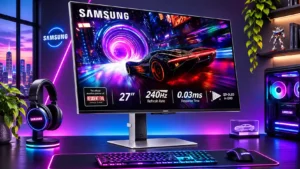
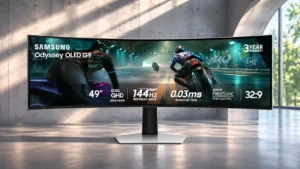
Controls and connectivity
60 fps capped gaming
Samsung Odyssey OLED G81SF S27FG810S
5.0
Low lag can make 60fps games surprisingly responsive, including console titles. This does not imply all older signal formats are compatible.
Samsung Odyssey OLED G91SD S49DG910SNo score yet
HDR adjustment controls
Samsung Odyssey OLED G81SF S27FG810S
4.0
There is plenty of control over brightness, tone mapping and color, allowing users to refine the image. The number of interactions needed to find a satisfying HDR mode can be a nuisance.
Samsung Odyssey OLED G91SD S49DG910SNo score yet
HDR tone mapping accuracy
Samsung Odyssey OLED G81SF S27FG810S
2.0
Some scenes look spectacular, but dynamic processing can change brightness too aggressively or leave other parts too dark. Manual settings may produce a more consistent image.
Samsung Odyssey OLED G91SD S49DG910SNo score yet
PC-based monitor controls
Samsung Odyssey OLED G81SF S27FG810SNo score yet
Samsung Odyssey OLED G91SD S49DG910S
5.0
Samsung Display Manager makes the many image and split-screen settings easier to handle than navigating the on-screen menu alone.
Software and driver support
Samsung Odyssey OLED G81SF S27FG810SNo score yet
Samsung Odyssey OLED G91SD S49DG910S
4.0
Samsung’s display utility helps unlock the best configuration, but using it and maintaining graphics drivers adds a setup step.
Other features
AI crosshair overlay
Samsung Odyssey OLED G81SF S27FG810S
4.0
Multiple virtual aim points can help shooters with difficult aiming situations. The feature is a useful extra rather than a reason to buy by itself.
Samsung Odyssey OLED G91SD S49DG910SNo score yet
Aspect ratio
Samsung Odyssey OLED G81SF S27FG810SNo score yet
Samsung Odyssey OLED G91SD S49DG910S
5.0
The 32:9 layout provides an expansive, bezel-free field of view that is especially rewarding in compatible games and wide desktop workspaces.
Backlight bleed control
Samsung Odyssey OLED G81SF S27FG810S
5.0
Pixel-level OLED lighting avoids the unwanted edge glow seen on some LCDs. Dark areas stay convincingly dark.
Samsung Odyssey OLED G91SD S49DG910SNo score yet
Black frame insertion (BFI)
Samsung Odyssey OLED G81SF S27FG810S
3.0
There is no built-in BFI mode, but an external scaler can enable effective low-frame-rate clarity enhancements. That workaround adds complexity and can cost brightness.
Samsung Odyssey OLED G91SD S49DG910SNo score yet
Cable management
Samsung Odyssey OLED G81SF S27FG810S
2.5
The rear strap keeps basic wiring together, but it is not a full cable-hiding solution. Wall-flush desks can still expose a cluster of cables.
Samsung Odyssey OLED G91SD S49DG910SNo score yet
Color depth
Samsung Odyssey OLED G81SF S27FG810S
5.0
Rich billion-color reproduction gives pictures smooth, natural transitions and bold hues. It supports the monitor’s expressive visual quality.
Samsung Odyssey OLED G91SD S49DG910SNo score yet
Curved screen immersion
Samsung Odyssey OLED G81SF S27FG810SNo score yet
Samsung Odyssey OLED G91SD S49DG910S
4.7
The gentle wrap draws peripheral action into view and can reduce head movement across the enormous screen.
Firmware updateability
Samsung Odyssey OLED G81SF S27FG810S
5.0
Firmware can be updated easily from a USB drive through the monitor menu, without needing a PC connection. The process was quick and uncomplicated.
Samsung Odyssey OLED G91SD S49DG910SNo score yet
Gaming feature selection
Samsung Odyssey OLED G81SF S27FG810S
3.2
Core gaming tools are present, but the extras feel sparse compared with some rivals. The display prioritizes picture quality over convenience features.
Samsung Odyssey OLED G91SD S49DG910SNo score yet
Ghosting control
Samsung Odyssey OLED G81SF S27FG810SNo score yet
Samsung Odyssey OLED G91SD S49DG910S
5.0
The OLED pixel response keeps moving objects exceptionally clean, with little visible blur or ghosting.
Gradient smoothness
Samsung Odyssey OLED G81SF S27FG810S
5.0
Color shifts appear natural and fluid rather than harshly banded. Subtle gradations complement the screen’s wide color range.
Samsung Odyssey OLED G91SD S49DG910SNo score yet
HDR highlight detail
Samsung Odyssey OLED G81SF S27FG810S
5.0
Small bright objects stand out sharply against dark surroundings, adding depth and sparkle. Overall HDR intensity is constrained in very bright scenes.
Samsung Odyssey OLED G91SD S49DG910SNo score yet
Headphone jack convenience
Samsung Odyssey OLED G81SF S27FG810S
4.0
The headphone jack provides a simple way to route audio through external equipment. It can also help create a tidy soundbar arrangement.
Samsung Odyssey OLED G91SD S49DG910SNo score yet
Image retention
Samsung Odyssey OLED G81SF S27FG810SNo score yet
Samsung Odyssey OLED G91SD S49DG910S
2.0
Static toolbars and game HUDs warrant care; one extended coding session was followed by a faint, temporary ghost.
Image scaling
Samsung Odyssey OLED G81SF S27FG810S
5.0
Lower-than-4K material generally scales cleanly and can be sharpened to taste. Pre-480p sources are a notable exception.
Samsung Odyssey OLED G91SD S49DG910SNo score yet
Input lag
Samsung Odyssey OLED G81SF S27FG810S
5.0
Controls feel immediate, with particularly low lag at high refresh rates and strong responsiveness even at 60Hz and 120Hz. That helps both PC and console play.
Samsung Odyssey OLED G91SD S49DG910SNo score yet
Mac integration
Samsung Odyssey OLED G81SF S27FG810SNo score yet
Samsung Odyssey OLED G91SD S49DG910S
4.0
A USB-C-to-HDMI cable can make the monitor work with a MacBook, although it is not a one-cable Mac docking solution.
OLED motion blur reduction
Samsung Odyssey OLED G81SF S27FG810S
5.0
High-refresh OLED motion is impressively clean, and external BFI can make 60Hz content clearer still. It remains a specialized workaround.
Samsung Odyssey OLED G91SD S49DG910SNo score yet
Panel maintenance interruption control
Samsung Odyssey OLED G81SF S27FG810S
5.0
OLED-care routines did not interrupt normal gaming during extended hands-on use. That keeps upkeep from becoming a regular annoyance.
Samsung Odyssey OLED G91SD S49DG910SNo score yet
PC gaming compatibility
Samsung Odyssey OLED G81SF S27FG810S
5.0
A powerful gaming PC can take full advantage of the sharp 4K image, fluid refresh and low-latency response. Less capable systems may be better matched to a cheaper 1440p OLED.
Samsung Odyssey OLED G91SD S49DG910SNo score yet
Photo editing
Samsung Odyssey OLED G81SF S27FG810S
5.0
Detailed 4K images and rich QD-OLED color work well for graphics and photo editing. Exact tonal decisions may call for careful calibration and coating preference.
Samsung Odyssey OLED G91SD S49DG910SNo score yet
Pixel defect control
Samsung Odyssey OLED G81SF S27FG810S
5.0
The inspected unit arrived with no dead pixels or visible defects. That is reassuring for its initial condition, not a guarantee for every unit.
Samsung Odyssey OLED G91SD S49DG910SNo score yet
PS5 gaming
Samsung Odyssey OLED G81SF S27FG810S
4.7
The high-resolution panel and fast 120Hz-class response suit PlayStation gaming well. It lacks a few TV-oriented conveniences, including built-in audio.
Samsung Odyssey OLED G91SD S49DG910SNo score yet
Remote control usability
Samsung Odyssey OLED G81SF S27FG810S
1.5
The lack of a remote frustrates those accustomed to other Samsung monitors. Basic settings must be handled from the rear joystick.
Samsung Odyssey OLED G91SD S49DG910SNo score yet
Stand stability
Samsung Odyssey OLED G81SF S27FG810S
4.8
The slim base is reassuringly firm and keeps the panel steady. Some resistance in the adjustment mechanism may even help prevent accidental movement.
Samsung Odyssey OLED G91SD S49DG910SNo score yet
USB hub functionality
Samsung Odyssey OLED G81SF S27FG810S
4.5
The USB-A connections provide practical peripheral access, including useful powered-port scenarios. They are welcome but do not replace a laptop dock.
Samsung Odyssey OLED G91SD S49DG910SNo score yet
USB port accessibility
Samsung Odyssey OLED G81SF S27FG810S
2.0
Some rear ports are awkward to reach around the stand neck. Cable changes can be less convenient than the specification suggests.
Samsung Odyssey OLED G91SD S49DG910SNo score yet
Video cadence compatibility
Samsung Odyssey OLED G81SF S27FG810S
2.0
Movie image quality is strong, but certain 24Hz or 50Hz disc outputs from consoles are not accepted. A separate player may be needed for native-rate discs.
Samsung Odyssey OLED G91SD S49DG910SNo score yet
Viewing angles
Samsung Odyssey OLED G81SF S27FG810S
5.0
Colors and contrast remain strong from wide angles, without the obvious washout of many LCDs. That makes the image dependable off-axis.
Samsung Odyssey OLED G91SD S49DG910SNo score yet
VRR compatibility
Samsung Odyssey OLED G81SF S27FG810S
5.0
Adaptive refresh supports smooth PC and console play across variable frame rates. It is particularly useful when a game cannot hold a steady 240fps.
Samsung Odyssey OLED G91SD S49DG910SNo score yet
VRR flicker
Samsung Odyssey OLED G81SF S27FG810S
1.6
Uneven frame pacing can trigger distracting brightness flicker in dark scenes with VRR Control disabled. The mitigation setting may help, though it is not guaranteed to cure every game.
Samsung Odyssey OLED G91SD S49DG910SNo score yet
Performance
Black equalizer performance
Samsung Odyssey OLED G81SF S27FG810S
4.0
Adjusting shadow lift can expose opponents in dark areas without increasing overall brightness. It takes experimentation to balance visibility against accuracy.
Samsung Odyssey OLED G91SD S49DG910SNo score yet
Color brightness
Samsung Odyssey OLED G81SF S27FG810S
5.0
Quantum-dot color looks impressively saturated and luminous, especially in vibrant game environments. Intense hues remain a major visual attraction.
Samsung Odyssey OLED G91SD S49DG910SNo score yet
DisplayPort connectivity
Samsung Odyssey OLED G81SF S27FG810S
2.3
DisplayPort 1.4 with compression can carry the full 4K/240Hz image, but some buyers expect DisplayPort 2.1 in this price range. Actual picture clarity is not a major complaint.
Samsung Odyssey OLED G91SD S49DG910SNo score yet
Display Stream Compression clarity
Samsung Odyssey OLED G81SF S27FG810S
4.5
Compression over the available ports is described as visually transparent, with little visible difference between HDMI and DisplayPort. It enables high refresh without noticeable image loss.
Samsung Odyssey OLED G91SD S49DG910SNo score yet
KVM switch performance
Samsung Odyssey OLED G81SF S27FG810S
1.8
There is no integrated KVM to share one keyboard and mouse between computers. That is especially disappointing for multi-device workstations at this price.
Samsung Odyssey OLED G91SD S49DG910SNo score yet
Local dimming performance
Samsung Odyssey OLED G81SF S27FG810S
5.0
Each OLED pixel independently controls light, keeping bright details sharply separated from dark ones. The result is effectively halo-free contrast.
Samsung Odyssey OLED G91SD S49DG910SNo score yet
On-screen display usability
Samsung Odyssey OLED G81SF S27FG810S
3.9
The simple menu is responsive and straightforward for some, but the rear control is awkwardly located and disliked by others. Controls are more divisive than the picture.
Samsung Odyssey OLED G91SD S49DG910SNo score yet
Operating noise
Samsung Odyssey OLED G81SF S27FG810S
5.0
The fanless approach is effectively silent during use, avoiding a common concern with complex gaming displays. It preserves immersion during quiet scenes.
Samsung Odyssey OLED G91SD S49DG910SNo score yet
Ownership and support
Content aspect-ratio support
Samsung Odyssey OLED G81SF S27FG810SNo score yet
Samsung Odyssey OLED G91SD S49DG910S
1.0
Not every game handles 32:9 correctly; incompatible titles may require fixes or compromise the immersive view.
HDMI 2.1 support
Samsung Odyssey OLED G81SF S27FG810S
5.0
The HDMI connections are well suited to 4K/120Hz consoles and high-refresh PC sources. Multiple ports simplify switching gaming devices.
Samsung Odyssey OLED G91SD S49DG910SNo score yet
PC signal connection reliability
Samsung Odyssey OLED G81SF S27FG810SNo score yet
Samsung Odyssey OLED G91SD S49DG910S
1.0
Some multi-device cable arrangements reportedly struggle to maintain the intended resolution and refresh rate together.
Warranty and support service
Samsung Odyssey OLED G81SF S27FG810SNo score yet
Samsung Odyssey OLED G91SD S49DG910S
3.4
Burn-in coverage and warranty options sound reassuring, but reports of disputed panel-damage claims complicate the ownership picture.