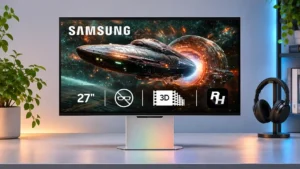
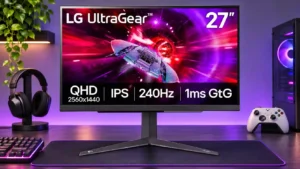
Compare LG 27GR83Q-B vs Samsung Odyssey 3D G90XF S27FG900X

LG 27GR83Q-B

LG 27GR83Q-B

Overall score 4.2 / 5

Based on 11 scored reviews

vs
Samsung Odyssey 3D G90XF S27FG900X

Samsung Odyssey 3D G90XF S27FG900X

Overall score 3.7 / 5

Based on 20 scored reviews

How we score

Scorata scores summarize analyzed review evidence on a 1–5 scale; they are not laboratory measurements or a simple average of customer star ratings. Feature scores summarize the reviews covering that feature. The overall score averages feature scores within each review, then combines review averages. When both expert and customer evidence are available, those two groups receive equal weight. Products can have different review coverage, so small score gaps do not establish a winner.

Recommendations prioritize important features for the category, with a score of at least 3.5, a gap of at least 0.25 points and at least two supporting reviews per product. Features with widely varying scores or broad connectivity contexts are excluded from recommendations. These safeguards do not establish statistical significance.

Quick verdict

What each product is best for

The review evidence points to a tradeoff: console gaming compatibility and GPU demands versus Desk footprint and built-in speakers. Choose according to which strengths matter more to you; the overall score alone does not settle that choice.

Choose LG 27GR83Q-B for console gaming compatibility and GPU demands.

Choose Samsung Odyssey 3D G90XF S27FG900X for Desk footprint and built-in speakers.

Why these recommendations?

LG 27GR83Q-B

Where It Has the Edge

  • console gaming compatibility is 5.0 vs 2.5. PS5 and Xbox owners benefit from strong HDMI compatibility, 120Hz support, VRR, and useful 4K-input downscaling. HDR quality...
  • GPU demands is 3.7 vs 1.4. 1440p is easier to drive than 4K, but approaching 240fps in demanding games still calls for a capable...
  • DisplayPort connectivity is 4.0 vs 2.0. DisplayPort offers a reliable route to high-refresh QHD PC play alongside the two well-equipped HDMI inputs.

Samsung Odyssey 3D G90XF S27FG900X

Where It Has the Edge

  • Desk footprint is 4.6 vs 2.8. The relatively flat base and 27-inch format fit standard desks better than the price and novelty might suggest....
  • built-in speakers is 3.8 vs 2.0. The speakers sound clear and reasonably loud for casual viewing, sometimes outperforming ordinary monitor audio. Their limited bass...
  • Screen bezel design is 4.0 vs 3.5. The tracking cameras require an enlarged upper bezel, but they are discreetly incorporated into the frame. The finished...
LG 27GR83Q-B 4.2 overall score
Samsung Odyssey 3D G90XF S27FG900X 3.7 overall score

Compare features

Scores are out of 5. Missing scores mean missing review evidence, not a missing feature.

Scored on both products

Other features

Reflection handling
LG 27GR83Q-B
5.0

A light matte finish suppresses reflections effectively without making the picture overly grainy.

Samsung Odyssey 3D G90XF S27FG900X
1.8

The glossy lens surface can produce sharp-looking color but readily reflects windows and overhead lights. Reflections become particularly frustrating during daytime gaming or when concentrating on the stereo effect.

Single-player cinematic gaming suitability
LG 27GR83Q-B
2.0

Story-driven games can still look good in SDR, but dark-scene contrast and weak HDR blunt their cinematic impact.

Samsung Odyssey 3D G90XF S27FG900X
5.0

Immersive open-world games benefit from detailed 4K visuals and smooth motion. Supported 3D titles can add striking depth, especially when the player is free to slow down and enjoy the scenery.

Console gaming compatibility
LG 27GR83Q-B
5.0

PS5 and Xbox owners benefit from strong HDMI compatibility, 120Hz support, VRR, and useful 4K-input downscaling. HDR quality remains the main console caveat.

Samsung Odyssey 3D G90XF S27FG900X
2.5

Consoles can use the screen as a capable conventional 4K display, but the Windows-based 3D features do not translate to Xbox or PlayStation. The 3D premium therefore goes largely unused in console-focused setups.

Gaming image presets
LG 27GR83Q-B
2.0

The FPS and RTS presets are seen as gimmicky by one owner, who prefers choosing settings manually.

Samsung Odyssey 3D G90XF S27FG900X
4.5

Genre-oriented modes provide bright, colorful starting points, and an accurate default is usable without extensive tweaking. Differences between presets are modest rather than transformative.

GPU demands
LG 27GR83Q-B
3.7

1440p is easier to drive than 4K, but approaching 240fps in demanding games still calls for a capable graphics processor and CPU.

Samsung Odyssey 3D G90XF S27FG900X
1.4

Smooth 3D places heavy demands on the connected PC, often calling for high-end Nvidia graphics and substantial system memory. Less powerful or differently configured machines face restricted features or big frame-rate losses.

Viewing angles
LG 27GR83Q-B
4.4

The IPS panel holds its image well from the sides, making shared viewing more comfortable than on many VA competitors.

Samsung Odyssey 3D G90XF S27FG900X
2.5

The IPS panel is usable head-on but can lose brightness or shift color as the viewer moves off-axis. Stereo viewing is even more dependent on staying within the tracking range.

Desk footprint
LG 27GR83Q-B
2.8

The V-shaped stand can take more desk depth than compact alternatives, although one tester finds the legs less intrusive than expected.

Samsung Odyssey 3D G90XF S27FG900X
4.6

The relatively flat base and 27-inch format fit standard desks better than the price and novelty might suggest. There is still a solid stand beneath the panel, but it need not overwhelm the workspace.

Built-in speakers
LG 27GR83Q-B
2.0

There are no internal speakers, so a headset or separate audio setup is needed for sound.

Samsung Odyssey 3D G90XF S27FG900X
3.8

The speakers sound clear and reasonably loud for casual viewing, sometimes outperforming ordinary monitor audio. Their limited bass and less convincing directional effects leave room for external sound systems.

Overall satisfaction
LG 27GR83Q-B
4.7

A dependable, fast 1440p gaming monitor that earns broad approval for responsive play. The limited HDR image and changing sale prices are its recurring qualifications.

Samsung Odyssey 3D G90XF S27FG900X
3.2

The extraordinary 3D effect makes a compelling technology showcase, while the cost and compatibility issues leave the overall purchase divisive. It is easier to admire than to recommend broadly.

Port selection
LG 27GR83Q-B
4.3

Two HDMI 2.1 connections, DisplayPort, USB-A, and audio output cover gaming essentials well, but the missing USB-C dock-style input restricts work use.

Samsung Odyssey 3D G90XF S27FG900X
2.8

Dual HDMI connections, DisplayPort, and USB provide a workable gaming setup, but the lack of USB-C and DisplayPort 2.1 feels stingy at this price. Some layouts are more accessible than others.

VESA mount compatibility
LG 27GR83Q-B
5.0

Standard 100×100mm mounting and a positive firsthand arm-mounting account make it straightforward to free up desk space.

Samsung Odyssey 3D G90XF S27FG900X
4.0

Standard mounting support offers an alternative to the included stand. A wall mount or monitor arm can help personalize a desk or clear more working space.

Competitive gaming suitability
LG 27GR83Q-B
4.8

240Hz, low latency, and good motion tuning are particularly persuasive for esports and fast shooters. Running close to 240fps makes the most of it.

Samsung Odyssey 3D G90XF S27FG900X
4.0

Smooth 165 Hz 2D play and quick responses work well for most fast games. Serious esports players can find even faster, more responsive alternatives, and the 3D mode is a poor fit for maximum frame rates.

Input lag
LG 27GR83Q-B
5.0

Controls feel immediate, and measured processing delay is consistently very low. That makes fast reactions one of the monitor's most convincing strengths.

Samsung Odyssey 3D G90XF S27FG900X
4.3

Input lag can feel practically imperceptible in regular gaming, and some measurements are comfortable for casual play. Serious competitors may want the lower latency available from esports-focused alternatives.

Stand stability
LG 27GR83Q-B
4.3

The standard base feels secure despite its broad legs, with testers generally describing sound construction.

Samsung Odyssey 3D G90XF S27FG900X
5.0

The wide, substantial stand generally holds the panel firmly with little wobble. Its reassuring weight contributes to the premium feel.

Color gamut
LG 27GR83Q-B
4.4

Wide-gamut coverage brings vivid color, with sRGB limiting available when accuracy matters more than saturation.

Samsung Odyssey 3D G90XF S27FG900X
3.8

Colors generally look saturated and appealing, with strong sRGB coverage and useful wide-gamut output. OLED alternatives can still look more vivid, and some testing found limited coverage in certain presets.

Refresh rate
LG 27GR83Q-B
5.0

Its 240Hz operation is a major draw, noticeably smoothing fast games compared with 144Hz or 165Hz displays when the PC can supply enough frames.

Samsung Odyssey 3D G90XF S27FG900X
4.5

At 165 Hz, conventional games feel fluid and responsive. The number is respectable but no longer leading-edge for an expensive gaming monitor, and 3D mode has its own limits.

Overdrive tuning
LG 27GR83Q-B
4.5

Fast generally works best at medium and high refresh rates, while Normal is preferable around 60Hz; the most aggressive setting sacrifices visual cleanliness.

Samsung Odyssey 3D G90XF S27FG900X
4.0

The factory Faster setting is a sensible compromise between sharp movement and artifacts. Pushing to Extreme cleans up some blur but creates obvious trails behind moving objects.

Screen coating clarity
LG 27GR83Q-B
5.0

The matte coating helps in brighter surroundings while leaving the image reasonably clean and clear.

Samsung Odyssey 3D G90XF S27FG900X
4.5

The glossy front can make color look rich and avoid a grainy anti-glare texture. Its optical layer may show a faint grid or other artifacts at close range.

Sharpness
LG 27GR83Q-B
4.8

Games and text look crisp at the 27-inch QHD pixel density, making the step up from 1080p worthwhile.

Samsung Odyssey 3D G90XF S27FG900X
4.3

Standard 4K content can look crisp and highly detailed, especially in games and productivity tasks. The lenticular coating and softer edges sometimes undermine that advantage compared with normal 4K monitors.

USB port accessibility
LG 27GR83Q-B
3.5

Rear connections are easy to find but not always convenient for frequently unplugged accessories, resulting in mixed assessments.

Samsung Odyssey 3D G90XF S27FG900X
4.0

The rear ports are reachable when facing the screen, although their orientation can make it easier to turn the monitor around when plugging in cables.

Black levels
LG 27GR83Q-B
2.2

Blacks are relatively shallow compared with VA, mini-LED, and OLED displays; dim scenes may look gray rather than deep black.

Samsung Odyssey 3D G90XF S27FG900X
2.7

The IPS panel offers acceptable blacks in ordinary lighting but falls short of OLED depth in a dark room. Some find them decent for LCD, while others notice gray-looking dark scenes.

Stand adjustability
LG 27GR83Q-B
4.0

Height, tilt, and portrait pivot are useful, but swivel is absent; one assessment describes broader adjustments, so physical flexibility is not completely agreed upon.

Samsung Odyssey 3D G90XF S27FG900X
4.4

Height, tilt, and portrait rotation offer practical ways to position the screen. Multiple assessments call the range generous, though swivel flexibility is disputed or absent in more detailed testing.

Pixel density
LG 27GR83Q-B
4.7

The pixel density is noticeably finer than a comparably sized 1080p monitor, improving text and small in-game details.

Samsung Odyssey 3D G90XF S27FG900X
5.0

Packing 4K into a 27-inch panel makes individual pixels hard to distinguish in normal 2D viewing. The fine density also helps counter the apparent resolution loss from its 3D optical layer.

VRR compatibility
LG 27GR83Q-B
4.7

FreeSync and G-SYNC compatibility work well across differing frame rates, giving gamers tear-free play without major reported disruptions.

Samsung Odyssey 3D G90XF S27FG900X
5.0

Variable refresh support helps keep ordinary games tear-free across capable PCs and consoles. That smoothness is separate from the restricted glasses-free 3D mode.

Gaming feature selection
LG 27GR83Q-B
3.7

Crosshairs, a frame-rate counter, and black stabilizer cover the common gaming extras, though the selection is not especially expansive.

Samsung Odyssey 3D G90XF S27FG900X
4.0

The gaming menus offer useful options such as targeting aids, picture modes, input choice, and display tweaks. The selection covers ordinary gaming needs alongside the specialty 3D controls.

Resolution
LG 27GR83Q-B
4.7

1440p is a satisfying middle ground between crisp detail and attainable high frame rates, especially on a 27-inch screen.

Samsung Odyssey 3D G90XF S27FG900X
5.0

The 4K panel supplies finely detailed imagery for games and ordinary desktop work. The impressive native resolution does not mean each eye sees the full 4K image in stereo mode.

Response time
LG 27GR83Q-B
4.3

Pixel transitions generally keep pace well with fast play, although technical tests find the claimed 1ms figure optimistic and tuning less ideal at the refresh-rate extremes.

Samsung Odyssey 3D G90XF S27FG900X
4.6

Rapid pixel response keeps conventional movement snappy and reduces visible blur. It performs well for an IPS panel even though leading OLED alternatives can transition faster.

USB hub functionality
LG 27GR83Q-B
3.8

Two USB-A downstream ports serve simple peripherals, but the upstream connection is USB-B and there is no convenient USB-C docking solution.

Samsung Odyssey 3D G90XF S27FG900X
4.0

A USB upstream connection activates additional ports and the tracking hardware. It is a practical convenience, even if a dedicated USB-C laptop connection is absent.

Motion clarity
LG 27GR83Q-B
4.8

Fast-moving objects remain clear and fluid at high refresh rates, with a few testers noting OLED or premium strobed LCD alternatives can look sharper.

Samsung Odyssey 3D G90XF S27FG900X
4.6

Standard 2D motion is often described as quick and fluid, especially with adaptive sync and a sensible overdrive setting. OLED alternatives provide cleaner fast motion at the premium end.

Photo editing
LG 27GR83Q-B
4.5

With sRGB adjustments or calibration, colors can become accurate enough for serious photo work even though it is primarily a gaming screen.

Samsung Odyssey 3D G90XF S27FG900X
4.7

Factory-tuned color and 4K detail make occasional photo edits comfortable and precise. It can work as a creative display even if its unusual 3D layer is unnecessary for most editing.

Ghosting control
LG 27GR83Q-B
4.5

The Fast overdrive mode contains inverse ghosting well, but maximum settings can introduce visible overshoot.

Samsung Odyssey 3D G90XF S27FG900X
4.5

Motion stays comparatively crisp at sensible overdrive settings, with little blur in demanding test scenes. An extreme overdrive level can create distracting trailing artifacts.

Premium feel
LG 27GR83Q-B
5.0

Sturdy materials and restrained styling make the screen feel better finished than its utilitarian feature set might suggest.

Samsung Odyssey 3D G90XF S27FG900X
5.0

The metallic silver styling and substantial stand give the monitor an upscale character. The design feels more finished than the experimental nature of the underlying 3D technology might suggest.

Screen uniformity
LG 27GR83Q-B
3.0

Uniformity is reasonable rather than exceptional, with some edge falloff that may vary from unit to unit.

Samsung Odyssey 3D G90XF S27FG900X
3.0

Edge darkening and minor blur can draw attention during web browsing or documents, although other testing found good white-field consistency. The effect is less obvious during games.

Controls and connectivity

HDR tone mapping accuracy
LG 27GR83Q-B
2.0

HDR color and tone presentation need work, even apart from the more fundamental missing local dimming.

Samsung Odyssey 3D G90XF S27FG900X
5.0

In ordinary HDR gaming, tone mapping can render colors and scene brightness convincingly. Dynamic mapping is a useful option for getting more from HDR10 material.

Ownership and support

Value for money
LG 27GR83Q-B
3.9

The value rises sharply when discounted into the roughly $300–$400 range. Several testers consider its original $500 positioning hard to justify against newer, less expensive rivals.

Samsung Odyssey 3D G90XF S27FG900X
1.8

Glasses-free 3D is exciting, but the high asking price is hard to defend for most shoppers given its narrow compatible catalog. A minority find the uniqueness worth paying for as dedicated early adopters.

Performance

DisplayPort connectivity
LG 27GR83Q-B
4.0

DisplayPort offers a reliable route to high-refresh QHD PC play alongside the two well-equipped HDMI inputs.

Samsung Odyssey 3D G90XF S27FG900X
2.0

DisplayPort 1.4 works for conventional connectivity, but the lack of the newer 2.1 standard disappoints at this price. Some would expect more forward-looking ports on such an expensive display.

On-screen display usability
LG 27GR83Q-B
4.8

A quick joystick and responsive menus make changing picture modes, overdrive, and inputs relatively painless.

Samsung Odyssey 3D G90XF S27FG900X
3.3

The joystick-driven menu offers useful controls and generally navigable options, though some adjustments require too many clicks. Software-based controls can make repeated changes easier.

Local dimming performance
LG 27GR83Q-B
1.0

With no meaningful local-dimming system, bright objects cannot pop against deep blacks the way they can on mini-LED or OLED screens.

Samsung Odyssey 3D G90XF S27FG900X
2.3

The edge-lit approach relies on basic whole-frame dimming rather than precise zones. It can boost overall contrast, but it does not reliably protect highlights and may introduce distracting tonal changes.

Overall picture quality
LG 27GR83Q-B
4.3

SDR picture quality is attractive and sharp for the price, especially in bright games, with the expected IPS limitations in dark material.

Samsung Odyssey 3D G90XF S27FG900X
3.0

Its sharp, bright 4K IPS image is enjoyable in many settings, but the lens layer and basic dimming can impair clarity or contrast. Picture quality alone is not the reason to pay the 3D premium.

Spatial audio quality
LG 27GR83Q-B
4.0

DTS Headphone:X can enhance positional sound and movie immersion when used with compatible headphones.

Samsung Odyssey 3D G90XF S27FG900X
2.7

Directional audio adds some presence to 3D scenes but does not convincingly replace strong external speakers or headphones. The perceived surround effect varies considerably across comparisons.

HDR performance
LG 27GR83Q-B
1.9

HDR input is supported, but the display lacks the contrast and local dimming needed for convincing bright highlights against dark scenes.

Samsung Odyssey 3D G90XF S27FG900X
3.0

HDR color can be enjoyable, but bright highlights and black depth lack the punch expected from similarly priced OLED or mini-LED monitors. HDR also cannot be enjoyed simultaneously with the proprietary 3D effect.

Brightness
LG 27GR83Q-B
4.6

Bright SDR output is a real asset in sunny rooms, although the impressive headline luminance cannot compensate for weak HDR contrast.

Samsung Odyssey 3D G90XF S27FG900X
3.7

Day-to-day SDR brightness can be plentiful, with some strong measured peaks. Other testing found more ordinary output, and the panel does not deliver the dazzling HDR highlights of stronger alternatives.

Color accuracy
LG 27GR83Q-B
3.9

Colors are often good to very good after modest adjustments, while factory oversaturation and differing white points prevent universal out-of-box precision.

Samsung Odyssey 3D G90XF S27FG900X
4.3

Factory tuning is frequently a highlight, with natural, accurate color reported without a full calibration process. Some modes fall behind rival gaming monitors, so the chosen picture preset matters.

Contrast
LG 27GR83Q-B
2.8

Contrast is acceptable for an edge-lit IPS panel, yet the limited separation between bright and dark elements is conspicuous in cinematic scenes.

Samsung Odyssey 3D G90XF S27FG900X
2.6

IPS contrast is serviceable, and whole-frame dimming can improve the measured ratio in some scenes. Dark-room depth still trails comparably priced OLED or stronger mini-LED displays.

Adaptive sync performance
LG 27GR83Q-B
4.8

Variable refresh runs smoothly with both major GPU ecosystems; testers report few flicker or tearing issues.

Samsung Odyssey 3D G90XF S27FG900X
4.6

FreeSync and G-Sync compatibility help conventional gaming stay smooth and tear-free. These benefits apply to standard play, not all of the specialized 3D display modes.

Black equalizer performance
LG 27GR83Q-B
4.0

The black stabilizer can lift shadow visibility to make opponents easier to spot, a practical gaming adjustment rather than a cure for poor native contrast.

Samsung Odyssey 3D G90XF S27FG900X
4.0

The dark-area brightening aid can make opponents easier to see in shadowy scenes. It is a practical gaming control alongside the monitor's more experimental 3D options.

Tracking and training

Gamma tracking
LG 27GR83Q-B
4.3

Gamma is broadly near target in tested modes, with the adjustable sRGB preset helping achieve better tonal accuracy.

Samsung Odyssey 3D G90XF S27FG900X
3.0

Default gamma can run slightly above the usual target, giving shadows a deeper look. An available adjustment can bring it closer to standard tracking when precision matters.

Comfort and build

Screen bezel design
LG 27GR83Q-B
3.5

Thin framing helps the understated look, though another tester finds the bezels slightly larger than on some other LG 27-inch displays.

Samsung Odyssey 3D G90XF S27FG900X
4.0

The tracking cameras require an enlarged upper bezel, but they are discreetly incorporated into the frame. The finished monitor still looks reasonably streamlined from the front.

Design and aesthetics
LG 27GR83Q-B
4.7

Muted gray styling looks tidy on a desk and avoids aggressive lighting; the industrial rear housing is still distinctly gaming-oriented.

Samsung Odyssey 3D G90XF S27FG900X
4.8

The silver chassis, flat stand, and relatively restrained styling look modern and premium. The extra tracking hardware is incorporated neatly enough that the screen largely resembles a normal gaming monitor.

Build quality
LG 27GR83Q-B
4.8

Construction receives positive comments for solid plastics and a stable-feeling build, rather than flashy materials.

Samsung Odyssey 3D G90XF S27FG900X
4.8

The sturdy stand and clean housing create a substantial, polished impression. Even the less elaborate plastic parts generally feel well assembled rather than experimental.

PWM flicker comfort
LG 27GR83Q-B
5.0

Flicker-free backlight operation is a welcome characteristic for people who notice screen flicker.

Samsung Odyssey 3D G90XF S27FG900X
5.0

Brightness control avoids PWM flickering in the reported test, which is welcome for sensitive eyes. This does not eliminate the possibility of visual discomfort from the separate stereo 3D effect.

Screen size
LG 27GR83Q-B
4.0

The 27-inch panel offers a comfortable desktop footprint and room for several windows, without matching the canvas of a larger editing display.

Samsung Odyssey 3D G90XF S27FG900X
4.0

The 27-inch diagonal is a comfortable middle ground for desktop gaming. It is large enough to appreciate 3D depth without requiring the space of a much bigger display.

Evidence available for one product

Other features

3D Blu-ray compatibility
LG 27GR83Q-BNo score yet
Samsung Odyssey 3D G90XF S27FG900X
2.5

Side-by-side stereoscopic video is supported and can look impressive, but native frame-sequential 3D Blu-ray playback is missing. This is a meaningful distinction for anyone with a traditional 3D movie collection.

3D compatible game library
LG 27GR83Q-BNo score yet
Samsung Odyssey 3D G90XF S27FG900X
1.4

The supported game selection is the monitor's biggest stumbling block. It can make compatible titles spectacular, but the roster has been small and inconsistent enough to make the premium difficult to justify.

3D effect adjustment
LG 27GR83Q-BNo score yet
Samsung Odyssey 3D G90XF S27FG900X
4.5

Depth and pop-out controls let players tailor the dimensional effect, while remappable shortcuts make adjustments less disruptive. The custom controls are especially welcome when a default shortcut conflicts with game inputs.

3D mode HDR and refresh limitations
LG 27GR83Q-BNo score yet
Samsung Odyssey 3D G90XF S27FG900X
1.9

Three-dimensional play involves substantial display compromises: HDR and adaptive sync cannot be combined with the effect in the described setups, while 3D refresh or effective resolution may be lower than in 2D.

3D mode image sharpness
LG 27GR83Q-BNo score yet
Samsung Odyssey 3D G90XF S27FG900X
3.3

Stereo rendering divides image information between the eyes, producing some softness, grain, or fringing. The effect nevertheless looks strikingly detailed and natural in its best optimized games.

3D viewing flexibility
LG 27GR83Q-BNo score yet
Samsung Odyssey 3D G90XF S27FG900X
4.2

Tracking permits some head movement without losing the stereo illusion. Sitting too far to the side, moving rapidly, or leaving the viewing range can still compromise the image.

AI 2D-to-3D conversion
LG 27GR83Q-BNo score yet
Samsung Odyssey 3D G90XF S27FG900X
3.5

The automatic converter can make compatible videos feel layered and surprisingly immersive. Dark scenes, protected streams, unsupported content, and depth-map artifacts keep it from matching games designed for 3D.

Backlight strobing
LG 27GR83Q-B
1.5

The absence of strobing is a disappointment for gamers wanting the sharpest possible moving images at 240Hz.

Samsung Odyssey 3D G90XF S27FG900XNo score yet
Bass reproduction
LG 27GR83Q-BNo score yet
Samsung Odyssey 3D G90XF S27FG900X
2.0

The speakers handle basic audio but lack low-end impact. Explosions, music, and cinematic effects benefit from external speakers or headphones.

Built-in RGB lighting
LG 27GR83Q-BNo score yet
Samsung Odyssey 3D G90XF S27FG900X
4.4

The lower light strip adds a restrained splash of color and can follow the image on screen. Its front-facing position makes the effect more visible than typical rear-facing monitor RGB.

Cable management
LG 27GR83Q-BNo score yet
Samsung Odyssey 3D G90XF S27FG900X
4.0

Rear-facing and outward-facing connections offer mixed convenience, but the stand's cable opening helps keep the desk orderly. The stand opening is not especially large, so several cables may need extra arranging.

Calibration potential
LG 27GR83Q-BNo score yet
Samsung Odyssey 3D G90XF S27FG900X
5.0

The default image can be accurate enough that calibration is unnecessary. Small gamma or color tweaks are available for anyone who wants to fine-tune further.

DRM video restrictions
LG 27GR83Q-BNo score yet
Samsung Odyssey 3D G90XF S27FG900X
1.0

Copy-protected streaming is a major barrier to automatic 3D video conversion. Netflix and other protected movies may stay in 2D or produce a blank screen rather than the promised dimensional effect.

Glasses-free 3D quality
LG 27GR83Q-BNo score yet
Samsung Odyssey 3D G90XF S27FG900X
4.7

Lifelike depth without wearing glasses is the standout accomplishment, producing memorable foreground effects and convincing environments. Alignment hiccups, limited content, and occasional artifacts prevent it from feeling completely mature.

Gradient smoothness
LG 27GR83Q-B
4.0

Some HDR content benefits from the supported color depth, which can make transitions look smoother than SDR.

Samsung Odyssey 3D G90XF S27FG900XNo score yet
HDR highlight detail
LG 27GR83Q-B
1.0

Limited highlight headroom can clip bright information and reduce separation in high-contrast scenes.

Samsung Odyssey 3D G90XF S27FG900XNo score yet
Headphone jack convenience
LG 27GR83Q-BNo score yet
Samsung Odyssey 3D G90XF S27FG900X
2.0

Availability of a wired headphone jack is uncertain across the described configurations: some found one, while others could not. Check the exact regional model if a direct headphone connection matters.

Headphone output quality
LG 27GR83Q-B
4.0

Its headphone connection supports DTS Headphone:X and can be useful with compatible headsets; the enhanced spatial experience depends on the headphones.

Samsung Odyssey 3D G90XF S27FG900XNo score yet
Image scaling
LG 27GR83Q-B
5.0

Accepting a 4K/120Hz console signal and scaling it to QHD is an appreciated compatibility convenience.

Samsung Odyssey 3D G90XF S27FG900XNo score yet
Panel type
LG 27GR83Q-B
4.0

The IPS panel gives pleasing speed, bright SDR output, and broad viewing angles, at the cost of OLED-like blacks and contrast.

Samsung Odyssey 3D G90XF S27FG900XNo score yet
PC gaming compatibility
LG 27GR83Q-B
4.8

This is a strong fit for modern PC gaming, especially fast titles with capable graphics hardware and DisplayPort or HDMI 2.1 output.

Samsung Odyssey 3D G90XF S27FG900XNo score yet
Portability and weight
LG 27GR83Q-BNo score yet
Samsung Odyssey 3D G90XF S27FG900X
4.0

The 27-inch size and manageable weight make repositioning it easier than moving a larger display. It still feels solid once placed on its desk stand.

Power efficiency
LG 27GR83Q-B
5.0

Measured power use is low for a bright 240Hz IPS screen, minimizing the monitor's energy penalty.

Samsung Odyssey 3D G90XF S27FG900XNo score yet
Productivity versatility
LG 27GR83Q-B
2.0

Fast gaming is clearly its priority; office-oriented rivals can offer more convenient connectivity and switching options.

Samsung Odyssey 3D G90XF S27FG900XNo score yet
PS5 gaming
LG 27GR83Q-BNo score yet
Samsung Odyssey 3D G90XF S27FG900X
2.0

A PlayStation can be connected for standard display use, but its games cannot use the Windows-based glasses-free 3D conversion. That makes the costly headline feature unhelpful to a PS5-only setup.

VRR flicker
LG 27GR83Q-B
5.0

Testing reports clean VRR behavior without noticeable flicker, including with adaptive sync engaged.

Samsung Odyssey 3D G90XF S27FG900XNo score yet

Tracking and training

3D eye tracking
LG 27GR83Q-BNo score yet
Samsung Odyssey 3D G90XF S27FG900X
4.6

Head and eye tracking generally keeps the stereo picture anchored as the viewer shifts position. Fast movements can cause a brief loss of alignment, and the system is designed around a single primary viewer.

Ownership and support

3D game reliability
LG 27GR83Q-BNo score yet
Samsung Odyssey 3D G90XF S27FG900X
2.5

Supported games can look terrific, but their 3D effects are not uniformly stable. Certain cutscenes, scanning failures, doubled images, and occasional artifacts can break immersion.

HDMI 2.1 support
LG 27GR83Q-B
4.9

Full-bandwidth HDMI 2.1 inputs are a standout at this price, providing high-refresh compatibility beyond what many rival 1440p monitors offer.

Samsung Odyssey 3D G90XF S27FG900XNo score yet
Setup ease
LG 27GR83Q-BNo score yet
Samsung Odyssey 3D G90XF S27FG900X
4.3

The stand attaches without fuss, and the basic monitor is straightforward to assemble. Enabling glasses-free 3D requires the companion application and additional USB and display configuration.

Performance

3D mode performance
LG 27GR83Q-BNo score yet
Samsung Odyssey 3D G90XF S27FG900X
2.0

The extra rendering work can severely cut frame rates, especially in unsupported or demanding titles. Powerful test systems sometimes handled the effect smoothly, but that is far from guaranteed.

Display-mode switching reliability
LG 27GR83Q-B
4.5

Fast menu response and reliable PC-to-console input changes are strengths, aided by configuration options for sleep behavior.

Samsung Odyssey 3D G90XF S27FG900XNo score yet
Listing accuracy
LG 27GR83Q-B
3.0

The advertised 1ms pixel response should not be taken literally in normal operation, though most other stated specifications hold up.

Samsung Odyssey 3D G90XF S27FG900XNo score yet

Comfort and build

3D viewing comfort
LG 27GR83Q-BNo score yet
Samsung Odyssey 3D G90XF S27FG900X
3.9

Avoiding a headset or glasses makes extended 3D sessions feel surprisingly natural for many viewers. Others encounter disorientation, eye strain, or distraction, so individual tolerance matters.

Eye comfort features
LG 27GR83Q-B
4.0

Flicker-free backlighting and a low-blue-light setting provide basic comfort controls.

Samsung Odyssey 3D G90XF S27FG900XNo score yet

Controls and connectivity

Color calibration controls
LG 27GR83Q-B
4.4

An adjustable sRGB mode, unlocked RGB controls, and hardware calibration support are unusually useful for a midrange gaming display.

Samsung Odyssey 3D G90XF S27FG900XNo score yet
PC-based monitor controls
LG 27GR83Q-BNo score yet
Samsung Odyssey 3D G90XF S27FG900X
5.0

The companion display-control utility makes changing the monitor's regular settings more convenient than working through the rear joystick. It is a helpful option for a desktop setup.

Reality Hub software
LG 27GR83Q-BNo score yet
Samsung Odyssey 3D G90XF S27FG900X
3.0

The launcher can discover compatible games and manage depth settings, but its stability and usability vary sharply. Missing titles, disruptive visuals, extra setup steps, and a small catalog make the software feel unfinished to some users.

Other Top Monitors to Consider

#1 Asus ROG Swift 34 QD-OLED PG34WCDN
4.5

This 360Hz QD-OLED ultrawide delivers exceptional gaming motion, vibrant HDR and dramatically cleaner text. Its high price, less-than-perfect bright-room blacks and occasional HDR dimming are the main reasons to hesitate.

Pros: color gamut, contrast

Cons: value for money, Resolution

#2 MSI MPG 341CQR QD-OLED X36
4.4

The 360Hz QD-OLED panel delivers exceptional HDR gaming, responsive motion, and cleaner text than earlier ultrawides. Its 3440×1440 resolution is less sharp than 4K, and premium pricing remains a hurdle.

Pros: refresh rate, Text fringing

Cons: Resolution, GPU demands

#3 Dell U4025QW
4.4

A huge, sharp ultrawide workspace and unusually capable Thunderbolt dock make the U4025QW outstanding for demanding productivity and editing. Its high price, modest HDR, and imperfect motion handling keep it...

Pros: overall picture quality, color accuracy

Cons: value for money, built-in speakers

#4 ASUS ROG Strix OLED XG27ACDNG
4.4

Lightning-fast 360Hz OLED gaming, rich color and an unusually flexible USB-C/KVM setup are the big draws. Strong room lighting, limited full-screen HDR brightness and static-content burn-in concerns keep it from...

Pros: color gamut, overall satisfaction

Cons: reflection handling, VRR flicker