Other features
Ease of use
Dell Alienware AW2725DFNo score yet
Sony INZONE M10S
4.8
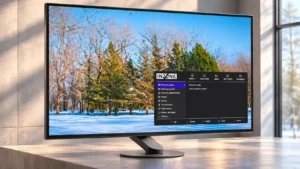
Intuitive menus, easy-to-reach controls, and flexible presets make the display straightforward to use after initial setup. The Windows configuration utility is particularly convenient.
24-inch mode quality
Dell Alienware AW2725DFNo score yet
Sony INZONE M10S
4.4
The optional 24.5-inch crop recreates a familiar tournament-size playing area without giving up the full 27-inch screen for other games. It is more valuable to committed competitors than to occasional players.
Backlight bleed control
Dell Alienware AW2725DF
5.0
OLED pixels eliminate the conventional LCD backlight bleed that can wash out dark corners, keeping black areas clean.
Sony INZONE M10SNo score yet
Black frame insertion (BFI)
Dell Alienware AW2725DFNo score yet
Sony INZONE M10S
2.0
Black-frame insertion is missing, unlike some rival OLEDs. This chiefly matters when playing demanding games below the monitor's maximum refresh rate.
Blooming control
Dell Alienware AW2725DF
5.0
Bright objects sit against black without the blooming or halos of zone-lit LCDs, making night scenes especially striking.
Sony INZONE M10SNo score yet
Built-in RGB lighting
Dell Alienware AW2725DF
4.1
Subtle AlienFX lighting gives the back of the monitor some character, and the colors can be adjusted or disabled. The uneven rear glow does not appeal to everyone.
Sony INZONE M10SNo score yet
Calibration potential
Dell Alienware AW2725DFNo score yet
Sony INZONE M10S
4.5
Calibration can bring color errors down substantially, making the screen more useful for precision work. The best results require suitable measurement equipment and additional effort.
Delivery condition
Dell Alienware AW2725DF
5.0
One arrival had a battered shipping carton but the monitor itself was undamaged, so the reported delivery result was ultimately reassuring.
Sony INZONE M10SNo score yet
Environmental sustainability
Dell Alienware AW2725DFNo score yet
Sony INZONE M10S
4.0
Reducing molded-foam packaging and providing a lower-power mode are welcome touches for buyers concerned about waste and power use. These are modest extras rather than the monitor's main attraction.
Firmware updateability
Dell Alienware AW2725DF
4.5
Firmware can be updated through Dell's tools, and an update apparently resolved one instance of intermittent gray-screen failures. The update process adds another setup step.
Sony INZONE M10SNo score yet
Gaming feature selection
Dell Alienware AW2725DF
3.6
Crosshairs, frame-rate indicators, AlienVision and shadow tools cover useful gaming extras, though the broader feature set feels lean relative to some premium rivals.
Sony INZONE M10SNo score yet
Gaming timers
Dell Alienware AW2725DFNo score yet
Sony INZONE M10S
4.0
The built-in frame-rate counter, timer, and optional crosshairs add useful playtime tools. They supplement rather than replace the monitor's core speed advantage.
GPU demands
Dell Alienware AW2725DF
2.6
Reaching the 360Hz ceiling at 1440p demands a powerful computer or less demanding game settings, so the speed advantage is conditional.
Sony INZONE M10SNo score yet
HDR color saturation
Dell Alienware AW2725DFNo score yet
Sony INZONE M10S
2.3
Some HDR profiles oversaturate or misrepresent colors, and one assessment found restricted HDR color brightness. HDR can be lively without always being reference accurate.
HDR mode versatility
Dell Alienware AW2725DFNo score yet
Sony INZONE M10S
3.3
Different HDR profiles allow a choice between color fidelity and higher peak brightness. Some brighter modes shift or oversaturate colors, so choosing the right preset matters.
Image scaling
Dell Alienware AW2725DF
2.0
Downscaled virtual-4K modes can help some HDMI devices, but the resulting 1440p image and restricted output modes limit their usefulness.
Sony INZONE M10SNo score yet
OLED maintenance convenience
Dell Alienware AW2725DFNo score yet
Sony INZONE M10S
4.5
Maintenance features such as pixel shifting and refresh controls are available without complicated hardware additions. Some automatic brightness protection is noticeable in day-to-day work.
Panel quality control
Dell Alienware AW2725DFNo score yet
Sony INZONE M10S
5.0
Construction is largely solid and free from obvious panel or finish defects. Cosmetic quality remains an individual-unit consideration.
Panel type
Dell Alienware AW2725DF
5.0
This third-generation QD-OLED implementation wins praise for its combination of color volume, contrast and rapid response.
Sony INZONE M10SNo score yet
Photo editing
Dell Alienware AW2725DF
5.0
Colorful, accurate Creator presets make the panel enjoyable for photo edits, with attention needed to SDR calibration and prolonged static screens.
Sony INZONE M10SNo score yet
Pixel density
Dell Alienware AW2725DFNo score yet
Sony INZONE M10S
3.2
The roughly 110-PPI 27-inch 1440p image is satisfactory for gaming but ordinary for fine desktop detail. Buyers accustomed to 4K sharpness will notice the difference.
Portability and weight
Dell Alienware AW2725DFNo score yet
Sony INZONE M10S
4.7
The slim, relatively light body is convenient for taking the monitor to LAN sessions. The solid compact stand adds portability without much desk clutter.
Power-on readiness
Dell Alienware AW2725DFNo score yet
Sony INZONE M10S
2.1
Some units start in a restrictive power-saving mode, appearing very dim or limited to 60Hz until adjusted. The fix is simple but easy to miss initially.
Productivity versatility
Dell Alienware AW2725DF
3.0
The display can handle occasional desktop tasks, but OLED wear concerns and text rendering prevent it from being the most comfortable all-day work monitor.
Sony INZONE M10SNo score yet
Profile sharing and portability
Dell Alienware AW2725DFNo score yet
Sony INZONE M10S
4.8
INZONE Hub can import and export presets, making it easy to reuse favored competitive settings. This is particularly convenient when switching games or sharing configurations.
PS5 gaming
Dell Alienware AW2725DFNo score yet
Sony INZONE M10S
4.1
PS5 owners get responsive OLED visuals, VRR, and automatic genre-based presets. However, native 4K and some automatic HDR setup conveniences are missing.
Shadow detail
Dell Alienware AW2725DFNo score yet
Sony INZONE M10S
3.8
Dark-scene visibility can improve with image presets and black equalization, but stronger boosts sacrifice natural-looking blacks. Finding the right balance depends on the game.
Sleep and wake behavior
Dell Alienware AW2725DF
1.0
A small number of experiences describe serious picture-loss or maintenance-cycle problems that interrupt use, despite otherwise positive day-to-day operation.
Sony INZONE M10SNo score yet
Performance
Adaptive sync performance
Dell Alienware AW2725DFNo score yet
Sony INZONE M10S
4.9
G-Sync, FreeSync, and adaptive refresh smooth frame delivery across supported PC hardware. This helps when games cannot sustain the full 480 fps.
Automatic brightness adjustment
Dell Alienware AW2725DFNo score yet
Sony INZONE M10S
2.8
Automatic dimming and static-image protection can be useful, but unexpected brightness changes may distract during desktop use. These settings are adjustable or can be disabled.
Cleaning ease
Dell Alienware AW2725DF
2.7
The glossy glass can show smears and small spots easily, so regular cleaning may take more effort than on a typical matte LCD.
Sony INZONE M10SNo score yet
Color brightness
Dell Alienware AW2725DFNo score yet
Sony INZONE M10S
2.0
Color highlights in HDR lack some of the fullness and brightness found on stronger OLED alternatives. This is a distinction for picture-quality enthusiasts rather than a flaw in esports speed.
Display-mode switching reliability
Dell Alienware AW2725DFNo score yet
Sony INZONE M10S
4.8
Automatic picture-mode changes and input detection can simplify switching tasks. The startup behavior and console-specific automatic settings are more mixed.
Display Stream Compression clarity
Dell Alienware AW2725DFNo score yet
Sony INZONE M10S
3.8
Display Stream Compression is generally treated as visually lossless, but a few PC configurations may experience switching quirks. The advertised newer DisplayPort connector does not remove its need.
Esports display mode
Dell Alienware AW2725DFNo score yet
Sony INZONE M10S
5.0
The tournament-style cropped screen mode is useful for preserving a familiar view and training setup. Its value is narrower than the excellent full-size 480Hz performance.
HDR metadata accuracy
Dell Alienware AW2725DFNo score yet
Sony INZONE M10S
2.0
HDR can report implausible peak-brightness information in certain Windows calibration workflows, making accurate automatic setup less dependable. Manual adjustment may be required.
Long-range enemy visibility
Dell Alienware AW2725DFNo score yet
Sony INZONE M10S
4.8
FPS Pro+ can make colored enemy outlines stand out, even in cluttered or distant engagements. It works best in games that use compatible outline colors and can make the image look unnatural.
Operating noise
Dell Alienware AW2725DF
4.0
Cooling-fan noise is generally unobtrusive, but a very quiet environment may make the internal fan faintly audible.
Sony INZONE M10SNo score yet
Controls and connectivity
Automatic HGiG tone mapping
Dell Alienware AW2725DFNo score yet
Sony INZONE M10S
2.0
The PS5-oriented automatic HDR handling lacks a convenient tone-mapping feature found on some other INZONE displays. Console owners may need to adjust HDR themselves.
Color calibration controls
Dell Alienware AW2725DF
3.5
Creator presets and custom color adjustments offer useful calibration choices, though there is no hardware calibration and some control options are limited.
Sony INZONE M10SNo score yet
Control button responsiveness
Dell Alienware AW2725DFNo score yet
Sony INZONE M10S
3.9
The separate power button and tactile rear joystick help avoid accidental shutdowns. Control feel is praised overall, though one assessment found the joystick overly sensitive.
HDR adjustment controls
Dell Alienware AW2725DFNo score yet
Sony INZONE M10S
2.0
HDR users have limited direct brightness override options, which can be inconvenient when alternating between games and desktop windows. This is less bothersome in content-controlled HDR playback.
PC-based monitor controls
Dell Alienware AW2725DFNo score yet
Sony INZONE M10S
4.8
INZONE Hub makes deep monitor adjustments easier with keyboard and mouse than with the rear joystick alone. Profiles and mode switching offer useful flexibility for PC setups.
Software support
Dell Alienware AW2725DF
4.0
Dell Display Manager and Alienware software offer convenient access to image presets and updates, but occasional control quirks remain.
Sony INZONE M10SNo score yet
Comfort and build
Eye comfort features
Dell Alienware AW2725DF
2.7
Some find the screen comfortable in dim conditions, but flicker sensitivity and one account of pronounced eye strain make comfort highly individual.
Sony INZONE M10SNo score yet
Screen bezel design
Dell Alienware AW2725DFNo score yet
Sony INZONE M10S
4.0
Thin bezels and a slim panel support the understated design. A small number of cosmetic concerns do not outweigh the streamlined appearance.
Screen coating durability
Dell Alienware AW2725DF
2.0
The glass finish is surprisingly easy to mark or smear and needs careful handling to maintain its clean appearance.
Sony INZONE M10SNo score yet
Ownership and support
HDMI 2.1 support
Dell Alienware AW2725DF
1.9
The HDMI connection is the standout connectivity compromise: despite HDMI 2.1 labeling, its bandwidth is restricted and it cannot carry native 1440p at 360Hz.
Sony INZONE M10SNo score yet
Reliability over time
Dell Alienware AW2725DF
1.7
Long-term confidence is mixed: isolated reports describe freezes, lost pictures and exchanges, while a firmware update resolved one reported gray-screen issue.
Sony INZONE M10SNo score yet