Other features
Aspect ratio
Dell S2725QS
4.0
The standard 16:9 format suits everyday software and video, though it cannot provide the horizontal space of an ultrawide.
Acer Nitro XF243Y PbmiiprxNo score yet
Backlight strobing
Dell S2725QSNo score yet
Acer Nitro XF243Y Pbmiiprx
4.0
Black-frame insertion helps sharpen motion between roughly 119Hz and 165Hz, but it cannot operate alongside VRR.
Bass reproduction
Dell S2725QSNo score yet
Acer Nitro XF243Y Pbmiiprx
1.0
The integrated audio has effectively no bass, making the speakers poor substitutes for external sound.
Calibration potential
Dell S2725QSNo score yet
Acer Nitro XF243Y Pbmiiprx
5.0
Excellent factory accuracy can be improved further with a colorimeter, though the calibration hardware may cost more than the monitor.
Color depth
Dell S2725QSNo score yet
Acer Nitro XF243Y Pbmiiprx
2.0
A 6-bit-plus-FRC implementation was criticized as insufficient for convincing true HDR, even though routine SDR images fare better.
Device compatibility
Dell S2725QS
3.0
Desktop HDMI and DisplayPort connections are straightforward. Thin laptops and certain docks can introduce bandwidth or adapter complications.
Acer Nitro XF243Y PbmiiprxNo score yet
Gaming feature selection
Dell S2725QSNo score yet
Acer Nitro XF243Y Pbmiiprx
4.0
Reviewers praised the concentration of fast refresh, low lag, and dual VRR support in an inexpensive gaming monitor, even if extras are scarce.
GPU demands
Dell S2725QSNo score yet
Acer Nitro XF243Y Pbmiiprx
5.0
The modest Full HD resolution makes high frame rates more attainable without an especially powerful graphics card.
HDR highlight detail
Dell S2725QSNo score yet
Acer Nitro XF243Y Pbmiiprx
2.0
Bright HDR accents lack the intensity required to stand apart convincingly from ordinary SDR imagery.
Headphone jack convenience
Dell S2725QSNo score yet
Acer Nitro XF243Y Pbmiiprx
4.0
An audio output allows headphone sound to pass through the monitor, a small but useful connection option.
Image scaling
Dell S2725QS
4.0
Lower-than-native resolutions remain usable and can be sharpened, although QHD monitor-side scaling is limited to 60Hz and looks softer than 4K.
Acer Nitro XF243Y PbmiiprxNo score yet
Included accessories
Dell S2725QS
4.0
The bundled high-speed HDMI cable and basic cables are useful; extras are limited, which reviewers generally accept for the price.
Acer Nitro XF243Y PbmiiprxNo score yet
Packaging presentation
Dell S2725QS
5.0
A compact clamshell package is easy to unpack, though the slim packaging means assembling more stand pieces.
Acer Nitro XF243Y PbmiiprxNo score yet
Pixel density
Dell S2725QSNo score yet
Acer Nitro XF243Y Pbmiiprx
3.0
1080p at 23.8 inches is comfortable for basic text and games, but not as crisp as higher-resolution alternatives.
Retail availability
Dell S2725QSNo score yet
Acer Nitro XF243Y Pbmiiprx
2.0
An embedded customer comment reported difficulty finding this exact model, so shoppers may need to check that the suffix matches.
SDR/HDR mode switching
Dell S2725QS
2.0
Enabling HDR restricts brightness and color controls, making SDR a more flexible choice for everyday use.
Acer Nitro XF243Y PbmiiprxNo score yet
Single-player cinematic gaming suitability
Dell S2725QS
4.5
Detailed 4K visuals work nicely in slower-paced solo games, but weak HDR and moving-image blur reduce the cinematic effect.
Acer Nitro XF243Y PbmiiprxNo score yet
Sleep and wake behavior
Dell S2725QS
3.0
A reported sleep-and-wake problem went away after a factory reset, but the interruption is worth noting.
Acer Nitro XF243Y PbmiiprxNo score yet
USB-C power delivery
Dell S2725QS
1.0
It cannot charge a laptop through a USB-C display cable, so laptop owners need separate power and possibly a dock.
Acer Nitro XF243Y PbmiiprxNo score yet
VRR flicker
Dell S2725QS
5.0
A detailed test found no distracting variable-refresh flicker, a welcome advantage over some competing display technologies.
Acer Nitro XF243Y PbmiiprxNo score yet
Performance
Audio settings
Dell S2725QS
3.0
Equalizer and music profiles offer a bit of personalization, but one critic found these options did little to fix the speakers’ harshness.
Acer Nitro XF243Y PbmiiprxNo score yet
Black equalizer performance
Dell S2725QS
2.0
HDR disables the dark-stabilizer adjustment, reducing control over shadow visibility when HDR is active.
Acer Nitro XF243Y PbmiiprxNo score yet
DisplayPort connectivity
Dell S2725QS
3.0
DisplayPort works for high-refresh output, but one tester needed to correct Nvidia’s default limited-range RGB setting.
Acer Nitro XF243Y PbmiiprxNo score yet
Picture-in-picture and picture-by-picture
Dell S2725QS
1.0
The absence of PiP and PbP is a downgrade from the older model for displaying two inputs at once.
Acer Nitro XF243Y PbmiiprxNo score yet
Controls and connectivity
Color calibration controls
Dell S2725QS
4.3
The dedicated sRGB mode offers an accurate starting point, but restricted adjustments in sRGB and HDR modes can frustrate users who want fine control.
Acer Nitro XF243Y PbmiiprxNo score yet
Control button responsiveness
Dell S2725QSNo score yet
Acer Nitro XF243Y Pbmiiprx
2.0
One tester found the physical buttons loose-feeling, which contributes to an inexpensive impression.
Software and driver support
Dell S2725QS
3.0
Some Nvidia setups require changing the output range manually to avoid restricted RGB over DisplayPort.
Acer Nitro XF243Y PbmiiprxNo score yet
Tracking and training
Gamma tracking
Dell S2725QSNo score yet
Acer Nitro XF243Y Pbmiiprx
3.0
Color is accurate overall, though the gamma curve is not perfectly on target.
Ownership and support
Reliability over time
Dell S2725QS
2.0
One reported ownership account describes multiple unit failures, so checking operation and the return period is sensible despite the otherwise positive value picture.
Acer Nitro XF243Y PbmiiprxNo score yet
Warranty and support service
Dell S2725QS
1.0
An aggregated owner account describes frustrating support contacts and replacement handling after repeated failures.
Acer Nitro XF243Y PbmiiprxNo score yet
Comfort and build
Screen bezel design
Dell S2725QSNo score yet
Acer Nitro XF243Y Pbmiiprx
4.3
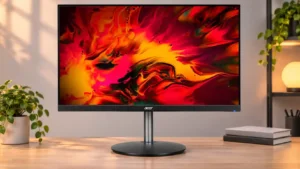
Thin, understated borders make the display look cleaner and minimize peripheral distraction, although one reviewer disliked the glossy chin logo.