Compare Dell S2725QS vs LG 27GM950B-B

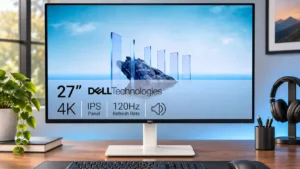
Dell S2725QS

Dell S2725QS

Overall score 3.8 / 5

Based on 15 scored reviews

vs
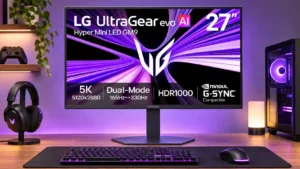
LG 27GM950B-B

LG 27GM950B-B

Overall score 4.0 / 5

Based on 12 scored reviews

How we score

Scorata scores summarize analyzed review evidence on a 1–5 scale; they are not laboratory measurements or a simple average of customer star ratings. Feature scores summarize the reviews covering that feature. The overall score averages feature scores within each review, then combines review averages. When both expert and customer evidence are available, those two groups receive equal weight. Products can have different review coverage, so small score gaps do not establish a winner.

Recommendations prioritize important features for the category, with a score of at least 3.5, a gap of at least 0.25 points and at least two supporting reviews per product. Features with widely varying scores or broad connectivity contexts are excluded from recommendations. These safeguards do not establish statistical significance.

Quick verdict

What each product is best for

The review evidence points to a tradeoff: color accuracy and design and aesthetics versus USB-C power delivery and motion clarity. Choose according to which strengths matter more to you; the overall score alone does not settle that choice.

Choose Dell S2725QS for color accuracy and design and aesthetics.

Choose LG 27GM950B-B for USB-C power delivery and motion clarity.

Why these recommendations?

Dell S2725QS

Where It Has the Edge

  • color accuracy is 4.7 vs 4.2. Most testers liked the factory sRGB presentation and measured low color error, although some owners encountered a green...
  • design and aesthetics is 4.8 vs 4.3. Slim bezels and a clean ash-white finish are widely appreciated, giving the monitor a more polished look than...
  • refresh rate is 4.9 vs 4.5. 120Hz is a substantial everyday upgrade for scrolling, window movement and casual play, even though panel response cannot...

LG 27GM950B-B

Where It Has the Edge

  • USB-C power delivery is 4.5 vs 1.0. Up to 90W charging makes it convenient to run most compatible laptops from the monitor. Very power-hungry machines...
  • motion clarity is 4.4 vs 1.6. Action is smooth and sharp by LCD standards, especially in 330Hz mode. A little trailing blur remains, so...
  • port selection is 4.5 vs 1.7. DisplayPort 2.1, two HDMI 2.1 inputs and USB-C provide excellent modern video connectivity. Missing KVM and more extensive...
Dell S2725QS 3.8 overall score
LG 27GM950B-B 4.0 overall score

Compare features

Scores are out of 5. Missing scores mean missing review evidence, not a missing feature.

Scored on both products

Other features

Ease of use
Dell S2725QS
4.0

Changes between some image-scaling modes are unusually quick and convenient.

LG 27GM950B-B
4.0

The quick-access menus, shortcut buttons and preset modes make switching tasks straightforward after setup. Updating firmware can be much less pleasant.

USB-C power delivery
Dell S2725QS
1.0

It cannot charge a laptop through a USB-C display cable, so laptop owners need separate power and possibly a dock.

LG 27GM950B-B
4.5

Up to 90W charging makes it convenient to run most compatible laptops from the monitor. Very power-hungry machines may still need a separate power adapter.

Motion clarity
Dell S2725QS
1.6

120Hz movement feels smoother than 60Hz, but many fast transitions still carry powdery blur and overshoot that gaming monitors handle better.

LG 27GM950B-B
4.4

Action is smooth and sharp by LCD standards, especially in 330Hz mode. A little trailing blur remains, so top OLEDs are still clearer.

Port selection
Dell S2725QS
1.7

Two HDMI ports and DisplayPort cover conventional hookups, but no USB-C, USB hub or headphone jack is a recurring inconvenience.

LG 27GM950B-B
4.5

DisplayPort 2.1, two HDMI 2.1 inputs and USB-C provide excellent modern video connectivity. Missing KVM and more extensive USB docking are the notable limitations.

Ghosting control
Dell S2725QS
1.7

Fast camera movement and high-contrast edges leave noticeable trailing, especially compared with gaming-focused IPS displays.

LG 27GM950B-B
4.4

Normal fast-overdrive settings keep inverse trails low, making motion respectable for an IPS panel. More aggressive tuning can introduce overshoot.

Competitive gaming suitability
Dell S2725QS
1.7

Low input lag helps, but sluggish pixel transitions and visible blur make this weaker than a properly tuned gaming monitor for esports.

LG 27GM950B-B
4.4

The 1440p/330Hz mode and low latency work well for shooters and racing. OLED competitors retain an edge in response speed, and overdrive tuning is less consistent across refresh rates.

Packaging presentation
Dell S2725QS
5.0

A compact clamshell package is easy to unpack, though the slim packaging means assembling more stand pieces.

LG 27GM950B-B
2.5

Assembly is straightforward, although the crumbly Styrofoam packaging feels less polished than the premium price suggests.

SDR/HDR mode switching
Dell S2725QS
2.0

Enabling HDR restricts brightness and color controls, making SDR a more flexible choice for everyday use.

LG 27GM950B-B
4.5

Changing HDR mode preserves the color presentation on tested Mac systems, making everyday switching more convenient.

Stand stability
Dell S2725QS
2.3

The stand offers plenty of adjustment but can wobble, especially compared with the preceding Dell model.

LG 27GM950B-B
4.5

The low, flat metal base offers good stability and an unobtrusive shape, with only modest wobble reported during use.

Black levels
Dell S2725QS
2.2

Dark scenes suffer from grayish blacks and IPS glow rather than OLED-like depth, even though contrast is acceptable by budget IPS standards.

LG 27GM950B-B
4.3

With local dimming enabled, this IPS display can produce remarkably deep blacks. The unassisted panel's native contrast is much weaker, and small highlights sometimes lose brightness.

Gaming image presets
Dell S2725QS
2.0

HDR game and movie presets can add excessive saturation or sharpening rather than improving natural image quality.

LG 27GM950B-B
4.0

Game profiles, black stabilization, frame counters and shortcut customization give players useful control without a sprawling, confusing menu.

Response time
Dell S2725QS
2.0

Measured pixel transitions are middling or slow for 120Hz and give moving objects more blur than faster gaming monitors.

LG 27GM950B-B
3.8

Pixel transitions are sound for a modern IPS panel, especially with suitable overdrive. They remain slower than OLEDs and do not fully keep pace with the 330Hz ceiling.

USB hub functionality
Dell S2725QS
1.1

No integrated hub means keyboard, mouse and storage accessories must connect to a PC or a separate dock.

LG 27GM950B-B
2.7

Two downstream USB-A ports are useful for basic accessories but form a limited hub. More demanding multi-device desks benefit from a proper docking station.

Device compatibility
Dell S2725QS
3.0

Desktop HDMI and DisplayPort connections are straightforward. Thin laptops and certain docks can introduce bandwidth or adapter complications.

LG 27GM950B-B
4.5

Mac and Windows users report straightforward connections and sensible scaling. Whether maximum refresh rates are available depends on the connected computer.

Overdrive tuning
Dell S2725QS
1.5

Fast is preferable around 120Hz and Normal often works better at 60Hz; the Extreme setting adds obvious overshoot without enough improvement.

LG 27GM950B-B
3.0

A single fast setting works well at native 165Hz. The QHD/330Hz mode needs different overdrive choices across the refresh range, with some overshoot at lower speeds.

Productivity versatility
Dell S2725QS
4.8

The strongest combination is sharp work output plus smooth casual gaming and media, rather than excellence at high-end HDR or competitive gaming.

LG 27GM950B-B
3.5

Text clarity and high resolution suit office and creative tasks, but the smaller physical screen and missing advanced docking features hold it back as an all-purpose workstation.

Color gamut
Dell S2725QS
3.6

Coverage is good for sRGB but falls short of a full professional wide gamut, with some welcome extra vibrancy in standard desktop content.

LG 27GM950B-B
4.9

The exceptionally broad gamut produces rich, vivid HDR colors and appeals to photographers. SDR content needs proper gamut control to avoid oversaturation.

Cable management
Dell S2725QS
3.3

A rear cover, clip, and simple cable routing help tidy the desk; some laptop setups still require awkward extra adapters or docks.

LG 27GM950B-B
2.3

The external snap-on cable clip is a weak point: it feels inexpensive, has limited capacity, and can leave a USB-C cable hanging near the controls.

Backlight bleed control
Dell S2725QS
4.0

One detailed test unit showed only minor clouding and bleed, although sample variation remains a consideration.

LG 27GM950B-B
5.0

Exceptionally tight backlight control makes halos and LCD light spill hard to spot in many dark scenes.

Reflection handling
Dell S2725QS
3.7

Its light matte coating softens everyday reflections, but direct sunlight can still produce strong glare and a glossy-looking patch.

LG 27GM950B-B
4.6

Its semi-matte surface reduces distracting room reflections without severe blur for most users. Glossy-screen fans may still notice a slightly grainy finish.

Included accessories
Dell S2725QS
4.0

The bundled high-speed HDMI cable and basic cables are useful; extras are limited, which reviewers generally accept for the price.

LG 27GM950B-B
4.8

The box includes HDMI, DisplayPort and USB-C cables alongside the power supply and stand, reducing the need for immediate extra purchases.

PC gaming compatibility
Dell S2725QS
3.6

PC games benefit from a smooth 120Hz signal and low lag, but image smear and slow transitions make the experience less polished than dedicated gaming screens.

LG 27GM950B-B
4.3

Powerful Windows PCs can use the full native 5K/165Hz mode and high-speed QHD option. High GPU demands and some firmware quirks complicate an otherwise versatile setup.

Overall satisfaction
Dell S2725QS
4.6

Most verdicts strongly recommend it as an affordable all-round work monitor, with reservations about USB-C, speakers and serious gaming.

LG 27GM950B-B
3.9

The high-density, dual-refresh design makes a strong impression, but owners disagree about whether its HDR quirks and high price undermine the purchase.

Screen uniformity
Dell S2725QS
4.5

Colors remain impressively consistent across much of the panel, with only minor changes at the edges on the detailed test unit.

LG 27GM950B-B
3.8

Most testers saw excellent or good uniformity, but others noticed darker edges or vignetting on plain white backgrounds.

VESA mount compatibility
Dell S2725QS
4.3

Standard 100×100 mounting allows a monitor arm, which is particularly useful for portrait use or reducing desk clutter.

LG 27GM950B-B
5.0

VESA mounting lets buyers replace the stock stand with an arm without sacrificing a pivot and height-adjustable stand option at purchase.

Stand adjustability
Dell S2725QS
4.2

Height, tilt and swivel adjustments are useful and generally smooth, although portrait clearance and occasional wobble limit the experience.

LG 27GM950B-B
4.8

Height, tilt, swivel and pivot adjustments allow comfortable landscape or portrait placement without buying a separate monitor arm.

Single-player cinematic gaming suitability
Dell S2725QS
4.5

Detailed 4K visuals work nicely in slower-paced solo games, but weak HDR and moving-image blur reduce the cinematic effect.

LG 27GM950B-B
3.9

Native 5K detail and vivid HDR can flatter richly rendered campaigns. Some dark scenes are over-dimmed, making OLED alternatives more dependable for cinematic HDR perfectionists.

Screen coating clarity
Dell S2725QS
3.2

The mild matte finish controls glare without much visible grain, although sensitive users may see slight mistiness or diminished vibrancy.

LG 27GM950B-B
3.8

The matte anti-glare layer generally retains impressive detail without the severe haze of some competitors. A few users dislike its subtle grain and shimmer versus glossy glass.

Console gaming compatibility
Dell S2725QS
4.5

HDMI 2.1 bandwidth and 4K/120Hz support suit modern consoles, although a test noted that Xbox 1440p at 120Hz is not supported.

LG 27GM950B-B
5.0

PlayStation testing confirms 4K/120Hz video with HDR and VRR, while lower-resolution console sources can benefit from optional upscaling.

Sleep and wake behavior
Dell S2725QS
3.0

A reported sleep-and-wake problem went away after a factory reset, but the interruption is worth noting.

LG 27GM950B-B
2.5

One tester encountered unusually long blank screens when connecting a GPU, while a deep-sleep option deliberately wakes more slowly to save energy.

Refresh rate
Dell S2725QS
4.9

120Hz is a substantial everyday upgrade for scrolling, window movement and casual play, even though panel response cannot always keep up.

LG 27GM950B-B
4.5

Switching between 165Hz at native 5K and 330Hz at QHD gives players a real speed-versus-detail choice. The top rate requires compatible hardware and the lower resolution.

Built-in speakers
Dell S2725QS
3.4

Monitor speakers are a convenient extra for games, calls, and videos. Reactions range from pleasantly surprised by their bass to complaints that they sound loud and muddy.

LG 27GM950B-B
3.0

Integrated speakers are acceptable for everyday sounds and simple gaming. They are thin or metallic sounding in voices and do not replace proper speakers.

Speaker quality
Dell S2725QS
3.4

Sound is a point of disagreement: some hear unusually rich monitor audio, while another reviewer found it harsh, loud and short on detail.

LG 27GM950B-B
3.0

Sound is a little better than some monitor speakers and works for everyday alerts, but voices can sound thin and dedicated speakers are better for media.

Image scaling
Dell S2725QS
4.0

Lower-than-native resolutions remain usable and can be sharpened, although QHD monitor-side scaling is limited to 60Hz and looks softer than 4K.

LG 27GM950B-B
3.7

On-display AI upscaling can sharpen a lower-resolution console or video feed. Gains on PCs are smaller and sometimes hard to activate, where native game upscalers tend to be better.

Sharpness
Dell S2725QS
4.9

Small lettering, interface elements and fine photo detail look impressively crisp thanks to the 4K pixel density.

LG 27GM950B-B
4.8

Tiny text, high-resolution photos and game details look especially crisp at native 5K. QHD dual mode is softer and is best reserved for gaming rather than desktop work.

VRR compatibility
Dell S2725QS
4.3

FreeSync and compatible VRR reduce tearing and improve gameplay smoothness, but overshoot can worsen as the refresh rate falls.

LG 27GM950B-B
4.5

Variable refresh support works across common PC standards and also supports tested 4K/120Hz console gaming, helping prevent tearing.

Viewing angles
Dell S2725QS
4.8

The IPS panel maintains colors and detail impressively off-center, making it comfortable to view from different desk positions.

LG 27GM950B-B
4.8

The IPS panel holds color and contrast well from off-center positions, with less obvious haloing than many Mini LED alternatives.

Desk footprint
Dell S2725QS
4.7

The 27-inch panel and compact stand offer useful working space without overpowering a typical desk.

LG 27GM950B-B
4.6

The low-profile, flat metal base makes the desk easier to use than a sprawling tripod stand. It leaves space for a keyboard, mouse movement, or small items.

Resolution
Dell S2725QS
4.9

At 27 inches, the 4K pixel density makes text and images exceptionally crisp and allows detailed desktop work.

LG 27GM950B-B
4.9

At 27 inches, native 5K makes desktop text and high-resolution photos visibly sharper than 4K. The benefit is less dramatic in many 3D games and comes with a substantial graphics-performance cost.

Input lag
Dell S2725QS
4.5

Inputs feel responsive and measured signal delay is low, although pixel blur can still make motion look less crisp than the controls feel.

LG 27GM950B-B
4.5

Input response is very quick in SDR, helping fast games feel connected to controller or mouse movements. HDR backlight processing can add some delay.

Premium feel
Dell S2725QS
3.8

The clean finish and reinforced stand can feel upscale for the price, although the largely plastic build and slight wobble are reminders of its budget positioning.

LG 27GM950B-B
3.8

The appearance and image controls can feel distinctly high-end, although plain plastic surfaces and software rough edges undercut that impression for some.

Performance

Local dimming performance
Dell S2725QS
1.0

Lack of local dimming prevents HDR from separating small highlights from dark surroundings and leaves blacks looking gray.

LG 27GM950B-B
3.7

The dense Mini LED backlight brings powerful contrast and controlled bloom. Its conservative tuning can obscure tiny light sources, and not all testers observed stable sustained brightness.

HDR performance
Dell S2725QS
1.6

Most testers found HDR weak, with limited luminance, gray blacks and no local dimming; a more positive review liked the added brightness and contrast effect.

LG 27GM950B-B
3.7

The combination of vivid colors, deep blacks and high peak brightness wins praise in favorable scenes. Owners disagree on consistency: muted dark scenes and reported brightness decay can interfere with immersion.

DisplayPort connectivity
Dell S2725QS
3.0

DisplayPort works for high-refresh output, but one tester needed to correct Nvidia’s default limited-range RGB setting.

LG 27GM950B-B
4.8

Full-bandwidth DisplayPort 2.1 can carry high-refresh 5K without display stream compression on compatible hardware, a useful advantage over lower-bandwidth connections.

Picture-in-picture and picture-by-picture
Dell S2725QS
1.0

The absence of PiP and PbP is a downgrade from the older model for displaying two inputs at once.

LG 27GM950B-B
2.0

Neither picture-in-picture nor picture-by-picture is available, limiting simultaneous use of multiple video sources.

Audio settings
Dell S2725QS
3.0

Equalizer and music profiles offer a bit of personalization, but one critic found these options did little to fix the speakers’ harshness.

LG 27GM950B-B
3.7

Bass enhancement and AI sound adjustments can make dialogue clearer, but they do not turn the thin built-in speakers into a convincing audio system.

On-screen display usability
Dell S2725QS
4.0

A rear joystick provides a convenient way to navigate picture and other settings.

LG 27GM950B-B
4.6

The refreshed on-screen interface is fast, logically arranged and provides handy shortcuts. One tester found the physical joystick small or awkwardly placed.

Color accuracy
Dell S2725QS
4.7

Most testers liked the factory sRGB presentation and measured low color error, although some owners encountered a green cast or needed adjustments.

LG 27GM950B-B
4.2

There are usable sRGB presets and some very good calibrated results. Default SDR saturation or white balance can be inaccurate without color management.

Overall picture quality
Dell S2725QS
4.1

The crisp, colorful SDR picture is a major strength, while weak dark-room contrast and HDR hold it back from premium image quality.

LG 27GM950B-B
4.5

Fine 5K detail, vivid colors and high dynamic range create a striking overall image. Tone-mapping accuracy and consistency are less universally admired.

Contrast
Dell S2725QS
3.5

Static contrast is decent for ordinary IPS and can add some depth, but gray blacks and glow stop dark scenes from looking genuinely rich.

LG 27GM950B-B
3.8

Mini LED dimming lifts the IPS panel to impressive real-scene contrast, especially in checkerboard and dark-object tests. Native contrast without dimming remains ordinary.

Adaptive sync performance
Dell S2725QS
4.0

FreeSync and compatible variable-refresh operation reduce tearing and improve smoothness, though changing refresh rates expose limitations in pixel-response tuning.

LG 27GM950B-B
4.3

FreeSync and G-SYNC-compatible variable refresh keep gameplay responsive with little tearing. The best overdrive setting differs by refresh rate in the faster mode.

Brightness
Dell S2725QS
4.3

SDR brightness is generally strong for the price with a useful adjustment range; it is far less impressive as HDR peak brightness.

LG 27GM950B-B
4.1

Brilliant SDR output and large HDR highlights make daylight use easy. Small highlights are less forceful, and independent tests disagree over whether sustained HDR brightness falls after several minutes.

Ownership and support

Value for money
Dell S2725QS
4.8

Its sharp 4K/120Hz display and adjustable stand are excellent value at typical sale prices, especially for buyers who will not miss USB-C.

LG 27GM950B-B
2.5

The original premium pricing draws repeated criticism when 4K OLED or Mini LED monitors cost much less. Deep discounts make its unusual 5K flexibility more compelling.

Warranty and support service
Dell S2725QS
1.0

An aggregated owner account describes frustrating support contacts and replacement handling after repeated failures.

LG 27GM950B-B
3.0

Standard country-dependent warranty coverage is available, but at least one tester wishes premium monitors offered substantially longer protection.

Setup ease
Dell S2725QS
4.9

Tool-free assembly and straightforward stand attachment make getting started uncomplicated, even with an extra stand piece.

LG 27GM950B-B
5.0

The stand snaps together and the display is manageable for one person to unpack. Basic setup is much easier than fixing early firmware issues.

HDMI 2.1 support
Dell S2725QS
4.4

The HDMI inputs are a valuable upgrade over older Dell models, enabling higher-bandwidth 4K/120Hz gaming signals on compatible hardware.

LG 27GM950B-B
4.5

HDMI 2.1 makes high-resolution console connections straightforward, including tested 4K/120Hz operation on PlayStation hardware.

Reliability over time
Dell S2725QS
2.0

One reported ownership account describes multiple unit failures, so checking operation and the return period is sensible despite the otherwise positive value picture.

LG 27GM950B-B
2.0

Early sharpness defects, intermittent slow wake-ups and occasional corrupted output raise concern despite several strong reports of daily operation.

Controls and connectivity

Software and driver support
Dell S2725QS
3.0

Some Nvidia setups require changing the output range manually to avoid restricted RGB over DisplayPort.

LG 27GM950B-B
1.5

The LG Switch application has failed to recognize connected monitors during necessary updates, making maintenance needlessly frustrating.

Color calibration controls
Dell S2725QS
4.3

The dedicated sRGB mode offers an accurate starting point, but restricted adjustments in sRGB and HDR modes can frustrate users who want fine control.

LG 27GM950B-B
4.0

There are configurable color profiles and LG Calibration Studio support. Professional accuracy benefits from calibration rather than relying solely on the default modes.

Comfort and build

Screen size
Dell S2725QS
4.3

The 27-inch format balances usable multitasking space against a modest footprint, though native 4K text often needs scaling.

LG 27GM950B-B
3.7

The 27-inch size balances high pixel density with a manageable desk footprint. Users wanting a large physical workspace may feel cramped even at 5K.

Design and aesthetics
Dell S2725QS
4.8

Slim bezels and a clean ash-white finish are widely appreciated, giving the monitor a more polished look than many low-cost office screens.

LG 27GM950B-B
4.3

An understated, slim-bezel front, flat metal base and optional rear RGB make for a tidy gaming setup. A few find the gray plastic less premium than expected.

Eye comfort features
Dell S2725QS
4.6

The flicker-free backlight, warm mode and ComfortView features support long sessions, with several users reporting comfortable extended viewing.

LG 27GM950B-B
4.3

Reading profiles and subdued bias lighting are welcome conveniences for long desk sessions, though they do not substitute for personal brightness adjustment.

Build quality
Dell S2725QS
3.8

The light-colored chassis and metal-reinforced parts feel reasonably solid, but some testers noticed wobble and less substantial materials than older models.

LG 27GM950B-B
3.8

The body feels generally solid and the metal stand inspires confidence, but the largely plastic housing and surface finish do not always feel worthy of the premium price.

Evidence available for one product

Performance

AI audio processing
Dell S2725QSNo score yet
LG 27GM950B-B
3.5

The simulated audio processing can make dialogue easier to separate from background effects. Other testers would still use a dedicated headset for convincing game sound.

Automatic brightness limiting
Dell S2725QSNo score yet
LG 27GM950B-B
1.5

One test found that high HDR brightness dropped dramatically after several minutes and did not recover without restarting the display. Another independent tester did not reproduce that behavior, so the experience remains uncertain.

Black equalizer performance
Dell S2725QS
2.0

HDR disables the dark-stabilizer adjustment, reducing control over shadow visibility when HDR is active.

LG 27GM950B-BNo score yet
KVM switch performance
Dell S2725QSNo score yet
LG 27GM950B-B
2.0

Despite USB connectivity, there is no built-in KVM switch. Anyone sharing a mouse and keyboard between computers needs another solution.

Operating noise
Dell S2725QSNo score yet
LG 27GM950B-B
4.5

A built-in cooling fan is present, but testing found it quiet or effectively inaudible at a normal seating distance.

Other features

AI scene optimization
Dell S2725QSNo score yet
LG 27GM950B-B
2.0

Automatic scene-based changes are available, but dynamic color shifts can undermine accuracy. Leaving the feature off is preferable for faithful image reproduction.

Aspect ratio
Dell S2725QS
4.0

The standard 16:9 format suits everyday software and video, though it cannot provide the horizontal space of an ultrawide.

LG 27GM950B-BNo score yet
Backlight strobing
Dell S2725QSNo score yet
LG 27GM950B-B
4.5

The backlight-strobing mode is unusually clear and retains substantial brightness. It is restricted to native-resolution mode, cannot be used with VRR, and is not ideal for every game.

Blooming control
Dell S2725QSNo score yet
LG 27GM950B-B
4.2

Most tests praise exceptionally restrained halos for an IPS Mini LED display. One owner still found obvious bloom around a cursor, while the aggressive dimming can suppress tiny lights.

Built-in RGB lighting
Dell S2725QSNo score yet
LG 27GM950B-B
4.3

Subtle rear hexagon lighting adds atmosphere without making the front look flashy. Its positioning suits the compact 27-inch frame, and the effects are customizable.

Burn-in protection
Dell S2725QSNo score yet
LG 27GM950B-B
4.5

The Mini LED panel avoids the characteristic permanent image retention risk of OLED technology, an appealing consideration for desktop-heavy use.

Dual-mode versatility
Dell S2725QSNo score yet
LG 27GM950B-B
4.6

The switch between sharp 5K/165Hz and faster QHD/330Hz is a standout strength. QHD sacrifices fine detail but is much more usable than the 1080p alternate modes on some 4K screens.

Firmware updateability
Dell S2725QSNo score yet
LG 27GM950B-B
3.3

USB firmware updates are supported and can correct an early sharpness defect. The process may be slow or frustrating when the LG utility fails to recognize the screen.

GPU demands
Dell S2725QSNo score yet
LG 27GM950B-B
2.4

Native 5K gaming is substantially more demanding than 4K, with sizable frame-rate losses in demanding titles. The 1440p mode is a useful escape hatch for less powerful systems.

Gradient smoothness
Dell S2725QSNo score yet
LG 27GM950B-B
5.0

One long-term owner found unusually clean gradients and natural transitions, contributing to an impressively polished image.

HDR highlight detail
Dell S2725QSNo score yet
LG 27GM950B-B
3.1

The backlight produces powerful larger highlights while preserving dark blacks. Very small bright objects such as stars and lamps can be dimmed too heavily or disappear.

Heat management
Dell S2725QSNo score yet
LG 27GM950B-B
4.3

The display uses active cooling but has not shown worrying external heat levels in hands-on checks.

Monitor daisy-chaining
Dell S2725QSNo score yet
LG 27GM950B-B
2.0

This model lacks the streamlined display daisy-chaining available on some higher-end productivity monitors.

Panel type
Dell S2725QS
2.0

IPS brings consistent colors and broad viewing angles, but does not deliver the deep blacks of OLED or VA alternatives.

LG 27GM950B-BNo score yet
Portability and weight
Dell S2725QS
5.0

The thin, fairly light construction makes repositioning the monitor easier than expected for a desktop 4K panel.

LG 27GM950B-BNo score yet
Power efficiency
Dell S2725QSNo score yet
LG 27GM950B-B
3.0

Power draw is relatively high for a 27-inch LCD, especially during bright gaming. A deep-sleep option can reduce standby consumption at the cost of slower wake-up.

Text fringing
Dell S2725QSNo score yet
LG 27GM950B-B
4.3

Conventional RGB subpixels and high density make letters unusually clean, with little distracting color fringing for most users. The matte coating draws a few complaints.

Thunderbolt docking connectivity
Dell S2725QSNo score yet
LG 27GM950B-B
2.0

The USB-C connection is convenient, but the absence of Thunderbolt limits advanced docking compared with some productivity-focused rivals.

VRR flicker
Dell S2725QS
5.0

A detailed test found no distracting variable-refresh flicker, a welcome advantage over some competing display technologies.

LG 27GM950B-BNo score yet

Controls and connectivity

HDR tone mapping accuracy
Dell S2725QSNo score yet
LG 27GM950B-B
2.3

Tone mapping is a divisive weakness: one test found broadly decent tracking with slightly dark output, while an owner found low- and medium-brightness HDR scenes seriously inaccurate.

Software support
Dell S2725QSNo score yet
LG 27GM950B-B
1.8

LG Switch offers monitor controls and firmware upgrades, but slow updates, connection detection failures and bloatware worries spoil an otherwise refined interface.

Other Top Monitors to Consider

#1 ASUS ROG Swift OLED PG27UCDM
4.4

The 27-inch 4K OLED picture is exceptionally crisp and responsive, with useful USB-C and KVM extras. Its high price, oversized stand, and bright-room compromises limit its appeal.

Pros: sharpness, overall satisfaction

Cons: value for money, VRR flicker

#2 MSI MPG 322UR QD-OLED X24

4.4

Best for exceptional 4K HDR, accurate color, fast 240Hz gaming, and strong work connectivity. Skip it if you need built-in speakers, ultrawide immersion, television-level HDR brightness, or a budget-friendly upgrade.

Pros: brightness, reflection handling

Cons: cable management

#3 MSI MPG 341CQR QD-OLED X36

4.4

Best for class-leading 360Hz ultrawide motion, spectacular HDR, deep blacks, and unusually strong work-and-play connectivity. Skip it if you want 4K-like text sharpness, a matte screen, or the best value...

Pros: overall satisfaction, sharpness

Cons: Resolution, cable management

#4 BenQ RD280UG

4.4

Choose the RD280UG for coding, trading, writing, or creative work that benefits from a tall, sharp 3:2 screen and strong eye-care features. Skip it for serious HDR, color-critical creation, esports,...

Pros: productivity versatility, aspect ratio

Cons: value for money, competitive gaming suitability