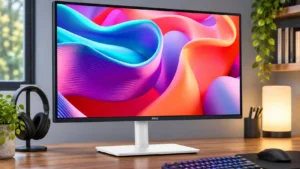
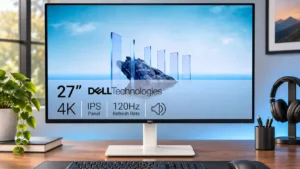
Compare Dell S2725DC vs Dell S2725QS

Dell S2725DC

Dell S2725DC

Overall score 4.1 / 5

Based on 6 scored reviews

vs
Dell S2725QS

Dell S2725QS

Overall score 3.8 / 5

Based on 15 scored reviews

How we score

Scorata scores summarize analyzed review evidence on a 1–5 scale; they are not laboratory measurements or a simple average of customer star ratings. Feature scores summarize the reviews covering that feature. The overall score averages feature scores within each review, then combines review averages. When both expert and customer evidence are available, those two groups receive equal weight. Products can have different review coverage, so small score gaps do not establish a winner.

Recommendations prioritize important features for the category, with a score of at least 3.5, a gap of at least 0.25 points and at least two supporting reviews per product. Features with widely varying scores or broad connectivity contexts are excluded from recommendations. These safeguards do not establish statistical significance.

Quick verdict

What each product is best for

The review evidence points to a tradeoff: USB-C power delivery and USB hub functionality versus sharpness and color accuracy. Choose according to which strengths matter more to you; the overall score alone does not settle that choice.

Choose Dell S2725DC for USB-C power delivery and USB hub functionality.

Choose Dell S2725QS for sharpness and color accuracy.

Why these recommendations?

Dell S2725DC

Where It Has the Edge

  • USB-C power delivery is 4.7 vs 1.0. A USB-C lead can carry the display, peripherals and up to 65W laptop charging. This is convenient for...
  • USB hub functionality is 4.7 vs 1.1. The USB hub is one of its best features. Ports on the back and a retractable front-facing pair...
  • port selection is 4.3 vs 1.7. USB-C, USB-A, HDMI and DisplayPort cover most ordinary office connections, with an especially handy retractable pair. Very fast...

Dell S2725QS

Where It Has the Edge

  • sharpness is 4.9 vs 3.5. Small lettering, interface elements and fine photo detail look impressively crisp thanks to the 4K pixel density.
  • color accuracy is 4.7 vs 3.5. Most testers liked the factory sRGB presentation and measured low color error, although some owners encountered a green...
  • overall picture quality is 4.1 vs 3.5. The crisp, colorful SDR picture is a major strength, while weak dark-room contrast and HDR hold it back...
Dell S2725DC 4.1 overall score
Dell S2725QS 3.8 overall score

Compare features

Scores are out of 5. Missing scores mean missing review evidence, not a missing feature.

Scored on both products

Other features

Ease of use
Dell S2725DC
5.0

Simple initial settings, intuitive controls and one-cable hookups make this an easy display to live with.

Dell S2725QS
4.0

Changes between some image-scaling modes are unusually quick and convenient.

USB-C power delivery
Dell S2725DC
4.7

A USB-C lead can carry the display, peripherals and up to 65W laptop charging. This is convenient for typical laptops, but may not power more demanding workstations completely.

Dell S2725QS
1.0

It cannot charge a laptop through a USB-C display cable, so laptop owners need separate power and possibly a dock.

USB hub functionality
Dell S2725DC
4.7

The USB hub is one of its best features. Ports on the back and a retractable front-facing pair make it easy to connect laptops and temporary accessories.

Dell S2725QS
1.1

No integrated hub means keyboard, mouse and storage accessories must connect to a PC or a separate dock.

Port selection
Dell S2725DC
4.3

USB-C, USB-A, HDMI and DisplayPort cover most ordinary office connections, with an especially handy retractable pair. Very fast transfer speeds and dedicated audio outputs are not its strengths.

Dell S2725QS
1.7

Two HDMI ports and DisplayPort cover conventional hookups, but no USB-C, USB hub or headphone jack is a recurring inconvenience.

Response time
Dell S2725DC
4.3

Rated response speed and fast-feeling scrolling impress some users, but the panel still shows motion blur in more demanding tests.

Dell S2725QS
2.0

Measured pixel transitions are middling or slow for 120Hz and give moving objects more blur than faster gaming monitors.

Motion clarity
Dell S2725DC
3.8

Fast scrolling feels fluid thanks to 144Hz, but more demanding testing identifies blurry motion in moving scenes. Enthusiasm about its rated response speed is not unanimous.

Dell S2725QS
1.6

120Hz movement feels smoother than 60Hz, but many fast transitions still carry powdery blur and overshoot that gaming monitors handle better.

Device compatibility
Dell S2725DC
5.0

MacBooks, iPads, iPhones, Windows laptops and desktops were connected successfully in hands-on testing.

Dell S2725QS
3.0

Desktop HDMI and DisplayPort connections are straightforward. Thin laptops and certain docks can introduce bandwidth or adapter complications.

Panel type
Dell S2725DC
4.0

The IPS panel favors broad viewing angles and surprisingly good contrast for its class, but it cannot deliver the deepest blacks of some VA alternatives.

Dell S2725QS
2.0

IPS brings consistent colors and broad viewing angles, but does not deliver the deep blacks of OLED or VA alternatives.

Portability and weight
Dell S2725DC
3.0

Its unusually light body is manageable, but some monitor arms may need substantial tension adjustments to stay balanced.

Dell S2725QS
5.0

The thin, fairly light construction makes repositioning the monitor easier than expected for a desktop 4K panel.

Reflection handling
Dell S2725DC
2.0

Reflections become distracting when the screen faces sunshine or a bright lamp, even though ordinary well-lit offices are manageable.

Dell S2725QS
3.7

Its light matte coating softens everyday reflections, but direct sunlight can still produce strong glare and a glossy-looking patch.

Console gaming compatibility
Dell S2725DC
3.0

Console owners face a narrower selection of accepted video signals than on some comparable Dell 4K models.

Dell S2725QS
4.5

HDMI 2.1 bandwidth and 4K/120Hz support suit modern consoles, although a test noted that Xbox 1440p at 120Hz is not supported.

Sharpness
Dell S2725DC
3.5

Text is suitably crisp for the intended office audience, though comparisons to higher-pixel-density displays reveal a softer image.

Dell S2725QS
4.9

Small lettering, interface elements and fine photo detail look impressively crisp thanks to the 4K pixel density.

Resolution
Dell S2725DC
3.6

QHD looks clear at 27 inches for daily documents and spreadsheets. It lacks the density of 4K, and users who need very fine text or packed workflows may notice the tradeoff.

Dell S2725QS
4.9

At 27 inches, the 4K pixel density makes text and images exceptionally crisp and allows detailed desktop work.

Black levels
Dell S2725DC
3.0

Black depth is behind a higher-contrast Dell VA alternative, making dark-room image performance less compelling.

Dell S2725QS
2.2

Dark scenes suffer from grayish blacks and IPS glow rather than OLED-like depth, even though contrast is acceptable by budget IPS standards.

Stand adjustability
Dell S2725DC
5.0

Height, swivel, tilt and portrait rotation offer generous flexibility for an affordable monitor, especially in multi-display workstations.

Dell S2725QS
4.2

Height, tilt and swivel adjustments are useful and generally smooth, although portrait clearance and occasional wobble limit the experience.

Speaker quality
Dell S2725DC
2.7

Sound quality divides opinion: the speakers are adequate or surprisingly pleasing for calls and casual videos, but limited for clear, full-bodied listening.

Dell S2725QS
3.4

Sound is a point of disagreement: some hear unusually rich monitor audio, while another reviewer found it harsh, loud and short on detail.

Cable management
Dell S2725DC
4.0

Single-cable laptop hookup and improved rear routing keep the desk tidy. The revised clip helps, though not everyone finds it perfect.

Dell S2725QS
3.3

A rear cover, clip, and simple cable routing help tidy the desk; some laptop setups still require awkward extra adapters or docks.

VESA mount compatibility
Dell S2725DC
5.0

The conventional VESA mounting pattern makes it easy to fit existing monitor arms and desk mounts.

Dell S2725QS
4.3

Standard 100×100 mounting allows a monitor arm, which is particularly useful for portrait use or reducing desk clutter.

PC gaming compatibility
Dell S2725DC
4.0

PC gaming works well as a secondary use, especially with the higher refresh rate. Its motion handling is less convincing than a purpose-built gaming monitor.

Dell S2725QS
3.6

PC games benefit from a smooth 120Hz signal and low lag, but image smear and slow transitions make the experience less polished than dedicated gaming screens.

Color gamut
Dell S2725DC
4.0

Near-complete sRGB coverage is praised for an everyday monitor, without making this a specialist wide-gamut display.

Dell S2725QS
3.6

Coverage is good for sRGB but falls short of a full professional wide gamut, with some welcome extra vibrancy in standard desktop content.

Competitive gaming suitability
Dell S2725DC
2.0

The S2725DC is aimed at everyday work and occasional play rather than serious competition; blurry motion makes it a poor choice for fast, demanding matches.

Dell S2725QS
1.7

Low input lag helps, but sluggish pixel transitions and visible blur make this weaker than a properly tuned gaming monitor for esports.

Ghosting control
Dell S2725DC
2.0

Blur is a significant weakness for games with fast movement, despite the impressive-sounding refresh specification.

Dell S2725QS
1.7

Fast camera movement and high-contrast edges leave noticeable trailing, especially compared with gaming-focused IPS displays.

VRR compatibility
Dell S2725DC
4.0

VRR support helps make the S2725DC more flexible for casual PC gaming, although the panel still has visible blur.

Dell S2725QS
4.3

FreeSync and compatible VRR reduce tearing and improve gameplay smoothness, but overshoot can worsen as the refresh rate falls.

Overall satisfaction
Dell S2725DC
4.3

The overall reception is positive for the office-friendly feature set, with the clearest cautions concerning professional creative work, demanding games and modest built-in audio.

Dell S2725QS
4.6

Most verdicts strongly recommend it as an affordable all-round work monitor, with reservations about USB-C, speakers and serious gaming.

Premium feel
Dell S2725DC
4.0

The smooth rear finish and unusually complete connectivity feel polished for a lower-priced display, without aiming to be a luxury product.

Dell S2725QS
3.8

The clean finish and reinforced stand can feel upscale for the price, although the largely plastic build and slight wobble are reminders of its budget positioning.

Viewing angles
Dell S2725DC
5.0

The IPS screen keeps the picture relatively consistent when viewed from the side, making it easier to work with someone seated nearby.

Dell S2725QS
4.8

The IPS panel maintains colors and detail impressively off-center, making it comfortable to view from different desk positions.

Productivity versatility
Dell S2725DC
4.6

The S2725DC covers office documents, coding and light entertainment without needing separate specialist displays, though it is not ideal for demanding creative work.

Dell S2725QS
4.8

The strongest combination is sharp work output plus smooth casual gaming and media, rather than excellence at high-end HDR or competitive gaming.

Refresh rate
Dell S2725DC
4.8

The 144Hz refresh rate makes scrolling and mouse movement noticeably smoother than basic 60Hz office screens and adds some appeal for casual games.

Dell S2725QS
4.9

120Hz is a substantial everyday upgrade for scrolling, window movement and casual play, even though panel response cannot always keep up.

Built-in speakers
Dell S2725DC
3.6

Built-in speakers save space and can handle calls or background videos. Their presence is welcome, but they are not meant to replace good external speakers.

Dell S2725QS
3.4

Monitor speakers are a convenient extra for games, calls, and videos. Reactions range from pleasantly surprised by their bass to complaints that they sound loud and muddy.

Desk footprint
Dell S2725DC
4.7

A one-cable laptop connection avoids separate docks and adapters, and the compact 27-inch form suits modest desktops or paired layouts.

Dell S2725QS
4.7

The 27-inch panel and compact stand offer useful working space without overpowering a typical desk.

Included accessories
Dell S2725DC
4.0

The included USB-C cable is praised for its useful length. One reviewer wishes the cables matched the monitor’s light-colored finish.

Dell S2725QS
4.0

The bundled high-speed HDMI cable and basic cables are useful; extras are limited, which reviewers generally accept for the price.

Ownership and support

Warranty and support service
Dell S2725DC
5.0

Dell’s described advanced-exchange warranty, including return shipping, is considered convenient, though no actual warranty claim is reported.

Dell S2725QS
1.0

An aggregated owner account describes frustrating support contacts and replacement handling after repeated failures.

HDMI 2.1 support
Dell S2725DC
3.0

It cannot match the broader console-signal support offered by a sibling with more complete HDMI 2.1 bandwidth.

Dell S2725QS
4.4

The HDMI inputs are a valuable upgrade over older Dell models, enabling higher-bandwidth 4K/120Hz gaming signals on compatible hardware.

Setup ease
Dell S2725DC
4.5

Assembly and daily laptop connections are generally simple, but the stand should be secured carefully before repeated height adjustments.

Dell S2725QS
4.9

Tool-free assembly and straightforward stand attachment make getting started uncomplicated, even with an extra stand piece.

Value for money
Dell S2725DC
4.8

The blend of 1440p, 144Hz, an adjustable stand and USB-C charging represents solid value. A simpler 60Hz monitor may cost less if these extras are unnecessary.

Dell S2725QS
4.8

Its sharp 4K/120Hz display and adjustable stand are excellent value at typical sale prices, especially for buyers who will not miss USB-C.

Performance

DisplayPort connectivity
Dell S2725DC
5.0

A full-size DisplayPort is welcomed as a versatile option alongside USB-C and HDMI.

Dell S2725QS
3.0

DisplayPort works for high-refresh output, but one tester needed to correct Nvidia’s default limited-range RGB setting.

Color accuracy
Dell S2725DC
3.5

Colors look balanced in general use, but 4K siblings with an sRGB mode offer better accuracy before calibration. Precision work is not its specialty.

Dell S2725QS
4.7

Most testers liked the factory sRGB presentation and measured low color error, although some owners encountered a green cast or needed adjustments.

Overall picture quality
Dell S2725DC
3.5

Its clean picture and balanced colors are pleasing for daily tasks, but HDR and top-tier image detail are missing.

Dell S2725QS
4.1

The crisp, colorful SDR picture is a major strength, while weak dark-room contrast and HDR hold it back from premium image quality.

Contrast
Dell S2725DC
4.0

Its contrast is praised as strong for IPS, but nearby VA models can still achieve deeper blacks.

Dell S2725QS
3.5

Static contrast is decent for ordinary IPS and can add some depth, but gray blacks and glow stop dark scenes from looking genuinely rich.

On-screen display usability
Dell S2725DC
4.5

The on-screen menu and rear joystick are straightforward to use for brightness, input and display adjustments.

Dell S2725QS
4.0

A rear joystick provides a convenient way to navigate picture and other settings.

HDR performance
Dell S2725DC
2.0

The lack of HDR is a meaningful limitation for creators and anyone expecting richer high-dynamic-range visuals.

Dell S2725QS
1.6

Most testers found HDR weak, with limited luminance, gray blacks and no local dimming; a more positive review liked the added brightness and contrast effect.

Brightness
Dell S2725DC
4.0

Bright enough for most regular offices, it also compares favorably with many basic displays. Sunlight and strong lamp reflections can still make the picture harder to see.

Dell S2725QS
4.3

SDR brightness is generally strong for the price with a useful adjustment range; it is far less impressive as HDR peak brightness.

Adaptive sync performance
Dell S2725DC
4.0

FreeSync-style variable refresh is a worthwhile extra at this price, particularly for occasional gaming rather than competitive play.

Dell S2725QS
4.0

FreeSync and compatible variable-refresh operation reduce tearing and improve smoothness, though changing refresh rates expose limitations in pixel-response tuning.

Comfort and build

Build quality
Dell S2725DC
4.5

The stand feels steady and the improved rear cover looks sturdier than earlier examples, giving an inexpensive monitor reassuring everyday construction.

Dell S2725QS
3.8

The light-colored chassis and metal-reinforced parts feel reasonably solid, but some testers noticed wobble and less substantial materials than older models.

Screen size
Dell S2725DC
5.0

The 27-inch panel is widely regarded as a comfortable size for work, reading and keeping multiple tasks visible without moving to a much larger display.

Dell S2725QS
4.3

The 27-inch format balances usable multitasking space against a modest footprint, though native 4K text often needs scaling.

Design and aesthetics
Dell S2725DC
4.3

Slim bezels, a pale rear shell and restrained styling make the monitor feel clean and office-appropriate rather than flashy.

Dell S2725QS
4.8

Slim bezels and a clean ash-white finish are widely appreciated, giving the monitor a more polished look than many low-cost office screens.

Eye comfort features
Dell S2725DC
5.0

The screen is comfortable to look at through long sessions, and the four-star eye-comfort certification earns praise. This is a comfort assessment, not a guarantee against eye strain.

Dell S2725QS
4.6

The flicker-free backlight, warm mode and ComfortView features support long sessions, with several users reporting comfortable extended viewing.

Evidence available for one product

Other features

Aspect ratio
Dell S2725DCNo score yet
Dell S2725QS
4.0

The standard 16:9 format suits everyday software and video, though it cannot provide the horizontal space of an ultrawide.

Backlight bleed control
Dell S2725DCNo score yet
Dell S2725QS
4.0

One detailed test unit showed only minor clouding and bleed, although sample variation remains a consideration.

Gaming image presets
Dell S2725DCNo score yet
Dell S2725QS
2.0

HDR game and movie presets can add excessive saturation or sharpening rather than improving natural image quality.

Image scaling
Dell S2725DCNo score yet
Dell S2725QS
4.0

Lower-than-native resolutions remain usable and can be sharpened, although QHD monitor-side scaling is limited to 60Hz and looks softer than 4K.

Input lag
Dell S2725DCNo score yet
Dell S2725QS
4.5

Inputs feel responsive and measured signal delay is low, although pixel blur can still make motion look less crisp than the controls feel.

Overdrive tuning
Dell S2725DCNo score yet
Dell S2725QS
1.5

Fast is preferable around 120Hz and Normal often works better at 60Hz; the Extreme setting adds obvious overshoot without enough improvement.

Packaging presentation
Dell S2725DCNo score yet
Dell S2725QS
5.0

A compact clamshell package is easy to unpack, though the slim packaging means assembling more stand pieces.

Screen coating clarity
Dell S2725DCNo score yet
Dell S2725QS
3.2

The mild matte finish controls glare without much visible grain, although sensitive users may see slight mistiness or diminished vibrancy.

Screen uniformity
Dell S2725DCNo score yet
Dell S2725QS
4.5

Colors remain impressively consistent across much of the panel, with only minor changes at the edges on the detailed test unit.

SDR/HDR mode switching
Dell S2725DCNo score yet
Dell S2725QS
2.0

Enabling HDR restricts brightness and color controls, making SDR a more flexible choice for everyday use.

Single-player cinematic gaming suitability
Dell S2725DCNo score yet
Dell S2725QS
4.5

Detailed 4K visuals work nicely in slower-paced solo games, but weak HDR and moving-image blur reduce the cinematic effect.

Sleep and wake behavior
Dell S2725DCNo score yet
Dell S2725QS
3.0

A reported sleep-and-wake problem went away after a factory reset, but the interruption is worth noting.

Stand stability
Dell S2725DCNo score yet
Dell S2725QS
2.3

The stand offers plenty of adjustment but can wobble, especially compared with the preceding Dell model.

VRR flicker
Dell S2725DCNo score yet
Dell S2725QS
5.0

A detailed test found no distracting variable-refresh flicker, a welcome advantage over some competing display technologies.

Performance

Audio settings
Dell S2725DCNo score yet
Dell S2725QS
3.0

Equalizer and music profiles offer a bit of personalization, but one critic found these options did little to fix the speakers’ harshness.

Black equalizer performance
Dell S2725DCNo score yet
Dell S2725QS
2.0

HDR disables the dark-stabilizer adjustment, reducing control over shadow visibility when HDR is active.

Cleaning ease
Dell S2725DC
5.0

The smoother back panel is easier to wipe down than a textured finish.

Dell S2725QSNo score yet
Local dimming performance
Dell S2725DCNo score yet
Dell S2725QS
1.0

Lack of local dimming prevents HDR from separating small highlights from dark surroundings and leaves blacks looking gray.

Picture-in-picture and picture-by-picture
Dell S2725DCNo score yet
Dell S2725QS
1.0

The absence of PiP and PbP is a downgrade from the older model for displaying two inputs at once.

Battery and charging

Charging speed
Dell S2725DC
4.0

Front-access ports can charge phones and other small devices conveniently, though they are not positioned as high-power, high-speed connections.

Dell S2725QSNo score yet

Controls and connectivity

Color calibration controls
Dell S2725DCNo score yet
Dell S2725QS
4.3

The dedicated sRGB mode offers an accurate starting point, but restricted adjustments in sRGB and HDR modes can frustrate users who want fine control.

Software and driver support
Dell S2725DCNo score yet
Dell S2725QS
3.0

Some Nvidia setups require changing the output range manually to avoid restricted RGB over DisplayPort.

Ownership and support

Reliability over time
Dell S2725DCNo score yet
Dell S2725QS
2.0

One reported ownership account describes multiple unit failures, so checking operation and the return period is sensible despite the otherwise positive value picture.

Other Top Monitors to Consider

#1 ASUS ROG Swift OLED PG27UCDM
4.4

The 27-inch 4K OLED picture is exceptionally crisp and responsive, with useful USB-C and KVM extras. Its high price, oversized stand, and bright-room compromises limit its appeal.

Pros: sharpness, overall satisfaction

Cons: value for money, VRR flicker

#2 MSI MPG 322UR QD-OLED X24

4.4

Best for exceptional 4K HDR, accurate color, fast 240Hz gaming, and strong work connectivity. Skip it if you need built-in speakers, ultrawide immersion, television-level HDR brightness, or a budget-friendly upgrade.

Pros: brightness, reflection handling

Cons: cable management

#3 MSI MPG 341CQR QD-OLED X36

4.4

Best for class-leading 360Hz ultrawide motion, spectacular HDR, deep blacks, and unusually strong work-and-play connectivity. Skip it if you want 4K-like text sharpness, a matte screen, or the best value...

Pros: overall satisfaction, sharpness

Cons: Resolution, cable management

#4 BenQ RD280UG

4.4

Choose the RD280UG for coding, trading, writing, or creative work that benefits from a tall, sharp 3:2 screen and strong eye-care features. Skip it for serious HDR, color-critical creation, esports,...

Pros: productivity versatility, aspect ratio

Cons: value for money, competitive gaming suitability