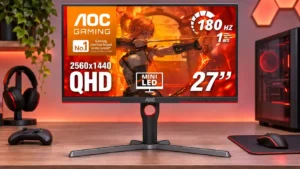
Compare AOC Q27G3XMN vs Dell Alienware AW2725DM

AOC Q27G3XMN

AOC Q27G3XMN

Overall score 3.9 / 5

Based on 18 scored reviews

vs
Dell Alienware AW2725DM

Dell Alienware AW2725DM

Overall score 4.0 / 5

Based on 11 scored reviews

How we score

Scorata scores summarize analyzed review evidence on a 1–5 scale; they are not laboratory measurements or a simple average of customer star ratings. Feature scores summarize the reviews covering that feature. The overall score averages feature scores within each review, then combines review averages. When both expert and customer evidence are available, those two groups receive equal weight. Products can have different review coverage, so small score gaps do not establish a winner.

Recommendations prioritize important features for the category, with a score of at least 3.5, a gap of at least 0.25 points and at least two supporting reviews per product. Features with widely varying scores or broad connectivity contexts are excluded from recommendations. These safeguards do not establish statistical significance.

Quick verdict

What each product is best for

The review evidence points to a tradeoff: black levels and brightness versus on-screen display usability and viewing angles. Choose according to which strengths matter more to you; the overall score alone does not settle that choice.

Choose AOC Q27G3XMN for black levels and brightness.

Choose Dell Alienware AW2725DM for on-screen display usability and viewing angles.

Why these recommendations?

AOC Q27G3XMN

Where It Has the Edge

  • black levels is 5.0 vs 1.8. The VA panel produces notably deep blacks even without local dimming; switching on the Mini LED zones gives...
  • brightness is 4.9 vs 3.3. Unusually high SDR output and HDR peaks beyond 1,000 nits are recurring strengths. Small isolated highlights can dim...
  • single-player cinematic gaming suitability is 5.0 vs 4.3. Story-driven and atmospheric games benefit especially from the strong shadows and HDR highlights. The residual dark smearing is...

Dell Alienware AW2725DM

Where It Has the Edge

  • on-screen display usability is 4.9 vs 1.8. The joystick-driven menus are consistently praised for clear navigation and easy access to common settings.
  • viewing angles is 4.7 vs 1.8. Its IPS image stays consistent off-axis and is favored for side viewing and shared-screen play.
  • USB hub functionality is 3.9 vs 1.2. Two USB-A ports handle basic accessories or device charging; their usefulness is undercut by varying opinions about placement.
AOC Q27G3XMN 3.9 overall score
Dell Alienware AW2725DM 4.0 overall score

Compare features

Scores are out of 5. Missing scores mean missing review evidence, not a missing feature.

Scored on both products

Other features

Black levels
AOC Q27G3XMN
5.0

The VA panel produces notably deep blacks even without local dimming; switching on the Mini LED zones gives dark games and movies considerably more depth.

Dell Alienware AW2725DM
1.8

The IPS panel cannot match the deep blacks of stronger VA, Mini-LED or OLED alternatives.

Viewing angles
AOC Q27G3XMN
1.8

The VA panel washes out noticeably away from center, including at the edges from close seating positions; it strongly favors one head-on viewer.

Dell Alienware AW2725DM
4.7

Its IPS image stays consistent off-axis and is favored for side viewing and shared-screen play.

USB hub functionality
AOC Q27G3XMN
1.2

No USB data hub is included, forcing peripherals to connect elsewhere even though some price rivals offer USB-A or USB-C.

Dell Alienware AW2725DM
3.9

Two USB-A ports handle basic accessories or device charging; their usefulness is undercut by varying opinions about placement.

Desk footprint
AOC Q27G3XMN
2.5

The wide stand gives the screen a steady base but reaches far back on the desk; shallower workspaces may feel cramped.

Dell Alienware AW2725DM
4.8

Its modest stand base saves valuable desk surface without sacrificing major adjustments.

Image scaling
AOC Q27G3XMN
2.0

Non-native resolutions appear softer than desired, and the limited sharpness controls make it hard to fine-tune older or lower-resolution sources.

Dell Alienware AW2725DM
4.0

It can accept a 4K/60Hz console feed and display it on the native QHD panel, which adds flexibility but not true 4K resolution.

Backlight bleed control
AOC Q27G3XMN
5.0

Units checked by several reviewers showed little or no troublesome corner bleed, helping black scenes retain a cleaner appearance.

Dell Alienware AW2725DM
3.3

Backlight bleed varies strikingly by unit: one tester saw almost none, while an owner replaced a unit with severe corner glow.

Console gaming compatibility
AOC Q27G3XMN
2.6

1440p at up to 120Hz and 4K-signal downsampling make console gaming viable. HDMI 2.0 means fewer VRR and bandwidth options than modern HDMI 2.1 console monitors.

Dell Alienware AW2725DM
4.3

Modern consoles work well at 1440p and up to 120Hz, but full 4K/120Hz bandwidth and some audio passthrough features are unavailable.

Competitive gaming suitability
AOC Q27G3XMN
2.9

The 180Hz refresh and low lag work well for casual competition, but finer detail in fast motion and dark smearing fall short of faster esports-focused IPS screens.

Dell Alienware AW2725DM
4.2

180Hz motion and quick response make shooters a strong fit, though VRR blur and faster 320Hz alternatives temper top-tier esports appeal.

Port selection
AOC Q27G3XMN
2.1

The two HDMI 2.0 connections, one DisplayPort and audio output cover basic needs, but lack of USB-C and USB data ports feels sparse for a modern desk.

Dell Alienware AW2725DM
3.0

Useful HDMI, DisplayPort and USB-A connections cover basic PC gaming, but absent USB-C and audio ports narrow its flexibility.

Premium feel
AOC Q27G3XMN
3.0

Sturdy enough in places, but simple plastics, the chunky panel and modest controls do not deliver a consistently premium impression.

Dell Alienware AW2725DM
3.8

Indigo styling and smooth curves look premium to several owners, though budget plastics make the finish less convincing to others.

Single-player cinematic gaming suitability
AOC Q27G3XMN
5.0

Story-driven and atmospheric games benefit especially from the strong shadows and HDR highlights. The residual dark smearing is easier to forgive here than in top-level esports.

Dell Alienware AW2725DM
4.3

Colorful AAA games still look appealing, although lackluster HDR and shallow blacks stop it from being a cinematic showcase.

Panel type
AOC Q27G3XMN
4.1

The VA panel is a clear advantage for dark blacks and HDR contrast, but its narrower angles and dark-transition smearing are real compromises.

Dell Alienware AW2725DM
3.5

Fast IPS keeps costs down and offers useful viewing angles, but sacrifices OLED-like blacks and HDR impact.

Refresh rate
AOC Q27G3XMN
4.3

Up to 180Hz over DisplayPort gives fluid gameplay and noticeably smoother desktop motion. HDMI tops out lower, and faster competitive displays remain available.

Dell Alienware AW2725DM
4.8

The 180Hz refresh rate makes gameplay visibly smoother than 60Hz and is a central draw for this value-focused monitor.

Motion clarity
AOC Q27G3XMN
4.1

At high frame rates, motion looks fluid and reasonably clear for a VA panel. Fast esports detail and darker transitions are less crisp than on higher-refresh IPS alternatives.

Dell Alienware AW2725DM
4.6

Most hands-on tests praise fluid 180Hz motion and quick transitions, although VRR can make moving objects look blurrier.

Cable management
AOC Q27G3XMN
4.0

A cutout through the stand helps route connections neatly and keeps cables from dangling across the desk.

Dell Alienware AW2725DM
3.5

A stand cut-out tidies cables effectively, although front-bottom USB placement can expose wires and not everyone loves the routing.

Gaming image presets
AOC Q27G3XMN
4.2

There are useful game, HDR and shadow adjustments, with the default DisplayHDR mode commonly preferred. Some alternatives oversharpen or oversaturate the image.

Dell Alienware AW2725DM
4.7

FPS, sports and customized game profiles give players quick ways to tailor visibility and color; sports mode particularly impressed one owner.

Color gamut
AOC Q27G3XMN
4.5

Broad DCI-P3 coverage makes HDR games and videos rich and saturated. Default wide-gamut SDR modes can overcook reds and skin tones until clamped or calibrated.

Dell Alienware AW2725DM
4.0

Wide-gamut colors make games vivid, though unmanaged sRGB content may become oversaturated.

Reflection handling
AOC Q27G3XMN
3.8

Its light matte surface reduces most everyday glare without the grain of heavier coatings, though direct light remains noticeable and can wash out blacks.

Dell Alienware AW2725DM
3.3

The anti-glare surface helps in ordinary light, but some testing still found distracting reflections near bright windows.

Ghosting control
AOC Q27G3XMN
3.1

This is better than many older VA monitors for dark trails, yet smearing remains visible in shadowy motion, especially at lower refresh rates.

Dell Alienware AW2725DM
2.8

Basic motion is clean, but VRR can add blur and the most aggressive overdrive may produce bright inverse trails.

Overdrive tuning
AOC Q27G3XMN
3.7

Medium provides a useful balance across varying refresh rates, while Strong can reduce smearing at 180Hz but introduces distracting inverse ghosting at lower rates.

Dell Alienware AW2725DM
4.0

Extreme mode worked particularly well for one tester, but another cautions that aggressive settings can cause overshoot at fluctuating frame rates.

PC gaming compatibility
AOC Q27G3XMN
4.8

It is a particularly strong match for 1440p PC games where DisplayPort can unlock 180Hz, HDR and adaptive sync. Users prioritizing flawless competitive motion may want something faster.

Dell Alienware AW2725DM
4.5

QHD at up to 180Hz is an appealing PC gaming balance; use DisplayPort for the full refresh capability.

Built-in speakers
AOC Q27G3XMN
2.3

The lack of speakers is a convenience tradeoff. Some find it acceptable with headphones or separate audio, while others would welcome built-in sound.

Dell Alienware AW2725DM
2.6

There are no speakers. Some welcome avoiding weak budget audio, while others find the omission inconvenient for console or video playback.

Response time
AOC Q27G3XMN
4.2

Pixel transitions are comparatively quick for VA at high refresh rates, but results depend heavily on overdrive and can show dark trails or overshoot.

Dell Alienware AW2725DM
4.5

Fast pixel response gives competitive games pleasing clarity, with overdrive settings still requiring sensible tuning.

Resolution
AOC Q27G3XMN
4.9

1440p on 27 inches is a pleasing balance between crisp text and gaming performance, requiring less GPU power than 4K.

Dell Alienware AW2725DM
4.7

The 2560×1440 resolution is repeatedly praised for sharper graphics and text than 1080p, while remaining practical for gaming hardware.

Sharpness
AOC Q27G3XMN
4.8

Text and game detail look crisp at native 1440p, helped by standard RGB subpixels and a relatively clear screen coating.

Dell Alienware AW2725DM
4.6

Clear text, textures and fine game objects are repeatedly praised over older 1080p setups.

Overall satisfaction
AOC Q27G3XMN
4.6

Most assessments are enthusiastic about the picture for the money, even while acknowledging more modest ergonomics, controls and motion behavior.

Dell Alienware AW2725DM
4.5

Overall impressions favor this as an affordable, well-rounded gaming screen, with purchase enthusiasm depending on discount pricing and HDR expectations.

VRR compatibility
AOC Q27G3XMN
4.4

FreeSync and compatible G-SYNC generally work well on PCs, but the monitor lacks HDMI Forum VRR support needed for certain console setups.

Dell Alienware AW2725DM
4.5

Support for NVIDIA G-SYNC, AMD FreeSync and common adaptive-sync standards makes the monitor flexible across gaming PCs.

Input lag
AOC Q27G3XMN
4.6

Low SDR latency makes input feel responsive at high refresh rates. HDR processing and 60Hz operation can introduce noticeably more delay, depending on settings.

Dell Alienware AW2725DM
4.5

Low measured input lag supports responsive play in fast games.

Stand adjustability
AOC Q27G3XMN
4.9

Height, tilt, swivel and portrait pivot are generous for the price, although some users notice wobble or stiffness during adjustments.

Dell Alienware AW2725DM
4.8

Height, tilt, swivel and pivot adjustments earn some of the strongest and most consistent praise across the reviews.

Screen uniformity
AOC Q27G3XMN
3.4

Findings vary by unit: some screens appear very even, while others show edge vignetting, dirty-screen patches or color-temperature shifts.

Dell Alienware AW2725DM
3.3

Sample-to-sample consistency is a concern: one review praised nearly uniform lighting, but a buyer needed a replacement for severe corner glow.

Included accessories
AOC Q27G3XMN
5.0

The box includes useful display cables and power connections, avoiding an immediate extra cable purchase for common setups.

Dell Alienware AW2725DM
5.0

Included video, USB and power cabling makes the monitor easier to set up without extra purchases.

VESA mount compatibility
AOC Q27G3XMN
4.0

Standard 100×100mm mounting provides easy compatibility with a monitor arm when the included stand is too bulky.

Dell Alienware AW2725DM
4.0

VESA mounting offers an alternative to the included stand, and attachment was described as straightforward.

Performance

On-screen display usability
AOC Q27G3XMN
1.8

The row of hard-to-identify buttons is a near-universal irritation: changing settings feels slow and accidental shutdowns are common.

Dell Alienware AW2725DM
4.9

The joystick-driven menus are consistently praised for clear navigation and easy access to common settings.

Local dimming performance
AOC Q27G3XMN
4.1

The 336-zone backlight delivers unusually strong contrast for its price, but opinions diverge on blooming, zone transitions and flicker. Several recommend Strong for video while others prefer Medium or disabling it for desktop work.

Dell Alienware AW2725DM
1.0

The local-dimming implementation produces distracting halos and cannot be switched off in HDR, making it one of the clearest drawbacks.

Contrast
AOC Q27G3XMN
5.0

High native VA contrast pairs with effective local dimming for much greater separation between bright highlights and dark backgrounds than typical budget IPS displays.

Dell Alienware AW2725DM
2.7

The typical IPS contrast limits dark-scene depth and HDR. One owner nevertheless saw an improvement over a much older TN screen.

HDR performance
AOC Q27G3XMN
4.6

Bright, convincing HDR is the standout reason to buy: Mini LED dimming adds depth and punch beyond most conventional monitors in this class. Blooming, restricted HDR controls and differing calibration experiences keep it short of premium OLED precision.

Dell Alienware AW2725DM
2.3

HDR is the recurring compromise: limited IPS contrast, modest brightness and awkward local dimming outweigh occasional praise for vibrant color.

Brightness
AOC Q27G3XMN
4.9

Unusually high SDR output and HDR peaks beyond 1,000 nits are recurring strengths. Small isolated highlights can dim to limit blooming, and the highest HDR level can feel uncomfortable at night.

Dell Alienware AW2725DM
3.3

Its approximately 400-nit brightness is usable and sometimes praised, but does not create standout HDR impact or lead in bright rooms.

Adaptive sync performance
AOC Q27G3XMN
4.5

FreeSync and compatible G-SYNC generally provide smooth, tear-free play on PCs. The benefit can be undermined by noticeable flicker during large frame-rate swings.

Dell Alienware AW2725DM
3.8

Variable refresh avoids tearing and works seamlessly for some, but testing also found extra blur when VRR was turned on.

DisplayPort connectivity
AOC Q27G3XMN
4.6

DisplayPort 1.4 is the preferred route to the full 180Hz experience and the broadest combination of HDR and adaptive sync.

Dell Alienware AW2725DM
4.0

DisplayPort is the preferred route to full 1440p at 180Hz; one reviewer wishes the port were a newer version.

Overall picture quality
AOC Q27G3XMN
4.9

Rich colors, exceptionally high contrast and striking HDR lift the image well above most monitors in the same price class. The image is strongest when viewed head-on.

Dell Alienware AW2725DM
4.3

QHD sharpness and vibrant SDR colors impress, while black depth and HDR contrast lag behind stronger display technologies.

KVM switch performance
AOC Q27G3XMN
2.0

There is no integrated KVM function, making shared keyboard-and-mouse workflows across computers less convenient.

Dell Alienware AW2725DM
1.5

There is no integrated KVM, which limits convenience for shared keyboard-and-mouse setups across multiple computers.

Color accuracy
AOC Q27G3XMN
3.5

Color reproduction can be good, particularly with retail firmware and the sRGB mode, but reports differ across units and regional firmware. Red or warm tints, oversaturation, and limited HDR adjustment complicate precision work.

Dell Alienware AW2725DM
3.8

Several owners love the color presentation, but factory white-balance concerns and recommended ICC calibration make precision accuracy less certain.

Ownership and support

HDMI 2.1 support
AOC Q27G3XMN
1.3

The use of HDMI 2.0 prevents the full 180Hz link and limits some next-generation console features. It is one of the clearest hardware compromises.

Dell Alienware AW2725DM
2.3

The HDMI 2.1 naming does not bring full FRL bandwidth: QHD tops out at 144Hz over HDMI, with DisplayPort required for 180Hz.

Value for money
AOC Q27G3XMN
4.9

Delivering high-brightness Mini LED HDR, 1440p and 180Hz at a budget-level price is the most consistent compliment. A few newer alternatives may beat its feature set at similar prices.

Dell Alienware AW2725DM
4.6

Repeatedly recommended at sale prices around $190–$220, it offers unusually attractive gaming specs; value weakens as the price rises.

Setup ease
AOC Q27G3XMN
5.0

Tool-free stand assembly and clear instructions make first-time installation straightforward.

Dell Alienware AW2725DM
5.0

Tool-free stand assembly and straightforward controls make getting started unusually simple.

Comfort and build

Build quality
AOC Q27G3XMN
4.0

The plastic shell generally feels adequately solid for the price, but a few units and stands have some wobble or minor fit-and-finish issues.

Dell Alienware AW2725DM
4.5

Most hands-on opinions praise sturdy construction and an ergonomic stand; one found the plastics a little generic.

Design and aesthetics
AOC Q27G3XMN
3.6

Its mostly black, lightly red-accented styling avoids an overly flashy gamer look. The execution is simple rather than luxurious, and tastes differ on the red trim.

Dell Alienware AW2725DM
4.1

The distinctive indigo curves and sleek bezels win frequent compliments, but some prefer black or miss the illuminated Alienware logo.

Eye comfort features
AOC Q27G3XMN
3.7

Low-blue-light and high-frequency or flicker-free backlighting are welcome, though some sensitive users may still notice dimming fluctuations or experience discomfort.

Dell Alienware AW2725DM
4.0

A warm preset reduces harsh blue tones and was described as easier on the eyes.

Screen size
AOC Q27G3XMN
4.7

The 27-inch screen is a comfortable compromise for a single-user desktop and 1440p gaming, without the GPU demands of a larger 4K display.

Dell Alienware AW2725DM
4.5

The 27-inch size is widely seen as a good match for QHD and feels like a meaningful improvement over smaller older panels.

Evidence available for one product

Other features

Ease of use
AOC Q27G3XMN
1.8

Initial setup is straightforward, but daily adjustments can be irritating because the control buttons and menu navigation require too many presses.

Dell Alienware AW2725DMNo score yet
Aspect ratio
AOC Q27G3XMN
2.0

Some HDMI users report difficulty getting full-height 4:3 output at certain legacy resolutions, with smaller windowboxed images instead.

Dell Alienware AW2725DMNo score yet
Blooming control
AOC Q27G3XMNNo score yet
Dell Alienware AW2725DM
1.0

HDR bright objects can develop distracting halos, making the limited local-dimming system a major weakness.

Built-in RGB lighting
AOC Q27G3XMNNo score yet
Dell Alienware AW2725DM
2.0

The missing glowing Alienware emblem disappoints buyers who wanted the brand’s signature RGB appearance.

Burn-in protection
AOC Q27G3XMN
5.0

Its LCD construction appeals to buyers wary of OLED burn-in, making everyday static desktop content less of a concern.

Dell Alienware AW2725DMNo score yet
Calibration potential
AOC Q27G3XMNNo score yet
Dell Alienware AW2725DM
4.0

A Dell ICC profile and available color controls provide a useful starting point, although best accuracy may require calibration.

Color depth
AOC Q27G3XMNNo score yet
Dell Alienware AW2725DM
4.0

Broad color support contributes to an appealing, vivid picture, especially alongside the monitor’s wide-gamut IPS panel.

Device compatibility
AOC Q27G3XMN
4.0

It works well with PCs and can also be paired with a Mac using DisplayPort-over-USB-C, though the chosen connection affects maximum refresh rate and VRR.

Dell Alienware AW2725DMNo score yet
Documentation quality
AOC Q27G3XMN
3.5

Setup materials and included guides are helpful, but factory calibration reporting has also been criticized as confusing or inaccurate.

Dell Alienware AW2725DMNo score yet
Environmental sustainability
AOC Q27G3XMNNo score yet
Dell Alienware AW2725DM
4.0

Eco-oriented protective packaging received a favorable mention during unboxing.

Firmware updateability
AOC Q27G3XMN
1.0

The absence of user-installable firmware updates is a significant drawback for owners who encounter a software or control bug.

Dell Alienware AW2725DMNo score yet
Gaming feature selection
AOC Q27G3XMNNo score yet
Dell Alienware AW2725DM
3.7

Menus and overlays offer plenty of useful game settings, although another assessment sees the extras as relatively basic.

GPU demands
AOC Q27G3XMNNo score yet
Dell Alienware AW2725DM
3.8

QHD delivers better detail than 1080p with less strain than 4K, but older GPUs may struggle to sustain 180 fps.

HDR highlight detail
AOC Q27G3XMNNo score yet
Dell Alienware AW2725DM
2.5

Highlights are sometimes mildly brighter than in SDR, but small bright details can look muted and haloed.

Headphone jack convenience
AOC Q27G3XMNNo score yet
Dell Alienware AW2725DM
1.8

The missing 3.5mm output complicates console or external-audio arrangements that rely on the monitor as an audio source.

Heat management
AOC Q27G3XMN
4.0

It runs without a cooling fan and can throttle extreme sustained white HDR output to protect against heat, without disrupting typical gaming use.

Dell Alienware AW2725DMNo score yet
Integrated power supply
AOC Q27G3XMNNo score yet
Dell Alienware AW2725DM
4.5

The power supply being housed inside the screen is appreciated for simplifying the desk setup.

Mac integration
AOC Q27G3XMNNo score yet
Dell Alienware AW2725DM
5.0

A Mac Studio user found it an excellent additional display, especially with adjustable height for matching nearby screens.

Packaging presentation
AOC Q27G3XMNNo score yet
Dell Alienware AW2725DM
5.0

One unboxing praised the monitor for being exceptionally well packed.

Panel quality control
AOC Q27G3XMNNo score yet
Dell Alienware AW2725DM
1.5

An owner reported severe corner IPS glow on an initial unit and a dramatically cleaner replacement, highlighting inconsistent samples.

Pixel density
AOC Q27G3XMNNo score yet
Dell Alienware AW2725DM
4.7

At roughly 108–109 ppi, text and game textures look crisp without forcing the heavier processing requirements of 4K.

Portability and weight
AOC Q27G3XMN
4.0

Despite being fairly substantial, the display is manageable to set up and reposition; it is not a lightweight travel screen.

Dell Alienware AW2725DMNo score yet
Power efficiency
AOC Q27G3XMN
3.0

Power use is typical rather than exceptional, and one comparative measurement finds it somewhat less efficient than rival Mini LED designs.

Dell Alienware AW2725DMNo score yet
Productivity versatility
AOC Q27G3XMN
4.4

The 27-inch QHD format serves gaming, browsing and occasional creative work well, provided local dimming and color settings are adjusted for the task.

Dell Alienware AW2725DMNo score yet
PS5 gaming
AOC Q27G3XMNNo score yet
Dell Alienware AW2725DM
4.5

PS5 testing shows enjoyable 1440p/120Hz support and 4K/60Hz signal acceptance, but not true 4K/120Hz output.

Retail availability
AOC Q27G3XMN
1.8

Stock and regional distribution have been inconsistent, so buyers may encounter shortages or substantially different prices.

Dell Alienware AW2725DMNo score yet
Scanline artifacts
AOC Q27G3XMN
2.5

Faint horizontal banding can appear in particular colors at the highest refresh rate; lowering it toward 144Hz reduces the visibility.

Dell Alienware AW2725DMNo score yet
Screen coating clarity
AOC Q27G3XMN
4.5

The relatively light matte coating preserves a clearer, less grainy image than many heavier anti-glare surfaces, though reflections are more defined.

Dell Alienware AW2725DMNo score yet
SDR/HDR mode switching
AOC Q27G3XMN
4.3

Automatic transitions between SDR and HDR can preserve separate preferred settings, reducing the need for repeat configuration.

Dell Alienware AW2725DMNo score yet
Shadow detail
AOC Q27G3XMNNo score yet
Dell Alienware AW2725DM
4.5

Some hands-on testing found dark scenes detailed and convincing from an angle, despite other complaints about overall black depth.

Sleep and wake behavior
AOC Q27G3XMN
2.0

Switching the screen off can disconnect it from Windows and rearrange open windows on another monitor, an annoyance in multi-display desks.

Dell Alienware AW2725DMNo score yet
Stand stability
AOC Q27G3XMNNo score yet
Dell Alienware AW2725DM
5.0

The stand is repeatedly praised as solid and secure, including when adjusted on smaller desks.

Text fringing
AOC Q27G3XMN
5.0

Standard RGB subpixels give text a cleaner appearance than certain OLED subpixel layouts, avoiding some of their fringing or ClearType softness.

Dell Alienware AW2725DMNo score yet
USB-C power delivery
AOC Q27G3XMNNo score yet
Dell Alienware AW2725DM
1.8

USB-C charging is absent, frustrating users who want to power a laptop or small device directly through a modern USB-C port.

USB port accessibility
AOC Q27G3XMNNo score yet
Dell Alienware AW2725DM
3.3

Some owners love reaching ports from underneath the front edge; others find the ports awkward or dislike visible dangling cables.

VRR flicker
AOC Q27G3XMN
2.1

Brightness flicker as frame rates fluctuate is one of its most significant recurring drawbacks. Some find it tolerable in active play, while others disable VRR in affected games.

Dell Alienware AW2725DMNo score yet

Performance

AlienVision display overlays
AOC Q27G3XMNNo score yet
Dell Alienware AW2725DM
4.5

Selectable crosshairs and visibility aids add handy targeting options, especially for games such as Fortnite.

Audio eARC passthrough
AOC Q27G3XMNNo score yet
Dell Alienware AW2725DM
1.5

Without eARC, connecting a soundbar through the monitor is not a practical option for some console setups.

Automatic brightness limiting
AOC Q27G3XMN
4.0

High HDR brightness can be sustained during normal gaming, although unusually long full-white scenes may trigger temporary dimming as the panel manages heat.

Dell Alienware AW2725DMNo score yet
Black equalizer performance
AOC Q27G3XMN
4.0

Shadow Control can lift dark areas to make opponents easier to spot, though it is a fairly standard gaming adjustment.

Dell Alienware AW2725DMNo score yet
Color brightness
AOC Q27G3XMNNo score yet
Dell Alienware AW2725DM
4.5

Rich, bright colors make visually driven games attractive in normal use.

Display-mode switching reliability
AOC Q27G3XMNNo score yet
Dell Alienware AW2725DM
4.5

A second connected source was detected automatically and prompted a convenient switch in one hands-on test.

Listing accuracy
AOC Q27G3XMN
2.0

The advertised 1ms response figure is an idealized specification rather than representative behavior across all pixel transitions and settings.

Dell Alienware AW2725DMNo score yet
Operating noise
AOC Q27G3XMN
1.0

At least one detailed long-term account reports audible coil whine at certain brightness settings, with another tested unit behaving differently.

Dell Alienware AW2725DMNo score yet
Picture-in-picture and picture-by-picture
AOC Q27G3XMN
2.0

Neither picture-in-picture nor picture-by-picture is offered, limiting simultaneous viewing of multiple sources.

Dell Alienware AW2725DMNo score yet

Controls and connectivity

Color calibration controls
AOC Q27G3XMNNo score yet
Dell Alienware AW2725DM
4.5

Custom game profiles and adjustable color values help players keep preferred looks without readjusting every session.

HDR adjustment controls
AOC Q27G3XMNNo score yet
Dell Alienware AW2725DM
2.5

HDR operation locks out some brightness, preset and Dark Stabilizer controls, limiting customization.

Software and driver support
AOC Q27G3XMN
1.0

Third-party brightness-control tools are reported as unreliable over DisplayPort, with commands sometimes ignored and no easy software fix.

Dell Alienware AW2725DMNo score yet
Software support
AOC Q27G3XMN
2.2

AOC G-Menu offers some computer-based controls, but not the full OSD experience, and software or firmware limitations remain.

Dell Alienware AW2725DMNo score yet

Ownership and support

Reliability over time
AOC Q27G3XMN
4.0

The construction is described as durable and dependable for a budget model, although longer ownership reports also raise firmware and unit-variation concerns.

Dell Alienware AW2725DMNo score yet

Comfort and build

Screen bezel design
AOC Q27G3XMNNo score yet
Dell Alienware AW2725DM
4.5

Thin top and side borders help the monitor look clean and contemporary.

Other Top Monitors to Consider

#1 Asus ROG Swift 34 QD-OLED PG34WCDN
4.5

This 360Hz QD-OLED ultrawide delivers exceptional gaming motion, vibrant HDR and dramatically cleaner text. Its high price, less-than-perfect bright-room blacks and occasional HDR dimming are the main reasons to hesitate.

Pros: color gamut, contrast

Cons: value for money, Resolution

#2 MSI MPG 341CQR QD-OLED X36
4.4

The 360Hz QD-OLED panel delivers exceptional HDR gaming, responsive motion, and cleaner text than earlier ultrawides. Its 3440×1440 resolution is less sharp than 4K, and premium pricing remains a hurdle.

Pros: refresh rate, Text fringing

Cons: Resolution, GPU demands

#3 Dell U4025QW
4.4

A huge, sharp ultrawide workspace and unusually capable Thunderbolt dock make the U4025QW outstanding for demanding productivity and editing. Its high price, modest HDR, and imperfect motion handling keep it...

Pros: overall picture quality, color accuracy

Cons: value for money, built-in speakers

#4 ASUS ROG Strix OLED XG27ACDNG
4.4

Lightning-fast 360Hz OLED gaming, rich color and an unusually flexible USB-C/KVM setup are the big draws. Strong room lighting, limited full-screen HDR brightness and static-content burn-in concerns keep it from...

Pros: color gamut, overall satisfaction

Cons: reflection handling, VRR flicker