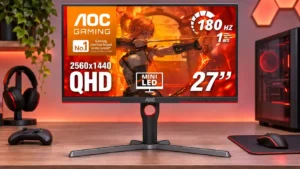
Other features
Accessory compatibility
AOC Q27G3XMNNo score yet
MSI MAG 274QPF X30MV
5.0
Standard 100×100 mounting makes third-party monitor arms practical, and fitting an Ergotron arm was straightforward.
Aspect ratio
AOC Q27G3XMN
2.0
Some HDMI users report difficulty getting full-height 4:3 output at certain legacy resolutions, with smaller windowboxed images instead.
MSI MAG 274QPF X30MVNo score yet
Backlight strobing
AOC Q27G3XMNNo score yet
MSI MAG 274QPF X30MV
2.0
MPRT makes tracked motion sharper but locks brightness, disables VRR and may introduce discomfort or strobe artifacts. It is a situational option rather than an unrestricted upgrade.
Blooming control
AOC Q27G3XMNNo score yet
MSI MAG 274QPF X30MV
2.9
Haloing is noticeably less pronounced than on some IPS Mini-LED monitors, especially in easier scenes, but bright objects and complex patterns can still produce visible glow.
Cable management
AOC Q27G3XMN
4.0
A cutout through the stand helps route connections neatly and keeps cables from dangling across the desk.
MSI MAG 274QPF X30MVNo score yet
Desk footprint
AOC Q27G3XMN
2.5
The wide stand gives the screen a steady base but reaches far back on the desk; shallower workspaces may feel cramped.
MSI MAG 274QPF X30MVNo score yet
Documentation quality
AOC Q27G3XMN
3.5
Setup materials and included guides are helpful, but factory calibration reporting has also been criticized as confusing or inaccurate.
MSI MAG 274QPF X30MVNo score yet
GPU demands
AOC Q27G3XMNNo score yet
MSI MAG 274QPF X30MV
3.7
QHD is less demanding than 4K, but actually taking advantage of 300Hz in fast games still requires strong enough PC hardware and settings.
HDR highlight detail
AOC Q27G3XMNNo score yet
MSI MAG 274QPF X30MV
3.0
Highlights can look exceptionally bright and punchy, but aggressive dimming can suppress small highlights while some tone curves blow out fine bright details.
Heat management
AOC Q27G3XMN
4.0
It runs without a cooling fan and can throttle extreme sustained white HDR output to protect against heat, without disrupting typical gaming use.
MSI MAG 274QPF X30MVNo score yet
Packaging presentation
AOC Q27G3XMNNo score yet
MSI MAG 274QPF X30MV
4.0
Sturdy protective inserts secure the screen well, even if the outer packaging is fairly plain.
Photo editing
AOC Q27G3XMNNo score yet
MSI MAG 274QPF X30MV
2.7
The wide Adobe RGB coverage is useful for photography, but color precision benefits from calibration and turning off local dimming.
Portability and weight
AOC Q27G3XMN
4.0
Despite being fairly substantial, the display is manageable to set up and reposition; it is not a lightweight travel screen.
MSI MAG 274QPF X30MVNo score yet
Power efficiency
AOC Q27G3XMN
3.0
Power use is typical rather than exceptional, and one comparative measurement finds it somewhat less efficient than rival Mini LED designs.
MSI MAG 274QPF X30MVNo score yet
Retail availability
AOC Q27G3XMN
1.8
Stock and regional distribution have been inconsistent, so buyers may encounter shortages or substantially different prices.
MSI MAG 274QPF X30MVNo score yet
Scanline artifacts
AOC Q27G3XMN
2.5
Faint horizontal banding can appear in particular colors at the highest refresh rate; lowering it toward 144Hz reduces the visibility.
MSI MAG 274QPF X30MVNo score yet
SDR/HDR mode switching
AOC Q27G3XMN
4.3
Automatic transitions between SDR and HDR can preserve separate preferred settings, reducing the need for repeat configuration.
MSI MAG 274QPF X30MVNo score yet
Sleep and wake behavior
AOC Q27G3XMN
2.0
Switching the screen off can disconnect it from Windows and rearrange open windows on another monitor, an annoyance in multi-display desks.
MSI MAG 274QPF X30MVNo score yet
Stand stability
AOC Q27G3XMNNo score yet
MSI MAG 274QPF X30MV
4.0
The base feels stable to one tester, though another observed mild screen wobble when pressing the controls.
Video cadence compatibility
AOC Q27G3XMNNo score yet
MSI MAG 274QPF X30MV
2.0
Missing support for some 4K 24Hz and 50Hz signals may limit video playback from certain console sources.
Controls and connectivity
Color calibration controls
AOC Q27G3XMNNo score yet
MSI MAG 274QPF X30MV
2.3
Multiple color-space modes and user adjustments offer useful flexibility, but HDR white balance is locked and some preset calibrations are inaccurate.
HDR tone mapping accuracy
AOC Q27G3XMNNo score yet
MSI MAG 274QPF X30MV
2.3
HDR tone tracking is acceptable in some modes but can lift midtones, shift color temperature or clip bright detail depending on the scene.
Software and driver support
AOC Q27G3XMN
1.0
Third-party brightness-control tools are reported as unreliable over DisplayPort, with commands sometimes ignored and no easy software fix.
MSI MAG 274QPF X30MVNo score yet
Ownership and support
Dolby Vision support
AOC Q27G3XMNNo score yet
MSI MAG 274QPF X30MV
2.0
Xbox users must rely on supported HDR10 modes rather than Dolby Vision.
Reliability over time
AOC Q27G3XMN
4.0
The construction is described as durable and dependable for a budget model, although longer ownership reports also raise firmware and unit-variation concerns.
MSI MAG 274QPF X30MVNo score yet
Warranty and support service
AOC Q27G3XMNNo score yet
MSI MAG 274QPF X30MV
5.0
The three-year manufacturer warranty is regarded as a reassuring advantage for this class.
Tracking and training
Gamma tracking
AOC Q27G3XMNNo score yet
MSI MAG 274QPF X30MV
2.5
Gamma is generally reasonable with local dimming off, but darker scenes and aggressive dimming can shift it enough to affect accuracy.
Performance
Listing accuracy
AOC Q27G3XMN
2.0
The advertised 1ms response figure is an idealized specification rather than representative behavior across all pixel transitions and settings.
MSI MAG 274QPF X30MVNo score yet
Operating noise
AOC Q27G3XMN
1.0
At least one detailed long-term account reports audible coil whine at certain brightness settings, with another tested unit behaving differently.
MSI MAG 274QPF X30MVNo score yet