Best for DPI customization
Logitech MX Master 3S
5.0 attribute score
Highest scored product for this attribute based on supporting review evidence.

Highest scored product for this attribute based on supporting review evidence.
Balances the attribute score, supporting reviews, and overall product strength.
Has the broadest review evidence for this attribute.
Strongest overall product among items with scored evidence for this attribute.
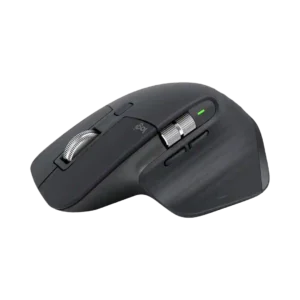
Fine sensitivity adjustment is a useful strength for matching the mouse to different displays, workloads, and personal pointer-speed preferences.
Pros: click noise, ergonomic design
Cons: gaming suitability, handedness options
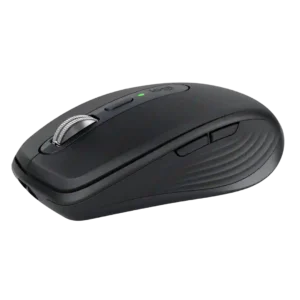
DPI can be tuned precisely in Logi Options+, but changing it is less convenient than on mice with a dedicated hardware selector. Users who switch sensitivity often can find the...
Pros: portability, click noise
Cons: hand size compatibility, dongle-free setup
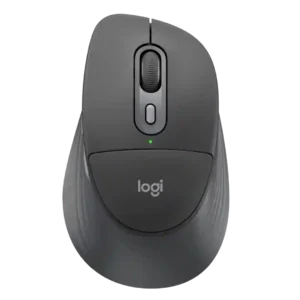
DPI control is inconsistent: one reviewer criticized the lack of sensor-DPI adjustment in Logi Options+, while another liked the two selectable DPI levels.
Pros: ergonomic design, hand support
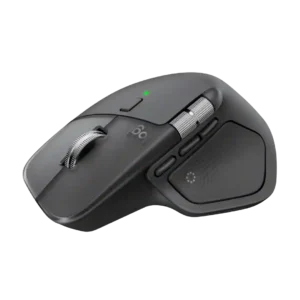
Pointer sensitivity can be tuned broadly in Options+, including fine DPI steps and workflow-specific settings. Reviewers value the ability to dial in precision for editing.
Pros: productivity performance, materials quality
Cons: haptic controls, gaming suitability
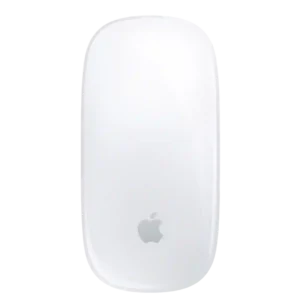
There are no true DPI stages or adjustable sensor-resolution controls, limiting tuning for enthusiasts and gaming-oriented users.
Pros: gesture controls, productivity performance
Cons: charging convenience, ergonomic design