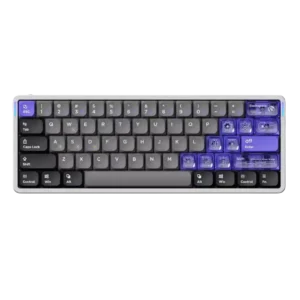
Software quality was one of the most consistently praised attributes, with reviewers liking the web app, stability, clean UI, and broad controls.
Pros: frame rigidity, rapid trigger support
Cons: switch options, legend visibility

Showing Gaming Products only. Switch back to all Gaming Keyboards anytime.
Software quality was one of the most consistently praised attributes, with reviewers liking the web app, stability, clean UI, and broad controls.
Pros: frame rigidity, rapid trigger support
Cons: switch options, legend visibility

Software quality was broadly praised as smooth, intuitive, easy, web-based, slick, and useful for actuation and remapping.
Pros: build quality, extra gaming features
Cons: switch options, hot-swappable switches

Software quality was mostly praised for power, web-based convenience, and ease of use, with one review noting confusing programming and another noting a small bug.
Pros: cable quality, typing comfort
Cons: portability, switch options

Software quality was mostly praised for a web-based Launcher that avoids bulky apps, though some reviewers found it less polished than competitors or dependent on USB/web access.
Pros: wrist rest quality, onboard memory
Cons: per-key lighting control, switch options
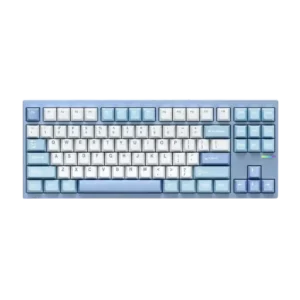
Software quality was mostly praised for VIA, QMK, and the dedicated MCHOSE software, with caveats around VIA being basic and RGB customization sometimes clunky.
Pros: value for money, customization options
Cons: cable quality, portability

Software feedback was mostly positive for iCUE’s options and ease, but reviewers also cited limited dial control, hardware-profile limits, and occasional dependence on software.
Pros: latency, durability
Cons: legend visibility, rapid trigger support

Software was mostly praised for depth and polish, especially G Hub and KEYCONTROL, though some reviewers found it dense, difficult, or resource-heavy.
Pros: latency, wireless performance
Cons: rapid trigger support, ease of switch replacement

Software quality was generally positive, with iCUE praised for depth and control, though some reviewers found it confusing, heavy, or occasionally frustrating.
Pros: per-key lighting control, key responsiveness
Cons: ease of switch replacement, battery life

Software quality is mixed-positive: many praised Keychron Launcher as powerful, easy, and lightweight, while others reported messiness, confusing setup, or wired-only limitations.
Pros: key stability, frame rigidity
Cons: profile management, reliability

Software quality was mixed: GG offered deep, useful tools, but several reviewers called it cluttered, bloated, or inconsistent.
Pros: key responsiveness, durability
Cons: passthrough features, analog input support
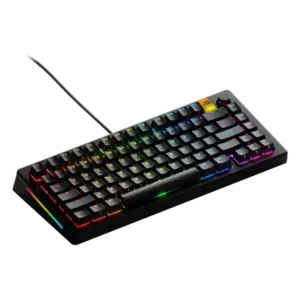
Software quality was highly mixed: some found Core easy or lightweight, while others reported unintuitive controls, bugs, or polling/profile issues.
Pros: RGB lighting quality, layout options
Cons: frame rigidity, value for money

Software quality was highly mixed: some reviewers liked G Hub's interface and power, while others called it awful, convoluted, unintuitive, or limited.
Pros: stabilizer quality, latency
Cons: ease of switch replacement, hot-swappable switches
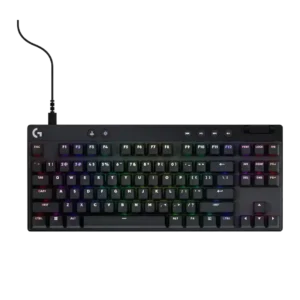
Software quality is polarizing: G Hub can be powerful and polished, but also mediocre, tedious, buggy, or unintuitive depending on reviewer and version.
Pros: durability, per-key lighting control
Cons: noise level, sound dampening

Software quality was the most inconsistent area, ranging from easy and useful to unreliable, janky, basic, or feature-light.
Pros: key stability, backlight brightness
Cons: rapid trigger support, wrist rest quality
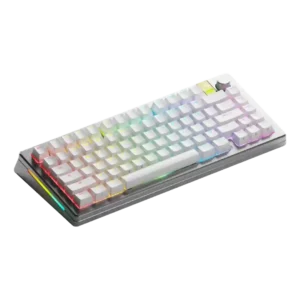
Software quality was divided: some reviewers found Core easy or improved, while others hit crashes, bugs, barebones design, or awkward layout.
Pros: materials quality, customization options
Cons: reliability, actuation consistency

Software quality is divisive: some reviewers find NGENUITY easy or even great, while many call it basic, limited, buggy, or frustrating.
Pros: compatibility, legend visibility
Cons: wrist rest quality, cable quality

Software quality is the weakest repeated theme; Armoury Crate is called bloated, frustrating, difficult, or mixed despite offering useful controls.
Pros: reliability, typing comfort
Cons: cable quality, wrist rest quality
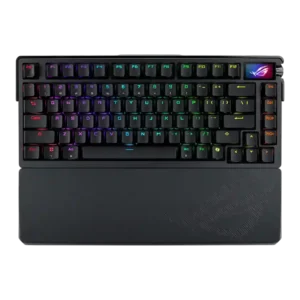
Software quality was a repeated concern; Armoury Crate was described as slow, frustrating, poorly laid out, or a least-favorite peripheral app.
Pros: key spacing, reliability
Cons: rapid trigger support, analog input support
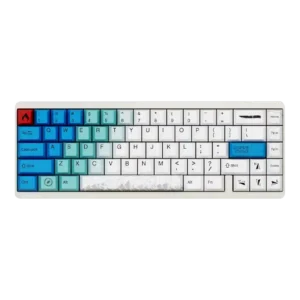
Software quality was the clearest weakness, ranging from merely early and improvable to janky, confusing, crashing, and very frustrating.
Pros: durability, key responsiveness
Cons: reliability, RGB customization