
Side buttons were widely praised for better spacing, tactile response, and easier identification in fast gameplay.
Pros: Accuracy and tracking precision, sensor performance
Cons: onboard memory, handedness options

Showing Electronics only. Switch back to all Gaming Mice anytime.
Side buttons were widely praised for better spacing, tactile response, and easier identification in fast gameplay.
Pros: Accuracy and tracking precision, sensor performance
Cons: onboard memory, handedness options

Side buttons were broadly praised for placement, crispness, accessibility, and reduced accidental presses.
Pros: acceleration control, wireless latency
Cons: onboard memory, MMO gaming suitability

Side button quality was widely praised for tactile actuation, force, placement, and adjustability, with a few concerns about learning curve or jitter.
Pros: click latency, macro support
Cons: firmware reliability, tilt gesture controls

Side buttons were mostly well received for access and precision, with some notes that they were louder or more traditional than the mains.
Pros: wireless latency, surface compatibility
Cons: RGB features, firmware reliability

Side button feedback was polarized, with strong praise from some reviewers and a budget-feeling complaint from another.
Pros: 2.4GHz connectivity, surface compatibility
Cons: click noise, software stability

Side buttons were generally accessible and comfortable, though one reviewer wanted larger D3 side buttons.
Pros: glide smoothness, sensor performance
Cons: grip texture, firmware reliability

Side button quality was context-dependent, with praise for tactile feedback and convenient placement but a left-hand usability complaint.
Pros: onboard memory, software stability
Cons: handedness options
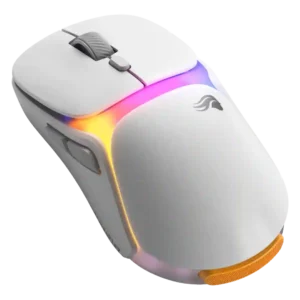
Side buttons divided reviewers, ranging from underwhelming low tension to very good placement and feel.
Pros: battery life, programmable buttons
Cons: software stability, firmware reliability

Side button quality was mixed: some reviewers liked the feel, bounce, and feedback, while another criticized rigid, cheap-feeling plastic.
Pros: motion consistency, wireless latency
Cons: palm grip comfort, software stability

Side buttons were useful and tactile for some reviewers, but their smaller size and third-button placement created strain or mis-click concerns for others.
Pros: ecosystem integration, sensor performance
Cons: AI Prompt Master, durability over time
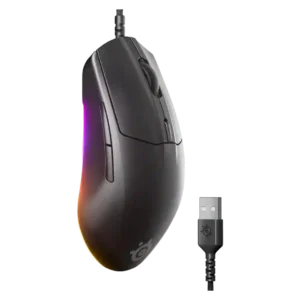
Side button quality was mixed, ranging from thin and less premium to easily accessible and functional.
Pros: connection stability, left and right click quality
Cons: palm grip comfort, profile switching
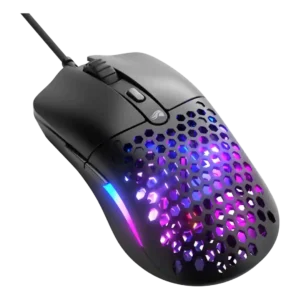
Side button quality was divisive: one reviewer strongly criticized size and misclicks, while others found the buttons large or convenient.
Pros: value for money, click latency
Cons: water and dust resistance, cable flexibility
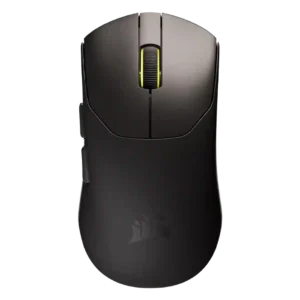
Side buttons were the most common button-quality complaint, with repeated notes about extra travel, mushiness, or buttons sinking into the shell despite some positive placement feedback.
Pros: connection stability, weight
Cons: click latency, cable flexibility
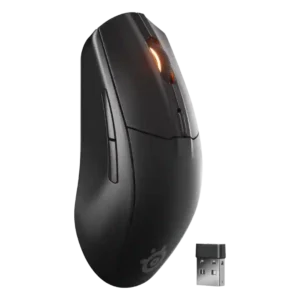
Side buttons were the most repeated control complaint, often described as thin, finicky, hard to hit, or easy to mis-click, though one reviewer found them improved.
Pros: build quality, ergonomic design
Cons: handedness options, RGB features
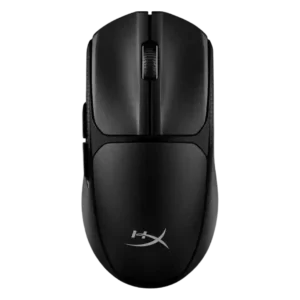
Side buttons were a major complaint in the one detailed negative review, which found them uncomfortable, stiff, and poorly suited to quick reactions.
Pros: wireless latency, Accuracy and tracking precision
Cons: side button quality, materials quality