Best for On-device controls
Marshall Bromley 450
5.0 feature score
Highest scored product for this feature based on supporting review evidence.

Highest scored product for this feature based on supporting review evidence.
Balances feature score, supporting reviews, and overall product strength.
Has the broadest review evidence for this feature.
Strongest overall product among items with scored evidence for this feature.
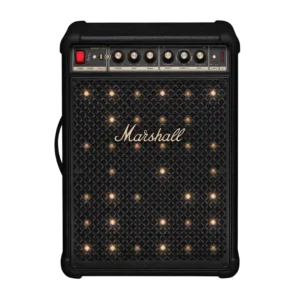
The physical controls are a major strength, with clear source selection and dedicated knobs for volume, tone, instruments, and effects. They are quicker and more satisfying than relying on the...
Pros: Stereo imaging accuracy, Multi-speaker pairing reliability
Cons: Remote control usability, Bluetooth codec support

Core controls are consistently considered intuitive, tactile, and easy to reach, including volume, playback, pairing, Auracast, and bass modes. The physical layout reduces the need to open the app for...
Pros: Loudness / maximum volume, Multi-speaker pairing reliability
Cons: Speakerphone quality, Smart assistant integration (Alexa
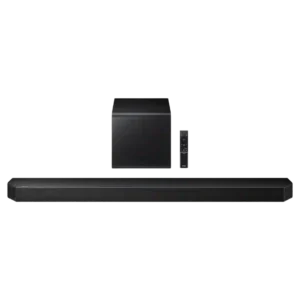
Physical controls on the bar are simple, accessible, and useful for quick adjustments without reaching for the remote.
Pros: Loudness / maximum volume, Voice clarity
Cons: Customer support, Reliability
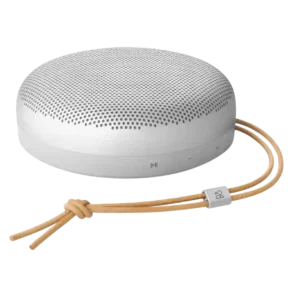
On-device controls were praised as nice and clicky in direct use.
Pros: Multi-speaker pairing reliability, Handle or strap quality
Cons: Wi-Fi streaming reliability, AirPlay compatibility

Physical controls on the main bar and detachable speakers are effective and provide a useful fallback to app control.
Pros: Stereo imaging accuracy, Voice clarity
Cons: HDMI 2.1 gaming, Gaming HDMI passthrough

On-device playback controls are praised as working perfectly.
Pros: Dust resistance rating, Low-volume performance
Cons: Speakerphone quality, Backwards compatibility

The physical buttons are simple and easy to use for quick volume and playback adjustments when the remote or app is not at hand.
Pros: Distortion at high volume, Bluetooth range
Cons: Spotify Connect reliability, Lighting effects

On-device controls received limited but strong praise, with one review calling the top touch controls a joy to use.
Pros: Dynamic headroom, On-device controls
Cons: Video passthrough support, Bluetooth connectivity
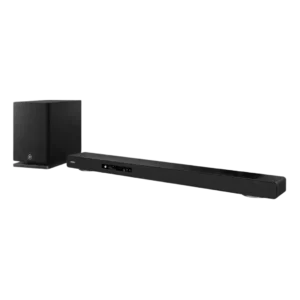
Physical controls are responsive and provide useful tactile feedback for quick operation. They complement the remote and on-screen interface rather than forcing app-only control.
Pros: Distortion at high volume, Wi-Fi streaming reliability
Cons: Included HDMI cable, AI Room Calibration
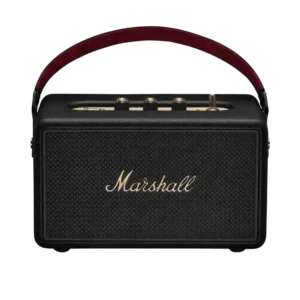
On-device controls are one of the most praised usability features, especially the tactile knobs, playback toggle, power switch, and direct adjustments without relying on the app.
Pros: Voice clarity, Bluetooth range
Cons: Multi-speaker pairing reliability, Inter-speaker connectivity

On-device controls were praised as complete and reliable, including direct buttons and touch controls that worked perfectly.
Pros: Price / value for money, On-device controls
Cons: Power bank function, Wired input

The top-panel controls are tactile, clearly labeled and intuitive, giving useful access to core functions without opening the app.
Pros: Voice clarity, HDMI ARC
Cons: Gaming HDMI passthrough, Video passthrough support
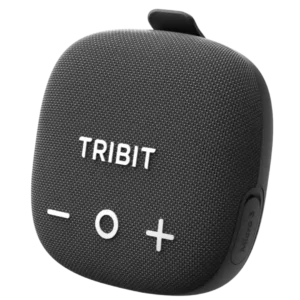
On-device controls were praised for covering core playback, Bluetooth, XBass, and TWS functions without always needing the app.
Pros: Stereo imaging accuracy, Setup simplicity
Cons: Wired input, Backwards compatibility

On-device controls were a clear strength, especially the Marshall joystick for playback, volume, and track changes.
Pros: Status indicators, Bluetooth connectivity
Cons: Wired input, Power bank function

The side volume knob and buttons are convenient, responsive, and cover the essentials. Their labels can be hard to see when the bar sits low beneath a screen.
Pros: Bluetooth range, optical
Cons: Home theater integration, Headphone output quality

On-device controls cover the essentials and add convenience alongside the remote, app, and voice options. The only real concern is the feel of touch-sensitive buttons.
Pros: On-device controls, Dynamic headroom
Cons: Multi-speaker pairing reliability, Inter-speaker connectivity
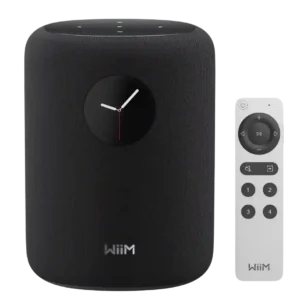
The circular touchscreen is more useful than it first appears, giving quick access to playback, sources, presets, EQ, artwork, and settings. A few caveats remain around screen size, placement height,...
Pros: Subwoofer, Spotify Connect reliability
Cons: AirPlay compatibility, Bluetooth connection stability

The physical playback, volume, Bluetooth, and Auracast controls are straightforward and dependable. Familiar JBL layouts help returning users operate it immediately.
Pros: Google, Latency with TV (lip sync)
Cons: Charging cable inclusion, Chromecast compatibility
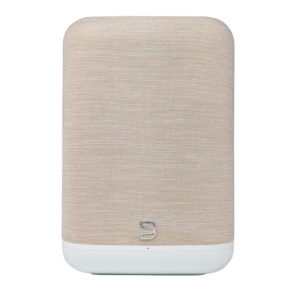
Physical playback controls and programmable presets are genuinely useful day to day, reducing how often a phone needs to come out.
Pros: Multi-speaker pairing reliability, AirPlay compatibility
Cons: Chromecast compatibility, Google

Physical controls are a standout usability feature, letting users handle playback, volume, bass, and treble without opening the app. Reviewers repeatedly described the layout as intuitive and convenient.
Pros: Voice clarity, Dust resistance rating
Cons: Power reliability, Latency with TV (lip sync)

Physical controls were easy to understand and useful for quick speaker, light, and karaoke adjustments without relying entirely on the app.
Pros: Latency with TV (lip sync), Setup simplicity
Cons: Multi-speaker pairing reliability, Audio format support

On-device controls were praised as simple, obvious, and satisfying, especially the large volume buttons and straightforward playback controls.
Pros: Google, Dust resistance rating
Cons: Wired input, Remote control usability
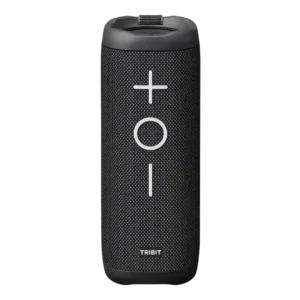
Physical controls were a highlight, with reviewers praising simple, large, visible, and easy-to-use buttons.
Pros: Cohesive presentation, Stereo imaging accuracy
Cons: Surround sound simulation, App reliability

On-device controls were praised as simple, big, and easy to use.
Pros: Bluetooth range, App reliability
Cons: Bluetooth codec support, Omnidirectional sound

The top-edge controls are easy to follow, supporting straightforward on-device operation.
Pros: Wired input, Latency with TV (lip sync)
Cons: Dust resistance rating, Water resistance rating
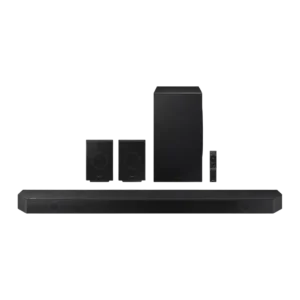
On-device controls received positive but limited evidence as useful when the remote is unavailable.
Pros: Soundstage height, Surround sound simulation
Cons: Chromecast compatibility, Google

On-device controls were praised in one review for working well directly on the unit.
Pros: Multi-speaker pairing reliability, Voice recognition accuracy
Cons: Bluetooth connectivity, Video passthrough support
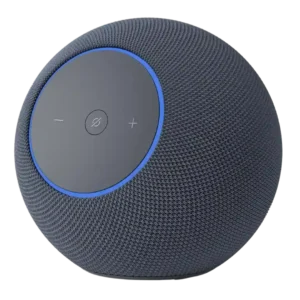
The angled front buttons are easy to reach and clearer than the old Studio's controls, while top tapping adds quick playback actions. The basic physical layout is simple even for...
Pros: Remote control usability, Detail retrieval
Cons: Battery life (if portable), Spotify Connect reliability
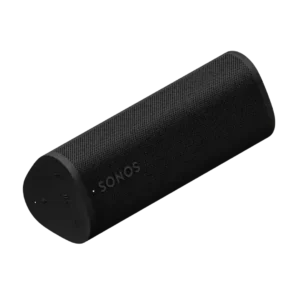
On-device controls were praised for tactile playback, volume and grouping functions, especially because they remain usable around water or without relying on the app.
Pros: Voice assistant responsiveness, Wi-Fi streaming reliability
Cons: Wired input, Float capability

Physical controls are straightforward and convenient for volume, input, playback, and switching speaker modes. They reduce dependence on the app for basic operation.
Pros: Chromecast compatibility, Spotify Connect reliability
Cons: Rear speaker cable length, Gaming HDMI passthrough
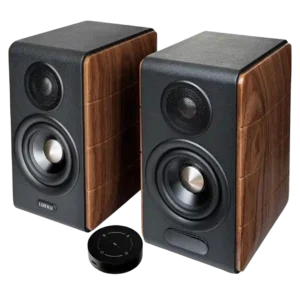
The physical volume, bass, and treble knobs feel precise and useful, and they provide a welcome escape from the touch remote. Their rear placement can make daily access awkward.
Pros: Loudness / maximum volume, Dialogue clarity (for TV/soundbar use)
Cons: AirPlay compatibility, Spotify Connect reliability
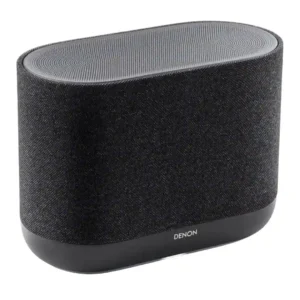
Physical controls are practical and generally well received, with side buttons for playback, volume, presets, Bluetooth, and voice-related functions. They make the speaker easier to use without digging through HEOS...
Pros: Dialogue clarity (for TV/soundbar use), Setup simplicity
Cons: Battery life (if portable), Water resistance rating

On-device controls are generally easy and intuitive, though one review criticizes missing previous/next track control.
Pros: Setup simplicity, Latency with TV (lip sync)
Cons: Speakerphone quality, Microphone

On-device controls are viewed positively, with easy-to-use playback controls and added track-skip behavior noted.
Pros: Google, Dust resistance rating
Cons: Backwards compatibility, Stereo imaging accuracy
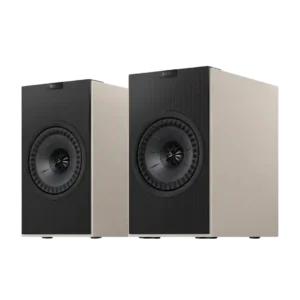
On-device controls are convenient and responsive, especially for power, volume, and source changes without opening the app. The main annoyance is that source selection on the speaker often cycles in...
Pros: Dialogue clarity (for TV/soundbar use), Control button responsiveness
Cons: Status indicators, Cable management

On-device controls were mostly praised for responsiveness and convenience, but visibility outdoors drew one criticism.
Pros: Latency with TV (lip sync), Wi-Fi streaming reliability
Cons: Chromecast compatibility, Google

On-device controls were praised because key functions could be accessed manually without relying on the app.
Pros: Setup simplicity, Water resistance rating
Cons: Smart assistant integration (Alexa, Microphone
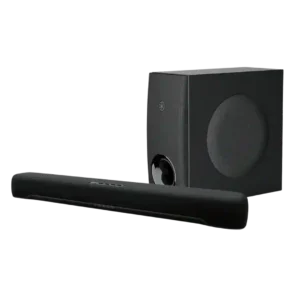
On-device and overall control options are considered clear and convenient where reviewers judged them.
Pros: Inter-speaker connectivity, Stereo imaging accuracy
Cons: Status indicators, Distortion at high volume
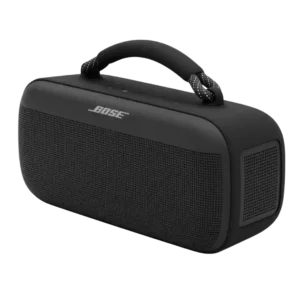
On-device controls were generally good, with praise for responsiveness and positive feel, though one reviewer missed backlighting.
Pros: Dust resistance rating, Low-volume performance
Cons: Charging time, Microphone

On-device controls are adequate-to-strong, with tactile/easy controls in positive reviews and only a mild complaint about button selection.
Pros: Setup simplicity, Bluetooth connection stability
Cons: Wired input, Power bank function
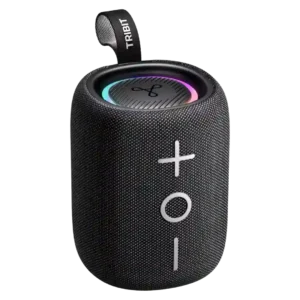
On-device controls were praised as tactile, easy to use, and logically arranged.
Pros: Multi-speaker pairing reliability, Drop resistance durability
Cons: Multipoint connectivity, Smart features
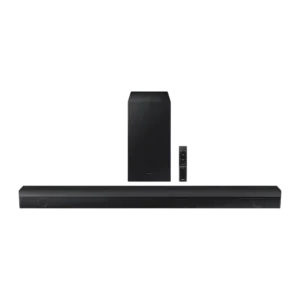
On-device controls were considered basic but useful and cleanly implemented.
Pros: Bluetooth connection stability, Value for money
Cons: Smart assistant integration (Alexa, Video passthrough support
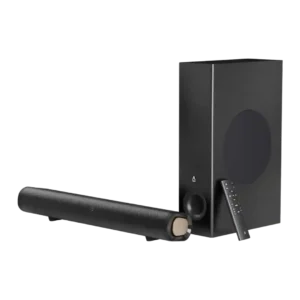
On-device controls are useful as backup basics, with reviewers appreciating physical buttons, though fuller control still depends on the remote.
Pros: Setup simplicity, Weight convenience
Cons: Smart features, Rear speaker cable length

On-bar controls range from intuitive and nicely backlit to frustratingly hidden in horizontal placement. Physical usability depends heavily on orientation.
Pros: Multi-speaker pairing reliability, Wi-Fi streaming reliability
Cons: Gaming HDMI passthrough, HDMI 2.1 gaming
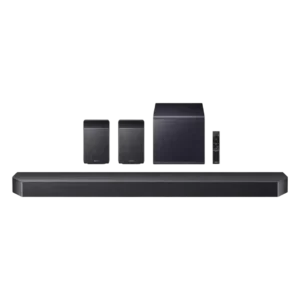
On-device controls are useful and accessible, though the strongest control praise tends to shift toward the app.
Pros: Multi-speaker pairing reliability, Gaming HDMI passthrough
Cons: Google, Cabinet construction / bracing
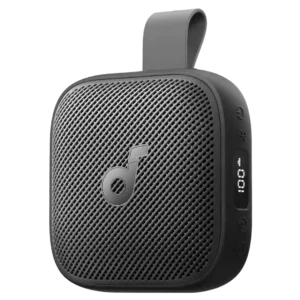
On-device controls were considered adequate to strong, especially when they let the user manage music or lights without pulling out a phone.
Pros: Smart features, Lighting effects
Cons: Speakerphone quality, Microphone
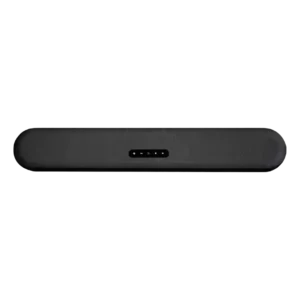
On-device controls are minimal but functional. Reviewers note the clean touch layout, while most deeper control still happens in the BluOS app.
Pros: Distortion at high volume, Loudness / maximum volume
Cons: Chromecast compatibility, Google
On-device controls received limited but positive evidence, with one reviewer calling the touch controls nice.
Pros: Distortion at high volume, Voice clarity
Cons: Spotify Connect reliability, Chromecast compatibility

On-device controls are praised in one review, which says Bose improved the physical button interface.
Pros: Everyday usability, Bluetooth range
Cons: LED lighting effects, Lighting effects

On-device controls are praised in limited evidence for looking elegant and integrating well with the speaker surface.
Pros: AirPlay compatibility, Chromecast compatibility
Cons: Spotify Connect reliability, Status indicators