
If you want better Accidental button activation
Choose Razer Basilisk V3. It scores 5.0 vs 1.0 for Accidental button activation, with a 4.5 overall score.

The Prime combines quick, precise tracking with crisp optical-magnetic clicks and a comfortable lightweight shell. Its limited buttons and awkward underside DPI switch make it less versatile, but discounts make it excellent value.
FPS and competitive PC gamers, particularly right-handed players with medium or larger hands, who prioritize accurate aiming and simple controls. Budget-conscious buyers can benefit especially when it is discounted.
Left-handed players, MMO or RTS players who need many shortcuts, and users in noise-sensitive shared spaces may prefer another mouse.
The SteelSeries Prime is a focused wired gaming mouse that makes the strongest case for itself in fast-paced shooters. Its lightweight, solid shell, accurate tracking and distinctive optical-magnetic clicks give it a responsive, satisfying feel. The sculpted right-handed shape generally suits medium and larger hands, although the tall rear hump and slippery finish can frustrate some users. Most testers appreciate the flexible detachable cable, but the older Micro-USB connection and stock feet trail some alternatives. The biggest compromise is the basic button layout: changing sensitivity requires reaching underneath the mouse, and input-heavy games or productivity workflows may benefit from more controls. Click noise and inconsistent impressions of lift-off distance are additional caveats. At a substantial discount, it is an excellent straightforward FPS option; at the original asking price, its missing conveniences are harder to overlook.
Compared with other Gaming Mice, this product is above average in macOS compatibility, hand size compatibility, reliability, near average in grip texture, Accuracy and tracking precision, below average in Accidental button activation, plug-and-play support, setup ease.
| Attribute | This product | Category average | Difference |
|---|---|---|---|
| Accidental button activation | 1.0 | 4.1 | -3.1 |
| plug-and-play support | 2.0 | 5.0 | -3.0 |
| setup ease | 2.0 | 4.5 | -2.5 |
| free-spin scrolling | 2.0 | 4.2 | -2.2 |
| Dedicated DPI switch | 2.0 | 3.7 | -1.7 |
| Included accessories | 2.0 | 3.8 | -1.8 |
| macOS compatibility | 4.0 | 2.4 | +1.7 |
| accessory compatibility | 2.0 | 3.6 | -1.6 |
Choose Razer Basilisk V3. It scores 5.0 vs 1.0 for Accidental button activation, with a 4.5 overall score.
Choose Keychron M3 Mini. It scores 5.0 vs 2.0 for plug-and-play support, with a 4.0 overall score.
Choose Logitech G305 Lightspeed. It scores 4.8 vs 2.0 for setup ease, with a 4.3 overall score.
Choose Razer Naga V3 Pro. It scores 5.0 vs 2.0 for Connectivity versatility, with a 4.2 overall score.
Compared with SteelSeries Prime
Yes. Its low weight, fast clicks and accurate sensor make aiming and quick movements particularly effective.
The dedicated CPI/DPI button sits underneath the mouse, so it is awkward to use mid-game. SteelSeries GG lets you customize sensitivity presets.
Some testers find the shape versatile, but the larger shell generally suits medium and large hands better. The Prime Mini is a more compact alternative.
The optical-magnetic switches have crisp, satisfying clicks, but several testers find them noticeably loud.
It can work in Xbox games that support keyboard and mouse input. There is no console version of the GG customization software, so configuring it on PC first is helpful.
Yes, particularly if you want simple, dependable FPS performance. The original price is less attractive if extra buttons or wireless connectivity matter.
These are a few of the reviews included in our analysis.



The best wired mouse we've tested is the Logitech G502 X, a versatile pick that combines comfort, high-end gaming performance, and...
The SteelSeries Aerox 3 Wireless Gen 2 is the best SteelSeries mouse for most people, with a lightweight design for FPS gaming.
LanOC benchmarks and tests today's latest Mice, Keyboards, mousepads, and other input devices
Steelseries is a brand that I've admired for quite some time. Known for making excellent quality products such as the Arctis Pro range of...
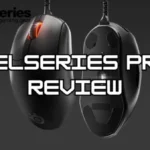
Can Buy -- the SteelSeries Prime Gaming Mouse strips away most of the frills to deliver a solid performance at an affordable price point.

Choose the ROG Harpe II Ace for ultralight FPS play, precise tracking, smooth glide, and web-based tuning. Skip it if you need palm-grip support, MMO buttons, onboard profiles, or long...
Pros: glide smoothness, weight
Cons: handedness options

Excellent tracking, comfortable right-handed ergonomics and a versatile scroll wheel make the Basilisk V3 a strong gaming and productivity mouse. Its substantial weight, fixed cable and sometimes over-sensitive automatic scrolling...
Pros: scroll wheel quality, RGB features
Cons: weight, handedness options

The L7 Pro delivers remarkably light handling, precise aiming and a grippy shell at a budget price. Stock skates are less impressive, and conflicting click-latency measurements warrant caution for latency-sensitive...
Pros: value for money, weight
Cons: wired connectivity

Best for ultra-light, competition-focused speed, precise tracking, stable wireless, and long battery life. Skip it if you need quieter clicks, left-handed support, Bluetooth, more buttons, or better value for casual...
Pros: value for money, weight
Cons: click noise, RGB features