
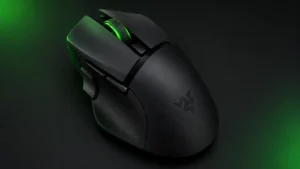
Razer Basilisk V3 X HyperSpeed Feature Scores
Overall Scorata score: 4.2/5
Based on 15 analyzed reviews · View source samples
Explore all 114 feature scores for Razer Basilisk V3 X HyperSpeed, organized into pros and cons.
Scores by Feature
Summary
114 reviewed features-
Very positive 4.5-5.073 (64%)
-
Positive 3.5-4.428 (25%)
-
Neutral 2.5-3.45 (4%)
-
Negative 1.5-2.48 (7%)
Pros
Sort
-
The sculpted form is widely liked for its natural feel, although fit varies with hand size.
-
Nine programmable controls and a secondary Hypershift layer offer considerable command flexibility.
-
The contoured right-handed design and thumb rest make it a comfortable all-round mouse.
-
Remapping buttons and assigning secondary actions makes it easy to tailor controls to different games and tasks.
-
The textured sides and sculpted rest provide a secure, comfortable grip for many users.
-
Bluetooth and low-latency receiver modes provide flexibility for gaming, travel and desktop work.
-
The nine controls are generous for a general gaming mouse, particularly when using secondary assignments.
-
The 18K sensor performs convincingly in games despite not being Razer’s highest-end option.
-
Mechanical switches have a satisfying, tactile click that some prefer to older optical switches.
-
The sensor, low-latency connection and configurable controls deliver capable gaming performance, despite the weight disadvantage.
-
Comfort, responsive wireless and extensive controls make the price appealing despite missing premium extras.
-
Tracking is accurate enough for precise target acquisition and small corrections, with little jitter or skipping.
-
Main clicks are crisp, satisfying and consistent, with several users preferring the feel to older models.
-
The mechanical switches feel crisp and satisfying, even though some shoppers may prefer optical technology.
-
Receiver-mode movements and clicks respond promptly without perceptible lag in most testing.
-
The mouse is a capable all-round gaming option with accurate tracking and numerous commands, but is not ideal for weight-sensitive esports players.
-
Textured plastic and rubberized sides help the mouse stay secure in the hand.
-
HyperSpeed delivers low perceived delay and responsive cursor movement; Bluetooth is better reserved for less demanding tasks.
-
Wireless operation is responsive and versatile, with receiver mode especially effective for gaming.
-
The shell is generally solid and rattle-free, though one owner felt the removable cover shift while gaming.
-
The textured matte finish provides grip and avoids some of the oily feel of smoother plastics.
-
Battery installation and receiver or Bluetooth setup are generally simple, including easy access under the magnetic cover.
-
The extra thumb controls are appreciated for shortcuts, although reach depends on hand position.
-
Several testers found the connection stable without hitching, though some owners report occasional dropouts.
-
Customizable sensitivity stages and on-screen feedback make adjusting DPI practical.
-
Mechanical clicks are satisfyingly distinct and often considered pleasant, but they are not silent.
-
The 2.4 GHz receiver delivers smooth, responsive tracking for games and precise work.
-
Macros and secondary commands expand the available shortcuts for gaming and work.
-
Bluetooth adds useful laptop and travel flexibility, although its slower response makes it less appealing for competitive gaming.
-
Synapse offers extensive control mapping, profiles and lighting settings, though the need for additional apps can detract from the experience.
-
Buttons feel solid and responsive, with less rattling than the original X HyperSpeed.
-
A broad thumb rest supports the hand, but larger hands can find pinky support insufficient.
-
The notched wheel generally feels solid and scrolls smoothly, though some owners report wheel trouble.
-
The mouse earns favorable overall impressions for comfort, performance and useful controls, despite weight and power tradeoffs.
-
The illuminated scroll wheel adds a customizable accent, although the fully glowing wheel is not to everyone’s taste.
-
Wheel-only RGB is customizable and often considered attractive, although some prefer a less fully illuminated wheel.
-
A bottom switch makes moving between Bluetooth and the USB receiver straightforward.
-
Two connection modes make switching between a laptop and desktop practical.
-
Dual wireless modes, no charging cable and internal receiver storage make it easy to carry between computers.
-
Comfort, macros and accessible controls help with routine desktop work as well as games.
-
Simple battery access, connection selection and setup make everyday operation approachable.
-
The original X HyperSpeed gains better construction, switch ratings and an additional thumb button, though the upgrade is not dramatic for everyone.
-
Most hands-on experiences are dependable, although occasional connection issues and a loose-feeling cover are reported.
-
The sculpted shell and illuminated wheel look modern; opinions differ on how much of the wheel should glow.
-
The dongle can be stored inside the mouse, reducing the chance of losing it in a bag.
-
Thumb controls are generally easy to reach, although the forward sniper button can be awkward for some hands.
-
Bluetooth, reduced polling and idle lighting controls help stretch battery runtime.
-
Synapse makes remapping and profile setup straightforward for some, but the extra app requirements annoy others.
-
AA runtime can be excellent, especially on Bluetooth, but some users report substantially faster drain than expected.
-
Cursor movement is precise and predictable for targeting and detailed adjustments.
-
Sensor motion delay is low enough for snappy, accurate movements.
-
Accessible side buttons and customizable commands make MOBA controls convenient.
-
Adjustable polling lets owners prioritize smooth gaming response or battery conservation.
-
The replaceable AA cell offers quick swaps and lets users choose rechargeable cells, but requires keeping replacements handy.
-
Accurate tracking and low delay work well for shooters, but the substantial weight makes rapid flicks less effortless.
-
A relaxed claw grip benefits from the supportive shape and textured sides.
-
The DPI switch makes it easy to change sensitivity during games, with on-screen feedback helping users recover their preferred setting.
-
Middle clicks feel dependable and avoid the inconsistency one tester experienced on an older Basilisk.
-
The curved shell and thumb rest support a relaxed palm grip during longer sessions.
-
Receiver detection is straightforward and basic operation requires little setup.
-
The solid shell feels well made rather than cheap, even beside an older premium mouse.
-
The thumb rest and supportive contour help reduce hand strain during extended work or gaming.
-
The supportive shape suits extended use, although some users experience pinky or ring-finger discomfort after longer sessions.
-
The feet provide a generally smooth glide, although one tester preferred the lower resistance of the original model.
-
Skates generally glide smoothly, though one tester found the added resistance made the mouse feel heavier.
-
Compatible Razer receivers, synchronized lighting and cross-device shortcuts are useful for an existing Razer setup.
-
Textured plastic and rubber contact points feel grippy rather than cheap.
-
The additional programmable thumb buttons offer useful MMO shortcuts without a large dedicated keypad.
-
Configurable idle power and lighting settings help avoid wasting battery while away from the desk.
-
The switches are improved over the original X HyperSpeed, although optical alternatives offer greater expected longevity.
-
The solid body can feel well balanced rather than excessively heavy in a relaxed grip.
-
Clicks respond quickly and provide clear tactile feedback.
-
Mechanical clicks feel consistent during repeated inputs.
-
Click delay is remarkably low, helping actions register quickly.
-
Bluetooth pairing worked well with a MacBook and Steam Deck, although customization options vary by system.
-
Bluetooth paired successfully with a MacBook and Steam Deck, adding useful device flexibility.
-
The 18,000 DPI ceiling is more than enough for typical gaming sensitivity preferences.
-
Motion translates consistently without unexpected jitter.
-
Game-linked profiles make different control layouts easy to organize and launch.
-
Per-game profiles and visual DPI feedback make it easier to manage different control setups.
-
The wheel offers smooth and precise scrolling control.
-
The scroll wheel is quieter than the wired Basilisk V3.
-
Wheel movement offers precise control for scrolling and weapon switching.
-
Smooth, precise wheel operation helps when switching weapons or zooming in games.
-
The feet glide effectively across ordinary mousepads and desks.
-
A lighter battery or AAA adapter can trim some weight for users who find the stock setup heavy.
-
Many hands fit comfortably, but both small and large hands may encounter reach or width issues depending on grip.
-
The supportive shape and tracking help control dragging windows and similar desktop actions.
-
Synapse can restore settings across computers where the software is installed.
-
A rigid shell and consistent button tension inspire confidence in everyday durability, though long-term lifespan is uncertain.
-
The slightly rough plastic texture reduces the greasy feel associated with smoother shells.
-
Compatible HyperSpeed devices can share a receiver, reducing the need for separate dongles.
-
A 1,000 Hz polling setting is recommended for smooth movement without skipping.
-
Compatible HyperSpeed receivers can be shared with other supported Razer peripherals, which is helpful if a dongle is lost.
-
The rubber wheel texture helps users flick through pages easily.
-
Holding Hypershift while pressing another control provides a useful second command layer.
-
The mouse works as a basic Bluetooth or receiver-connected device on macOS, but Synapse customization is limited to Windows.
-
The recycled cardboard packaging is a welcome touch.
-
The black-and-silver presentation is attractive, with simple packaging and documentation.
-
The magnetic cover is easy to remove and can fit securely without rattling, but one owner felt it lift during play.
-
The added sniper control is useful for secondary commands, although some users find it difficult to reach quickly.
Cons
Sort
-
The sculpted design is intended for right-handed use and does not accommodate left-handed grips well.
-
Onboard profile storage is limited, and transferring customized settings between devices can be frustrating.
-
Extra commands require Synapse, and customization can involve additional apps or platform restrictions.
-
The wheel lacks the free-spin mode available on premium Basilisk models, a drawback for rapid document scrolling.
-
The absence of built-in recharging is inconvenient for some users, even though rechargeable AA cells are an option.
-
Left and right wheel tilt inputs are missing, reducing available shortcuts compared with higher-tier models.
-
Windows customization is extensive, but Mac users cannot use Synapse for this model and extra app installation can be frustrating.
-
There is no wired fallback when the battery runs out; wireless operation is the only option.
-
Console connectivity is possible via Bluetooth but compatibility is not guaranteed.
-
At roughly 110–115 grams with an AA cell, it feels substantial and stable to some but cumbersome to players accustomed to ultralight mice.
-
The taller shell can take some adjustment for owners coming from lower-profile mice.
-
The substantial sculpted shell feels appropriately sized to some users, though others find it too narrow or too bulky.
-
Quick battery swaps eliminate charging downtime, but owners who prefer plugging in find the lack of recharging inconvenient.
Use Cases
Best for
Sort
-
It tracks targets accurately and responds quickly, but its weight is a disadvantage for fast flick-heavy shooters.
-
The price makes sense for buyers who want a comfortable, capable wireless gaming mouse without paying for premium wheel and charging features.
-
Low-latency receiver operation, responsive tracking and programmable controls suit PC gaming.
-
Responsive receiver operation and flexible Bluetooth connectivity make it a strong wireless option without a charging cable.
-
Comfortable hand support, configurable shortcuts and responsive tracking make this a practical desktop work mouse.
-
Bluetooth and receiver flexibility make it convenient for laptop work away from the main desk.
-
Comfortable ergonomics, programmable controls and dual wireless modes make it a strong choice for alternating between work and gaming.
-
Bluetooth and a receiver compartment are handy on the road, and AA power removes the need to pack a charging cable.
-
A flexible button layout and profiles make it useful across different genres rather than just shooters.
-
The thumb rest and sculpted grip support longer play, although individual finger discomfort and weight can become noticeable.
-
The combination of comfort, configurable controls and wireless flexibility makes it practical for everyday use beyond gaming.
-
Receiver and Bluetooth modes make it practical to move between a desktop and laptop, although profile storage is limited.
-
The responsive sensor and comfortable shape work well for casual games, with Bluetooth also adequate for less demanding play.
-
The three side buttons offer accessible shortcuts for MOBA games.
-
The rubberized notched wheel makes repeated scrolling smooth and controlled.
-
Predictable tracking and responsive receiver operation suit precise desktop tasks and targeting.
-
The comfortable shape and smooth scrolling work well for routine browsing.
-
Secondary actions and the boss-key configuration can make routine shortcuts easy to trigger.
-
Extra thumb controls provide useful MMO shortcuts, though this is a general-purpose gaming mouse rather than a dedicated MMO keypad.
-
Smooth scrolling offers good control for navigating long pages, even without a free-spin wheel.
-
Extra programmable controls and comfortable support make it particularly appealing for RTS and other strategy games.
-
Remappable controls offer useful shortcuts for design tasks.
-
Programmable shortcuts make it useful for editing video alongside gaming.
-
Aim-training results came close to a lighter familiar mouse, with a small accuracy disadvantage.
Conditional or not ideal for
Sort
-
Competitive gamingLow-latency tracking supports competitive play, but weight-sensitive players and Bluetooth users face meaningful compromises.
-
Left-handed usersThe right-handed thumb rest and side-button layout make it a poor choice for left-handed users.
-
Large-handed usersLarger hands may find the shell narrow, particularly if the pinky hangs over the right edge.
-
Wired useIt is not suitable for users who need to plug in a cable for play, since there is no wired connection.
-
Console gamingConsole use is a conditional option because Bluetooth connectivity does not guarantee compatibility with a particular console.
-
Shared offices and librariesDistinct mechanical clicks may be distracting in noise-sensitive shared spaces.
-
Small-handed usersSmaller hands may struggle with the width or reach to some controls, depending on grip.