If you want better coating quality
Choose Razer Basilisk V3. It scores 4.7 vs 2.0 for coating quality, with a 4.5 overall score.

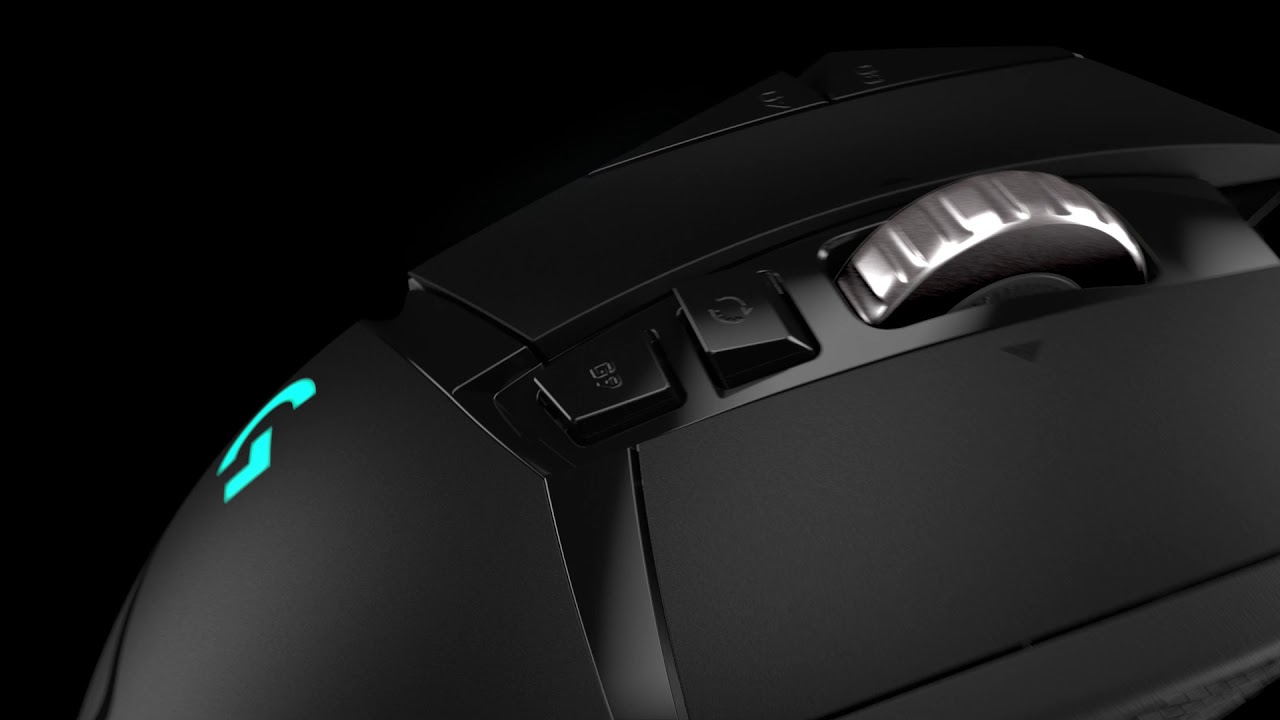
The G502 HERO delivers excellent tracking, plentiful shortcuts and a versatile dual-mode scroll wheel for gaming and work. Its heavy body and large, right-handed shape are less suited to rapid competitive flicks or small hands.
Budget-conscious right-handed gamers who enjoy a substantial palm-grip mouse, MMO shortcuts or a single mouse for gaming and desktop work will benefit most.
Small-handed or left-handed users, wireless-only buyers and low-sensitivity competitive players who frequently flick or lift their mouse should consider alternatives.
The Logitech G502 HERO remains a compelling wired gaming mouse for anyone who values customization over minimum weight. Its HERO sensor tracks accurately at speed, and the eleven programmable buttons make it useful for games, editing and everyday productivity. The free-spinning wheel is especially convenient for long documents, while onboard profiles let users retain settings without running G HUB continuously. The sculpted shape and adjustable weights suit gamers who prefer a substantial mouse, though hand fit varies. Fast-paced competitive shooters expose its biggest drawbacks: the heavy body, stiff cable and occasionally awkward DPI buttons. The metal scroll wheel also divides opinion, and long-term owners have reported cable wear or failing clicks. At the lower prices reported by several reviewers, it remains an excellent value for right-handed users seeking a versatile all-rounder rather than an ultralight esports mouse.
Compared with other Gaming Mice, this product is above average in Companion software dependence, weight tuning, macOS compatibility, near average in sensor performance, Accuracy and tracking precision, below average in Scroll wheel grip texture, reliability, Middle click quality.
| Attribute | This product | Category average | Difference |
|---|---|---|---|
| Scroll wheel grip texture | 1.0 | 4.2 | -3.2 |
| reliability | 1.0 | 4.1 | -3.1 |
| Companion software dependence | 5.0 | 2.6 | +2.4 |
| weight tuning | 4.7 | 2.9 | +1.8 |
| Middle click quality | 2.0 | 4.1 | -2.1 |
| coating quality | 2.0 | 3.9 | -1.9 |
| Scroll wheel noise | 2.0 | 3.7 | -1.7 |
| Upgrade value | 2.4 | 4.0 | -1.6 |
Choose Razer Basilisk V3. It scores 4.7 vs 2.0 for coating quality, with a 4.5 overall score.
Choose SteelSeries Prime. It scores 5.0 vs 1.0 for reliability, with a 3.9 overall score.
Choose Razer Basilisk V3 X HyperSpeed. It scores 4.5 vs 1.0 for Click-and-drag usability, with a 4.2 overall score.
Choose Logitech G305 Lightspeed. It scores 5.0 vs 2.4 for Upgrade value, with a 4.3 overall score.
Compared with Logitech G502 HERO
Its accurate sensor and quick clicks perform well in shooters, but the heavy chassis is less suitable for rapid low-sensitivity flicks.
Yes. Five removable 3.6-gram weights allow the base weight of about 121 grams to increase by up to 18 grams and change its balance.
Small hands may struggle to reach all the buttons. Larger hands and palm grips often suit it better, although the relatively narrow body can feel cramped for some.
Yes. Programmable shortcuts, horizontal scrolling and the free-spin wheel are helpful for coding, document navigation and editing.
No. Basic mouse controls work without it, and onboard profiles can retain customized settings after setup.
No. The G502 HERO uses a wired USB connection; the separately named LIGHTSPEED models offer wireless alternatives.
The shell generally feels sturdy and several owners report years of use, but some encountered worn cables, pads or primary-click problems over time.
These are a few of the reviews included in our analysis.


Curious about our review of the Logitech G502 HERO? Read what the product expert thinks here.
My Logitech G502 HERO review: why I use a wired gaming mouse for games and coding on a Mac, its weight and shape, specs, and if it is still...
The Logitech G502 Hero packs a 25K DPI sensor, 11 programmable buttons, and tunable weights into a wired gaming mouse that still earns its...
The Logitech G502 HERO has an updated sensor and a more flexible cord. Logitech was careful not to change much from what made the G502 such a...
The venerable Logitech G502 gets a sensor upgrade, bringing 25,000 DPI tracking to this classic gaming mouse shape, but high weight is still...

Choose the ROG Harpe II Ace for ultralight FPS play, precise tracking, smooth glide, and web-based tuning. Skip it if you need palm-grip support, MMO buttons, onboard profiles, or long...
Pros: glide smoothness, weight
Cons: handedness options

Excellent tracking, comfortable right-handed ergonomics and a versatile scroll wheel make the Basilisk V3 a strong gaming and productivity mouse. Its substantial weight, fixed cable and sometimes over-sensitive automatic scrolling...
Pros: scroll wheel quality, RGB features
Cons: weight, handedness options

The L7 Pro delivers remarkably light handling, precise aiming and a grippy shell at a budget price. Stock skates are less impressive, and conflicting click-latency measurements warrant caution for latency-sensitive...
Pros: value for money, weight
Cons: wired connectivity

Best for ultra-light, competition-focused speed, precise tracking, stable wireless, and long battery life. Skip it if you need quieter clicks, left-handed support, Bluetooth, more buttons, or better value for casual...
Pros: value for money, weight
Cons: click noise, RGB features