
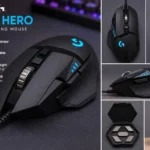
Logitech G502 HERO Feature Scores
Overall Scorata score: 4.2/5
Based on 20 analyzed reviews · View source samples
Explore all 102 feature scores for Logitech G502 HERO, organized into pros and cons.
Scores by Feature
Summary
102 reviewed features-
Very positive 4.5-5.045 (44%)
-
Positive 3.5-4.435 (34%)
-
Neutral 2.5-3.49 (9%)
-
Negative 1.5-2.410 (10%)
-
Very negative below 1.53 (3%)
Pros
Sort
-
The HERO optical sensor keeps up with fast movements and remains competitive with newer mice.
-
Fine aiming and rapid swipes track accurately, with virtually no unwanted movement.
-
The mouse performs well across games, with accurate tracking and plentiful shortcuts; fast movement is its main compromise.
-
Eleven programmable inputs provide extensive shortcuts, though some players rarely need the extras.
-
Remapping buttons allows the mouse to be tailored to individual games and applications.
-
The sculpted right-handed shell and thumb rest provide supportive ergonomics.
-
The shell feels solid and sturdy, even though some buttons and the wheel have minor looseness.
-
Removable weights let users add heft to suit their preferences rather than settling for a fixed balance.
-
The sculpted shape and thumb ledge are comfortable for many, although the narrow, contoured buttons do not suit everyone.
-
The combination of accurate tracking and extensive controls is attractive at a modest price; upgrading from an older G502 is less compelling.
-
Free-spin mode races through long documents and webpages; its gaming benefits are more limited.
-
Weights can be positioned around the sensor to adjust balance; the empty mouse can feel front-heavy.
-
The sensor avoids unwanted acceleration and smoothing, preserving direct control.
-
A generous thumb rest and supportive contours help the hand settle naturally.
-
Motion is generally consistent and free of spinouts, although very low DPI jitter bothered one tester.
-
Onboard profiles retain custom settings without requiring the software on every computer.
-
Extra buttons and free-spinning scrolling are useful for navigating documents and controlling applications.
-
Eleven controls provide many bindings, but their usefulness depends on the games and tasks involved.
-
The mechanical switches feel crisp and tactile without excessive actuation force.
-
Sensitivity can be adjusted precisely to match preferred play styles and button assignments.
-
Custom profiles make it easier to retain settings and assign game-specific controls.
-
Responsive tracking and clicks keep inputs feeling immediate, even in demanding games.
-
Thumb buttons have a solid tactile click and are easy to distinguish.
-
The dual-mode wheel is a favorite for many, but its looseness and slippery metal surface frustrate others.
-
Smooth feet help the heavy mouse glide without excessive effort.
-
The sculpted body is comfortable for many, but the smooth rubber can feel insecure during intense play.
-
Buttons respond promptly with little pressure required.
-
Several owners report years of use, although cable wear, pad wear and a failing click can eventually emerge.
-
The supportive shape and grips can stay comfortable through extended use.
-
The 1,000 Hz polling performance meets gaming expectations consistently.
-
Distinct tactile thumb buttons can be recognized without looking away from the game.
-
Thumb buttons are generally accessible; forward DPI buttons can be difficult to reach or hit accidentally.
-
The feet glide smoothly on mousepads, although some competitors have better-quality skates.
-
The high arch supports palm grips particularly well, but very large hands may feel cramped.
-
Wheel tilts add convenient inputs, though accidental activation and lateral play can be frustrating.
-
The braided cable feels sturdy initially and resists kinks, but one unit developed exposed wiring after years of use.
-
Rubber side grips can provide a secure hold, but some find them too smooth, especially with perspiration.
-
G HUB makes remapping approachable for many, although slow launches and older software frustrations complicate setup.
-
Most buttons feel well made, though the overhanging DPI controls can feel fragile.
-
Wheel notches and tilts can help with weapon changes and game commands, but the loose wheel can impede precise inputs.
-
Macros and shortcuts are easy to assign, expanding what can be accomplished without the keyboard.
-
The relatively narrow gripping area accommodates claw grips, and rear weights can help balance that hold.
-
Tracking and quick clicks work well in shooters, but the weight is a disadvantage for rapid competitive aiming.
-
Primary clicks generally feel crisp and responsive; the sloping button shape and eventual missed inputs are exceptions.
-
Onboard storage and sensible defaults let users operate the mouse without keeping G HUB installed.
-
The cursor follows intended movement precisely, even with added weight.
-
Side scrolling is handy for moving horizontally through editing timelines and other content.
-
Short lift-off distance helps prevent unwanted cursor movement when repositioning the mouse.
-
The combination of features and comfortable construction earns enthusiastic overall recommendations.
-
Protective plastic packaging keeps the mouse secure during shipping.
-
Connecting by USB enables immediate use without installing a driver utility for standard controls.
-
G HUB offers powerful customization, but its slow launches and past bugs can be frustrating.
-
The switches have a promising longevity rating, but a long-term owner experienced a failing left button.
-
The broad sensitivity range accommodates many preferences, although the highest settings are unnecessary for most players.
-
Extra bindings help in MMOs, although dedicated MMO mice can offer more commands.
-
The angular, futuristic appearance attracts gaming enthusiasts but can look out of place in an office.
-
The sniper clutch helps with fine aiming, although some find it unnecessary or difficult to reach.
-
The mouse works with macOS, including optional G HUB remapping and basic plug-and-play operation.
-
Game-specific profiles make switching between control layouts convenient.
-
Customizable lighting and visible DPI indicators appeal to some, but the limited illuminated area disappoints RGB fans.
-
Click latency is remarkably low, making rapid inputs feel immediate.
-
The wired connection remains stable and responsive through regular use.
-
One long-term user did not experience the double-click problem that affected their older model.
-
The combination of plastic and rubber gives the mouse a comfortable, substantial feel.
-
The solid construction gives this wired mouse a premium feel.
-
The centrally positioned optical sensor supports precise, balanced tracking.
-
Basic operation requires little or no setup.
-
The large, relatively narrow shell suits many hands, but small hands and some very large hands struggle with fit.
-
The wheel offers distinct notches and free spin, but an intermediate resistance setting would be welcome.
-
Software stability has improved, but historical crashes and lost profile assignments remain concerns.
-
Defined notches can make weapon selection accurate, though wheel wobble and accidental tilts undermine precision for some.
-
Software compatibility with both Windows and macOS makes the mouse flexible across desktop platforms.
-
G HUB makes synchronizing with other Logitech devices convenient.
-
The included weights have their own storage case, keeping unused pieces organized.
-
The larger design may take a little adjustment, especially when coming from a smaller mouse.
-
One long-term unit survived a coffee incident, although this is not a guarantee of spill protection.
-
The warranty provides reassurance about product support and expected longevity.
-
Primary clicks have very little travel, while the wheel's center button can feel excessively deep.
-
The wheel or internal components may rattle when shaken, even though the body otherwise feels sturdy.
-
Tracking is consistent across paper and several mousepads, although one user reported trouble with microtextured surfaces.
Cons
Sort
-
Dedicated DPI buttons can be accidentally pressed and may feel unnecessary to users with a fixed sensitivity.
-
A failing left click can make holding and dragging objects difficult.
-
A long-term unit began missing left-button inputs, interfering with dragging and editing.
-
The bare metal wheel can be slippery, reducing control during precise scrolling.
-
Existing G502 owners may notice little improvement from the new sensor, so an upgrade is not essential unless other features matter.
-
Notched scrolling can be loud, especially when moving the wheel quickly.
-
Extra weights can increase wrist strain during lifting; another user found the shape painful when dealing with repetitive strain.
-
Click sounds can become quieter with use, but one long-term unit developed an irritating resonance.
-
The side coating offers less traction than some competing mice.
-
The asymmetric right-handed shape makes this a poor choice for left-handed operation.
-
The center wheel button requires more travel than some testers prefer.
-
The underside pads showed noticeable wear after several years of regular use.
-
One user objects to the privacy agreements and background service required by the software.
-
Matte surfaces hide grease better than glossy trim, which readily shows fingerprints.
-
The large shell provides room for a supportive grip but can be unwieldy for smaller hands.
-
The thumb buttons usually stay out of the way, but DPI and tilt controls can be triggered accidentally.
-
Fingertip gripping is possible, but the deeply sculpted buttons can make it less natural.
-
Newer software feels more streamlined to some, while others find G HUB bloated and slow to start.
-
The side rubber can develop visible wear over years of use, but may remain comfortable and usable.
-
The heavy body feels stable and substantial to some users, but it is cumbersome for rapid flicks and repeated lifting.
-
The braided cable is improved over older versions, yet some find it stiff compared with modern cables.
-
The cable is less prone to snagging than older versions, but stiffness and drag still bother some gamers.
Use Cases
Best for
Sort
-
Accurate tracking and quick inputs suit shooters, but the high weight slows rapid aiming for some players.
-
Accurate tracking and numerous controls offer substantial functionality for shoppers on a budget.
-
A quick flick of the free-spinning wheel makes it easy to traverse very long documents.
-
Programmable shortcuts and fast scrolling make it useful for everyday desktop work.
-
The USB connection offers straightforward, responsive operation, although some find the cable intrusive.
-
The prominent arch and thumb rest are especially comfortable for palm-grip gaming.
-
Free-spin mode speeds up repetitive scrolling through long pages and files.
-
The substantial body and optional weights are a good match for gamers who deliberately prefer a heavy, planted mouse.
-
The smooth scroll mode helps navigate lengthy webpages with little effort.
-
The sturdy design can last several years, but wear to the cable and primary buttons may eventually require replacement.
-
The narrow body can accommodate claw-grip gamers, though fit depends on hand shape.
-
Eleven buttons provide useful MMO bindings, though complex games may benefit from a dedicated MMO mouse.
-
A comfortable shape and convenient shortcuts make it useful for regular everyday tasks.
-
The extra buttons and dual-mode wheel make one mouse practical for both gaming and work.
-
The contoured grip can remain comfortable through extended gaming sessions.
-
Fast scrolling through long code files and programmable controls make coding workflows convenient.
-
Reasonable pricing, versatile controls and reliable tracking make this a strong first gaming mouse.
-
Tilt-wheel commands can speed up building in battle royale games such as Fortnite.
-
The sensor tracks consistently on cloth pads and the feet glide well on a control pad.
-
Assignable buttons provide convenient shortcuts for design applications such as Figma.
-
The abundance of bindings and accurate tracking make it a versatile choice across game genres.
-
Reassignable buttons provide convenient shortcuts when editing photos.
-
Free-spin scrolling helps reach the end of lengthy spreadsheets quickly.
-
Dedicated DPI controls enable quick sensitivity changes while playing.
-
The feature-rich design and reasonable cost make it a good entry point for PC gaming.
Conditional or not ideal for
Sort
-
Large-handed usersLonger proportions can suit larger hands, but the relatively narrow body feels cramped to some.
-
Competitive gamingCompetitive suitability depends on play style: precise tracking helps, but the heavy body makes rapid flicks harder.
-
Small-handed usersSmall hands may struggle to reach the forward buttons or hold the large body comfortably.
-
Flick aimingThe sensor tracks fast flicks accurately, but the heavy shell makes repeated rapid movement harder.
-
Wireless useThe wired-only connection is unsuitable for shoppers who require wireless operation.
-
Fingertip grip gamingFingertip users may find the narrow body usable, but the sculpted primary buttons can restrict finger positioning.
-
Left-handed usersLeft-handed players should avoid the right-hand-specific shape and thumb rest.
-
Low-sensitivity gamingLow-sensitivity players who frequently lift and flick their mouse may find the weight cumbersome.
-
TravelThe fixed cable is less convenient for frequent travel than a compact wireless alternative.
-
Video editingHorizontal wheel scrolling helps move along editing timelines, though a failing left button makes dragging objects difficult.