
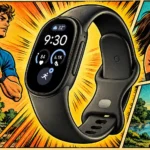
Google Fitbit Edge Feature Scores
Explore all 84 feature scores for Google Fitbit Edge, organized into pros and cons.
Scores by Feature
Summary
84 reviewed features-
Very positive 4.5-5.012 (14%)
-
Positive 3.5-4.444 (52%)
-
Neutral 2.5-3.417 (20%)
-
Negative 1.5-2.411 (13%)
Pros
Sort
-
Very low weight is one of the most consistent strengths, keeping the tracker unobtrusive during daily life and workouts.
-
The narrow, light case is comfortable through daily wear, workouts and sleep, often becoming easy to forget. Band choice matters: the included silicone and magnetic options do not suit every wrist equally.
-
The colorful OLED screen makes time and workout information much easier to check than on a screenless tracker or older small Fitbit. It remains a glanceable display, with limited space for deeper information.
-
A replaceable battery is widely welcomed as a way to keep the tracker rather than discard it when capacity fades. Early assessments are optimistic, while the practical replacement process and cost remain less established.
-
The rounded case and dressier band options make this a more versatile-looking Fitbit. Its petite proportions appeal to small-wrist preferences but can look dainty or awkward on larger wrists, and thick bezels attract criticism.
-
Google Health often earns praise for clear charts, accessible trends and useful customization. Device settings and watch-face management can still feel clunky, and its AI-centered presentation remains a matter of taste.
-
Sharing the Air’s magnetic charger is a widely welcomed convenience, and the secure connection is easy to use. It still means keeping the proprietary cable nearby.
-
Longer-term context and explanations can make changes in fitness, recovery and vitals easier to understand. These wellness trends are useful for awareness, rather than a replacement for clinical measurements.
-
A real clickable button is a welcome improvement over older haptic and touch-sensitive controls. Its usefulness is constrained by missing shortcuts and the inability to start some workouts or operate the stopwatch directly.
-
Many users find the upgraded recognition reliable enough to stop manually logging every walk or workout. Missed swims, occasional invented sessions and minimum-duration thresholds still limit trust, especially for run-walk intervals.
-
A week or more is achievable in many tests with the always-on screen disabled, while always-on use commonly cuts endurance to roughly two or three days. GPS settings and workout load create substantial variation, so the screen preference changes the ownership experience.
-
Short top-ups are consistently useful for getting through another day. Full recharges, often around 90 minutes and longer in one test, feel reasonable to some and frustratingly slow to others.
-
Working with both iPhone and Android is a major advantage over Google’s full smartwatches. Core use is broadly comparable, though message replies and some integrations differ by phone.
-
The returning altimeter is a valued upgrade for hills, stairs and outdoor effort, with strong comparative accuracy in several walks. Hikers may still miss live ascent and descent figures during an activity.
-
The light aluminum construction generally feels solid and premium. Compact proportions do not usually make the tracker feel cheap.
-
The refreshed tiles and familiar watch-style navigation are usually clean and easy to learn. Phone-only settings, short default timeouts and uneven management screens leave rough edges.
-
Sleep timing and daily reports are frequently praised, with strong agreement on bedtime and waking in several tests. Loose band contact can miss hours, and different brands count wakefulness differently.
-
The coach can turn health numbers into understandable advice and adaptable workout plans, especially for novices. Experiences range from enthusiastic praise to frustration with stale context, confused answers and unusable routines.
-
Manual counting and walking comparisons produce especially strong results, with little extra counting during cycling. Different wearables can still disagree enough that consistency matters more than matching another brand.
-
Straightforward controls and understandable health information keep daily use approachable. The simple experience suits users who want useful numbers without managing a complex sports platform.
-
The active display is usually easy to read in sunlight and improves considerably on older Fitbit screens. The dimmed always-on view can be much harder to see during exercise.
-
A broad on-device exercise list and more specific modes make it easier to record varied activity. The inability to organize that list can still mean excessive scrolling.
-
The screen, GPS and broad health suite make the price attractive for some buyers seeking a compact tracker. Others see stronger value in a cheaper screenless band or a discounted full smartwatch, especially once extra straps and Premium enter the budget.
-
Sharing a health account can make switching between Edge, Air and Pixel Watch seamless. Some setups encounter missing-device sync blocks or unexpected device removal, and the practical value depends on having a reason to rotate wearables.
-
Heart-rate tracking is generally useful and can closely follow chest straps or premium watches. Calibration delays, cold-weather problems, cycling inconsistencies and missed lifting peaks keep it from being uniformly reliable.
-
The ECG process is generally easy and works well in the hands-on accounts. It adds meaningful heart-rhythm functionality to a small tracker, though full result detail may require the app.
-
Readiness helps translate sleep and recovery into a practical daily effort guide, and its broad trends often align with other trackers. A fixed morning score can feel limited when it does not change after a hard workout.
-
Seeing effort and pace without reaching for a phone is a major benefit over a screenless tracker. Limited detail, blocked controls and disappearing summaries keep the workout screen from reaching its potential.
-
Recorded routes work well in the tests that specifically praise them, and built-in GPS removes dependence on carrying a phone. Broader GPS precision results remain more variable.
-
Reported swims, showers and a brief immersion test generally pass without damage. The positive assessments concern ordinary water exposure rather than deep diving.
-
Basic phone playback controls are often useful and work across more services than older Fitbits. Some tests criticize delayed response, lost dedicated music integration or the inability to reach controls during a workout.
-
Many tests find taps and swipes smooth and responsive. Others need repeated taps to wake the display, and rain can make swiping difficult.
-
The two tests specifically praising haptic feedback find it strong and crisp, helping draw attention to incoming alerts.
-
Everyday activity statistics generally inspire confidence, with particularly strong walking-test results. They work best as a consistent personal record rather than an exact match to every other wearable.
-
Recovery patterns broadly agree with other trackers and help explain how sleep and recent strain affect the next day. The interpretation is more useful than raw numbers alone for some users.
-
Sleep-stage estimates perform well in the limited comparisons, including solid agreement with a brain-wave reference. Deep sleep can be overestimated, so the charts remain estimates.
-
The active screen is often brighter than expected and clear outdoors. The always-on state is much dimmer, and some users find it too faint to be useful in ordinary light.
-
Workout durations and general metrics are usually dependable in the tests judging them. Some calibration and precision limitations remain even when the overall record is useful.
-
Resting and overnight heart-rate trends generally line up well with comparison devices. Small upward offsets are considered less important than consistent changes over time.
-
The band range is attractive, and many straps are comfortable and easy to swap. Several tests report stubborn connectors, accidental releases or loose magnetic closures, making attachment security an important weakness.
-
Several running and walking tests find distance close enough to much pricier watches. Others see undercounting or disappointing hike discrepancies, so route and environment matter.
-
Exercise calorie figures broadly agree with comparison devices in the tests that judge them. They form a useful part of the basic workout record.
-
HRV generally follows comparison trends well enough to distinguish higher and lower recovery nights. Some higher values read systematically low, so trends are more useful than expecting identical numbers.
-
Interchangeable straps and face complications offer useful personalization. Most changes require the phone, while limited tiles, face choices and fixed exercise pages restrict software flexibility.
-
Modular faces provide useful glanceable metrics, and some designs have clear fans. The small selection, elementary styling and clunky phone-based setup leave others wanting more.
-
Phone-linked wrist directions can make walking and cycling more convenient, including on iPhone. Failed connections, early turn prompts and awkward switching back to workout metrics make the experience inconsistent.
-
Incoming-call vibrations are especially helpful when a phone is kept on silent, providing a useful heads-up without turning the tracker into a calling device.
-
Phone finding is a standout everyday convenience, saving substantial time searching around the house.
-
Initial pairing can be exceptionally simple, with the tracker quickly linking to Google Health and becoming ready to use.
-
Quick wrist access makes timers handy for small daily tasks. Entering them on the tiny screen is less pleasant for larger hands, especially without voice input.
-
Dust sealing is viewed as a useful outdoor upgrade that helps the tracker cope with everyday exposure.
-
Gentle wrist alarms and choosing which tracker should wake you are useful conveniences. Vibration strength divides opinion, particularly for heavier sleepers who want an audible backup.
-
Some trackers remain pristine after repeated daily wear and water exposure. Another develops screen scratches after strap-related drops within two weeks, leaving long-term glass durability less certain.
-
Daily movement summaries can provide a timely nudge on quiet days and a morale boost after a busy one.
-
The centered tracker reveal and compact cardboard presentation make a pleasing first impression.
-
Including both basic band sizes helps avoid choosing at purchase. The Curry strap can still be too short to slide comfortably over a larger hand.
Cons
Sort
-
Dropping NFC is a frequent complaint and a dealbreaker for people accustomed to wrist payments. A few accept the omission in exchange for the tracker’s priorities or the added altimeter.
-
Fixed exercise pages prevent arranging pace, heart-rate zones and other desired metrics together. The missing flexibility is particularly frustrating for runners and hikers.
-
Having to turn bedtime mode on manually is a repeated annoyance. Forgetting can let the screen light up against sheets during the night.
-
The screen often stops at a basic summary, forcing the phone open for explanations, sleep detail and deeper metrics. That limited drill-down makes the interface feel unfinished.
-
Missing calls, voice input, expandable apps and payments create a sharply limited smart experience. Some accept that focus, while others find the omissions hard to justify at the price.
-
Notification failures and occasional sync problems can make the software feel unfinished, even when the underlying health tracking remains capable.
-
Preset replies are limited and can feel context-insensitive. Another test receives no message notifications at all, making basic delivery the more serious concern.
-
A new proprietary connector means older Charge straps do not carry over. That adds cost and waste for owners with an existing band collection.
-
Some multi-phone and workout connections switch unexpectedly or drop shortly after connecting. These reports make a stable phone link less reassuring than the core tracking.
-
Clear, glanceable alerts are useful when they work, but several tests encounter complete delivery failures or frustrating stacked previews. Troubleshooting resolves the problem for one tester, while others remain unable to receive alerts.
-
Basic logging falls short of the desired link between temperature, hormonal changes, readiness and training advice. The fragmented experience disappoints anyone wanting those insights together.
-
Automatic detection misses swimming sessions in the test that assesses it, so starting swim recording manually is important.
-
Adaptable plans are appealing, but actual exercise guidance often remains on the phone rather than the tracker. Missing wrist prompts and cues make outdoor intervals and following sets less convenient.
-
Frequent syncing keeps information fresh, but repeated sync notifications can become irritating.
-
Pause and resume can be over-sensitive, restarting a run after a single step while catching your breath.
-
The stopwatch is less convenient than expected because the physical button does not start and stop it.
-
Sharing heart rate with supported gym equipment is useful. Compatibility is selective, and the implementation does not work with every standard Bluetooth receiver or bike computer.
-
The screen can help illuminate a bag or closet in a pinch, but brightness divides opinion sharply. Some find the flashlight too dim to serve a practical purpose.
-
Trend-based progress can help guide fitness goals, but missing vibration alerts for mile splits and workout targets frustrate more structured training.
-
The closed selection can disappoint anyone wanting downloadable apps, although the simple approach may help keep navigation nimble.
-
One running test finds pace impressively accurate for the price, while walking comparisons repeatedly report slower-than-expected averages. It is less dependable for tightly controlled pacing than for casual workout feedback.
-
Wrist controls handle basic volume and track changes, although one iPhone test found volume adjustments noticeably delayed.
-
Oxygen readings broadly align with other wearables in one test, but another finds that nightly measurements stop populating the trend view.
-
Losing manual EDA scans disappoints users who valued that tool. Others prefer the simpler background approach and do not miss performing a separate scan.
-
The free tier remains useful for core measurements, while deeper interpretation and coaching require Premium. Whether that fee feels worthwhile depends heavily on how useful and reliable the AI coach is for you.
-
The compact case often sits naturally on smaller wrists, and adjustable straps can give precise contact. Some magnetic and Curry bands are awkward to put on, loosen or fail to stay securely attached.
-
Frequent updates and smooth cross-device merging work well in several tests. Others encounter dropped connections, intermittent errors or a workout blocked when a paired tracker is left behind.
-
Some tests find a major improvement over older Charges and good enough tracking for ordinary workouts. Others show jitter, urban drift and lost signals, making precise standalone GPS one of the least consistent strengths.
Use Cases
Best for
Sort
-
Daily health, sleep and ordinary workout tracking are the clearest fit for the Edge. Its screen adds useful access without requiring a full smartwatch, though basic-only users may find the cheaper Air sufficient.
-
The small, light shape is easy to sleep with, including for people who dislike wearing a smartwatch in bed. It makes continuous nighttime tracking less intrusive.
-
The limited screen offers a useful middle ground for people wanting time and metrics without constant smartwatch interaction. Those seeking the quietest possible wearable may still prefer a screenless band.
-
Built-in GPS and a screen let many users leave their phone behind for basic outdoor tracking. That independence is less convincing when precise routes matter, and guided instructions or navigation still bring the phone back into the experience.
-
Live effort data, strong step and climb results, and wrist directions make everyday and hilly walks a good match. City navigation also helps reduce frequent phone checking.
-
Simple health information and adaptable workout suggestions can help newcomers get started. Hardware lag and inconsistent AI coaching prevent an unqualified recommendation for everyone.
-
The light case and live wrist metrics suit casual runs well. Missing progress alerts, fixed workout screens and inconsistent GPS or heart-rate precision make running-focused training more conditional.
-
The narrow case stays out of the way during movements that can press smartwatch buttons. Live effort information is useful for casual gym and CrossFit-style sessions.
-
The compact tracker and wrist directions are useful for routine rides, and one detailed test finds good cycling heart rate for the price. It is most appealing for everyday ride information rather than a full bike-computer experience.
-
Week-long screen-off endurance can cover shorter trips without packing another charger. That convenience depends on settings that preserve the longer runtime.
-
Built-in route recording and useful climbing data appeal to hikers who want a compact tracker. Extended outings, variable GPS and missing live elevation pages can make a dedicated outdoor watch the better fit.
-
A larger readable screen and simple daily health tracking make the concept appealing for older adults avoiding a complicated smartwatch.
-
The simple tracker is recommended for people such as nurses and servers who mainly want to follow their daily steps.
Conditional or not ideal for
Sort
-
Smartwatch replacementThe screen does not make this a full smartwatch substitute. Buyers who rely on payments, wrist calls, voice replies or broader apps are likely to find it too restricted.
-
Advanced athletic trainingLimited workout customization, phone-dependent guidance and uneven precision make the Edge a weak fit for demanding training. Endurance and data-focused users are often directed toward a dedicated sports watch.
-
Interval trainingAutomatic detection struggles with stop-start run-walk sessions, and guided intervals often require checking the phone. Two-second heart-rate storage also raises concern about capturing rapid changes in effort.
-
Strength trainingMissing set, rep and weight detail limits serious lifting logs. Wrist heart rate can also miss effort peaks during weightlifting, weakening its usefulness for that training.
-
Clinical health monitoringHealth Guardian is presented as general wellness context rather than a dependable tool for diabetes monitoring or treatment decisions.
-
Upper-arm wearThe shape and screen make upper-arm wear awkward compared with a smaller screenless band. It is a poor choice if biceps placement is central to your tracking routine.
-
Technology enthusiastsThe lagging display and constrained hardware are a weak fit for buyers who enjoy richer technology and interactions. A simpler first health tracker is a more convincing role.
-
Wearing alongside a watchThe Edge works better beside an analog watch than a second screen-equipped smartwatch. Existing smartwatch owners may find it redundant.
-
SwimmingThe body handles repeated swimming in one test, but automatic session recognition fails. It is a conditional choice that needs deliberate manual recording.