If you want better On-device controls
Choose Creative XF1. It scores 4.5 vs 2.5 for On-device controls, with a 4.2 overall score.

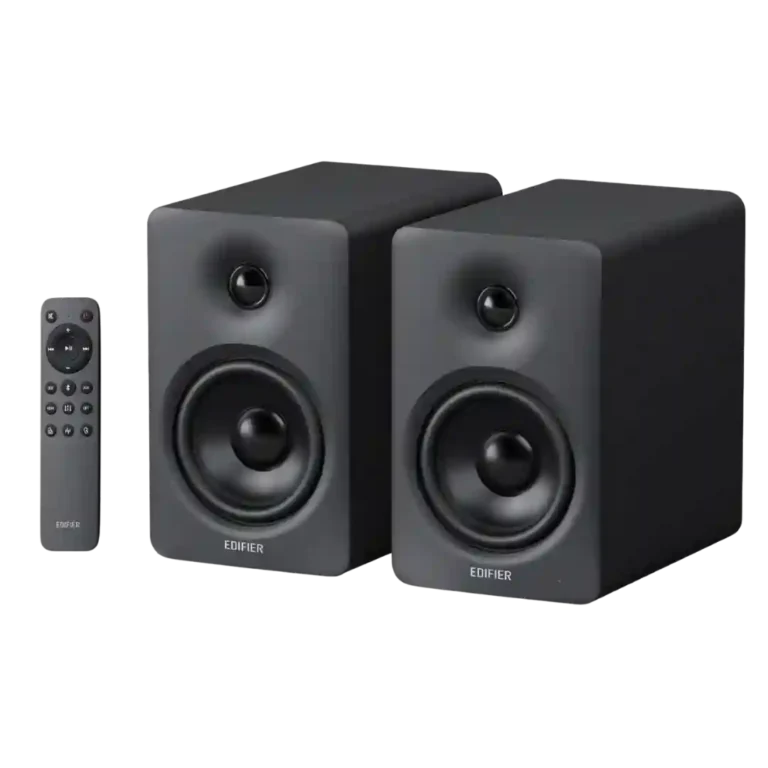
Choose the M90 for powerful, spacious sound, exceptional connectivity, and easy TV integration in a compact desktop-friendly pair. Skip it if you need Wi-Fi or AirPlay, front-mounted controls, or deep home-theater bass without adding a subwoofer.
Best for desktop users, gamers, and apartment or bedroom TV setups that need one compact system for a computer, phone, turntable, and television. It especially suits buyers who value HDMI eARC, flexible inputs, strong stereo imaging, and app-based EQ.
Skip it for large-room home theater, deep sub-bass without an add-on subwoofer, strict studio-monitor neutrality, or Wi-Fi and AirPlay multi-room playback. It is also less convenient for anyone who dislikes relying on a remote or app.
The M90 succeeds because its versatility is backed by genuinely strong sound. It plays far larger and louder than its compact cabinets suggest, with punchy controlled bass, clear voices, wide imaging, and enough detail for music, gaming, and TV. HDMI eARC, USB-C, optical, AUX, LDAC, multipoint, sub-out, remote presets, and a useful nine-band EQ make it unusually adaptable. The tradeoffs are specific rather than fatal: the rear-mounted controls make the remote essential, default standby behavior can be irritating, and the smooth tuning sometimes needs EQ to correct cool mids or softened treble. Deep sub-bass and large-room cinematic scale still require a subwoofer or bigger system, while Apple and multi-room users must accept no AirPlay or Wi-Fi streaming.
Compared with other Computer Speakers, this product is above average in Inter-speaker connectivity, Bluetooth codec support, Audio format support, near average in Tonal balance, Bluetooth connection stability, below average in On-device controls.
| Attribute | This product | Category average | Difference |
|---|---|---|---|
| Inter-speaker connectivity | 4.8 | 2.3 | +2.5 |
| Bluetooth codec support | 4.6 | 2.8 | +1.9 |
| Audio format support | 4.5 | 2.5 | +2.0 |
| On-device controls | 2.5 | 3.8 | -1.3 |
| Wired audio connectivity | 4.9 | 3.8 | +1.1 |
| EQ customization | 4.4 | 3.3 | +1.0 |
| Dynamic headroom | 4.8 | 3.3 | +1.4 |
| Loudness / maximum volume | 4.8 | 3.8 | +0.9 |
Choose Creative XF1. It scores 4.5 vs 2.5 for On-device controls, with a 4.2 overall score.
Products reviewers directly compared with this model, grouped into quick takeaways.
Yes, especially for a bedroom, office, or moderately sized TV. HDMI eARC and CEC work well, dialogue is clear, and stereo separation is better than many small soundbars, but large rooms and effects-heavy movies may need a subwoofer or larger system.
Not for most desktop music or small-room listening; its bass is punchy and unusually strong for the cabinet size. A subwoofer is worthwhile for deep electronic bass, action movies, or more physical low-end impact.
No. Wireless playback is Bluetooth-only, so there is no AirPlay 2, Wi-Fi multi-room streaming, or Spotify Connect.
Pairing is usually fast and stable, and LDAC sounds notably better on compatible Android devices. Multipoint connects two devices but disables LDAC, and one customer reported repeated Bluetooth-TV disconnections.
The included radio remote is responsive and works without line of sight, but the only physical knob is on the rear. Most owners will use the remote, app, or TV remote for daily control.
It can handle casual editing and light mixing, especially with Monitor mode or custom EQ, but it is not a strict reference monitor. The default tuning can be warm, cool, or slightly recessed through the mids and treble depending on preset and placement.
Update the firmware and adjust or disable the aggressive auto-off setting in the ConneX app. HDMI and Bluetooth wake quickly, while USB-C, optical, and AUX may still require manual wake-up.
These are a few of the reviews included in our analysis.





Lynn reviews the Edifier M90, a compact set of active desktop speakers with 100W RMS total output power, wireless, and HDMI eARC capability.
Today I’m reviewing the Edifier M90 active speakers. We are going to talk about them, compare them a bit to the Edifier M60, and cover all...
Edifier M90 in test: Compact desktop speakers with 100 watts, HDMI eARC, Bluetooth 6.0 and LDAC - how good does the versatile 2.0 system...
A pair of compact powered speakers, Paul Rigby wonders if the M90 stand mounted, speakers are worth the money at £300?
Explore how Edifier M90 speakers offer versatile connections and powerful sound, potentially replacing bulky Hi-Fi components with one sleek...
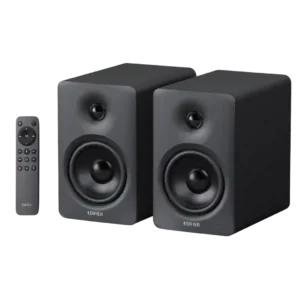
Choose the M90 for powerful, spacious sound, exceptional connectivity, and easy TV integration in a compact desktop-friendly pair. Skip it if you need Wi-Fi or AirPlay, front-mounted controls, or deep...
Pros: Bass performance, Value for money
Cons: On-device controls, Auto-off and standby behavior
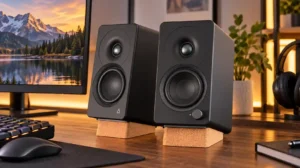
Choose the XF1 for clear desktop audio, flexible connections, and powerful EQ in a compact pair. Skip it if you need deep bass without a subwoofer, consistently polished sound at...
Pros: Placement footprint, speaker size
Cons: HDMI ARC, HDMI ARC support
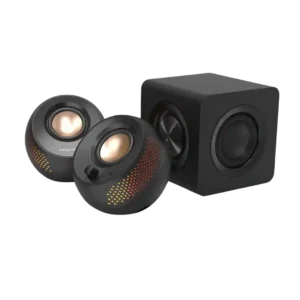
Choose the Creative Pebble X Plus if you want compact desktop speakers with RGB, strong volume, and subwoofer-backed bass. Skip it if you need deep sub-bass, clean cable management, advanced...
Pros: Value for money, Subwoofer
Cons: App reliability, EQ customization
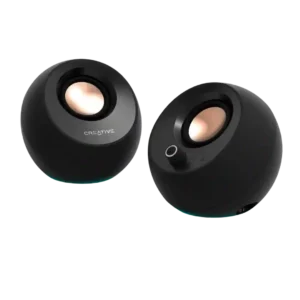
Choose these for clear, compact desktop sound, easy inputs, and standout value. Skip them if you need deep bass, room-filling volume, flawless USB/Bluetooth reliability, or a power adapter in the...
Pros: Overall sound quality, Value for money
Cons: Amplifier power requirements, Wired input