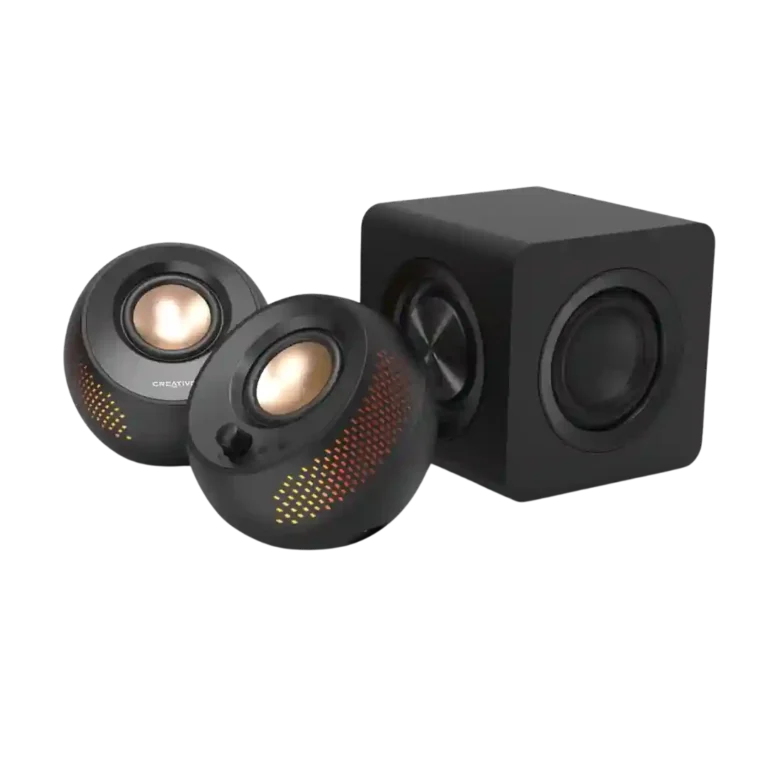
Creative Pebble X Plus Computer Speakers

Creative Pebble X Plus Computer Speakers Review

Brand: Creative
Released: February 14, 2024
Updated: 4 days ago
3.9
Overall review score
170
Review insights
29
Scored features
18
Expert reviews

Bottom Line

Choose the Creative Pebble X Plus if you want compact desktop speakers with RGB, strong volume, and subwoofer-backed bass. Skip it if you need deep sub-bass, clean cable management, advanced Bluetooth codecs, or full app/EQ control outside Windows.

Best for

Best for desk users who want a compact 2.1 speaker system with RGB lighting, flexible USB/AUX/Bluetooth inputs, clear vocals, and punchier bass than basic computer speakers.

Not for

Not for listeners who prioritize deep sub-bass, fully balanced treble detail, high-end Bluetooth codecs, tidy cable-free placement, or consistent app/EQ control across Mac and mobile.

Verdict

The Creative Pebble X Plus earns most of its praise as a compact desktop 2.1 system that sounds bigger than it looks. Reviewers repeatedly liked its clear vocals, strong volume, RGB lighting, flexible inputs, and subwoofer-assisted bass. The tradeoff is that the sub adds punch more than true deep rumble, and the overall tuning can lose treble detail or balance in complex tracks. The system is also more dependent on setup than it first appears: full output needs a separate USB-C PD adapter, the hard-wired cables can get messy, and app/EQ control varies sharply by platform.

Feature Scorecards

Summary

29 reviewed features
  • Very positive 4.5-5.0
    5 (17%)
  • Positive 3.5-4.4
    17 (59%)
  • Neutral 2.5-3.4
    4 (14%)
  • Negative 1.5-2.4
    3 (10%)

Pros highlights

  • 4.1
    17 reviews strong consensus
    Value for money: 4.1, 17 reviews, strong consensus
    Value was broadly positive for a compact 2.1 desktop system, but not unanimous because some reviewers preferred cheaper Pebble models or saw platform-dependent value.
  • 4.0
    17 reviews strong consensus
    Subwoofer performance: 4.0, 17 reviews, strong consensus
    The subwoofer was the most discussed upgrade: reviewers often praised punch, boom, and better bass, but some still found sub-bass depth, integration, or headroom limited.
  • 4.2
    13 reviews strong consensus
    Loudness / maximum volume: 4.2, 13 reviews, strong consensus
    Reviewers generally found the system loud for its compact size, with several saying it can get very loud, though a few noted limits near the top of the volume range.
  • 3.9
    12 reviews strong consensus
    Lighting effects: 3.9, 12 reviews, strong consensus
    Lighting was generally liked for customization and visual flair, though some reviewers found it dim, side-biased, or not personally useful.
  • 3.9
    10 reviews strong consensus
    Tonal balance: 3.9, 10 reviews, strong consensus
    Frequency balance was mixed: several reviewers praised clear, full, or powerful sound, while others heard a warm tilt, muted treble, or mids that were too high or thin.
  • 4.2
    9 reviews strong consensus
    Design and aesthetics: 4.2, 9 reviews, strong consensus
    Design and aesthetics were usually praised for the compact, cute, tasteful, or good-looking Pebble style, with only minor reservations about plastic finish.

Cons highlights

  • 2.9
    8 reviews low consensus
    App usability and reliability: 2.9, 8 reviews, low consensus
    App feedback was split: the app could detect or personalize the system, but several reviewers criticized limited mobile/Mac support, missing EQ, or Windows app issues.
  • 3.0
    7 reviews low consensus
    EQ customization: 3.0, 7 reviews, low consensus
    EQ customization was highly platform-dependent: some reviewers praised Windows equalizer controls, while others criticized no EQ or limited controls in mobile/Mac apps.
  • 3.3
    7 reviews moderate consensus
    Setup simplicity: 3.3, 7 reviews, moderate consensus
    Setup ranged from easy to mildly frustrating: reviewers liked basic plug-in simplicity but repeatedly criticized cable clutter and cable management.
  • 2.7
    6 reviews strong consensus
    Amplifier power requirements: 2.7, 6 reviews, strong consensus
    Power requirements were a repeated caveat because full performance often required a separate 30W or higher USB-C PD adapter that was not included.
  • 2.1
    4 reviews strong consensus
    Inter-speaker connectivity: 2.1, 4 reviews, strong consensus
    Inter-speaker connectivity was a recurring complaint because fixed, short, hard-wired cables limited placement and raised durability concerns.
  • 2.0
    3 reviews strong consensus
    Bluetooth codec support: 2.0, 3 reviews, strong consensus
    Bluetooth codec support was a clear weakness because reviewers repeatedly noted SBC-only support and the lack of AAC or AptX.

Compared With Category Average

Compared with other Computer Speakers, this product is above average in Bluetooth connection stability, On-device controls, Physical control responsiveness, near average in App usability and reliability, Value for money, below average in Bluetooth codec support, Audio format support, Inter-speaker connectivity.

Comparison summary

22 compared features
  • Above average 0.4+ pts higher
    3 (14%)
  • Same as average within 0.3 pts
    12 (55%)
  • Below average 0.4+ pts lower
    7 (32%)

Largest category differences

Attribute This product Category average Difference
Bluetooth codec support 2.0 3.6 -1.6
Audio format support 2.0 3.3 -1.3
Inter-speaker connectivity 2.1 3.2 -1.1
Setup simplicity 3.3 4.3 -1.0
Bluetooth connection stability 5.0 4.0 +1.0
EQ customization 3.0 3.8 -0.8
Detail retrieval 3.6 4.4 -0.8
On-device controls 3.9 3.3 +0.6

Consider This Instead

If you want better Setup simplicity

Choose Creative Pebble Pro. It scores 4.2 vs 3.3 for Setup simplicity, with a 3.5 overall score.

Compare

If you want better Inter-speaker connectivity

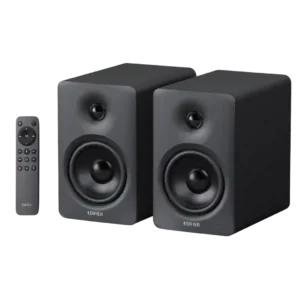
Choose Edifier M90. It scores 4.8 vs 2.1 for Inter-speaker connectivity, with a 4.3 overall score.

Compare

If you want better Audio format support

Choose Creative XF1. It scores 4.5 vs 2.0 for Audio format support, with a 4.2 overall score.

Compare

Compared in Reviews

Products reviewers directly compared with this model, grouped into quick takeaways.

pebble Pro

  • Worse: volume with equal settings The reviewer finds the Pebble Pro needs a volume bump under the same settings.
  • Better: value and cable simplicity PCMag says the Pebble Pro is the stronger value with fewer wires.

Pebble X

  • Worse: vocal and instrument separation TechJio prefers the Plus because vocals and instruments sound cleaner than on the Pebble X.
  • Worse: bass and overall performance TechPowerUp finds the Plus a much better-performing choice than the regular Pebble X.

Creative Pebble Pro

  • Better: balanced sound Tom's Guide says the cheaper Pebble Pro is better balanced across genres.

FAQ

Does the Creative Pebble X Plus have strong bass?

Reviewers generally say the subwoofer adds punch, thump, and better low-end body, especially for desktop use. Several also note that it still does not deliver truly deep sub-bass rumble.

Is the Creative Pebble X Plus loud enough?

Most reviewers found it loud for its size, with some saying it can fill a small or medium room. A few pushed it near maximum volume and wanted more headroom or noted quality loss at higher levels.

Do you need a separate power adapter?

Multiple reviewers treat a 30W or higher USB-C PD adapter as important for getting the best performance. Several complained that the adapter is not included.

Is Bluetooth performance good?

Bluetooth stability evidence is mostly positive where reviewers tested it, including stable playback and little or no lag. The main Bluetooth complaint is codec support, because reviewers repeatedly note SBC-only wireless audio.

How useful is the Creative app?

The app feedback is mixed. Reviewers liked Windows-based EQ, Acoustic Engine, and lighting control, but several criticized the mobile or Mac experience for limited audio controls.

Is the Pebble X Plus good for audiophiles?

The evidence points more toward casual desktop listening than audiophile use. Reviewers praised vocals and bass, but some criticized muted treble, lost micro-details, and imperfect balance.

Sample Expert Reviews We Analyzed

These are a few of the reviews included in our analysis.

Video Reviews

Article Reviews

Top Computer Speakers to Consider

#1 Edifier M90
4.3

Choose the M90 for powerful, spacious sound, exceptional connectivity, and easy TV integration in a compact desktop-friendly pair. Skip it if you need Wi-Fi or AirPlay, front-mounted controls, or deep...

Pros: Bass performance, Value for money

Cons: On-device controls, Auto-off and standby behavior
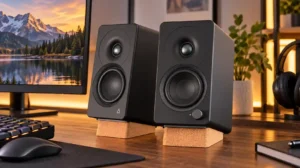
#2 Creative XF1
4.2

Choose the XF1 for clear desktop audio, flexible connections, and powerful EQ in a compact pair. Skip it if you need deep bass without a subwoofer, consistently polished sound at...

Pros: Placement footprint, speaker size

Cons: HDMI ARC, HDMI ARC support
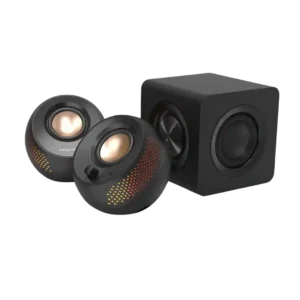
#3 This product Creative Pebble X Plus Computer Speakers
Creative Pebble X Plus Computer Speakers
3.9

Choose the Creative Pebble X Plus if you want compact desktop speakers with RGB, strong volume, and subwoofer-backed bass. Skip it if you need deep sub-bass, clean cable management, advanced...

Pros: Value for money, Subwoofer

Cons: App reliability, EQ customization
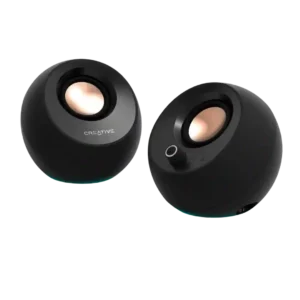
#4 Creative Pebble Pro
3.5

Choose these for clear, compact desktop sound, easy inputs, and standout value. Skip them if you need deep bass, room-filling volume, flawless USB/Bluetooth reliability, or a power adapter in the...

Pros: Overall sound quality, Value for money

Cons: Amplifier power requirements, Wired input