
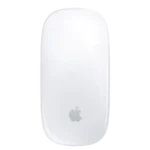
Apple Magic Mouse Feature Scores
Explore all 83 feature scores for Apple Magic Mouse, organized into pros and cons.
Scores by Feature
Summary
83 reviewed features-
Very positive 4.5-5.034 (41%)
-
Positive 3.5-4.412 (14%)
-
Neutral 2.5-3.412 (14%)
-
Negative 1.5-2.413 (16%)
-
Very negative below 1.512 (14%)
Pros
Sort
-
Multi-Touch gestures are the Magic Mouse’s signature strength, offering fluid scrolling, desktop switching, page navigation, and other Mac actions directly on the top surface.
-
The sleek, minimalist Apple styling is one of the Magic Mouse’s clearest strengths, with repeated praise for its clean glass-topped look on a Mac desk.
-
Setup is consistently effortless on a Mac, often requiring only a quick cable connection or Bluetooth pairing before the mouse is ready.
-
Battery life is a major strength, commonly lasting weeks to roughly a month and making charging an infrequent task.
-
Apple ecosystem integration is exceptional, with effortless Mac pairing, native gestures, and familiar system-level controls.
-
Horizontal scrolling is one of the standout features, letting users pan timelines, pages, and documents fluidly with a finger swipe.
-
Portability is outstanding: the slim, lightweight body takes little room in a backpack and suits travel or occasional mobile use.
-
Quick charging is excellent: a few minutes can provide hours or even a workday of use, which softens the downside of the underside port.
-
Build quality is consistently excellent, with a solid shell, tight construction, and the premium finish expected from Apple.
-
The solid construction, glass top, clean finish, and polished Apple design give the Magic Mouse a distinctly premium feel.
-
The Magic Mouse glides exceptionally smoothly across desks and mouse pads, reinforcing its fluid scrolling and navigation feel.
-
The symmetrical shape works equally well for left- and right-handed users, and macOS lets you swap the secondary-click side.
-
The move to USB-C is widely welcomed for cable compatibility and convenience, even though the port remains awkwardly positioned underneath.
-
macOS compatibility is excellent on current versions, though older systems can lose gesture and advanced-setting support.
-
Its light, compact weight makes the Magic Mouse easy to move and especially convenient to carry in a bag.
-
Bluetooth works very well with Macs and delivers smooth, dependable wireless operation without a receiver.
-
The glass, aluminum, plastics, and even smaller hardware details feel unusually refined for a mouse.
-
On a Mac, the mouse is essentially plug-and-play with no receiver, driver package, or setup wizard required.
-
The built-in rechargeable battery is a clear convenience improvement over disposable AA or AAA cells.
-
Day-to-day reliability is very strong in the Apple ecosystem, with reviewers describing the connection and basic operation as flawless.
-
The sensor is capable and accurate for normal Mac work, though its strengths are geared toward productivity rather than high-performance gaming.
-
The Magic Mouse excels at browsing, scrolling, and gesture-heavy Mac workflows, but limited ergonomics and physical controls reduce its appeal for all-day power use.
-
Clicks respond quickly and cleanly, with responsive actuation called out as a positive even by reviewers who dislike the ergonomics.
-
The feet are well finished and help the mouse glide smoothly without rough edges or catching.
-
Left and right clicks feel reliable and satisfying, with good force and solid feedback.
-
Bluetooth performance is smooth and dependable on Macs, with strong wake behavior and easy everyday connectivity.
-
Tracking is generally accurate for everyday productivity, but a few users found precision inconsistent on certain desks or less convincing than a gaming mouse.
-
macOS setup is simple and intuitive, but the native controls are shallow compared with dedicated mouse software.
-
Wireless lag is generally imperceptible in normal productivity work, though the mouse is not aimed at latency-sensitive gaming.
-
The virtual left- and right-click zones align naturally with the fingers, making the minimalist top surface easy to click.
-
The included woven USB-C cable feels durable, resists tangling, and is a clear upgrade over a basic rubber cable.
-
Once paired, the Magic Mouse connects very reliably and can wake a Mac without connection drama.
-
The smooth glass surface feels excellent under the fingers and complements the gesture-first design.
-
Power efficiency is excellent, helping the mouse stretch a charge for weeks despite its always-wireless design.
-
Wake-from-sleep behavior is excellent, with the mouse reconnecting immediately when the Mac wakes.
-
One source describes the USB-C connection as usable while charging, making wired operation practical in that account.
-
Motion latency is fine for productivity and often goes unnoticed, but low polling and Bluetooth-only operation can feel less immediate to demanding users.
-
Functional durability appears solid, although the glossy shell and underside can accumulate cosmetic scratches and wear.
-
Surface performance is mixed: some found it worked on wood, glass, pads, and tables, while another saw inconsistent tracking without a proper smooth surface.
-
The woven USB-C cable resists tangling well and is easier to handle than a basic rubber charging cable.
-
Primary clicks are reliable and consistent in everyday productivity use.
-
macOS sensitivity and acceleration adjustments can make the pointer feel more usable for people who dislike the default motion behavior.
-
The low center of gravity keeps movement stable on the desk, even though the flat body gives little to grip during rapid repositioning.
-
Claw grip works better than palm grip because the low shell naturally suits a more arched finger position.
-
Fingertip users are among the best fit for the low-profile shape, which works more naturally without full palm contact.
-
The underside pads can pick up scratches over time, but the wear described did not impair normal function.
Cons
Sort
-
Ergonomics are the dominant weakness: the very flat body repeatedly causes wrist, hand, or arm discomfort during extended use.
-
Long-session comfort is poor for many users, with repeated reports of wrist, palm, hand, or arm fatigue after sustained mouse-heavy work.
-
The underside charging port is the most repeated complaint because the mouse cannot normally be used while plugged in, even though some reviewers consider the issue overblown.
-
Hand support is minimal: there is almost no palm contour or thumb rest, which contributes to fatigue in longer sessions.
-
The ultra-flat shape is the mouse’s biggest comfort problem, often leaving the hand unsupported and causing strain during sustained use.
-
Multi-device support is one of the weakest areas because the mouse is generally limited to a single paired device rather than quick multi-device cycling.
-
Switching between Macs or an iPad is cumbersome compared with mice that offer dedicated multi-device buttons or Easy-Switch-style controls.
-
The compact body is a poor fit for many larger hands, while even some small-handed users still find the flat shape uncomfortable.
-
There are no dedicated programmable buttons, a major limitation for shortcuts, app commands, and power-user workflows.
-
There are no true DPI stages or adjustable sensor-resolution controls, limiting tuning for enthusiasts and gaming-oriented users.
-
Gaming suitability is poor: low ergonomics, Bluetooth-only wireless, sparse buttons, and the touch-style click mechanism all work against serious play.
-
The absence of Force Touch or haptic feedback is a recurring missed opportunity for a device built around touch interaction.
-
Grip comfort is weak for many users because the very flat body provides little to hold or rest the hand against.
-
The sparse two-click design keeps the mouse clean but leaves power users without side buttons or extra physical controls.
-
The experience falls off sharply outside Apple platforms, with Windows use losing much of the gesture-driven functionality that makes the mouse special.
-
The low polling rate is a weak point for users sensitive to cursor feel, especially on high-refresh displays or when faster response is desired.
-
There is no free-spin wheel, removing a familiar productivity option for users who prefer a physical scrolling mechanism.
-
Macro support is essentially absent compared with productivity mice that offer dedicated automation tools.
-
There is no onboard profile memory, so users looking for stored device-side configurations will find the mouse very limited.
-
Polling rate cannot be customized, another sign that the Magic Mouse is designed for simplicity rather than performance tuning.
-
Windows use is possible in some form, but the mouse loses much of its defining gesture experience and is a poor choice for Windows-first users.
-
The glossy finish looks polished but readily shows fingerprints, smudges, dirt, and surface scratches.
-
Palm grip is a poor fit because the low shell does not fill or support the hand over longer sessions.
-
Customization is limited out of the box, though third-party Mac utilities can greatly expand gesture behavior.
-
Click noise divides opinion, but most recent comments find it louder and more noticeable than quieter productivity mice.
-
Battery status is inconsistent as a user experience: macOS can show charge information, but the mouse itself lacks a dedicated indicator or charging light.
-
There is no 2.4GHz wireless mode, which limits its appeal for buyers who want lower-latency receiver-based performance.
-
Cursor control can feel less precise than a gaming mouse, and one reviewer needed sensitivity and acceleration changes to make it comfortable.
-
Movement can become inconsistent on unsuitable surfaces, with reports of jumping and lost precision.
-
The touch-based scrolling is smooth but less precise than a dedicated physical wheel for fine timeline or step-by-step adjustments.
-
Profile support is mixed: native macOS controls lack per-app profiles, while third-party or workflow-specific setups can extend the mouse further.
-
Click quality is functional and dependable, though the soft touch-surface mechanism lacks the crisp feel of conventional mechanical switches.
-
Apple’s software approach is clean and reliable for basic settings, but far less capable than full-featured mouse utilities.
-
The modest, unpublished DPI ceiling is adequate for casual cursor work, but it lacks the high-resolution range enthusiasts expect from modern gaming mice.
-
Responsiveness is good in ordinary Mac use, though accidental gestures and lower-precision behavior can interrupt more demanding workflows.
-
Its compact size is excellent for travel but polarizing at a desk, where larger-handed users often find it too small and shallow.
-
Value is highly use-case dependent: Mac gesture fans can justify the price, while buyers prioritizing ergonomics, buttons, or broader flexibility often see stronger alternatives.