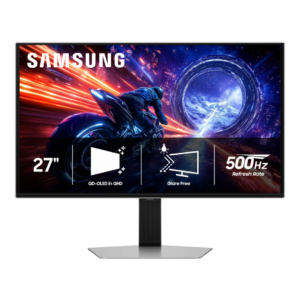
Compare Samsung Odyssey OLED G6 G60SF vs Dell U4025QW

Samsung Odyssey OLED G6 G60SF

Samsung Odyssey OLED G6 G60SF

Overall score 4.3 / 5

Based on 27 scored reviews

vs
Dell U4025QW

Dell U4025QW

Overall score 4.4 / 5

Based on 20 scored reviews

How we score

Scorata scores summarize analyzed review evidence on a 1–5 scale; they are not laboratory measurements or a simple average of customer star ratings. Feature scores summarize the reviews covering that feature. The overall score averages feature scores within each review, then combines review averages. When both expert and customer evidence are available, those two groups receive equal weight. Products can have different review coverage, so small score gaps do not establish a winner.

Recommendations prioritize important features for the category, with a score of at least 3.5, a gap of at least 0.25 points and at least two supporting reviews per product. Features with widely varying scores or broad connectivity contexts are excluded from recommendations. These safeguards do not establish statistical significance.

Quick verdict

What each product is best for

The review evidence points to a tradeoff: competitive gaming suitability and HDR performance versus KVM switch performance and cable management. Choose according to which strengths matter more to you; the overall score alone does not settle that choice.

Choose Samsung Odyssey OLED G6 G60SF for competitive gaming suitability and HDR performance.

Choose Dell U4025QW for KVM switch performance and cable management.

Why these recommendations?

Samsung Odyssey OLED G6 G60SF

Where It Has the Edge

  • competitive gaming suitability is 5.0 vs 2.0. Competitive gaming is the G6’s clearest strength: 500Hz motion, near-instant pixel response, and very low lag make fast...
  • HDR performance is 4.5 vs 2.3. HDR is a major strength thanks to per-pixel lighting, deep blacks, wide color, and bright highlights. Peak brightness...
  • response time is 5.0 vs 3.0. Pixel response is a unanimous strength, with OLED transitions described as exceptionally fast and effectively free of the...

Dell U4025QW

Where It Has the Edge

  • KVM switch performance is 5.0 vs 2.3. Sharing a keyboard and mouse across multiple connected computers is a meaningful strength, especially for complicated desk setups.
  • cable management is 4.7 vs 2.5. The built-in hub, retractable front ports, and stand pass-through can simplify a desk, though the number of rear...
  • port selection is 5.0 vs 3.5. The collection of Thunderbolt, USB, HDMI, DisplayPort, audio, and Ethernet connections is exceptionally complete for a monitor.
Samsung Odyssey OLED G6 G60SF 4.3 overall score
Dell U4025QW 4.4 overall score

Compare features

Scores are out of 5. Missing scores mean missing review evidence, not a missing feature.

Scored on both products

Performance

Local dimming performance
Samsung Odyssey OLED G6 G60SF
5.0

Per-pixel OLED dimming gives precise control with minimal blooming and clean separation between bright highlights and dark objects.

Dell U4025QW
1.7

Without fine-grained backlight zones, illuminated areas lift surrounding blacks and weaken HDR contrast.

KVM switch performance
Samsung Odyssey OLED G6 G60SF
2.3

There is no KVM switch, a recurring omission that makes the G6 less convenient for sharing peripherals between multiple computers.

Dell U4025QW
5.0

Sharing a keyboard and mouse across multiple connected computers is a meaningful strength, especially for complicated desk setups.

HDR performance
Samsung Odyssey OLED G6 G60SF
4.5

HDR is a major strength thanks to per-pixel lighting, deep blacks, wide color, and bright highlights. Peak brightness can approach 1,000 nits in small highlights, though bright-scene dimming and configuration quirks keep it from being universally class-leading.

Dell U4025QW
2.3

HDR is widely considered the clearest picture-quality weakness: insufficient local control leaves bright highlights less dramatic and dark backgrounds gray.

DisplayPort connectivity
Samsung Odyssey OLED G6 G60SF
3.0

DisplayPort 1.4 with DSC can drive the full 1440p/500Hz experience and was considered functionally adequate. Still, several testers wanted DisplayPort 2.1 at this premium price.

Dell U4025QW
5.0

A tested DisplayPort connection started promptly and ran at the expected high refresh rate without flicker.

Picture-in-picture and picture-by-picture
Samsung Odyssey OLED G6 G60SF
3.0

Picture-in-picture is absent, but one tester considered that a minor limitation on a 27-inch display where split-screen use is less valuable.

Dell U4025QW
4.7

Multiple input windows and virtual display divisions let owners work across machines or keep a game and desktop visible together.

On-screen display usability
Samsung Odyssey OLED G6 G60SF
4.3

The joystick-driven OSD is generally fast, clear, and easy to navigate, with sensibly organized menus. Placement can be awkward, and some important HDR controls are buried deeper than beginners may expect.

Dell U4025QW
4.8

Joystick navigation and clearly arranged menus make it straightforward to find inputs, color modes, and multi-screen features.

Adaptive sync performance
Samsung Odyssey OLED G6 G60SF
4.3

Adaptive sync is usually smooth and tear-free across Nvidia and AMD GPUs, but one test found conspicuous VRR flicker in dark and mid-tone scenes. Samsung’s VRR Control can help, though it may add a little latency.

Dell U4025QW
4.7

Adaptive refresh has worked reliably over tested connections, keeping compatible games free of tearing and stutter.

Contrast
Samsung Odyssey OLED G6 G60SF
4.7

OLED contrast is effectively infinite in controlled lighting, with excellent shadow separation and no blooming. The matte QD-OLED surface can reduce perceived contrast when strong ambient light raises black levels.

Dell U4025QW
4.9

IPS Black gives the image more depth than typical IPS displays and helps still images and SDR content, without matching OLED's near-black performance.

Color accuracy
Samsung Odyssey OLED G6 G60SF
4.5

Color accuracy is generally excellent, with strong measured results and good factory calibration. One outlet found the SDR defaults too warm and oversaturated, while other tests found only minor tuning was needed.

Dell U4025QW
4.7

Color reproduction is a standout strength, frequently praised straight from the factory. One Mac user cautions that choosing the right color mode matters for consistent output.

Overall picture quality
Samsung Odyssey OLED G6 G60SF
4.8

Picture quality is consistently praised for vibrant color, deep blacks, strong contrast, and crisp gaming presentation. The matte coating and 1440p pixel density introduce tradeoffs, but the overall image remains excellent.

Dell U4025QW
4.9

Sharp detail, rich color, and improved IPS contrast give an excellent SDR picture. The lack of sophisticated HDR dimming remains the standout visual weakness.

Brightness
Samsung Odyssey OLED G6 G60SF
4.3

Brightness is notably stronger than earlier QD-OLED generations, with roughly 300-nit full-screen SDR and high HDR peaks. It still trails the brightest LCD and newer tandem OLED options in some bright scenes.

Dell U4025QW
4.3

Day-to-day SDR brightness generally satisfies office work, but opinions differ in sunny rooms and the peak brightness falls short of a standout HDR display.

Other features

Competitive gaming suitability
Samsung Odyssey OLED G6 G60SF
5.0

Competitive gaming is the G6’s clearest strength: 500Hz motion, near-instant pixel response, and very low lag make fast shooters exceptionally clear and responsive. The benefit is greatest when a powerful PC can push very high frame rates.

Dell U4025QW
2.0

Its huge resolution, 120Hz ceiling, and relatively slow pixel response put it behind esports-focused screens for the fastest shooters.

Curved screen immersion
Samsung Odyssey OLED G6 G60SF
2.0

The flat 27-inch format cannot match the wraparound immersion of a large curved display, making it less compelling for buyers prioritizing cinematic scale.

Dell U4025QW
4.7

The gentle 2500R curve draws the edges into a comfortable viewing position without dramatic distortion; even users skeptical of curved screens often warm to it.

Ultrawide gaming experience
Samsung Odyssey OLED G6 G60SF
2.5

The 27-inch flat screen cannot deliver the scale or wraparound immersion of an ultrawide, so buyers focused on cinematic field of view have stronger alternatives.

Dell U4025QW
5.0

Supported games benefit from an immersive field of view and a dramatic curved canvas, though the pixel count and response limitations remain.

Cable management
Samsung Odyssey OLED G6 G60SF
2.5

The large external power brick makes minimalist desk setups harder to keep tidy and complicates cable management.

Dell U4025QW
4.7

The built-in hub, retractable front ports, and stand pass-through can simplify a desk, though the number of rear connections can still make cable routing awkward.

Response time
Samsung Odyssey OLED G6 G60SF
5.0

Pixel response is a unanimous strength, with OLED transitions described as exceptionally fast and effectively free of the sluggishness seen on LCDs.

Dell U4025QW
3.0

Pixel response is serviceable for occasional play but can obscure fine moving details, making dedicated gaming displays faster and cleaner.

Screen uniformity
Samsung Odyssey OLED G6 G60SF
5.0

The tested panel showed very even full-white and dark-gray fields with no dirty-screen effect, reinforcing QD-OLED’s strong uniformity.

Dell U4025QW
3.0

Most units look reasonably even for a large panel, yet some show darker edges, corner variation, or dirty-screen effects; uniformity compensation trades off some contrast.

Port selection
Samsung Odyssey OLED G6 G60SF
3.5

The core gaming ports are practical and easy to reach, with HDMI 2.1, DisplayPort, USB-A, and audio covered. Missing USB-C, KVM, and DisplayPort 2.1 keep the selection from feeling fully flagship-grade.

Dell U4025QW
5.0

The collection of Thunderbolt, USB, HDMI, DisplayPort, audio, and Ethernet connections is exceptionally complete for a monitor.

Motion clarity
Samsung Odyssey OLED G6 G60SF
4.9

Motion clarity is the standout feature. At very high frame rates, fast objects and text stay exceptionally clear, with multiple testers describing the 500Hz presentation as among the best they have seen.

Dell U4025QW
3.5

Movement looks smoother than on 60Hz office panels, but blur and smeared fine details still trail the quickest gaming monitors; impressions vary by game.

Sharpness
Samsung Odyssey OLED G6 G60SF
3.7

Gaming sharpness is generally good at 27-inch 1440p, but text and fine desktop detail lag behind 4K and same-resolution LCDs because of pixel density and QD-OLED’s subpixel layout.

Dell U4025QW
5.0

Crisp lettering and fine image detail are major strengths, particularly compared with lower-density 38-inch ultrawides.

Resolution
Samsung Odyssey OLED G6 G60SF
3.6

1440p is a sensible match for very high frame rates and looks crisp in games at 27 inches, but it is noticeably less dense than 4K. Buyers prioritizing fine text or maximum detail may find the resolution modest for the price.

Dell U4025QW
4.9

Its 5120×2160 ultrawide canvas allows dense, detailed multitasking; the unusual 5K2K format is less straightforward for native video content and gaming hardware.

USB hub functionality
Samsung Odyssey OLED G6 G60SF
3.8

The two-port USB hub is useful for peripherals and hard-to-reach PCs, but it is a basic hub rather than a high-end docking solution.

Dell U4025QW
5.0

The integrated hub supplies more useful USB connections than typical work monitors, reducing the need for separate accessories.

Productivity versatility
Samsung Odyssey OLED G6 G60SF
3.9

The G6 can handle office and creative work well thanks to strong color and usable 1440p sharpness, but opinions are split for all-day productivity. Text fringing, burn-in risk, missing USB-C, and limited smart/software features make it less ideal as a one-monitor-for-everything setup.

Dell U4025QW
5.0

From spreadsheets to editing timelines and complex multi-machine desks, the monitor handles many professional workflows on one canvas.

Single-player cinematic gaming suitability
Samsung Odyssey OLED G6 G60SF
4.0

Single-player games still benefit from OLED blacks, color, HDR, and fluid motion, and several testers loved the cinematic image. The small flat 27-inch format and 500Hz price premium make it less compelling if slower cinematic games are the main use.

Dell U4025QW
5.0

The large curved image and smooth 120Hz feel especially satisfying for slower cinematic games rather than competitive play.

VESA mount compatibility
Samsung Odyssey OLED G6 G60SF
4.5

Standard 100x100 VESA support makes it easy to move the display onto a third-party arm or wall mount when the included stand is not ideal.

Dell U4025QW
3.7

Standard 100×100 mounting is helpful, but the large heavy panel may exceed lightweight arms and make installation awkward.

Stand adjustability
Samsung Odyssey OLED G6 G60SF
4.8

The stand is one of the most consistent strengths, with height, tilt, swivel, and pivot adjustment plus a compact flat base. Movement is generally smooth and stable, though one tester found it somewhat stiff.

Dell U4025QW
4.1

Height, tilt, and swivel ranges are useful, but the heavy screen may wobble or fail to rise high enough for some standing-desk setups.

Reflection handling
Samsung Odyssey OLED G6 G60SF
4.4

The matte coating is highly effective at diffusing direct reflections and is especially useful near bright windows. The tradeoff is slightly reduced punch, occasional grain, and lifted QD-OLED blacks under strong ambient light.

Dell U4025QW
5.0

The understated matte coating cuts glare without obvious grain, though curved geometry can make reflections appear at unexpected angles.

Built-in speakers
Samsung Odyssey OLED G6 G60SF
2.3

There are no built-in speakers, and testers considered that a missed convenience for buyers without room for separate audio.

Dell U4025QW
2.9

Built-in sound is adequate for calls and podcasts in some setups, but others find it quiet, thin, or unreliable; external speakers remain the better choice for music and movies.

Overall satisfaction
Samsung Odyssey OLED G6 G60SF
4.4

Overall sentiment is strongly positive when the G6 is judged as a specialist high-end gaming monitor. The main reservations are price, limited all-round features, and whether a buyer can actually use 500Hz.

Dell U4025QW
5.0

The overall response is enthusiastic among productivity and creative users, with high cost and a few specialist limitations preventing universal appeal.

Aspect ratio
Samsung Odyssey OLED G6 G60SF
4.5

The familiar 16:9 layout was described as an easy, comfortable transition from typical gaming monitors.

Dell U4025QW
5.0

The 21:9 canvas is excellent for wide timelines, side-by-side windows, and supported ultrawide entertainment without feeling as extreme as a super-ultrawide.

Black levels
Samsung Odyssey OLED G6 G60SF
4.5

Deep, inky blacks are a major strength in darker rooms and games. Bright ambient light can lift QD-OLED blacks toward gray or purple, especially with the matte coating.

Dell U4025QW
4.0

IPS Black produces darker, more convincing blacks than ordinary IPS panels. Dark scenes still look gray beside OLED or effective local-dimming displays.

Gaming image presets
Samsung Odyssey OLED G6 G60SF
3.5

Samsung provides useful picture controls and flexible sRGB/HDR adjustment, but the preset selection is thinner than some competitors and certain advanced settings are not very explicit.

Dell U4025QW
3.0

Presets are straightforward, but the standard mode may look better than the less appealing movie preset for users who mix work and games.

VRR compatibility
Samsung Odyssey OLED G6 G60SF
5.0

VRR support covers both AMD FreeSync Premium Pro and Nvidia G-Sync compatibility, giving broad GPU flexibility.

Dell U4025QW
4.7

FreeSync/G-Sync-style variable refresh operation has worked well in several setups, reducing tearing for casual gaming.

Input lag
Samsung Odyssey OLED G6 G60SF
5.0

Input lag is consistently described as effectively imperceptible or extremely low, helping the G6 feel immediate in reaction-heavy games.

Dell U4025QW
4.8

Several testers report low perceived delay at 120Hz, helping desktop interaction and casual gaming despite slower pixel transitions.

Refresh rate
Samsung Odyssey OLED G6 G60SF
4.4

The 500Hz refresh delivers extraordinary smoothness when games can feed it enough frames, and several testers noticed a meaningful jump over 240Hz or 360Hz. Others saw diminishing returns and questioned whether most players need it.

Dell U4025QW
4.5

The 120Hz refresh rate consistently improves scrolling, window movement, and perceived fluidity over 60Hz work displays.

PC gaming compatibility
Samsung Odyssey OLED G6 G60SF
4.4

The G6 is excellent with a powerful gaming PC, especially in esports titles that can reach several hundred frames per second. Midrange systems can leave much of the 500Hz capability unused.

Dell U4025QW
4.5

Connected gaming PCs can benefit from the high resolution and refresh rate, but truly fast play is not its primary strength.

Color gamut
Samsung Odyssey OLED G6 G60SF
4.8

QD-OLED delivers a very wide gamut with strong DCI-P3 and Adobe RGB coverage, giving games and creative work rich, saturated color. Out-of-box saturation can run hot until sRGB or color management is enabled.

Dell U4025QW
4.8

Coverage of sRGB and wide P3-style color spaces is consistently strong, bringing rich colors to creative apps and everyday content.

Overdrive tuning
Samsung Odyssey OLED G6 G60SF
5.0

OLED response remains consistent across refresh rates, so there is no need to retune overdrive as frame rate changes.

Dell U4025QW
5.0

Fast overdrive and stable high frame rates can help conceal blur, although the underlying panel cannot match top gaming screens.

Panel type
Samsung Odyssey OLED G6 G60SF
5.0

The QD-OLED panel is praised for combining rich color, deep blacks, instant response, and higher brightness than earlier 1440p OLED generations.

Dell U4025QW
5.0

IPS Black is praised for better contrast and practical long-session use, with the expected compromise against OLED black depth.

Premium feel
Samsung Odyssey OLED G6 G60SF
5.0

Metal construction, refined silver finishes, and a slim chassis give the G6 a consistently premium look and feel.

Dell U4025QW
5.0

Clean construction, practical details, and a tidy integrated power supply help the monitor feel like a high-end workstation product.

Viewing angles
Samsung Odyssey OLED G6 G60SF
5.0

Viewing angles are excellent, with little visible image degradation from off-center positions.

Dell U4025QW
5.0

Its IPS-style wide viewing angles keep images fairly consistent when seen from off-center positions.

Ownership and support

Reliability over time
Samsung Odyssey OLED G6 G60SF
2.5

OLED remains vulnerable to permanent retention during long periods of static desktop use, so heavy all-day productivity carries more longevity risk than varied gaming and video use.

Dell U4025QW
4.5

Longer-term owners remain satisfied after one to eighteen months, but that experience cannot establish durability over many years.

Setup ease
Samsung Odyssey OLED G6 G60SF
5.0

Assembly is consistently simple and tool-free, with stand pieces clipping or twisting securely into place.

Dell U4025QW
4.8

Tool-free assembly and included cables generally make installation simple, with the size and weight the main physical obstacles.

Value for money
Samsung Odyssey OLED G6 G60SF
2.7

Value is the G6’s biggest weakness: multiple outlets found it expensive versus similar 500Hz QD-OLED rivals or cheaper lower-refresh OLEDs. A few lower street prices improved the equation, so discounts matter a lot.

Dell U4025QW
2.8

The price is a serious hurdle; buyers who use its full workspace and dock may justify it, while simpler alternatives provide better economy.

HDMI 2.1 support
Samsung Odyssey OLED G6 G60SF
4.0

The two full HDMI 2.1 inputs are a welcome part of the connectivity package and can support the monitor’s high-refresh gaming modes.

Dell U4025QW
4.0

HDMI 2.1 is a welcome part of the unusually flexible input selection, especially beside the Dell's Thunderbolt and DisplayPort connections.

Comfort and build

Screen size
Samsung Odyssey OLED G6 G60SF
3.3

The 27-inch size is ideal for close-up competitive play and smaller desks, but it can feel modest for the price and lacks the cinematic scale of larger displays.

Dell U4025QW
5.0

Forty inches of curved ultrawide space can replace multiple displays and improve workflow visibility, but requires a deep, spacious desk.

Eye comfort features
Samsung Odyssey OLED G6 G60SF
4.0

Eye-comfort options include glare reduction and settings aimed at reducing fatigue, plus a color-vision accessibility mode. The matte surface is especially helpful when bright reflections would otherwise be distracting.

Dell U4025QW
5.0

Low-blue-light and flicker-conscious features, plus smooth scrolling, are appreciated for long desk sessions; individual comfort still depends on settings.

Build quality
Samsung Odyssey OLED G6 G60SF
4.6

The metal-heavy chassis feels sturdy and flagship-grade, and several testers ranked its construction above competing 500Hz models. A few units showed flex around the rear port area.

Dell U4025QW
5.0

The rigid plastic housing feels solid and well finished, with minimal flex or creaking during ordinary handling.

Design and aesthetics
Samsung Odyssey OLED G6 G60SF
4.8

The slim silver chassis, restrained styling, and rear RGB ring give the G6 a polished, modern look. Its design was repeatedly called sleek, classy, and more refined than many gaming-monitor rivals.

Dell U4025QW
4.7

The restrained silver-and-black styling suits professional desks and avoids flashy gaming lights, though some find it plain.

Evidence available for one product

Performance

Automatic brightness adjustment
Samsung Odyssey OLED G6 G60SFNo score yet
Dell U4025QW
3.4

Ambient-light adaptation is convenient and may ease eye strain, but some users turn it off because it dims the screen more than they like.

Display Stream Compression clarity
Samsung Odyssey OLED G6 G60SFNo score yet
Dell U4025QW
5.0

At full resolution and refresh rate, the compression needed to carry the signal produced no visible artifacts during the long-term owner's use.

Other features

Backlight bleed control
Samsung Odyssey OLED G6 G60SF
5.0

OLED’s self-emissive pixels eliminate the backlight-bleed look seen on LCDs, producing pitch-black edges and dark scenes.

Dell U4025QWNo score yet
Burn-in protection
Samsung Odyssey OLED G6 G60SF
3.7

Dynamic cooling and automatic dimming help reduce OLED burn-in risk, but Samsung’s OLED-care controls are less customizable than some rivals.

Dell U4025QWNo score yet
Console gaming compatibility
Samsung Odyssey OLED G6 G60SF
2.8

Current consoles work with VRR and high-refresh gaming, but they cannot exploit the 500Hz ceiling. For console-first setups, the G6 was repeatedly viewed as overkill.

Dell U4025QWNo score yet
Desk footprint
Samsung Odyssey OLED G6 G60SFNo score yet
Dell U4025QW
2.0

The display and chunky stand demand considerable desk space, and smaller workstations may struggle to accommodate the base.

Environmental sustainability
Samsung Odyssey OLED G6 G60SFNo score yet
Dell U4025QW
5.0

Recycled materials add appeal for buyers who value a less wasteful construction, alongside the monitor's functional strengths.

Ethernet network sharing
Samsung Odyssey OLED G6 G60SFNo score yet
Dell U4025QW
4.8

The built-in 2.5Gb Ethernet jack is valued for giving connected laptops wired networking without a separate adapter.

Ghosting control
Samsung Odyssey OLED G6 G60SF
5.0

Fast-moving objects show essentially no visible trailing or overshoot, one of the clearest advantages of the OLED response behavior.

Dell U4025QWNo score yet
GPU demands
Samsung Odyssey OLED G6 G60SFNo score yet
Dell U4025QW
2.4

Driving 5120×2160 at 120Hz can strain gaming PCs and busy laptops, so the monitor works best with hardware suited to that workload.

Heat management
Samsung Odyssey OLED G6 G60SF
5.0

Samsung’s passive heat-pipe and graphite-based cooling is repeatedly praised for keeping the OLED panel under control without active fan noise. The thermal system also supports burn-in prevention and longevity.

Dell U4025QWNo score yet
Image retention
Samsung Odyssey OLED G6 G60SFNo score yet
Dell U4025QW
5.0

Long-running static desktop content has not produced persistent retention for one owner, a welcome reassurance compared with OLED burn-in concerns.

Included accessories
Samsung Odyssey OLED G6 G60SFNo score yet
Dell U4025QW
5.0

The useful selection of supplied video, power, and Thunderbolt cables makes it easy to get a workstation connected immediately.

Integrated power supply
Samsung Odyssey OLED G6 G60SFNo score yet
Dell U4025QW
5.0

A built-in power supply eliminates the bulky external brick and makes the desk feel tidier.

Mac integration
Samsung Odyssey OLED G6 G60SFNo score yet
Dell U4025QW
3.8

Single-cable Mac workflows generally work well, although fractional scaling, third-party brightness controls, and occasional sleep/wake quirks can require attention.

Monitor daisy-chaining
Samsung Odyssey OLED G6 G60SFNo score yet
Dell U4025QW
4.7

Connecting a second display through the downstream Thunderbolt connection can simplify expansion and reduce cabling back to the computer.

Photo editing
Samsung Odyssey OLED G6 G60SFNo score yet
Dell U4025QW
5.0

A large accurate screen leaves room for images and editing tools at once, especially for photography headed to digital screens.

Pixel density
Samsung Odyssey OLED G6 G60SFNo score yet
Dell U4025QW
4.8

Roughly 140ppi produces impressively fine text and images for a screen this large, although compact 6K displays can look sharper.

Portability and weight
Samsung Odyssey OLED G6 G60SFNo score yet
Dell U4025QW
2.0

This heavy 40-inch display is cumbersome to lift, position, or mount, and may require assistance or a stronger arm.

Power-on readiness
Samsung Odyssey OLED G6 G60SFNo score yet
Dell U4025QW
5.0

One owner reports a quick one-to-two-second wake-up, keeping laptop desk use responsive.

Screen coating clarity
Samsung Odyssey OLED G6 G60SFNo score yet
Dell U4025QW
4.5

The lightly matte finish keeps reflections manageable without noticeably muddying text and images.

Sleep and wake behavior
Samsung Odyssey OLED G6 G60SFNo score yet
Dell U4025QW
2.0

A Mac owner finds monitor sleep and wake inconsistent, occasionally requiring time or a laptop-lid adjustment.

Stand stability
Samsung Odyssey OLED G6 G60SFNo score yet
Dell U4025QW
3.4

Reports split between solid day-to-day support and noticeable wobble or creaking when adjusting or touching the screen.

Text fringing
Samsung Odyssey OLED G6 G60SFNo score yet
Dell U4025QW
5.0

Fine text appears crisp and free from color fringing in a writing-focused workflow.

Thunderbolt accessory transfer speed
Samsung Odyssey OLED G6 G60SFNo score yet
Dell U4025QW
2.5

Thunderbolt docking is broadly capable, but some owners encounter reduced accessory throughput versus a dedicated full-speed dock.

Thunderbolt docking connectivity
Samsung Odyssey OLED G6 G60SFNo score yet
Dell U4025QW
4.9

The Thunderbolt 4 hub is a principal reason to buy, collapsing a complex laptop workstation into the monitor itself.

USB-C power delivery
Samsung Odyssey OLED G6 G60SFNo score yet
Dell U4025QW
5.0

Up to 140W through the main Thunderbolt connection can power many demanding laptops without a separate charger.

USB port accessibility
Samsung Odyssey OLED G6 G60SFNo score yet
Dell U4025QW
4.9

A concealed pop-out front bay makes it easy to attach temporary drives, accessories, and charging cables while keeping the desk clean.

Controls and connectivity

Color calibration controls
Samsung Odyssey OLED G6 G60SFNo score yet
Dell U4025QW
4.6

Presets and fine-grained adjustments make it flexible for color workflows, even though most buyers won't need extensive correction of the already accurate factory setup.

Software and driver support
Samsung Odyssey OLED G6 G60SFNo score yet
Dell U4025QW
5.0

Dell Display Manager adds practical window layouts and KVM controls beyond the monitor's hardware menus.

Software support
Samsung Odyssey OLED G6 G60SF
3.3

Firmware can be updated and Samsung offers some display-management tools, but desktop software control is less complete than several rivals. Buyers who frequently switch color or gaming settings may miss a fuller Windows app.

Dell U4025QWNo score yet

Ownership and support

Content aspect-ratio support
Samsung Odyssey OLED G6 G60SFNo score yet
Dell U4025QW
5.0

Cinematic 21:9 material takes advantage of the extra width, while ordinary video formats may leave unused space.

Warranty and support service
Samsung Odyssey OLED G6 G60SF
4.3

The three-year burn-in warranty is a meaningful safety net and matches the stronger coverage offered by other premium 500Hz OLEDs.

Dell U4025QWNo score yet

Tracking and training

Gamma tracking
Samsung Odyssey OLED G6 G60SFNo score yet
Dell U4025QW
5.0

The default gamma curve was on target, keeping everyday tones natural without elaborate setup.

Other Top Monitors to Consider

#1 Asus ROG Swift 34 QD-OLED PG34WCDN
4.5

This 360Hz QD-OLED ultrawide delivers exceptional gaming motion, vibrant HDR and dramatically cleaner text. Its high price, less-than-perfect bright-room blacks and occasional HDR dimming are the main reasons to hesitate.

Pros: color gamut, contrast

Cons: value for money, Resolution

#2 MSI MPG 341CQR QD-OLED X36
4.4

The 360Hz QD-OLED panel delivers exceptional HDR gaming, responsive motion, and cleaner text than earlier ultrawides. Its 3440×1440 resolution is less sharp than 4K, and premium pricing remains a hurdle.

Pros: refresh rate, Text fringing

Cons: Resolution, GPU demands

#4 ASUS ROG Strix OLED XG27ACDNG
4.4

Lightning-fast 360Hz OLED gaming, rich color and an unusually flexible USB-C/KVM setup are the big draws. Strong room lighting, limited full-screen HDR brightness and static-content burn-in concerns keep it from...

Pros: color gamut, overall satisfaction

Cons: reflection handling, VRR flicker

#5 ASUS ROG Swift OLED PG27UCDM
4.4

The 27-inch 4K OLED picture is exceptionally crisp and responsive, with useful USB-C and KVM extras. Its high price, oversized stand, and bright-room compromises limit its appeal.

Pros: sharpness, overall satisfaction

Cons: value for money, VRR flicker