Compare Alogic Edge 40-inch 5K ultrawide vs Samsung Odyssey OLED G6 G60SF

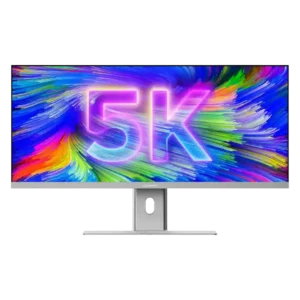
Alogic Edge 40-inch 5K ultrawide

Alogic Edge 40-inch 5K ultrawide

Overall score 4.3 / 5

Based on 7 scored reviews

vs
Samsung Odyssey OLED G6 G60SF

Samsung Odyssey OLED G6 G60SF

Overall score 4.3 / 5

Based on 27 scored reviews

How we score

Scorata scores summarize analyzed review evidence on a 1–5 scale; they are not laboratory measurements or a simple average of customer star ratings. Feature scores summarize the reviews covering that feature. The overall score averages feature scores within each review, then combines review averages. When both expert and customer evidence are available, those two groups receive equal weight. Products can have different review coverage, so small score gaps do not establish a winner.

Recommendations prioritize important features for the category, with a score of at least 3.5, a gap of at least 0.25 points and at least two supporting reviews per product. Features with widely varying scores or broad connectivity contexts are excluded from recommendations. These safeguards do not establish statistical significance.

Quick verdict

What each product is best for

The review evidence points to a tradeoff: cable management and DisplayPort connectivity versus competitive gaming suitability and viewing angles. Choose according to which strengths matter more to you; the overall score alone does not settle that choice.

Choose Alogic Edge 40-inch 5K ultrawide for cable management and DisplayPort connectivity.

Choose Samsung Odyssey OLED G6 G60SF for competitive gaming suitability and viewing angles.

Why these recommendations?

Alogic Edge 40-inch 5K ultrawide

Where It Has the Edge

  • cable management is 4.9 vs 2.5. One USB-C cable can carry video, data, Ethernet access, and up to 90W charging, dramatically reducing desk clutter....
  • DisplayPort connectivity is 4.5 vs 3.0. DisplayPort 1.4 gives PC users a direct, adapter-free connection and preserves the intended visual experience. It is a...
  • value for money is 4.0 vs 2.7. The price is high, but reviewers often saw fair value in the huge workspace, strong color, and integrated...

Samsung Odyssey OLED G6 G60SF

Where It Has the Edge

  • competitive gaming suitability is 5.0 vs 2.3. Competitive gaming is the G6’s clearest strength: 500Hz motion, near-instant pixel response, and very low lag make fast...
  • viewing angles is 5.0 vs 4.3. Viewing angles are excellent, with little visible image degradation from off-center positions.
  • setup ease is 5.0 vs 4.3. Assembly is consistently simple and tool-free, with stand pieces clipping or twisting securely into place.
Alogic Edge 40-inch 5K ultrawide 4.3 overall score
Samsung Odyssey OLED G6 G60SF 4.3 overall score

Compare features

Scores are out of 5. Missing scores mean missing review evidence, not a missing feature.

Scored on both products

Performance

HDR performance
Alogic Edge 40-inch 5K ultrawide
1.5

HDR is a clear weak spot: one lab test measured only 168 nits in HDR, far below the monitor’s strong SDR brightness.

Samsung Odyssey OLED G6 G60SF
4.5

HDR is a major strength thanks to per-pixel lighting, deep blacks, wide color, and bright highlights. Peak brightness can approach 1,000 nits in small highlights, though bright-scene dimming and configuration quirks keep it from being universally class-leading.

DisplayPort connectivity
Alogic Edge 40-inch 5K ultrawide
4.5

DisplayPort 1.4 gives PC users a direct, adapter-free connection and preserves the intended visual experience. It is a strong alternative when USB-C is unavailable.

Samsung Odyssey OLED G6 G60SF
3.0

DisplayPort 1.4 with DSC can drive the full 1440p/500Hz experience and was considered functionally adequate. Still, several testers wanted DisplayPort 2.1 at this premium price.

Picture-in-picture and picture-by-picture
Alogic Edge 40-inch 5K ultrawide
4.3

Picture-in-Picture and Picture-by-Picture make good use of the wide panel for multiple sources. PiP drew the strongest praise, while PbP was useful but less compelling for at least one reviewer.

Samsung Odyssey OLED G6 G60SF
3.0

Picture-in-picture is absent, but one tester considered that a minor limitation on a 27-inch display where split-screen use is less valuable.

Color accuracy
Alogic Edge 40-inch 5K ultrawide
4.3

Color accuracy can be excellent after calibration, including outstanding lab results. Several reviewers warned that the warm or slightly off factory presentation should be corrected before color-critical work.

Samsung Odyssey OLED G6 G60SF
4.5

Color accuracy is generally excellent, with strong measured results and good factory calibration. One outlet found the SDR defaults too warm and oversaturated, while other tests found only minor tuning was needed.

Overall picture quality
Alogic Edge 40-inch 5K ultrawide
4.6

Reviewers consistently describe the 5K2K image as bright, detailed, and impressive, especially after calibration. Weak HDR and slightly lower-than-Retina density are the principal picture-quality compromises.

Samsung Odyssey OLED G6 G60SF
4.8

Picture quality is consistently praised for vibrant color, deep blacks, strong contrast, and crisp gaming presentation. The matte coating and 1440p pixel density introduce tradeoffs, but the overall image remains excellent.

Contrast
Alogic Edge 40-inch 5K ultrawide
4.5

Measured contrast around 1430:1 looked strong in practical use, giving images pleasing depth at a normal working brightness.

Samsung Odyssey OLED G6 G60SF
4.7

OLED contrast is effectively infinite in controlled lighting, with excellent shadow separation and no blooming. The matte QD-OLED surface can reduce perceived contrast when strong ambient light raises black levels.

Brightness
Alogic Edge 40-inch 5K ultrawide
4.2

SDR brightness is comfortably strong for office and studio use, with one test reaching 417 nits. It trails brighter Apple displays and does not translate into convincing HDR performance.

Samsung Odyssey OLED G6 G60SF
4.3

Brightness is notably stronger than earlier QD-OLED generations, with roughly 300-nit full-screen SDR and high HDR peaks. It still trails the brightest LCD and newer tandem OLED options in some bright scenes.

On-screen display usability
Alogic Edge 40-inch 5K ultrawide
4.3

The rear joystick gives quick access to common controls and becomes fast to use. One reviewer found the menu initially confusing, but the overall layout was considered thoughtful and responsive.

Samsung Odyssey OLED G6 G60SF
4.3

The joystick-driven OSD is generally fast, clear, and easy to navigate, with sensibly organized menus. Placement can be awkward, and some important HDR controls are buried deeper than beginners may expect.

Other features

Competitive gaming suitability
Alogic Edge 40-inch 5K ultrawide
2.3

Competitive gaming is not this monitor’s strength. Its response time and 100Hz ceiling are fine for occasional play but too slow for fast shooters and esports-focused buyers.

Samsung Odyssey OLED G6 G60SF
5.0

Competitive gaming is the G6’s clearest strength: 500Hz motion, near-instant pixel response, and very low lag make fast shooters exceptionally clear and responsive. The benefit is greatest when a powerful PC can push very high frame rates.

Cable management
Alogic Edge 40-inch 5K ultrawide
4.9

One USB-C cable can carry video, data, Ethernet access, and up to 90W charging, dramatically reducing desk clutter. Replacing a multi-monitor setup also removes extra power and display cables.

Samsung Odyssey OLED G6 G60SF
2.5

The large external power brick makes minimalist desk setups harder to keep tidy and complicates cable management.

Response time
Alogic Edge 40-inch 5K ultrawide
3.0

The measured 14ms gray-to-gray response is acceptable for office work and content creation but clearly too slow for demanding gaming.

Samsung Odyssey OLED G6 G60SF
5.0

Pixel response is a unanimous strength, with OLED transitions described as exceptionally fast and effectively free of the sluggishness seen on LCDs.

Black levels
Alogic Edge 40-inch 5K ultrawide
3.0

Deep shadows look rich, but the darker-than-target gamma can hide shadow detail. Photographers doing critical tonal work will need careful calibration and output checks.

Samsung Odyssey OLED G6 G60SF
4.5

Deep, inky blacks are a major strength in darker rooms and games. Bright ambient light can lift QD-OLED blacks toward gray or purple, especially with the matte coating.

Productivity versatility
Alogic Edge 40-inch 5K ultrawide
5.0

This is the monitor’s standout quality: it handles timelines, spreadsheets, coding, writing, browsing, and multiple apps exceptionally well. Reviewers repeatedly found it capable of replacing a dual- or triple-monitor workspace.

Samsung Odyssey OLED G6 G60SF
3.9

The G6 can handle office and creative work well thanks to strong color and usable 1440p sharpness, but opinions are split for all-day productivity. Text fringing, burn-in risk, missing USB-C, and limited smart/software features make it less ideal as a one-monitor-for-everything setup.

Port selection
Alogic Edge 40-inch 5K ultrawide
4.6

USB-C, DisplayPort, HDMI, Ethernet, audio, and downstream USB-C cover most modern workstation needs. The main omissions are USB-A, an SD card reader, and faster accessory ports.

Samsung Odyssey OLED G6 G60SF
3.5

The core gaming ports are practical and easy to reach, with HDMI 2.1, DisplayPort, USB-A, and audio covered. Missing USB-C, KVM, and DisplayPort 2.1 keep the selection from feeling fully flagship-grade.

PC gaming compatibility
Alogic Edge 40-inch 5K ultrawide
3.3

The monitor works well with PCs and can handle casual games, but its strengths remain productivity and creative work rather than gaming-first use.

Samsung Odyssey OLED G6 G60SF
4.4

The G6 is excellent with a powerful gaming PC, especially in esports titles that can reach several hundred frames per second. Midrange systems can leave much of the 500Hz capability unused.

Screen uniformity
Alogic Edge 40-inch 5K ultrawide
4.0

The panel looked even and consistent at a typical 50% brightness, though a plain white screen revealed some edge luminance variation tied to viewing angle.

Samsung Odyssey OLED G6 G60SF
5.0

The tested panel showed very even full-white and dark-gray fields with no dirty-screen effect, reinforcing QD-OLED’s strong uniformity.

Resolution
Alogic Edge 40-inch 5K ultrawide
4.5

The 5120×2160 panel delivers a major jump in usable detail and is consistently praised for creative work. It is not Retina-class at 40 inches, so several reviewers preferred a scaled macOS resolution.

Samsung Odyssey OLED G6 G60SF
3.6

1440p is a sensible match for very high frame rates and looks crisp in games at 27 inches, but it is noticeably less dense than 4K. Buyers prioritizing fine text or maximum detail may find the resolution modest for the price.

Sharpness
Alogic Edge 40-inch 5K ultrawide
4.5

Text, UI elements, photos, and video detail look crisp for a 40-inch ultrawide. The 139ppi density is a big improvement over QHD models, but users accustomed to Retina displays can still see the difference.

Samsung Odyssey OLED G6 G60SF
3.7

Gaming sharpness is generally good at 27-inch 1440p, but text and fine desktop detail lag behind 4K and same-resolution LCDs because of pixel density and QD-OLED’s subpixel layout.

VESA mount compatibility
Alogic Edge 40-inch 5K ultrawide
3.7

A standard 100×100mm VESA pattern adds mounting choice, but the panel’s size and weight make a very sturdy arm essential. One reviewer advised against arm mounting altogether.

Samsung Odyssey OLED G6 G60SF
4.5

Standard 100x100 VESA support makes it easy to move the display onto a third-party arm or wall mount when the included stand is not ideal.

Viewing angles
Alogic Edge 40-inch 5K ultrawide
4.3

The IPS panel generally keeps colors consistent from wide angles, but the extreme edges can appear darker from a centered seat. The issue is noticeable on uniform bright content rather than normal work.

Samsung Odyssey OLED G6 G60SF
5.0

Viewing angles are excellent, with little visible image degradation from off-center positions.

Panel type
Alogic Edge 40-inch 5K ultrawide
4.5

The IPS panel was praised for maintaining accurate color across broad viewing positions, making the flat screen well suited to productivity and color-sensitive work.

Samsung Odyssey OLED G6 G60SF
5.0

The QD-OLED panel is praised for combining rich color, deep blacks, instant response, and higher brightness than earlier 1440p OLED generations.

Premium feel
Alogic Edge 40-inch 5K ultrawide
4.5

Machined aluminum, glass, slim proportions, and Mac-matched finishes create a convincing premium feel. Loose hinge behavior on one unit kept the presentation from feeling flawless.

Samsung Odyssey OLED G6 G60SF
5.0

Metal construction, refined silver finishes, and a slim chassis give the G6 a consistently premium look and feel.

Aspect ratio
Alogic Edge 40-inch 5K ultrawide
4.9

The 21:9 format is exceptionally effective for side-by-side apps, long timelines, and anamorphic footage without letterboxing. Reviewers repeatedly saw it as a cleaner alternative to two or even three displays.

Samsung Odyssey OLED G6 G60SF
4.5

The familiar 16:9 layout was described as an easy, comfortable transition from typical gaming monitors.

Stand adjustability
Alogic Edge 40-inch 5K ultrawide
4.4

Height, tilt, swivel, and in some accounts rotation make the stand unusually flexible. Some units or setups showed wobble, and the screen may not lower enough for shorter users.

Samsung Odyssey OLED G6 G60SF
4.8

The stand is one of the most consistent strengths, with height, tilt, swivel, and pivot adjustment plus a compact flat base. Movement is generally smooth and stable, though one tester found it somewhat stiff.

USB hub functionality
Alogic Edge 40-inch 5K ultrawide
4.2

The integrated dock is highly convenient for video, Ethernet, charging, and basic peripherals. Its downstream USB-C ports run at slow USB 2.0 speeds, so it cannot replace a high-performance Thunderbolt dock.

Samsung Odyssey OLED G6 G60SF
3.8

The two-port USB hub is useful for peripherals and hard-to-reach PCs, but it is a basic hub rather than a high-end docking solution.

Reflection handling
Alogic Edge 40-inch 5K ultrawide
4.7

The matte coating handles office and studio reflections very well and is repeatedly preferred for work near windows. Bright windows can still create highlights depending on placement.

Samsung Odyssey OLED G6 G60SF
4.4

The matte coating is highly effective at diffusing direct reflections and is especially useful near bright windows. The tradeoff is slightly reduced punch, occasional grain, and lifted QD-OLED blacks under strong ambient light.

Motion clarity
Alogic Edge 40-inch 5K ultrawide
4.7

Motion during scrolling and timeline work is consistently described as smooth or fluid, with the 100Hz refresh rate providing an obvious improvement over 60Hz panels.

Samsung Odyssey OLED G6 G60SF
4.9

Motion clarity is the standout feature. At very high frame rates, fast objects and text stay exceptionally clear, with multiple testers describing the 500Hz presentation as among the best they have seen.

Overall satisfaction
Alogic Edge 40-inch 5K ultrawide
4.6

Across the valid 5K2K reviews, satisfaction is consistently high for productivity, creative work, and Mac integration. Reservations center on price, stand wobble, weak speakers, and specialized color or gaming needs.

Samsung Odyssey OLED G6 G60SF
4.4

Overall sentiment is strongly positive when the G6 is judged as a specialist high-end gaming monitor. The main reservations are price, limited all-round features, and whether a buyer can actually use 500Hz.

Built-in speakers
Alogic Edge 40-inch 5K ultrawide
2.1

The dual 3W speakers are consistently judged weak, tinny, or merely acceptable for calls. External speakers are strongly preferable for music, movies, and serious audio work.

Samsung Odyssey OLED G6 G60SF
2.3

There are no built-in speakers, and testers considered that a missed convenience for buyers without room for separate audio.

Color gamut
Alogic Edge 40-inch 5K ultrawide
4.6

Coverage of sRGB and DCI-P3 is a major strength, while Adobe RGB lands in the high-80s to mid-90s depending on the test. That is ample for video and general creative work but less ideal for final print preparation.

Samsung Odyssey OLED G6 G60SF
4.8

QD-OLED delivers a very wide gamut with strong DCI-P3 and Adobe RGB coverage, giving games and creative work rich, saturated color. Out-of-box saturation can run hot until sRGB or color management is enabled.

Refresh rate
Alogic Edge 40-inch 5K ultrawide
4.4

At 100Hz, scrolling, timeline movement, and everyday animation look noticeably smoother than on typical 60Hz productivity monitors. Serious gamers may still want a faster dedicated display.

Samsung Odyssey OLED G6 G60SF
4.4

The 500Hz refresh delivers extraordinary smoothness when games can feed it enough frames, and several testers noticed a meaningful jump over 240Hz or 360Hz. Others saw diminishing returns and questioned whether most players need it.

Ownership and support

HDMI 2.1 support
Alogic Edge 40-inch 5K ultrawide
2.0

HDMI is limited by the monitor’s HDMI 2.0 implementation, including a 30Hz cap at full 5K resolution in one test. USB-C or DisplayPort is the better route for the full 100Hz experience.

Samsung Odyssey OLED G6 G60SF
4.0

The two full HDMI 2.1 inputs are a welcome part of the connectivity package and can support the monitor’s high-refresh gaming modes.

Value for money
Alogic Edge 40-inch 5K ultrawide
4.0

The price is high, but reviewers often saw fair value in the huge workspace, strong color, and integrated docking compared with multiple displays or premium Apple alternatives. Wobble and weak audio make the cost harder to justify for some.

Samsung Odyssey OLED G6 G60SF
2.7

Value is the G6’s biggest weakness: multiple outlets found it expensive versus similar 500Hz QD-OLED rivals or cheaper lower-refresh OLEDs. A few lower street prices improved the equation, so discounts matter a lot.

Setup ease
Alogic Edge 40-inch 5K ultrawide
4.3

Physical assembly is generally simple despite the monitor’s size, and several reviewers found it surprisingly easy. Color-critical users should budget extra time for calibration after setup.

Samsung Odyssey OLED G6 G60SF
5.0

Assembly is consistently simple and tool-free, with stand pieces clipping or twisting securely into place.

Warranty and support service
Alogic Edge 40-inch 5K ultrawide
4.3

The two-year warranty provides reasonable peace of mind, and Alogic’s support reputation among Mac users is described positively.

Samsung Odyssey OLED G6 G60SF
4.3

The three-year burn-in warranty is a meaningful safety net and matches the stronger coverage offered by other premium 500Hz OLEDs.

Comfort and build

Screen size
Alogic Edge 40-inch 5K ultrawide
4.7

The 40-inch canvas is the product’s defining advantage, giving spreadsheets, timelines, and several windows room to breathe. Its near-meter width and awkward weight demand a large, stable desk.

Samsung Odyssey OLED G6 G60SF
3.3

The 27-inch size is ideal for close-up competitive play and smaller desks, but it can feel modest for the price and lacks the cinematic scale of larger displays.

Eye comfort features
Alogic Edge 40-inch 5K ultrawide
4.3

The matte finish, smoother 100Hz motion, and sensible scaling options make long work sessions easier on the eyes. Choosing a readable scaled resolution is important because native 5120×2160 can make text very small.

Samsung Odyssey OLED G6 G60SF
4.0

Eye-comfort options include glare reduction and settings aimed at reducing fatigue, plus a color-vision accessibility mode. The matte surface is especially helpful when bright reflections would otherwise be distracting.

Build quality
Alogic Edge 40-inch 5K ultrawide
4.4

The metal-and-glass construction usually feels solid, substantial, and premium. The main exception is reported hinge looseness or wobble, which undermined confidence for some reviewers.

Samsung Odyssey OLED G6 G60SF
4.6

The metal-heavy chassis feels sturdy and flagship-grade, and several testers ranked its construction above competing 500Hz models. A few units showed flex around the rear port area.

Design and aesthetics
Alogic Edge 40-inch 5K ultrawide
4.9

The slim aluminum-and-glass design closely matches Apple hardware and receives near-universal praise. Silver and Space Gray finishes help it blend naturally into Mac-focused workspaces.

Samsung Odyssey OLED G6 G60SF
4.8

The slim silver chassis, restrained styling, and rear RGB ring give the G6 a polished, modern look. Its design was repeatedly called sleek, classy, and more refined than many gaming-monitor rivals.

Controls and connectivity

Software support
Alogic Edge 40-inch 5K ultrawide
3.3

Basic Mac operation is reliable, but integration is not as seamless as Apple’s own displays. Scaling can be less clean, and keyboard control for volume and brightness was missing in one test pending firmware.

Samsung Odyssey OLED G6 G60SF
3.3

Firmware can be updated and Samsung offers some display-management tools, but desktop software control is less complete than several rivals. Buyers who frequently switch color or gaming settings may miss a fuller Windows app.

Evidence available for one product

Performance

Adaptive sync performance
Alogic Edge 40-inch 5K ultrawideNo score yet
Samsung Odyssey OLED G6 G60SF
4.3

Adaptive sync is usually smooth and tear-free across Nvidia and AMD GPUs, but one test found conspicuous VRR flicker in dark and mid-tone scenes. Samsung’s VRR Control can help, though it may add a little latency.

KVM switch performance
Alogic Edge 40-inch 5K ultrawideNo score yet
Samsung Odyssey OLED G6 G60SF
2.3

There is no KVM switch, a recurring omission that makes the G6 less convenient for sharing peripherals between multiple computers.

Local dimming performance
Alogic Edge 40-inch 5K ultrawideNo score yet
Samsung Odyssey OLED G6 G60SF
5.0

Per-pixel OLED dimming gives precise control with minimal blooming and clean separation between bright highlights and dark objects.

Other features

Backlight bleed control
Alogic Edge 40-inch 5K ultrawideNo score yet
Samsung Odyssey OLED G6 G60SF
5.0

OLED’s self-emissive pixels eliminate the backlight-bleed look seen on LCDs, producing pitch-black edges and dark scenes.

Burn-in protection
Alogic Edge 40-inch 5K ultrawideNo score yet
Samsung Odyssey OLED G6 G60SF
3.7

Dynamic cooling and automatic dimming help reduce OLED burn-in risk, but Samsung’s OLED-care controls are less customizable than some rivals.

Console gaming compatibility
Alogic Edge 40-inch 5K ultrawideNo score yet
Samsung Odyssey OLED G6 G60SF
2.8

Current consoles work with VRR and high-refresh gaming, but they cannot exploit the 500Hz ceiling. For console-first setups, the G6 was repeatedly viewed as overkill.

Curved screen immersion
Alogic Edge 40-inch 5K ultrawideNo score yet
Samsung Odyssey OLED G6 G60SF
2.0

The flat 27-inch format cannot match the wraparound immersion of a large curved display, making it less compelling for buyers prioritizing cinematic scale.

Delivery condition
Alogic Edge 40-inch 5K ultrawide
4.5

The large display arrived efficiently protected with foam, stand parts, and accessories arranged securely around the panel.

Samsung Odyssey OLED G6 G60SFNo score yet
Gaming image presets
Alogic Edge 40-inch 5K ultrawideNo score yet
Samsung Odyssey OLED G6 G60SF
3.5

Samsung provides useful picture controls and flexible sRGB/HDR adjustment, but the preset selection is thinner than some competitors and certain advanced settings are not very explicit.

Ghosting control
Alogic Edge 40-inch 5K ultrawideNo score yet
Samsung Odyssey OLED G6 G60SF
5.0

Fast-moving objects show essentially no visible trailing or overshoot, one of the clearest advantages of the OLED response behavior.

Heat management
Alogic Edge 40-inch 5K ultrawideNo score yet
Samsung Odyssey OLED G6 G60SF
5.0

Samsung’s passive heat-pipe and graphite-based cooling is repeatedly praised for keeping the OLED panel under control without active fan noise. The thermal system also supports burn-in prevention and longevity.

Input lag
Alogic Edge 40-inch 5K ultrawideNo score yet
Samsung Odyssey OLED G6 G60SF
5.0

Input lag is consistently described as effectively imperceptible or extremely low, helping the G6 feel immediate in reaction-heavy games.

Overdrive tuning
Alogic Edge 40-inch 5K ultrawideNo score yet
Samsung Odyssey OLED G6 G60SF
5.0

OLED response remains consistent across refresh rates, so there is no need to retune overdrive as frame rate changes.

Single-player cinematic gaming suitability
Alogic Edge 40-inch 5K ultrawideNo score yet
Samsung Odyssey OLED G6 G60SF
4.0

Single-player games still benefit from OLED blacks, color, HDR, and fluid motion, and several testers loved the cinematic image. The small flat 27-inch format and 500Hz price premium make it less compelling if slower cinematic games are the main use.

Sleep and wake behavior
Alogic Edge 40-inch 5K ultrawide
2.0

A bright pulsing status light while the monitor sleeps can be distracting, especially in a bedroom or dark workspace.

Samsung Odyssey OLED G6 G60SFNo score yet
Ultrawide gaming experience
Alogic Edge 40-inch 5K ultrawideNo score yet
Samsung Odyssey OLED G6 G60SF
2.5

The 27-inch flat screen cannot deliver the scale or wraparound immersion of an ultrawide, so buyers focused on cinematic field of view have stronger alternatives.

VRR compatibility
Alogic Edge 40-inch 5K ultrawideNo score yet
Samsung Odyssey OLED G6 G60SF
5.0

VRR support covers both AMD FreeSync Premium Pro and Nvidia G-Sync compatibility, giving broad GPU flexibility.

Ownership and support

Reliability over time
Alogic Edge 40-inch 5K ultrawideNo score yet
Samsung Odyssey OLED G6 G60SF
2.5

OLED remains vulnerable to permanent retention during long periods of static desktop use, so heavy all-day productivity carries more longevity risk than varied gaming and video use.

Other Top Monitors to Consider

#1 Asus ROG Swift 34 QD-OLED PG34WCDN
4.5

This 360Hz QD-OLED ultrawide delivers exceptional gaming motion, vibrant HDR and dramatically cleaner text. Its high price, less-than-perfect bright-room blacks and occasional HDR dimming are the main reasons to hesitate.

Pros: color gamut, contrast

Cons: value for money, Resolution

#2 MSI MPG 341CQR QD-OLED X36
4.4

The 360Hz QD-OLED panel delivers exceptional HDR gaming, responsive motion, and cleaner text than earlier ultrawides. Its 3440×1440 resolution is less sharp than 4K, and premium pricing remains a hurdle.

Pros: refresh rate, Text fringing

Cons: Resolution, GPU demands

#3 Dell U4025QW
4.4

A huge, sharp ultrawide workspace and unusually capable Thunderbolt dock make the U4025QW outstanding for demanding productivity and editing. Its high price, modest HDR, and imperfect motion handling keep it...

Pros: overall picture quality, color accuracy

Cons: value for money, built-in speakers

#4 ASUS ROG Strix OLED XG27ACDNG
4.4

Lightning-fast 360Hz OLED gaming, rich color and an unusually flexible USB-C/KVM setup are the big draws. Strong room lighting, limited full-screen HDR brightness and static-content burn-in concerns keep it from...

Pros: color gamut, overall satisfaction

Cons: reflection handling, VRR flicker




