
Media controls were praised through positive comments about the rotary wheel, dedicated controls, and customizable knob behavior.
Pros: cable quality, typing comfort
Cons: portability, switch options

Showing Gaming Products only. Switch back to all Gaming Keyboards anytime.
Media controls were praised through positive comments about the rotary wheel, dedicated controls, and customizable knob behavior.
Pros: cable quality, typing comfort
Cons: portability, switch options

Media controls were praised through the clickable knob, including satisfying quick mute behavior and a nice click-down control.
Pros: build quality, extra gaming features
Cons: switch options, hot-swappable switches

The programmable knob was praised as useful for volume and more complex functions, especially for editing workflows.
Pros: key stability, frame rigidity
Cons: profile management, reliability

Media controls are widely praised as useful and space-efficient, though a few reviewers found the touch panel less useful or only moderately responsive.
Pros: reliability, typing comfort
Cons: cable quality, wrist rest quality

Media controls were mostly praised for convenience, dedicated buttons, and immediate usefulness, though one TKL review found the buttons unresponsive.
Pros: per-key lighting control, key responsiveness
Cons: ease of switch replacement, battery life

Media controls were generally useful and accessible, especially given the compact layout, though they are not as full-featured as a wheel or dial.
Pros: key stability, backlight brightness
Cons: rapid trigger support, wrist rest quality

Media controls were usually praised, especially the dedicated top controls, though some reviewers found them wasteful or less tactile than main switches.
Pros: stabilizer quality, latency
Cons: ease of switch replacement, hot-swappable switches

The control dial was generally liked for volume, scroll, zoom, and brightness, but several reviewers wanted deeper remapping or noted slight wobble.
Pros: latency, durability
Cons: legend visibility, rapid trigger support
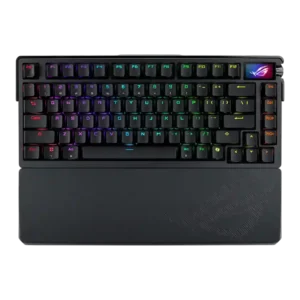
Media controls were generally liked for tactile or improved knob control, though one reviewer wanted a more tactile feel.
Pros: key spacing, reliability
Cons: rapid trigger support, analog input support

Media controls are mixed: reviewers often praise tactile dedicated buttons, but Tom's Hardware finds onboard controls limited and TechRadar finds the buttons cheap.
Pros: compatibility, legend visibility
Cons: wrist rest quality, cable quality
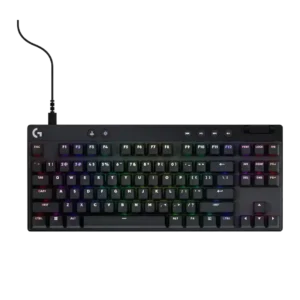
Media controls are useful when dedicated, but placement and limited customization create mixed opinions across models.
Pros: durability, per-key lighting control
Cons: noise level, sound dampening

Media controls were mixed: OLED and volume controls were useful, but small wheels, cumbersome processes, and missing buttons drew complaints.
Pros: key responsiveness, durability
Cons: passthrough features, analog input support

Media controls were a recurring weakness because reviewers wanted a knob or dedicated controls, despite remapping and function-row workarounds.
Pros: wrist rest quality, onboard memory
Cons: per-key lighting control, switch options
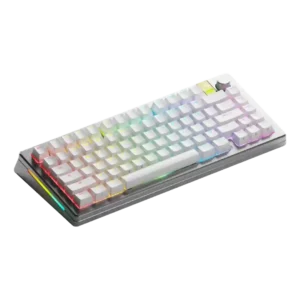
Media controls scored low because one reviewer could not remap the knob press to play/pause as intended.
Pros: materials quality, customization options
Cons: reliability, actuation consistency

Media controls were one of the most repeated weaknesses because reviewers missed dedicated buttons and disliked relying on function-key shortcuts.
Pros: latency, wireless performance
Cons: rapid trigger support, ease of switch replacement