
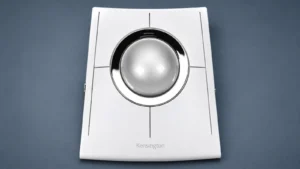
Kensington SlimBlade Pro Trackball Feature Scores
Overall Scorata score: 4.0/5
Based on 10 analyzed reviews · View source samples
Explore all 96 feature scores for Kensington SlimBlade Pro Trackball, organized into pros and cons.
Scores by Feature
Summary
96 reviewed features-
Very positive 4.5-5.041 (43%)
-
Positive 3.5-4.423 (24%)
-
Neutral 2.5-3.417 (18%)
-
Negative 1.5-2.414 (15%)
-
Very negative below 1.51 (1%)
Pros
Sort
-
Wired USB, Bluetooth and a 2.4 GHz receiver offer welcome flexibility, including a dependable wired fallback.
-
The fixed base eliminates the clearance required for mouse sweeps and stays put during use.
-
Most reviewers are enthusiastic about the trackball after adapting to it, with caveats about wrist posture, noise and scrolling.
-
Button remapping and combinations support a wide range of shortcuts; third-party utilities can provide further flexibility.
-
The symmetrical layout and remapping make the design useful with either hand.
-
Basic operation is plug-and-play without requiring companion software.
-
Battery endurance is a standout strength, with users reporting weeks or months between charges. The full four-month claim was not tested by every reviewer.
-
The large 55 mm ball makes broad swipes easier and is especially appealing to users who prefer bigger trackballs.
-
USB operation offers a straightforward and dependable fallback while charging.
-
Four physical buttons can provide eight programmable inputs through combinations, though users needing numerous dedicated buttons may find them limiting.
-
The large ball and dual sensors allow precise control once technique and sensitivity are dialed in.
-
Simultaneous button presses expand the four physical controls into useful extra shortcuts.
-
The ball can roll exceptionally smoothly after break-in, though initial stickiness and accumulated dust may require cleaning.
-
The 2.4 GHz receiver offers a dependable connection with no reported stutter in hands-on use.
-
The sleek, metallic-looking body and prominent red ball earn praise for their distinctive appearance.
-
Getting started is straightforward, including Bluetooth pairing and dongle setup.
-
The stationary, low-profile design can reduce arm movement and allow different grips. Some users need a wrist rest or tilt to avoid wrist extension.
-
The ball lifts out easily so the bearings and housing can be wiped clean.
-
Twisting the ball to scroll is clever and becomes intuitive for many users, but occasional missed scrolls and unintended movement remain drawbacks.
-
Bluetooth pairing is straightforward and several users report reliable operation.
-
Stationary fingertip operation reduces arm and shoulder movement compared with sweeping a regular mouse.
-
The physical DPI switch makes sensitivity adjustments quick without software.
-
Encrypted wireless communication is a valued privacy and security feature.
-
Finger operation distributes movement across several digits instead of concentrating the workload on the thumb.
-
Cursor movement becomes smooth and precise with practice and suitable DPI, although initial overshooting and mode-dependent sensitivity are concerns.
-
Hands-on reports describe steady wireless operation with no noticeable interruptions.
-
The software can lock movement to one axis, useful for drawing straight horizontal or vertical lines.
-
Several users report comfortable all-day work, although wrist angle and finger technique matter during extended sessions.
-
Application-specific settings allow different shortcuts for different workflows.
-
The low body is comfortable for several users, but others find it creates upward wrist extension without a rest.
-
The rechargeable battery integrates neatly into the low-profile body and avoids regular disposable battery purchases.
-
Dual sensors support accurate tracking and distinguish pointing from scrolling.
-
USB-C and the included adapter provide useful wired and charging flexibility.
-
Adjustable sensitivity helps users find a comfortable balance of speed and precision.
-
Many users experience less wrist movement or soreness, but some need added support to avoid holding the wrist bent upward.
-
The weight helps the base stay in place, and the rechargeable version adds little weight over its predecessor.
-
The housing generally feels solid with little flex, although the buttons can feel cheap and the ball can scratch.
-
The flat, flexible shape accommodates different grips, but its wrist angle can be awkward until the setup is adjusted.
-
The included nylon-braided USB cable feels well made.
-
Wireless motion is consistent without observable jitter or stuttering.
-
The device earns praise for its upscale appearance and feel.
-
Wireless modes and adjustable DPI are meaningful improvements over the original wired version.
-
Windows recognized the device without difficulty across its connection modes.
-
Wireless operation is smooth, without noticeable jitter or stutter in hands-on testing.
-
Some Expert cases fit the device, and a replacement ball can offer a preferred feel.
-
Separate wired and wireless modes can support multiple computers, although only one connection is active at a time.
-
Customizable buttons can accelerate routine work, although the unusual controls take practice.
-
Click response is praised across the button surface by one user, while others find presses nearer the ball register more reliably.
-
The USB adapter adds flexibility, but an included wedge or wrist support would improve the package for some users.
-
Long battery endurance makes charging an infrequent chore.
-
Cloud storage allows customized settings to be reused in multiple locations.
-
PC and Mac compatibility contributes to the trackball’s flexibility.
-
The included USB adapter makes it handy for a wide range of computers.
-
The low-profile shape gives users flexibility in how they grip the trackball.
-
Simple cardboard packaging with minimal foam is appreciated for recyclability.
-
The large buttons are easy to operate for some, but others report cheap feel or inconsistent response near the edges.
-
The price is reasonable for enthusiasts who value the feature set, but high for beginners or buyers who only need wired use.
-
A wrist rest or slight tilt can make the flat design much more comfortable; some users would prefer an included wedge.
-
A physical mode switch allows rapid changes between separately connected devices.
-
The stationary design and large ball can be easy to operate once familiar.
-
The receiver provides a solid connection, at the expense of occupying a USB port.
-
Periodic cleaning keeps the bearings smooth; some users recommend weekly cleaning, while others notice grit after several weeks.
-
The body seems durable, but the ball itself can be more fragile.
-
Rechargeability and recyclable packaging are positives, while difficult battery replacement and parts access limit long-term sustainability.
Cons
Sort
-
One Mac user found uninstalling KensingtonWorks unusually difficult, requiring restarts and command-line work.
-
Button clicks can be loud enough to annoy users and coworkers.
-
Settings are not stored onboard, limiting portability between computers without software.
-
The ball is held by gravity and can fall out if the unit is tilted or carried upside down.
-
The glossy finish collects fingerprints and grease; they wipe off, but regular cleaning is needed.
-
KensingtonWorks can conflict with other mouse software.
-
Software removal can be cumbersome despite the useful customization capabilities.
-
The default thumb-and-pinky click technique and alternative top-button mapping can feel uncomfortable.
-
Custom settings rely on host-side software rather than onboard storage.
-
One Mac user found cursor travel at a given DPI setting differed markedly between wired and wireless modes.
-
Retesting found a regression from 500 Hz wired operation to 125 Hz across connection types.
-
The loose ball makes moving the unit less convenient without a suitable case.
-
The battery is not designed for easy replacement, a concern for long-term ownership and waste.
-
Easier ordering of replacement parts would improve serviceability.
-
The ball can scratch relatively easily, including from a short drop onto a desk.
-
The layout and twist scrolling take practice even for some existing trackball users. Control generally becomes more natural after days or weeks.
-
Noise varies from subtle feedback to irritating clicks and initial squeaks or honks. Some break-in noise subsides over time.
-
Remaining battery visibility depends on the connection and software; Bluetooth on Mac offers a reading, but dongle use may require the app.
-
ChromeOS supports basic functions, but lacks KensingtonWorks customization.
-
The large body can be unwieldy for smaller hands, while larger hands may find it easier to operate.
-
The device is physically large, although it needs no extra room to slide around.
-
Customization options are extensive, but a Mac user strongly criticized conflicts and difficult uninstallation.
-
Text selection while holding a click can be tricky. A previously reported Photoshop scrolling-and-dragging issue was later resolved.
-
One owner successfully modified the sound hardware, but others criticize difficult disassembly and hidden screws.
-
Finding a comfortable resting position can require experimenting with hand placement and a wrist rest.
-
Mac operation is supported, though one user found sensitivity differed by connection mode.
-
The ball can feel sticky at first but becomes much smoother after days or weeks of use.
-
The simulated scrolling clicks are useful feedback to some but an irritating buzzer to others.
-
Four physical buttons keep the layout simple; combination inputs expand functionality, but demanding users may want more separate buttons.
-
Four sensitivity levels provide useful choice, but the higher settings can feel overly fast or jerky.
-
Accurate tracking can work for games, but the limited physical buttons may disappoint demanding players.
-
The large buttons can be easy to reach, but the bottom click layout and rear buttons can feel awkward at first.
Use Cases
Best for
Sort
-
Even with its substantial body, the stationary design frees up desk space otherwise needed for mouse movement.
-
A capable desktop work tool once its unconventional controls become familiar. Custom shortcuts and reduced arm movement help with extended work.
-
A useful option for reducing wrist movement, provided the user finds a comfortable angle and finger technique.
-
Especially appealing to experienced trackball users who want a large finger-operated ball and versatile connections.
-
The symmetrical body and remappable buttons make it a practical choice for left-handed users.
-
Long endurance and stable wireless connections make cable-free daily operation appealing.
-
Wired operation is a reliable fallback, although buyers who never need wireless may prefer the cheaper predecessor.
-
Twist scrolling can become comfortable for repeated use, but occasional missed scrolls and technique adjustments may interrupt navigation.
-
Single-axis pointer locking helps users draw straight lines more easily.
-
The large ball works well for larger hands, which may also make click-and-drag movements easier.
-
Different connection modes make switching between computers practical for multi-device work.
-
The ball can provide excellent fine control, but overly high sensitivity may make slow precision movements jerky.
-
Once the unusual controls become familiar, the trackball can become an essential everyday pointing device.
-
The precise finger-operated trackball is well suited to detailed design work.
-
Flexible finger operation and a stationary base can help people with limited mobility.
-
Precision control and programmable inputs make it a good fit for demanding video editing.
-
An owner successfully silenced the scrolling and button noises through modification.
-
Accurate control helps with everyday web navigation.
Conditional or not ideal for
Sort
-
First-time trackball usersA challenging first trackball because of the unusual clicks, finger technique and scrolling. Some users adapt quickly, but a conventional thumb trackball may be easier.
-
Shared offices and librariesShared offices may be a poor fit for noise-sensitive coworkers, especially before initial break-in noises subside.
-
Small-handed usersSmall-handed users may struggle to reach or manipulate the large trackball comfortably.
-
TravelTravel requires extra care because the ball can fall out; a compatible hard case helps.
-
Budget-conscious buyersBudget-sensitive newcomers may find the price difficult to justify before knowing whether they like the trackball style.