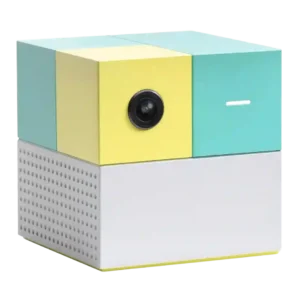
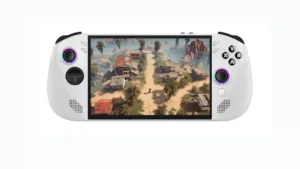
Nex Playground
Where It Has the Edge
No clear scored advantage over the other product.

Scorata scores summarize analyzed review evidence on a 1–5 scale; they are not laboratory measurements or a simple average of customer star ratings. Feature scores summarize the reviews covering that feature. The overall score averages feature scores within each review, then combines review averages. When both expert and customer evidence are available, those two groups receive equal weight. Products can have different review coverage, so small score gaps do not establish a winner.
Recommendations prioritize important features for the category, with a score of at least 3.5, a gap of at least 0.25 points and at least two supporting reviews per product. Features with widely varying scores or broad connectivity contexts are excluded from recommendations. These safeguards do not establish statistical significance.
Quick verdict
There is not enough consistent, comparable evidence for a clear recommendation. Use the feature details and supporting reviews to weigh the tradeoffs.
There is not enough comparable review evidence to recommend Nex Playground over the other product.
There is not enough comparable review evidence to recommend Lenovo Legion Go S over the other product.
No clear scored advantage over the other product.
No clear scored advantage over the other product.
Scores are out of 5. Missing scores mean missing review evidence, not a missing feature.
Motion tracking is usually responsive and impressively accurate, including with multiple players, and several reviewers report little or no lag. The main caveats are occasional lost tracking, spectator confusion, lighting sensitivity, and a few reports of perceptible lag.
Performance varies sharply by configuration and operating system. SteamOS and Z1 Extreme combinations earn strong praise, while Z2 Go and Windows reviews are more likely to report inconsistent or insufficient results.
Frame-rate performance is a weak spot in the more technically critical reviews. Some games show noticeable dips or poor optimization, especially during busier scenes.
Frame-rate results depend heavily on chip, game, resolution, and power mode. Z1 Extreme models can be very fast, while Z2 Go units often target 30-60fps and can struggle at native resolution in demanding titles.
Visuals are intentionally simple and often described as mobile-, Wii-, or throwback-quality rather than modern-console caliber. Some family-focused reviewers think that simplicity fits the experience, while more traditional gaming outlets criticize the lack of polish.
The Go S can make modern games look good, especially on Z1 Extreme, but demanding titles often need medium or low settings, upscaling, or reduced resolution. Visual compromises are much more noticeable on weaker configurations.
The small cube is generally described as well made, with robust accessories and a surprisingly premium feel. Build complaints are rare in the supplied reviews.
Most reviewers describe the Go S as sturdy, solid, or premium, but not everyone agrees: one Windows-model review calls it plasticky and another dislikes the increasingly abrasive grip texture.
The console’s tiny, light cube shape is repeatedly praised. Reviewers like that it takes little TV-stand space and can be packed for hotels, relatives’ homes, school use, or family gatherings.
The Go S is easier to hold than the original Legion Go and remains practical for travel, but several reviewers still find it heavier or chunkier than the Steam Deck and other rivals.
Reviewers consistently like the tiny cube’s friendly appearance, calling it cute, beautiful, understated, and even Apple-like. Its soft colors and compact footprint make it easier to leave visible under a TV than many game consoles.
The darker SteamOS colorway and rounded redesign are widely praised, with several reviewers calling the Go S attractive or Lenovo's best handheld design yet.
Several reviewers appreciate the lack of lengthy installs and quick access to play, but others report initial downloads or occasional game loading taking longer than expected. Load-time impressions are positive overall, with scattered friction.
One Z1 Extreme review reports little-to-no load time in recent games, pairing fast loading with smooth, stutter-free play.
The library is the most divided part of the experience. Families praise the variety, licensed characters, fitness options, monthly additions, and easy party games, while critics and some long-term owners find many titles shallow, repetitive, uneven, or unable to hold interest over time.
Steam provides a broad library, but compatibility is not universal. Game Pass, anti-cheat titles, and some newer games can require workarounds or fail to run, which keeps the library experience mixed.
Packaging is repeatedly praised for being organized, attractive, and premium-feeling. The presentation reinforces the console’s simple family-product positioning.
Packaging is described as minimal but premium, with the included charger and foldable stand covering the essentials even though a carrying case is not standard.
The 64GB storage is considered adequate because the games are relatively small. Direct evaluation of storage is limited, but the available assessment is positive.
Higher-capacity configurations are considered well equipped, while the 512GB base model can fill quickly with a handful of large modern games.
The remote works well for basic menu and game selection, and one reviewer likes how it lets parents choose content before handing play over. Another wishes the system could use gestures for more navigation instead of requiring the remote.
Hall Effect sticks, adjustable triggers, rear paddles, and Steam-focused buttons are well liked, but the tiny trackpad draws repeated criticism and some reviewers miss detachable controls or dual pads.
The small remote is generally simple and responsive enough for children to use, but its slim shape also makes it easy to misplace. Overall it is a functional navigation tool rather than a major part of gameplay.
Controls are generally sturdy, precise, responsive, and resistant to stick drift. D-pad feel is more mixed, but the joysticks, triggers, and main buttons receive consistent praise.
Setup is one of the strongest consensus positives: most reviewers describe a straightforward HDMI, power, Wi-Fi, and account process that takes only a few minutes. A few mention password entry, terms, or downloads adding minor friction, but the overall experience is notably simple.
SteamOS is repeatedly praised for quick sign-in, simple game installation, and controller-first setup. Windows-based units are the opposite, often requiring substantial tweaking and desktop-style navigation.
Value depends heavily on how often the household uses active family play. Many family-focused reviewers call Nex worthwhile or cheaper than mainstream consoles, while skeptical gaming outlets argue that shallow content plus Play Pass makes the total cost hard to justify.
Value depends heavily on configuration and price. SteamOS models, discounts, and used units often earn strong praise, while full-price Windows or high-end configurations face tougher comparisons with rival handhelds.
Most reviewers find the interface clean, colorful, and simple enough for children to navigate independently. A smaller group reports clunky menus, shifting categories, unclear start flows, or insufficient prompts that can confuse younger players.
SteamOS is the product's biggest usability win, delivering a fast, console-like, controller-first experience. Windows reviews describe the opposite: clunky layouts, poor touch behavior, and too much desktop friction.
Gaming endurance is the clearest recurring weakness, commonly landing around 1.5-2.5 hours under demanding use. Lower-power settings can stretch runtime, but reviewers repeatedly recommend keeping a charger nearby.
SteamOS is repeatedly credited with fewer crashes, smoother resume behavior, and better day-to-day dependability than Windows. The harshest reliability criticism comes from the Windows-focused review.
Cloud and streamed gaming are viewed very positively where tested. GeForce Now can feel close to local play on a strong connection, and general game streaming is described as working well.
Local multiplayer is one of Nex Playground’s clearest strengths. Reviewers repeatedly praise two-to-four-player sessions, the lack of extra controllers, and the way simultaneous body tracking makes family and party play easy to start.
Play Pass divides reviewers sharply. Supporters consider the annual price reasonable for a growing all-access library, while critics dislike another recurring bill, the expensive shorter plan, the inability to buy most games individually, and the risk that interest fades before a renewal pays off.
Controller-free play makes Nex unusually approachable for young children and people who do not use conventional gamepads. Several reviewers also praise upper-body-only options and wheelchair-friendly play, though some very young children still need help with certain games.
The dominant strength is physical play: reviewers repeatedly describe children and adults standing, jumping, sweating, burning energy, and getting light workouts instead of sitting with a controller. One long-term owner notes that constant movement can eventually become tiring enough to reduce interest.
One reviewer had difficulty finding the premium model in stock locally or on Amazon, suggesting availability could be spotty at the time of testing.
The Go S is praised as a strong emulation machine, with one reviewer saying older systems through later console eras run very well.
The cooling system is effective at keeping the chassis comfortable even at higher power, and ventilation is considered solid. Its main tradeoff is the fan noise required to achieve that.
Steam access is simple and the library is huge, but non-Steam launchers and stores require extra effort. Steam-first users benefit most from the streamlined storefront experience.
Reviewers consistently say the handheld stays comfortable in the hands and avoids problematic surface heat, even during extended or high-power play.
Group play is frequently described as the system’s sweet spot, creating laughter, family connection, collaboration, and energetic competition. Tracking mix-ups and room constraints can intrude, but the social experience is overwhelmingly praised.
Long-term testing reports fast Wi-Fi 6E performance that comfortably supports online gaming.
Nex works best with a clear area in front of the TV. Furniture, tight rooms, and spectators in the camera view can force rearranging the room and may interfere with tracking, especially during multiplayer.
SteamOS generally helps efficiency, sleep behavior is excellent, and matched-power testing can deliver more performance for similar endurance. Some profiles still draw unnecessary power unless manually tuned.
Several parents report that replacing passive screen use with Nex reduced fights, overstimulation, or shutdown meltdowns and made screen time feel more constructive. One owner had the opposite experience and says turn-off meltdowns and anger persisted despite the added movement.
microSD expansion is consistently treated as a useful and easy way to offset limited internal storage.
Speaker impressions are mostly positive: several reviewers praise clear, full sound, while one calls the front speakers muffled and another finds them merely adequate. Headphones are often suggested when fan noise rises.
The 8-inch 120Hz display is widely praised for size, sharpness, color, and smoothness. Its IPS panel still trails the Steam Deck OLED in contrast, brightness, and reflectivity for reviewers comparing them directly.
Fan noise is one of the most repeated complaints. Several reviewers describe it as loud even during light tasks, though quieter profiles and at least one test kept it unobtrusive.
Ergonomics are a major strength: rounded grips and a controller-like shape make long sessions comfortable for many reviewers. A few note extra weight, hand repositioning, or joystick-layout preferences.
Parents strongly value the closed, kid-focused environment, including the lack of strangers, mature content, ads, and in-app purchases, plus the camera cover and privacy design. One owner criticizes the lack of separate child accounts and age-based restrictions.
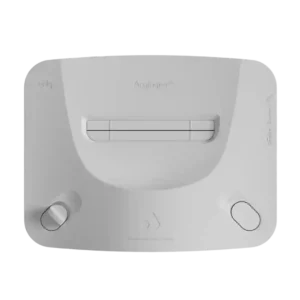
Choose it if you own N64 cartridges and want the most polished, low-lag way to play them on a 4K TV. Skip it if you want cheap emulation, broad flash-cart/controller...
Pros: display quality, performance
Cons: availability
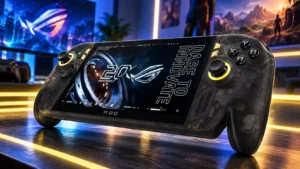
The vivid OLED screen and superb grip comfort make this a compelling premium Windows handheld. Its high price buys refinement rather than a major performance leap, and Windows still needs...
Pros: display quality, controller ergonomics
Cons: value for money, ease of use
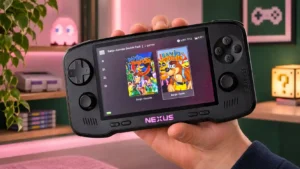
Evercade Nexus brings licensed physical classics to life with its bright screen, twin sticks, and excellent native ports. Slow booting, no suspend or TV output, and reported screen-assembly problems are...
Pros: controller features, display quality
Cons: TV output connectivity, Suspend and resume
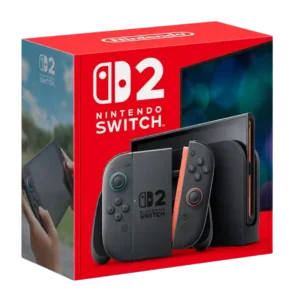
Choose Switch 2 for a sharper, faster, more social Switch with stronger Joy-Cons and broad backward compatibility. Skip it if short battery life, expensive storage, thin launch exclusives, or the...
Pros: value for money, controller features
Cons: power efficiency, user interface