Ownership and support
5 GbE support
TP-Link Deco 7 Pro BE63
2.3
The lack of 5 GbE ports limits flexibility for buyers planning faster wired networks.
ASUS ROG Strix GS-BE18000No score yet
320 MHz support
TP-Link Deco 7 Pro BE63
4.5
Wide 320 MHz channels contribute to high throughput on compatible 6 GHz clients when conditions permit.
ASUS ROG Strix GS-BE18000No score yet
Customer support
TP-Link Deco 7 Pro BE63
3.5
Lifetime support is attractive, but one reported firmware-related problem was accompanied by slow assistance.
ASUS ROG Strix GS-BE18000No score yet
Dynamic DNS support
TP-Link Deco 7 Pro BE63No score yet
ASUS ROG Strix GS-BE18000
5.0
The dynamic DNS options include numerous services and a free ASUS offering.
Matter support
TP-Link Deco 7 Pro BE63
2.0
Buyers who need an integrated Matter controller should not assume this system can replace a dedicated smart-home hub.
ASUS ROG Strix GS-BE18000No score yet
Product support lifespan
TP-Link Deco 7 Pro BE63No score yet
ASUS ROG Strix GS-BE18000
5.0
Lifetime product support is a welcome advantage alongside the three-year warranty.
Quad-band support
TP-Link Deco 7 Pro BE63No score yet
ASUS ROG Strix GS-BE18000
2.0
A fourth band would be useful for mesh backhaul without sacrificing the fast 6GHz client band.
Security update support
TP-Link Deco 7 Pro BE63No score yet
ASUS ROG Strix GS-BE18000
5.0
Continual firmware and security updates are a welcome part of the package.
Thread border router support
TP-Link Deco 7 Pro BE63
2.0
A built-in Thread border router is not a strength of this model, so Thread-focused households may prefer another system.
ASUS ROG Strix GS-BE18000No score yet
VPN client support
TP-Link Deco 7 Pro BE63No score yet
ASUS ROG Strix GS-BE18000
5.0
VPN Fusion makes per-device VPN routing particularly useful for remote workers and creators.
WPA3 support
TP-Link Deco 7 Pro BE63
3.0
WPA3-only operation on the MLO network can prevent older Wi-Fi clients from joining that particular network.
ASUS ROG Strix GS-BE18000No score yet
Other features
Activity reports
TP-Link Deco 7 Pro BE63
3.7
The reporting interface offers useful visual breakdowns of connected-device types.
ASUS ROG Strix GS-BE18000No score yet
Antenna adjustability
TP-Link Deco 7 Pro BE63No score yet
ASUS ROG Strix GS-BE18000
2.0
The internal antennas keep the exterior clean but cannot be manually aimed to compensate for poor placement.
Auto-sensing Ethernet ports
TP-Link Deco 7 Pro BE63
4.5
Interchangeable auto-sensing WAN/LAN jacks make installation easier because the modem can connect to any of the four ports.
ASUS ROG Strix GS-BE18000No score yet
Automated Frequency Coordination (AFC)
TP-Link Deco 7 Pro BE63No score yet
ASUS ROG Strix GS-BE18000
3.9
Automated Frequency Coordination can dramatically extend usable 6GHz download speeds, but requires regional approval, location reporting and suitable firmware; upload gains are not guaranteed.
Automatic channel optimization
TP-Link Deco 7 Pro BE63
4.3
The network optimization routine adjusts settings to improve connections in response to usage and interference.
ASUS ROG Strix GS-BE18000No score yet
Band steering
TP-Link Deco 7 Pro BE63
3.5
Manual band preferences are useful, but flexibility over separating the primary 2.4 GHz and 5 GHz networks is limited or varies by software.
ASUS ROG Strix GS-BE18000No score yet
Built-in RGB lighting
TP-Link Deco 7 Pro BE63No score yet
ASUS ROG Strix GS-BE18000
4.6
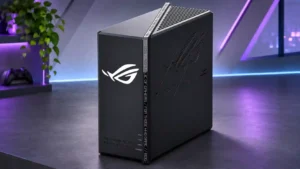
The customizable ROG logo provides plenty of lighting effects, although its brightness and styling are not to everyone's taste.
Dedicated backhaul band
TP-Link Deco 7 Pro BE63
2.5
There is no separate permanent backhaul radio, so wireless inter-node traffic can compete with clients for airtime.
ASUS ROG Strix GS-BE18000No score yet
Device compatibility
TP-Link Deco 7 Pro BE63No score yet
ASUS ROG Strix GS-BE18000
3.5
Older devices can migrate without changing credentials, but an Apple-device crash report highlights a possible firmware compatibility problem.
Device security scanning
TP-Link Deco 7 Pro BE63
4.0
Included vulnerability scans provide some welcome baseline network protection.
ASUS ROG Strix GS-BE18000No score yet
Expandability
TP-Link Deco 7 Pro BE63
4.9
Cross-model Deco compatibility makes gradual upgrades and reuse of existing mesh equipment particularly appealing.
ASUS ROG Strix GS-BE18000No score yet
External power dependence
TP-Link Deco 7 Pro BE63
2.8
Each node needs a mains outlet, which adds a placement constraint when trying to cover the whole house.
ASUS ROG Strix GS-BE18000No score yet
Firmware update process
TP-Link Deco 7 Pro BE63No score yet
ASUS ROG Strix GS-BE18000
3.3
Firmware updates can resolve important issues, but a factory reset may be advisable after major upgrades.
Future upgrade readiness
TP-Link Deco 7 Pro BE63No score yet
ASUS ROG Strix GS-BE18000
4.3
Wi-Fi 7 offers substantial room for future client upgrades, but the absence of 10GbE reduces wired upgrade headroom.
Internet pause
TP-Link Deco 7 Pro BE63
4.5
The app makes pausing an individual device's internet access straightforward.
ASUS ROG Strix GS-BE18000No score yet
ISP compatibility
TP-Link Deco 7 Pro BE63No score yet
ASUS ROG Strix GS-BE18000
2.0
One tester encountered difficulty connecting to an Australian ISP whose authentication requirements did not match the default setup.
Link aggregation
TP-Link Deco 7 Pro BE63No score yet
ASUS ROG Strix GS-BE18000
2.5
The lack of link aggregation limits wired scalability, although not every household will need bonded ports.
Malicious-site blocking
TP-Link Deco 7 Pro BE63No score yet
ASUS ROG Strix GS-BE18000
4.0
AiProtection shows blocked malicious websites and identifies the affected devices.
Model naming clarity
TP-Link Deco 7 Pro BE63
2.3
Regional variants, model aliases and similar product names can make it difficult to tell which hardware configuration is being sold.
ASUS ROG Strix GS-BE18000No score yet
Modem compatibility
TP-Link Deco 7 Pro BE63
2.5
Initial modem communication can be troublesome, requiring multiple resets before the first node connects.
ASUS ROG Strix GS-BE18000No score yet
Network migration ease
TP-Link Deco 7 Pro BE63No score yet
ASUS ROG Strix GS-BE18000
5.0
Backup restoration and reuse of existing network names make migration from older ASUS setups relatively painless.
Node placement guidance
TP-Link Deco 7 Pro BE63
4.8
Visual placement tips help avoid interference and make satellite positioning less intimidating.
ASUS ROG Strix GS-BE18000No score yet
Node synchronization
TP-Link Deco 7 Pro BE63
5.0
Pre-synchronized nodes reduce setup work and can join the mesh automatically.
ASUS ROG Strix GS-BE18000No score yet
Reboot frequency
TP-Link Deco 7 Pro BE63No score yet
ASUS ROG Strix GS-BE18000
2.0
Some reported firmware-related crashes involve multi-minute reboots, though many other installations remain stable.
Retail availability
TP-Link Deco 7 Pro BE63No score yet
ASUS ROG Strix GS-BE18000
2.0
Singapore availability was delayed pending local certification at the time of testing.
Self-healing network
TP-Link Deco 7 Pro BE63
4.5
Adaptive network optimization is appealing for households that want less manual troubleshooting.
ASUS ROG Strix GS-BE18000No score yet
Status light usefulness
TP-Link Deco 7 Pro BE63
3.5
The bottom-mounted indicator is subtle but can be harder to see directly.
ASUS ROG Strix GS-BE18000No score yet
Subscription pricing transparency
TP-Link Deco 7 Pro BE63
1.5
Advanced HomeShield pricing can be difficult to establish from product pages before purchase.
ASUS ROG Strix GS-BE18000No score yet
Threat protection
TP-Link Deco 7 Pro BE63No score yet
ASUS ROG Strix GS-BE18000
5.0
AiProtection offers capable threat protection, with one comparative test ranking it above competing security features.
Troubleshooting assistance
TP-Link Deco 7 Pro BE63
4.5
A convenient support-center link provides an easy route to assistance from within the app.
ASUS ROG Strix GS-BE18000No score yet
WAN failover
TP-Link Deco 7 Pro BE63
2.0
Automatic dual-connection failover is not supported according to the supplied technical discussion, making it a poor fit for redundant WAN needs.
ASUS ROG Strix GS-BE18000No score yet
Weight and handling
TP-Link Deco 7 Pro BE63No score yet
ASUS ROG Strix GS-BE18000
4.5
Despite its substantial networking capabilities, the chassis is surprisingly light and easy to handle.
Controls and connectivity
Companion software dependence
TP-Link Deco 7 Pro BE63
2.5
Mandatory mobile-app and cloud-account management simplifies the consumer experience but is restrictive for people who prefer local, browser-based administration.
ASUS ROG Strix GS-BE18000No score yet
Interface responsiveness
TP-Link Deco 7 Pro BE63No score yet
ASUS ROG Strix GS-BE18000
5.0
The app feels responsive when navigating its numerous controls.
Smart home compatibility
TP-Link Deco 7 Pro BE63
4.3
The Deco app can conveniently manage compatible smart-home gear, although the router lacks the built-in hub capabilities of some rivals.
ASUS ROG Strix GS-BE18000No score yet
Software update frequency
TP-Link Deco 7 Pro BE63No score yet
ASUS ROG Strix GS-BE18000
5.0
Frequent firmware releases improve functionality and security.
Performance
Long-term performance
TP-Link Deco 7 Pro BE63No score yet
ASUS ROG Strix GS-BE18000
5.0
Extended testing over several months yielded positive reliability results, particularly with updated firmware.
Mesh performance
TP-Link Deco 7 Pro BE63No score yet
ASUS ROG Strix GS-BE18000
4.0
AiMesh can work reliably and improve coverage, but wireless backhaul and mixed hardware can complicate performance and stability.
Operating noise
TP-Link Deco 7 Pro BE63No score yet
ASUS ROG Strix GS-BE18000
5.0
The passively cooled router runs silently in use.
Satellite performance
TP-Link Deco 7 Pro BE63
3.0
Satellite throughput is often good, but it can trail the main router and introduce higher latency or jitter.
ASUS ROG Strix GS-BE18000No score yet
Comfort and build
Power adapter size
TP-Link Deco 7 Pro BE63No score yet
ASUS ROG Strix GS-BE18000
2.0
The large power adapter can be awkward around crowded outlets or power strips.