Scorata scores summarize analyzed review evidence on a 1–5 scale; they are not laboratory measurements or a simple average of customer star ratings. Feature scores summarize the reviews covering that feature. The overall score averages feature scores within each review, then combines review averages. When both expert and customer evidence are available, those two groups receive equal weight. Products can have different review coverage, so small score gaps do not establish a winner.
Recommendations prioritize important features for the category, with a score of at least 3.5, a gap of at least 0.25 points and at least two supporting reviews per product. Features with widely varying scores or broad connectivity contexts are excluded from recommendations. These safeguards do not establish statistical significance.
Quick verdict
What each product is best for
The review evidence points to a tradeoff: Included accessories and build quality versus VRR compatibility and refresh rate. Choose according to which strengths matter more to you; the overall score alone does not settle that choice.
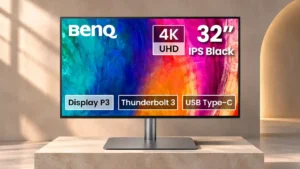
Choose BenQ PD3225U for Included accessories and build quality.
Choose Dell U3225QE for VRR compatibility and refresh rate.
Why these recommendations?
BenQ PD3225U
Where It Has the Edge
Included accessories is 5.0 vs 3.5. Useful cables, the controller, and calibration documentation help the monitor feel ready for use out of the box....
build quality is 4.9 vs 3.7. Sturdy components, a substantial stand, and careful assembly make the monitor feel durable. It is mostly plastic rather...
Mac integration is 4.9 vs 3.8. Color-matching modes, software controls, quick recognition, and keyboard shortcuts make this monitor feel at home with macOS. It...
Dell U3225QE
Where It Has the Edge
VRR compatibility is 4.3 vs 1.7. HDMI variable refresh support benefits console and casual gaming, though it lacks some gaming-specific adaptive-sync optimizations.
refresh rate is 5.0 vs 2.4. At 120Hz, desktop motion and scrolling feel markedly more fluid than on 60Hz office monitors; response times limit...
Resolution is 4.8 vs 4.2. The 4K panel gives crisp text and plenty of workspace at 32 inches, even if higher-density 5K or...
BenQ PD3225U4.4 overall score
Dell U3225QE4.2 overall score
Compare features
Scores are out of 5. Missing scores mean missing review evidence, not a missing feature.
Scored on both products
Other features
Ethernet port availability
BenQ PD3225U
2.0
There is no built-in Ethernet socket, which is inconvenient for production setups that depend on networked storage. An additional hub can fill the gap.
Dell U3225QE
4.8
The built-in Ethernet jack is especially welcome in a monitor that can double as a complete desktop dock.
VRR compatibility
BenQ PD3225U
1.7
The monitor lacks adaptive refresh support, making frame pacing and tearing more of a concern in games. It is a clear compromise against modern gaming screens.
Dell U3225QE
4.3
HDMI variable refresh support benefits console and casual gaming, though it lacks some gaming-specific adaptive-sync optimizations.
Refresh rate
BenQ PD3225U
2.4
The fixed 60Hz refresh is adequate for work, writing, and slower games, but high-frame-rate gaming feels much less fluid. Faster 120Hz competitors show the limitation clearly.
Dell U3225QE
5.0
At 120Hz, desktop motion and scrolling feel markedly more fluid than on 60Hz office monitors; response times limit the gaming payoff.
Packaging quality and presentation
BenQ PD3225U
2.7
Some unboxings are simple with plenty of protective material, while others find the folding cardboard frustrating or difficult to open.
Dell U3225QE
5.0
The monitor arrives in secure packaging that makes unboxing straightforward without an elaborate presentation.
Screen uniformity
BenQ PD3225U
4.0
The screen is generally evenly lit, although mild edge clouding appears in some dark scenes. Uniformity compensation can substantially reduce brightness and contrast.
Dell U3225QE
1.7
Uneven dark backgrounds and occasional green-yellow tint across white areas can distract from an otherwise crisp image.
Backlight bleed control
BenQ PD3225U
4.0
Major backlight leakage is generally absent, though some mild edge clouding can show in dark scenes.
Dell U3225QE
2.0
IPS glow and visible backlight bleed remain drawbacks despite the improved IPS Black panel, especially against dark backgrounds.
Portability and weight
BenQ PD3225U
2.0
The large, heavy panel is cumbersome to move between desks. It makes more sense as a permanent workstation display.
Dell U3225QE
4.0
It is manageable to assemble and reposition for a 32-inch desk display, though owners considering monitor arms should account for its weight.
Included accessories
BenQ PD3225U
5.0
Useful cables, the controller, and calibration documentation help the monitor feel ready for use out of the box. Not every included cable is long enough for all desks.
Dell U3225QE
3.5
The box includes useful Thunderbolt, DisplayPort, USB, and power cables, although an HDMI cable is not included.
Viewing angles
BenQ PD3225U
4.5
The IPS panel holds its image reasonably well from the side. Stable viewing angles also help when the screen is rotated or shared.
Dell U3225QE
3.3
Wide-angle picture quality is generally good, but distracting green tint shifts can affect some panels even near the center.
Stand stability
BenQ PD3225U
4.9
The weighty base and rigid support generally keep the panel secure with little movement. One assessment notes slight wobble if the display is bumped.
Dell U3225QE
3.7
The stand often feels secure but can wobble with desk vibration or when operating the front port module.
Desk footprint
BenQ PD3225U
3.0
The included stand is wide and some shallow desks will feel crowded. Its unusually flat base helps keep part of the space useful for small accessories.
Dell U3225QE
4.2
The stand is reasonably compact for a 32-inch monitor, though the overall screen still demands desk depth and one setup found the stand bulky.
Mac integration
BenQ PD3225U
4.9
Color-matching modes, software controls, quick recognition, and keyboard shortcuts make this monitor feel at home with macOS. It offers much of a Mac-native workflow without Apple's 5K density or built-in camera.
Dell U3225QE
3.8
Thunderbolt and color modes work well with Mac laptops, but extending to a third screen can require specific port arrangements.
Cable management
BenQ PD3225U
4.7
A rear guide and cover help keep workstation wiring organized, and cable slack accommodates rotation. Some would prefer more thorough concealment.
Dell U3225QE
3.6
Routing through the stand helps for basic connections, but its low opening can expose cables and gets crowded when many ports are in use.
Motion clarity
BenQ PD3225U
2.3
Games show more movement blur than on high-refresh competitors, although casual play remains tolerable. Fast motion is not a selling point.
Dell U3225QE
3.4
120Hz makes scrolling and cursor movement much smoother, but fast-moving game detail still blurs more than on gaming-focused monitors.
Input lag
BenQ PD3225U
4.0
Measured input responsiveness is respectable for an office monitor, and casual play does not feel excessively delayed.
Dell U3225QE
5.0
Low input lag helps controls feel responsive even though pixel response and resulting motion blur are weaker.
Black levels
BenQ PD3225U
4.7
The IPS Black panel produces deeper blacks than conventional IPS, making dark scenes and editing previews more satisfying. OLED and some Apple displays still render darker areas more convincingly.
Dell U3225QE
3.8
Blacks look substantially deeper than on ordinary IPS screens, though they can still appear gray or yellowish beside OLED and in dark rooms.
Image scaling
BenQ PD3225U
4.2
Large macOS interface scaling can make text easier to read without losing apparent crispness. It also leaves less room for arranging many windows.
Dell U3225QE
5.0
Mac-style 3008-by-1962 scaling can create a practical single-screen workspace on the large panel without sacrificing legibility.
Calibration potential
BenQ PD3225U
5.0
The strong factory starting point can be refined with compatible software and a colorimeter for precise targets. Direct hardware calibration is more limited than on some dedicated reference monitors.
Dell U3225QE
4.3
Color is already impressively accurate in the preferred modes, and calibration can correct smaller white-balance inaccuracies for more exacting work.
USB port accessibility
BenQ PD3225U
4.8
Side-mounted USB and audio sockets are easy to reach for flash drives, headphones, and temporary peripherals. A neighboring screen positioned on that side can obstruct them.
Dell U3225QE
4.0
The hidden front pop-down ports are useful for temporary devices, although the mechanism can feel stiff or wobble the screen.
Pixel density
BenQ PD3225U
4.5
At roughly 140 pixels per inch, the 32-inch 4K panel looks sufficiently crisp for detailed illustrations and reading. Higher-density Apple displays can produce finer text.
Dell U3225QE
3.8
4K across 32 inches looks sharp for normal office distance, but smaller 5K monitors and 32-inch 6K displays deliver noticeably finer detail.
Competitive gaming suitability
BenQ PD3225U
1.0
A 60Hz limit, absent VRR, and modest motion handling make it an unsuitable primary monitor for esports or high-refresh competitive games.
Dell U3225QE
1.7
The 120Hz refresh is a plus, but slow response, ghosting, and limited gaming-specific features make it a poor match for serious competitive play.
Screen coating clarity
BenQ PD3225U
3.7
The matte anti-glare finish reduces reflections but can slightly soften the picture or mute vividness relative to glass. Some users prefer the practical visibility tradeoff.
Dell U3225QE
3.0
The anti-glare surface generally looks good but can produce a warmer-colored reflection than some conventional matte screens.
Resolution
BenQ PD3225U
4.2
The 4K resolution remains satisfyingly crisp at 32 inches and supplies ample detail for most work. It does not reach the pixel density of premium 5K monitors.
Dell U3225QE
4.8
The 4K panel gives crisp text and plenty of workspace at 32 inches, even if higher-density 5K or 6K alternatives look finer.
Color gamut
BenQ PD3225U
4.3
Wide sRGB and P3 coverage is excellent for digital creation, with vivid yet controlled colors. Adobe RGB coverage is less complete, so demanding print workflows may need a different model.
Dell U3225QE
4.8
Broad sRGB and P3 coverage produces vibrant images and helps with creative work, although a few competing displays offer wider specialized coverage.
Thunderbolt docking connectivity
BenQ PD3225U
4.6
Thunderbolt 3 turns the monitor into a useful laptop dock for storage and peripherals while driving its 4K panel. It lacks some newer Thunderbolt 4 capabilities found in competitors.
Dell U3225QE
5.0
The integrated Thunderbolt 4 hub replaces much of a standalone dock, making laptop workstations markedly simpler.
HDR highlight detail
BenQ PD3225U
2.0
The modest HDR peak brightness prevents bright details from standing out convincingly. High dynamic range looks much closer to ordinary SDR.
Dell U3225QE
1.7
Bright highlights lack local precision and can look flat or muddy rather than standing out sharply against dark scenes.
Included color profiles
BenQ PD3225U
5.0
Dedicated sRGB, P3, Rec.709, M-Book, and application modes simplify color workflow changes. Quick access controls make switching practical.
Dell U3225QE
4.7
Presets for standard and creative color spaces simplify switching tasks, though some image modes are less appealing than Standard.
Reflection handling
BenQ PD3225U
4.6
The matte coating helps tame overhead lights, windows, and studio reflections. It is less effective against harsh direct glare and slightly changes image clarity compared with glossy glass.
Dell U3225QE
4.3
The low-reflectance coating handles common office glare well, but intense direct light and some colored reflection effects remain possible.
Monitor daisy-chaining
BenQ PD3225U
5.0
The downstream Thunderbolt port allows a second compatible display to be connected without running another video cable back to the laptop. Multi-screen creative setups benefit from this tidy approach.
Dell U3225QE
4.7
DisplayPort and Thunderbolt outputs offer convenient multi-monitor expansion, though not every computer or Mac configuration can drive the same number of screens.
Premium feel
BenQ PD3225U
4.3
Substantial construction, a strong stand, and a refined industrial finish create a professional feel. It does not match the all-metal luxury of Apple's Studio Display.
Dell U3225QE
4.6
The understated silver finish and precise-looking design feel upscale even though much of the body is plastic.
Photo editing
BenQ PD3225U
5.0
Fine detail, controlled color, and factory calibration support detailed photo adjustments. Specialized Adobe RGB print production is the notable exception.
Dell U3225QE
4.8
Wide color coverage, accurate presets, and a large sharp canvas make the monitor a strong option for photo editing; extreme precision still benefits from calibration.
USB-C power delivery
BenQ PD3225U
4.7
One high-power Thunderbolt connection can charge a MacBook while carrying video and data, reducing desk clutter. Some competing docks provide greater charging power.
Dell U3225QE
4.9
Up to 140W of power delivery is unusually strong for a monitor and can charge demanding laptops, subject to device compatibility.
VESA mount compatibility
BenQ PD3225U
4.8
Standard 100×100 VESA mounting makes arms and wall mounting practical. A sturdy arm is recommended because this large screen is relatively heavy.
Dell U3225QE
5.0
Standard mounting support makes it easy to move the big panel onto an arm when the included stand does not suit the desk.
Built-in speakers
BenQ PD3225U
2.2
The built-in speakers handle alerts, speech, and occasional clips, but sound thin or muffled for music, movies, and serious creative work. External speakers or headphones are the better choice.
Dell U3225QE
2.0
There are no built-in speakers, so calls, music, and game audio require headphones or external audio equipment.
Panel type
BenQ PD3225U
5.0
IPS Black adds visibly stronger dark tones while keeping IPS-style color fidelity and viewing flexibility. It is still limited by IPS-level black depth in demanding HDR scenes.
Dell U3225QE
4.8
Enhanced IPS Black is praised for elevating LCD contrast and color without OLED burn-in concerns, while its remaining glow and gray blacks are clear limits.
Port selection
BenQ PD3225U
4.7
A broad assortment of Thunderbolt, HDMI, DisplayPort, USB, and audio connections makes desk setups flexible. Newer competitors can offer even more advanced ports or Ethernet.
Dell U3225QE
4.9
Abundant Thunderbolt, USB-A, USB-C, HDMI, DisplayPort, and networking connections are among its biggest advantages over typical office monitors.
Sharpness
BenQ PD3225U
4.9
4K video, detailed images, and small text look crisp across the large panel. Native 5K Apple displays are denser, but many users are satisfied with the clarity at a normal distance.
Dell U3225QE
4.8
Text and images are crisp and highly readable, though specialist 5K and 6K monitors retain a density advantage.
Stand adjustability
BenQ PD3225U
4.8
The stand adjusts for height, tilt, swivel, and portrait orientation with little effort. Its broad movement range is particularly useful during long desk sessions.
Dell U3225QE
4.9
Height, tilt, swivel, and portrait pivot give extensive positioning freedom for work and collaboration.
USB hub functionality
BenQ PD3225U
5.0
The integrated USB hub conveniently handles storage, microphones, cameras, and other desk accessories. It can replace part of a separate docking station.
Dell U3225QE
4.9
Numerous fast USB connections handle peripherals, drives, and charging in one place instead of needing a separate hub.
Overall satisfaction
BenQ PD3225U
4.8
The 32-inch 4K screen, professional color tools, and convenient Mac-oriented features create a highly enjoyable work monitor. Its high asking price and weak entertainment credentials prevent it from being a universal pick.
Dell U3225QE
4.7
Excellent docking and a rich 4K picture make this a high-end office standout, while its price, limited HDR, and isolated panel problems temper the appeal.
Comfort and build
Build quality
BenQ PD3225U
4.9
Sturdy components, a substantial stand, and careful assembly make the monitor feel durable. It is mostly plastic rather than Apple-style metal, but not flimsy.
Dell U3225QE
3.7
The silver plastic housing generally feels premium, while the pop-down USB module can feel flimsy or require a hard press.
Design and aesthetics
BenQ PD3225U
4.6
Slim bezels, restrained branding, and dark metallic finishes create a tidy professional look. The styling is functional rather than luxurious, and the housing is fairly chunky.
Dell U3225QE
4.9
Thin bezels, subtle branding, and a silver-and-black body give it a polished, understated office look.
Eye comfort features
BenQ PD3225U
5.0
A large, legible presentation, flicker-free operation, and low-blue-light choices make long work sessions feel easier on the eyes. Comfort is especially praised for writing in dim rooms.
Dell U3225QE
4.8
The low-flicker display, anti-glare surface, and smooth motion earn praise for lengthy work sessions, although comfort remains personal.
Screen size
BenQ PD3225U
4.9
The generous 32-inch work area makes timelines, editing tools, and multiple windows easier to manage. It requires more physical room than a 27-inch monitor.
Dell U3225QE
5.0
The 32-inch format gives documents, editors, and side-by-side windows breathing room while taking more space than smaller alternatives.
Screen bezel design
BenQ PD3225U
5.0
Narrow, unobtrusive borders make the big display look modern and work well in multi-monitor arrangements. Minimal branding keeps attention on the image.
Dell U3225QE
5.0
Slim, even borders and reduced front-facing branding make the display cleaner and more compact-looking than older office monitors.
Tracking and training
Gamma tracking
BenQ PD3225U
5.0
The default gamma tracks the expected computer-display target well, helping create an accurate, balanced SDR image.
Dell U3225QE
4.0
Default gamma is generally close to target, with a few small brightness and white-balance deviations that can be corrected.
Performance
Picture-in-picture and picture-by-picture
BenQ PD3225U
5.0
Multiple sources can be displayed in split-screen or smaller inset windows, helping two-computer and video-preview setups. Controls make it practical to rearrange the inputs.
Dell U3225QE
4.0
Side-by-side and inset display modes are handy for viewing different inputs together, even if not everyone will need them.
On-screen display usability
BenQ PD3225U
4.8
Menu access is straightforward through the rear joystick, wired puck, or desktop software. The large number of settings feels more manageable with those shortcuts.
Dell U3225QE
4.3
The joystick and large menus are approachable, though many picture presets can take a little time to learn.
Contrast
BenQ PD3225U
4.5
IPS Black generally provides richer depth and much stronger contrast than basic IPS monitors. Results vary by settings and test conditions, and it is still no match for true HDR blacks.
Dell U3225QE
4.9
Enhanced IPS Black delivers exceptionally strong LCD contrast with visibly richer dark areas, but it cannot achieve OLED-level blacks.
HDR performance
BenQ PD3225U
2.0
HDR10 support exists, but the limited luminance and absence of advanced local dimming mean highlights and dark scenes lack true HDR impact. SDR is much more convincing.
Dell U3225QE
2.2
DisplayHDR 600 certification does not translate to truly compelling HDR; coarse local dimming, blooming, and limited black control are common criticisms.
KVM switch performance
BenQ PD3225U
4.9
The KVM switch allows two computers to share the same keyboard, mouse, and monitor connections. It is especially helpful in hybrid Mac and PC setups.
Dell U3225QE
4.7
The built-in KVM makes one keyboard and mouse practical across two computers, provided both are wired correctly.
Brightness
BenQ PD3225U
4.3
Most users find the display bright enough for office and editing work, and it is noticeably brighter than the earlier PD3220U. Measurements and impressions are mixed, especially with uniformity compensation enabled or against brighter rivals.
Dell U3225QE
4.4
Brightness is ample for everyday SDR work and most offices, but measurements and enthusiasm vary, with less headroom for dramatic HDR.
Color accuracy
BenQ PD3225U
4.8
Factory calibration is a major strength, with precise, convincing colors for design, photography, and video work. A few comparisons find Apple displays slightly more vibrant or differently tuned.
Dell U3225QE
4.7
Color accuracy is a standout strength for photos, video, and general work, with strong results even before calibration.
Overall picture quality
BenQ PD3225U
5.0
SDR images look colorful, sharp, and richly contrasted, making the screen enjoyable for design, office work, and media. HDR imagery is less impressive.
Dell U3225QE
5.0
Rich color, crisp 4K detail, and improved IPS contrast produce a particularly appealing general-purpose image.
Ownership and support
Value for money
BenQ PD3225U
3.8
The PD3225U looks attractive compared with Apple's Studio Display because of its larger screen, adjustable stand, and extensive ports. Against similarly priced Dell models and cheaper creator displays, the premium is harder to justify.
Dell U3225QE
3.3
The premium price makes sense when docking, KVM, networking, and 120Hz all get used; basic 4K buyers can spend less.
Setup ease
BenQ PD3225U
4.8
The stand generally clips together quickly with little or no tool use, and Macs recognize the display with minimal setup. A few unboxing difficulties relate to the packaging rather than installation.
Dell U3225QE
4.7
Assembly and laptop connection are straightforward, with a quick-release stand and built-in hub reducing extra setup work.
Controls and connectivity
PC-based monitor controls
BenQ PD3225U
4.9
Display Pilot 2 makes profile changes, brightness adjustment, input management, and Mac keyboard controls much easier than reaching for rear buttons. It also adds genuinely useful workflow shortcuts.
Dell U3225QE
5.0
Dell's desktop management and color utilities put common settings and calibration adjustments within easy reach.
Color calibration controls
BenQ PD3225U
5.0
Color temperature, gamma, and gamut presets offer extensive tuning for particular applications. The wide control range appeals to precision-focused creators.
Dell U3225QE
5.0
Adjustable color settings and Dell's desktop tools provide welcome flexibility, with presets useful for changing creative projects.
Evidence available for one product
Controls and connectivity
60 fps capped gaming
BenQ PD3225UNo score yet
Dell U3225QE
5.0
Games capped near 60 fps are a comfortable fit, with clear 4K detail and smooth enough play for casual sessions.
Performance
Automatic brightness adjustment
BenQ PD3225UNo score yet
Dell U3225QE
4.0
Ambient-light adjustment helps the screen adapt to a bright office, but it can dim too aggressively in darker rooms. Manual brightness remains a useful fallback.
Display Stream Compression clarity
BenQ PD3225UNo score yet
Dell U3225QE
2.0
Display Stream Compression raises concerns for color-sensitive workflows because it is not mathematically lossless, although no visible artifact is demonstrated.
Local dimming performance
BenQ PD3225UNo score yet
Dell U3225QE
1.0
Edge-lit HDR dimming is a major weakness: bright elements affect large screen areas and the HDR dimming behavior cannot be disabled.
MacBook display color matching
BenQ PD3225U
4.7
M-Book mode and ColorTalk make a connected MacBook and the BenQ look remarkably similar in color. The match is not always perfect, and its value depends on whether consistent dual-screen color matters to your workflow.
Dell U3225QENo score yet
Other features
Automatic orientation switching
BenQ PD3225U
5.0
Auto Pivot detects when the display is rotated and updates the image orientation without manual changes. It is especially handy for vertical creative work.
Dell U3225QENo score yet
Blooming control
BenQ PD3225UNo score yet
Dell U3225QE
1.0
The edge-lit HDR system produces conspicuous halos and washes out detail around bright objects on dark backgrounds.
Burn-in protection
BenQ PD3225UNo score yet
Dell U3225QE
5.0
The LCD panel provides peace of mind for persistent menus, toolbars, and static workspaces compared with OLED burn-in worries.
Console gaming compatibility
BenQ PD3225UNo score yet
Dell U3225QE
5.0
HDMI 2.1 and console VRR support enable 4K at 120Hz on modern consoles, with response blur the main compromise.
Device compatibility
BenQ PD3225U
5.0
Although designed with Macs in mind, the monitor also works well with Windows systems. Its mixed-platform inputs broaden its use.
Dell U3225QENo score yet
DualView color mode comparison
BenQ PD3225U
4.8
DualView can show two color spaces or profiles side by side on the same screen. It is a convenient way to compare creative output without repeatedly toggling settings.
Dell U3225QENo score yet
Environmental sustainability
BenQ PD3225U
4.5
Recycled housing materials and recyclable packaging add an appealing environmental dimension. The practical work experience remains the main attraction.
Dell U3225QENo score yet
Ethernet network sharing
BenQ PD3225UNo score yet
Dell U3225QE
5.0
Wired networking through the monitor is a practical advantage for laptops without an Ethernet socket.
Gaming image presets
BenQ PD3225UNo score yet
Dell U3225QE
4.0
The game preset can make scenes more vivid, but settings require some experimentation and do not solve the monitor's slow response.
Ghosting control
BenQ PD3225UNo score yet
Dell U3225QE
2.0
Ghost trails remain noticeable during quick game movement, although normal mode can keep them tolerable for casual play.
GPU demands
BenQ PD3225UNo score yet
Dell U3225QE
3.0
Driving 4K at high refresh rates requires a capable computer and the right output connection; weaker hardware can limit the benefit.
HotKey Puck controller
BenQ PD3225U
4.6
The wired HotKey Puck puts color profiles, brightness, volume, and input switching at your fingertips. It is widely appreciated, although some owners barely use it and the cable can get in the way.
Dell U3225QENo score yet
Included Thunderbolt cable length
BenQ PD3225U
2.0
The bundled Thunderbolt cable is convenient but short enough to be troublesome with a Mac positioned under or far from the desk. A longer replacement may be necessary.
Dell U3225QENo score yet
Model naming clarity
BenQ PD3225U
1.0
The model name is widely considered awkward or hard to remember despite an appealing display behind it.
Dell U3225QENo score yet
Overdrive tuning
BenQ PD3225UNo score yet
Dell U3225QE
1.0
The fastest overdrive setting introduces severe artifacts, making the normal response mode the safer choice for games.
Panel quality control
BenQ PD3225UNo score yet
Dell U3225QE
1.0
A stuck/dead pixel on an otherwise promising new display raises a quality-control concern, making an early inspection worthwhile.
Pixel defect control
BenQ PD3225UNo score yet
Dell U3225QE
1.0
A new display developed a stuck red pixel that intermittently went dead, undermining confidence in an otherwise impressive screen.
PS5 gaming
BenQ PD3225UNo score yet
Dell U3225QE
5.0
HDMI 2.1 can show PS5 output at 4K/120Hz with VRR and responsive controls, but moving objects blur more than on dedicated gaming screens.
Remote control usability
BenQ PD3225U
4.7
Physical dial controls offer direct and responsive access to commonly changed settings. Their convenience is slightly reduced by a wired connection and occasional setup requirements.
Dell U3225QENo score yet
Response time
BenQ PD3225UNo score yet
Dell U3225QE
2.0
Pixel transitions are slow by gaming standards, causing blur in quick scenes despite the otherwise responsive 120Hz experience.
Shadow detail
BenQ PD3225U
5.0
Dark photos and video retain subtle details well, an advantage when checking shadows during editing.
Dell U3225QENo score yet
Single-player cinematic gaming suitability
BenQ PD3225UNo score yet
Dell U3225QE
4.0
Slower-paced games benefit from large, colorful 4K visuals, while less demanding motion makes ghosting easier to tolerate.
Sleep and wake behavior
BenQ PD3225U
4.0
The display wakes promptly during normal use, but the puck does not wake a sleeping computer on its own. The second limitation is minor for desk work.
Dell U3225QENo score yet
Stand weight
BenQ PD3225U
3.0
The heavy base improves stability but adds effort when moving or setting up the screen.
Dell U3225QENo score yet
Text fringing
BenQ PD3225UNo score yet
Dell U3225QE
4.0
Text appears more natural than on the OLED TV one owner previously used as a monitor, avoiding a distraction for prolonged desktop use.
Thunderbolt accessory transfer speed
BenQ PD3225U
5.0
Fast downstream USB ports can handle high-speed external SSDs and even editing files directly from compatible storage.
Dell U3225QENo score yet
Uniformity compensation tradeoff
BenQ PD3225U
2.0
Uniformity compensation can noticeably lower maximum brightness and contrast. It is worth testing with the setting on and off for the preferred balance.
Dell U3225QENo score yet
Webcam availability
BenQ PD3225UNo score yet
Dell U3225QE
2.0
No built-in webcam means an external camera is needed for a complete video-meeting setup.
Window tiling tools
BenQ PD3225U
5.0
Display Pilot offers handy desktop partitions and customizable window layouts. These improve productivity on the large panel.
Dell U3225QENo score yet
Ownership and support
Hardware calibration support
BenQ PD3225U
2.0
Color can be profiled using software and an external meter, but direct on-monitor hardware LUT calibration is limited. Specialized print monitors offer more robust options.
Dell U3225QENo score yet
HDMI 2.1 support
BenQ PD3225UNo score yet
Dell U3225QE
5.0
HDMI 2.1 adds useful 4K/120Hz input capability for modern gaming systems alongside the workstation connections.
Comfort and build
Print size preview tools
BenQ PD3225U
4.5
Print Assist shows true-size paper outlines so creators can preview dimensions on-screen. It is an appreciated niche shortcut for print layouts.
Dell U3225QENo score yet
PWM flicker comfort
BenQ PD3225UNo score yet
Dell U3225QE
5.0
Flicker-free brightness control is a welcome feature for sensitive users and extended desk sessions.
This 360Hz QD-OLED ultrawide delivers exceptional gaming motion, vibrant HDR and dramatically cleaner text. Its high price, less-than-perfect bright-room blacks and occasional HDR dimming are the main reasons to hesitate.
The 360Hz QD-OLED panel delivers exceptional HDR gaming, responsive motion, and cleaner text than earlier ultrawides. Its 3440×1440 resolution is less sharp than 4K, and premium pricing remains a hurdle.
A huge, sharp ultrawide workspace and unusually capable Thunderbolt dock make the U4025QW outstanding for demanding productivity and editing. Its high price, modest HDR, and imperfect motion handling keep it...
Lightning-fast 360Hz OLED gaming, rich color and an unusually flexible USB-C/KVM setup are the big draws. Strong room lighting, limited full-screen HDR brightness and static-content burn-in concerns keep it from...