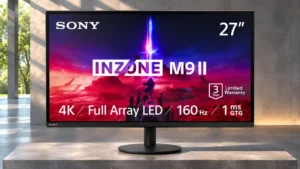
Compare ASUS ROG Strix 5K XG27JCG vs Sony INZONE M9 II

ASUS ROG Strix 5K XG27JCG

ASUS ROG Strix 5K XG27JCG

Overall score 4.1 / 5

Based on 14 scored reviews

vs
Sony INZONE M9 II

Sony INZONE M9 II

Overall score 3.9 / 5

Based on 9 scored reviews

How we score

Scorata scores summarize analyzed review evidence on a 1–5 scale; they are not laboratory measurements or a simple average of customer star ratings. Feature scores summarize the reviews covering that feature. The overall score averages feature scores within each review, then combines review averages. When both expert and customer evidence are available, those two groups receive equal weight. Products can have different review coverage, so small score gaps do not establish a winner.

Recommendations prioritize important features for the category, with a score of at least 3.5, a gap of at least 0.25 points and at least two supporting reviews per product. Features with widely varying scores or broad connectivity contexts are excluded from recommendations. These safeguards do not establish statistical significance.

Quick verdict

What each product is best for

The review evidence points to a tradeoff: competitive gaming suitability and Stand stability versus viewing angles and design and aesthetics. Choose according to which strengths matter more to you; the overall score alone does not settle that choice.

Choose ASUS ROG Strix 5K XG27JCG for competitive gaming suitability and Stand stability.

Choose Sony INZONE M9 II for viewing angles and design and aesthetics.

Why these recommendations?

ASUS ROG Strix 5K XG27JCG

Where It Has the Edge

  • competitive gaming suitability is 4.6 vs 2.8. The 1440p/330Hz mode, responsive controls and motion options suit fast competition well, though OLED rivals may be preferable...
  • Stand stability is 5.0 vs 4.5. Adjustments feel secure and smooth, and the heavy, flat base resists wobble during normal handling.
  • console gaming compatibility is 5.0 vs 4.6. PS5 and Xbox testing finds broad 4K/120Hz and VRR support, making this an unusually capable 5K display for...

Sony INZONE M9 II

Where It Has the Edge

  • viewing angles is 5.0 vs 3.0. The IPS panel stays readable and colorful from the side, making shared viewing and off-center play easier.
  • design and aesthetics is 5.0 vs 3.8. The subdued black finish is widely liked as a more versatile, premium-looking follow-up to the PlayStation-inspired original.
  • color gamut is 4.9 vs 4.4. Rich and lively colors are a near-universal strength, with especially pleasing color in games. The best competing Mini...
ASUS ROG Strix 5K XG27JCG 4.1 overall score
Sony INZONE M9 II 3.9 overall score

Compare features

Scores are out of 5. Missing scores mean missing review evidence, not a missing feature.

Scored on both products

Performance

Black equalizer performance
ASUS ROG Strix 5K XG27JCG
5.0

Shadow Boost is viewed as useful in tactical games for revealing dark-area opponents without overexposing the whole screen.

Sony INZONE M9 II
2.0

Black Equalizer can help reveal hidden opponents in SDR, but the control is unavailable in HDR, reducing its usefulness with high-dynamic-range gaming.

Display-mode switching reliability
ASUS ROG Strix 5K XG27JCG
3.0

Once configured, mode switching is quick, but changing resolution while a game is open can trigger display problems.

Sony INZONE M9 II
4.7

With PlayStation connected, the screen changes between gaming and video-focused profiles automatically. The convenience is welcome, even if some would prefer smarter game-by-game preset selection.

HDR performance
ASUS ROG Strix 5K XG27JCG
2.8

Some reviewers enjoy the strong measured brightness and vivid color, while others find HDR unconvincing because edge-lit dimming cannot produce deep blacks or clean highlights.

Sony INZONE M9 II
4.4

Most impressions celebrate bright, vivid HDR and visible shadow detail; the strongest dissent concerns large dimming zones, clouding and weaker contrast than better Mini LED or OLED rivals.

Overall picture quality
ASUS ROG Strix 5K XG27JCG
4.6

Ultra-fine detail and vivid color deliver an eye-catching image, especially in SDR. Weak black levels and limited HDR depth stop it from being universally outstanding.

Sony INZONE M9 II
3.8

Colorful 4K games look stunning to several testers. A sharply negative comparison found blurring, haloing and cloudiness serious enough to overshadow those strengths.

Brightness
ASUS ROG Strix 5K XG27JCG
4.1

Measurements show strong HDR brightness, but impressions of SDR punch vary; some appreciate the output while others want more headroom.

Sony INZONE M9 II
4.8

Across positive and negative assessments alike, high brightness is a standout quality. HDR highlights can be exceptionally intense and colors hold up in illuminated rooms.

Contrast
ASUS ROG Strix 5K XG27JCG
3.0

IPS contrast is the chief image-quality compromise: some find it respectable for LCD, but dark scenes cannot match OLED or high-zone mini-LED.

Sony INZONE M9 II
3.4

Some games show satisfying depth and vivid light-dark separation, yet the coarse dimming zones can flatten blacks and introduce gray haze compared with OLED and stronger Mini LED rivals.

On-screen display usability
ASUS ROG Strix 5K XG27JCG
5.0

The organized menus offer deep customization, and convenient software control makes many adjustments easier.

Sony INZONE M9 II
4.7

The rear joystick makes menus and common settings simple to reach, while Windows software offers a convenient second way to tune the screen.

Local dimming performance
ASUS ROG Strix 5K XG27JCG
1.6

Ten edge-lit zones are inadequate for convincing HDR contrast and can create halos or distracting brightness patches.

Sony INZONE M9 II
1.7

The local-dimming system is a major weak point: limited, slow-moving zones can leave conspicuous blotches, particularly around small highlights on dark images.

Adaptive sync performance
ASUS ROG Strix 5K XG27JCG
5.0

G-SYNC and FreeSync support provide responsive, tear-free gaming, including compatibility with a motion-blur reduction mode.

Sony INZONE M9 II
5.0

G-Sync and adaptive synchronization help keep motion smooth and prevent tearing as rendering speed changes.

Controls and connectivity

HDR adjustment controls
ASUS ROG Strix 5K XG27JCG
5.0

Unlike many gaming monitors, this one lets users adjust HDR brightness and contrast, providing welcome flexibility for different content and consoles.

Sony INZONE M9 II
2.0

Adjusting dark-scene visibility is less flexible in HDR because Black Equalizer is available only in SDR.

PC-based monitor controls
ASUS ROG Strix 5K XG27JCG
5.0

DisplayWidget Center is repeatedly praised for making presets, brightness and other settings easier to change without reaching behind the screen.

Sony INZONE M9 II
5.0

Inzone Hub provides a convenient, often faster way to adjust settings and update firmware from Windows. One early test could not access the latest app version yet.

Other features

Packaging quality and presentation
ASUS ROG Strix 5K XG27JCG
2.0

The simple carton and sparse contents lack the premium unboxing experience one buyer expected from a high-priced ROG product.

Sony INZONE M9 II
5.0

The display, base and stand arrive packed separately and securely, keeping the quick assembly process straightforward.

Screen coating clarity
ASUS ROG Strix 5K XG27JCG
4.0

The anti-glare surface controls reflections well, although a few glossy-screen fans wish the image had a more glass-like finish.

Sony INZONE M9 II
1.0

One side-by-side test found the Sony’s matte screen notably hazier than a competing OLED, diminishing the expected crispness of 4K.

HDR highlight detail
ASUS ROG Strix 5K XG27JCG
3.0

Bright details can look vivid, but limited local contrast prevents HDR highlights from standing out consistently against dark surroundings.

Sony INZONE M9 II
5.0

Bright highlights can be strikingly intense, particularly when compared with some OLED screens, even though that brightness can worsen visible halos.

Viewing angles
ASUS ROG Strix 5K XG27JCG
3.0

IPS viewing angles are serviceable at a normal desk position, but oblique views can shift brightness or color compared with more uniform displays.

Sony INZONE M9 II
5.0

The IPS panel stays readable and colorful from the side, making shared viewing and off-center play easier.

Competitive gaming suitability
ASUS ROG Strix 5K XG27JCG
4.6

The 1440p/330Hz mode, responsive controls and motion options suit fast competition well, though OLED rivals may be preferable when pure esports speed is the only priority.

Sony INZONE M9 II
2.8

The 24.5-inch mode and 160Hz refresh work for many competitive titles, but very demanding esports players may prefer substantially faster and clearer displays.

Single-player cinematic gaming suitability
ASUS ROG Strix 5K XG27JCG
5.0

Story-driven and slower games benefit greatly from detailed 5K environments and textures, although deep-dark HDR scenes reveal the IPS contrast limits.

Sony INZONE M9 II
3.3

Large, richly detailed game worlds can look captivating, but blooming and clouding in slow, dark scenes may break immersion.

Backlight bleed control
ASUS ROG Strix 5K XG27JCG
1.7

The IPS panel can show visible glow and bleed in dark scenes, making black areas look less even than on OLED displays.

Sony INZONE M9 II
3.0

One assessment found inky blacks without obvious bleed, while another encountered pervasive cloudy halos. Dark-scene cleanliness is far from consistently praised.

Motion clarity
ASUS ROG Strix 5K XG27JCG
4.8

Movement remains impressively crisp across 5K and 1440p modes; ELMB 2 is a particular strength, though OLED still responds faster.

Sony INZONE M9 II
3.7

Most tests find games fluid and sharp at 160Hz, but a demanding side-by-side assessment reports substantial blur and slow visual transitions.

GPU demands
ASUS ROG Strix 5K XG27JCG
1.9

Driving modern games at native 5K and high frame rates requires substantial GPU power; older cards may also face a lower 5K refresh ceiling.

Sony INZONE M9 II
3.0

To benefit from both native 4K and 160Hz, a capable gaming PC is important; less powerful systems will not exploit the full refresh capability.

Backlight strobing
ASUS ROG Strix 5K XG27JCG
5.0

ASUS's motion-blur reduction is praised for crisp movement without the severe brightness loss associated with many older strobing systems.

Sony INZONE M9 II
4.0

Scanning the backlight is presented as a helpful way to reduce blur through fast game scenes, complementing the monitor’s rapid refresh.

Cable management
ASUS ROG Strix 5K XG27JCG
4.0

A removable connector cover makes the rear connections look tidier after setup.

Sony INZONE M9 II
3.0

The included flexible cable strap is handy, but the back lacks more substantial built-in organization for a completely tidy desk.

Screen uniformity
ASUS ROG Strix 5K XG27JCG
2.7

Some tests find acceptable overall consistency, but light output varies across the screen and edge lighting can create distracting patches.

Sony INZONE M9 II
1.7

Dark-scene uniformity is a persistent concern, with clouding, corner shading and uneven brightness appearing in several assessments.

Sharpness
ASUS ROG Strix 5K XG27JCG
5.0

Text and fine textures are unusually crisp, often described as the best detail seen on a 27-inch gaming display.

Sony INZONE M9 II
4.0

4K fine detail and text often look crisp, yet one tester consistently found the matte image unusually soft beside clearer OLED and Mini LED competitors.

USB hub functionality
ASUS ROG Strix 5K XG27JCG
5.0

Three USB-A downstream ports help connect desktop peripherals, and their utility is enhanced by the KVM system.

Sony INZONE M9 II
4.0

USB-A ports accommodate commonplace peripherals, although the missing USB-C connection makes the hub less useful for modern laptop docking.

Black levels
ASUS ROG Strix 5K XG27JCG
2.3

Most reviewers find blacks grayish or washed out compared with OLED, especially in dark rooms. One Mac-oriented review is more positive about the result.

Sony INZONE M9 II
3.2

Black depth attracts opposing impressions: some see impressively inky shadows for IPS, while others find persistent clouding and insufficient local-dimming darkness.

Overall satisfaction
ASUS ROG Strix 5K XG27JCG
4.7

The monitor earns enthusiastic recommendations as a flexible high-resolution gaming display, while a few reviewers question whether its specialized benefits justify the price.

Sony INZONE M9 II
3.8

A majority of hands-on impressions recommend the bright, feature-rich gaming picture. One in-depth test was strongly negative about dimming and clarity, making the overall response divided.

Built-in speakers
ASUS ROG Strix 5K XG27JCG
3.0

No speakers are provided. Some consider this a regrettable omission, while others see it as acceptable for a gaming monitor used with external audio.

Sony INZONE M9 II
2.2

The speakers are convenient for basic playback but generally lack bass and fullness. Some find them serviceable at moderate volume; others hear muddy or tinny audio.

Gaming image presets
ASUS ROG Strix 5K XG27JCG
3.0

Numerous visual modes offer flexibility, but some presets look too dim or poorly judged without manual adjustment.

Sony INZONE M9 II
3.8

FPS, RPG and other profiles make adjustment convenient, although their automatic choices are not always ideal and some players prefer manual DisplayHDR settings.

Reflection handling
ASUS ROG Strix 5K XG27JCG
4.3

The anti-glare coating works well in typical conditions, but other tested monitors can handle particularly bright rooms better.

Sony INZONE M9 II
5.0

The matte surface suppresses distracting room reflections effectively, helping colors and details remain visible under bright lighting.

Blooming control
ASUS ROG Strix 5K XG27JCG
1.0

The sparse edge-lit dimming creates obvious halos around bright objects, a major distraction in HDR scenes.

Sony INZONE M9 II
1.7

The coarse local-dimming zones can throw obvious halos around bright objects on dark scenes. Clouding is one of the most divisive and repeatedly criticized parts of the picture.

PC gaming compatibility
ASUS ROG Strix 5K XG27JCG
4.0

Strong PC gameplay is possible at either resolution, but high-end 5K refresh rates depend heavily on graphics hardware and supported settings.

Sony INZONE M9 II
4.6

Fast 4K play feels responsive and looks colorful on capable PC hardware, with 160Hz especially welcome in action games. Its refresh and dimming performance are less compelling than the strongest competing PC-focused displays.

Stand stability
ASUS ROG Strix 5K XG27JCG
5.0

Adjustments feel secure and smooth, and the heavy, flat base resists wobble during normal handling.

Sony INZONE M9 II
4.5

The small round base is steadier than it looks; hands-on wobble testing found it remarkably well balanced.

Color gamut
ASUS ROG Strix 5K XG27JCG
4.4

Colors are widely praised as vibrant and rich, although the gamut is not as extensive as the best specialist creator displays.

Sony INZONE M9 II
4.9

Rich and lively colors are a near-universal strength, with especially pleasing color in games. The best competing Mini LED and OLED panels can nevertheless offer stronger color performance.

Response time
ASUS ROG Strix 5K XG27JCG
4.1

Pixel transitions are fast by IPS standards, although the fastest OLED panels retain an advantage and overdrive settings affect the result.

Sony INZONE M9 II
3.7

Many impressions find input and pixel response sufficiently fast for smooth gaming, but an isolated motion-focused test finds visible blur, especially in fighting games.

Console gaming compatibility
ASUS ROG Strix 5K XG27JCG
5.0

PS5 and Xbox testing finds broad 4K/120Hz and VRR support, making this an unusually capable 5K display for consoles.

Sony INZONE M9 II
4.6

Modern PlayStation and Xbox consoles connect with 4K HDR, VRR and high-frame-rate support. PS5 brings the closest integration, though 160Hz itself exceeds consoles’ 120Hz output.

Gaming feature selection
ASUS ROG Strix 5K XG27JCG
4.8

Crosshairs, timers, configurable overdrive, shadow controls and motion settings provide a wide toolkit for gaming adjustments.

Sony INZONE M9 II
4.5

Crosshair overlays, counters and specialized options broaden the toolkit beyond basic image adjustment. These extras appeal most to players who use competitive assists.

Stand adjustability
ASUS ROG Strix 5K XG27JCG
4.6

Height, tilt, swivel and portrait rotation are welcome, but some wish the panel could be raised higher, particularly for vertical use.

Sony INZONE M9 II
4.9

The slim stand combines height, tilt and easy swivel, earning nearly universal praise for fast repositioning and cable access. It does not support portrait pivot.

Desk footprint
ASUS ROG Strix 5K XG27JCG
5.0

The flat, compact stand keeps valuable desktop space open and can accommodate items placed on its base.

Sony INZONE M9 II
4.8

The compact circular base is a universal highlight, freeing desk space for larger mousepads and other equipment compared with the old tripod stand.

Port selection
ASUS ROG Strix 5K XG27JCG
4.5

Multiple HDMI, DisplayPort, USB-C and USB-A connections are a practical advantage, though the limited USB-C charging output holds back laptop use.

Sony INZONE M9 II
4.7

Modern HDMI and DisplayPort connectivity plus ordinary USB ports make connecting consoles and a PC straightforward; USB-C docking is conspicuously absent.

Refresh rate
ASUS ROG Strix 5K XG27JCG
4.8

High refresh at native 5K plus up to 330Hz at 1440p delivers unusually flexible smoothness. Maximum 5K rates require a compatible GPU.

Sony INZONE M9 II
4.6

160Hz makes PC play exceptionally fluid and is an upgrade over the original M9. Competitive specialists may want even higher speeds, while PS5 tops out at 120Hz.

Ghosting control
ASUS ROG Strix 5K XG27JCG
3.9

Motion is generally clean with sensible settings, but aggressive overdrive can introduce bright trails or inverse ghosting.

Sony INZONE M9 II
4.0

Fast response and scanning are praised for limiting visible ghosting in action-heavy games, although not all assessments find motion equally clear.

24-inch mode quality
ASUS ROG Strix 5K XG27JCG
4.0

The smaller simulated screen option helps tailor competitive games to a tighter viewing area, with smooth performance in the tested configuration.

Sony INZONE M9 II
4.0

Sony’s reduced-size mode is an inventive esports extra, though it leaves unused black space around the image and may go untouched by casual players.

Headphone jack convenience
ASUS ROG Strix 5K XG27JCG
4.0

The analog headphone connection is appreciated as a practical audio option, especially since speakers are not built in.

Sony INZONE M9 II
4.0

A standard 3.5mm audio output is helpful for replacing the modest built-in speakers with wired headphones or external sound.

Input lag
ASUS ROG Strix 5K XG27JCG
5.0

Reviewers consistently describe gaming input as responsive, with little delay during fast movement and precision aiming.

Sony INZONE M9 II
5.0

Low delay gives games an immediate, responsive feel, with no perceptible lag in tested PlayStation play.

Resolution
ASUS ROG Strix 5K XG27JCG
5.0

Native 5120-by-2880 resolution is the standout draw, providing remarkably detailed games and text. That extra fidelity is most noticeable in slower scenes and desktop work.

Sony INZONE M9 II
5.0

The 4K resolution looks richly detailed in games and video, delivering a sharp image on the 27-inch screen when the source is strong.

VRR compatibility
ASUS ROG Strix 5K XG27JCG
5.0

Variable refresh rate helps prevent tearing, with ELMB Sync offering the valuable ability to combine VRR and blur reduction.

Sony INZONE M9 II
5.0

Adaptive refresh works well with modern consoles and PCs and can make fluctuating frame rates look noticeably smoother.

Ownership and support

Value for money
ASUS ROG Strix 5K XG27JCG
4.4

Many find the pricing attractive for a 5K high-refresh monitor, but others argue similarly priced OLED alternatives offer better contrast and gaming speed.

Sony INZONE M9 II
2.9

Value inspires the widest split: several see a worthwhile premium 4K gaming package, while others point to more capable, cheaper Mini LED and OLED alternatives.

Setup ease
ASUS ROG Strix 5K XG27JCG
5.0

Initial assembly and connecting a Mac are straightforward, apart from some less convenient mounting and setting details.

Sony INZONE M9 II
5.0

The snap-on stand assembles quickly without tools, and rotation makes the ports easy to reach during initial connection.

Comfort and build

Design and aesthetics
ASUS ROG Strix 5K XG27JCG
3.8

The compact stand and restrained front appeal to many, while opinions differ on the familiar angular plastic rear casing.

Sony INZONE M9 II
5.0

The subdued black finish is widely liked as a more versatile, premium-looking follow-up to the PlayStation-inspired original.

Build quality
ASUS ROG Strix 5K XG27JCG
4.0

The stand and assembly feel sturdy and well finished, though the plastic enclosure disappoints at least one buyer expecting more luxurious materials.

Sony INZONE M9 II
5.0

The black enclosure and compact stand feel more premium than several cheaper gaming displays, giving the design a solid high-end impression.

Screen bezel design
ASUS ROG Strix 5K XG27JCG
4.0

Thin borders keep attention on the image and help the display look clean from the front.

Sony INZONE M9 II
4.0

The dark bezels are not record-thin but fade into the background, keeping attention on the game.

Screen size
ASUS ROG Strix 5K XG27JCG
4.5

A 27-inch surface gives 5K pixels exceptional density without requiring a massive workspace, fitting the intended high-detail viewing distance.

Sony INZONE M9 II
4.5

The 27-inch frame is a comfortable fit for close-up 4K gaming on both PCs and consoles without dominating the desktop.

Evidence available for one product

Other features

AI scene optimization
ASUS ROG Strix 5K XG27JCG
4.0

Automatic picture-profile selection is a convenient alternative to manual preset switching, particularly when moving between games and work apps.

Sony INZONE M9 IINo score yet
Aspect ratio
ASUS ROG Strix 5K XG27JCGNo score yet
Sony INZONE M9 II
4.0

Traditional 16:9 framing suits PS5 and most PC games, while the smaller workspace can feel restrictive for ultrawide-style multitasking.

Bass reproduction
ASUS ROG Strix 5K XG27JCGNo score yet
Sony INZONE M9 II
2.0

Bass is consistently the weak spot of the included audio: some hear a modest improvement over the original M9, but it remains thin, muffled or prone to clipping.

Built-in RGB lighting
ASUS ROG Strix 5K XG27JCG
4.0

The backlit rear logo offers adjustable visual flair while remaining relatively understated, though its effect is mostly visible from behind the screen.

Sony INZONE M9 IINo score yet
Calibration potential
ASUS ROG Strix 5K XG27JCG
5.0

Strong factory accuracy leaves little need for adjustment, yet enthusiasts can still fine-tune the monitor to a more exact reference result.

Sony INZONE M9 IINo score yet
Dual-mode versatility
ASUS ROG Strix 5K XG27JCG
4.7

The combination of exceptionally sharp 5K and 1440p at 330Hz is the monitor's signature advantage. A few find the lower-resolution mode softer than a native 1440p panel.

Sony INZONE M9 IINo score yet
ELMB strobing quality
ASUS ROG Strix 5K XG27JCG
4.8

ELMB 2 earns especially strong praise for reducing blur while preserving brightness. Reviewers generally favor moderate clarity settings to avoid unnecessary artifacts.

Sony INZONE M9 IINo score yet
Fingerprint and smudge resistance
ASUS ROG Strix 5K XG27JCG
5.0

The matte housing hides fingerprints effectively, helping the exterior retain a clean appearance.

Sony INZONE M9 IINo score yet
Firmware updateability
ASUS ROG Strix 5K XG27JCGNo score yet
Sony INZONE M9 II
3.0

Firmware can be updated through Windows Inzone Hub, but a USB-stick update attempt was unreliable and required switching to the software method.

HDR color saturation
ASUS ROG Strix 5K XG27JCGNo score yet
Sony INZONE M9 II
5.0

HDR games and videos show saturated, lively color that can look almost three-dimensional, especially in brightly lit scenes.

Image scaling
ASUS ROG Strix 5K XG27JCG
3.8

Non-native content generally upscales cleanly, but the 1440p high-speed mode can look softer or more pixelated than true native QHD to some eyes.

Sony INZONE M9 IINo score yet
Included accessories
ASUS ROG Strix 5K XG27JCG
2.0

The usual cables and ROG extras are provided, but one purchaser felt the box's minimal cable selection fell short of a premium unboxing.

Sony INZONE M9 IINo score yet
Integrated power supply
ASUS ROG Strix 5K XG27JCG
5.0

An internal power supply eliminates an external brick, simplifying placement and cable routing.

Sony INZONE M9 IINo score yet
Local dimming flicker
ASUS ROG Strix 5K XG27JCGNo score yet
Sony INZONE M9 II
5.0

The local-dimming system showed no noticeable flicker in testing, a welcome result for anyone sensitive to changes in backlight output.

Mac integration
ASUS ROG Strix 5K XG27JCG
4.0

Retina-like 5K text and desktop smoothness make the display appealing for Mac users. Mac-specific limits and weaker connectivity than Apple's own displays remain considerations.

Sony INZONE M9 IINo score yet
Overclocking stability
ASUS ROG Strix 5K XG27JCG
2.0

One owner encountered desktop flickering after several hours using the 180Hz overclock and had to restart the PC; the problem did not recur during the brief test period.

Sony INZONE M9 IINo score yet
Overdrive tuning
ASUS ROG Strix 5K XG27JCG
4.0

Fine-grained settings help balance response and overshoot. Midrange values tend to look best, while maximum settings risk visible inverse ghosting.

Sony INZONE M9 IINo score yet
Panel type
ASUS ROG Strix 5K XG27JCGNo score yet
Sony INZONE M9 II
3.2

The IPS LCD panel offers a familiar burn-in-resistant option with broad viewing angles, though several comparisons favor OLED for deeper blacks, contrast and perceived clarity.

Photo editing
ASUS ROG Strix 5K XG27JCG
5.0

Dense 5K detail makes high-resolution photographs easy to inspect, with far more definition than lower-resolution alternatives.

Sony INZONE M9 IINo score yet
Pixel density
ASUS ROG Strix 5K XG27JCG
5.0

At roughly 218 pixels per inch, the display's tiny pixel structure makes text, textures and fine imagery exceptionally crisp.

Sony INZONE M9 IINo score yet
Power-on readiness
ASUS ROG Strix 5K XG27JCGNo score yet
Sony INZONE M9 II
2.0

The factory power-saving preset makes the first picture look too dim. Turning it off and enabling a stronger image mode improves the experience dramatically.

Premium feel
ASUS ROG Strix 5K XG27JCG
3.5

Some describe the stand and controls as reassuringly premium; another finds the housing too plastic-heavy for the asking price.

Sony INZONE M9 IINo score yet
Productivity versatility
ASUS ROG Strix 5K XG27JCGNo score yet
Sony INZONE M9 II
3.0

High pixel density and window sharing are helpful, but the standard 16:9 shape is less spacious than an ultrawide for intensive multitasking.

PS5 gaming
ASUS ROG Strix 5K XG27JCGNo score yet
Sony INZONE M9 II
4.7

Sony’s console-focused tuning, automatic HDR setup and strong 4K/120Hz support make PS5 gaming a standout strength. Not every tester likes the underlying dimming and black-level performance.

SDR/HDR mode switching
ASUS ROG Strix 5K XG27JCGNo score yet
Sony INZONE M9 II
3.5

HDR can look excellent, but certain Windows games may require manually disabling it for correct color. SDR remains a usable alternative on consoles.

Shadow detail
ASUS ROG Strix 5K XG27JCGNo score yet
Sony INZONE M9 II
4.3

Fine details remain visible in dark parts of games, an appreciable strength. That visibility sometimes comes at the cost of deeper blacks and more apparent dimming zones.

Speaker quality
ASUS ROG Strix 5K XG27JCGNo score yet
Sony INZONE M9 II
1.8

Basic audio playback works but lacks the fullness expected from a premium gaming setup, sounding particularly tinny or muffled at elevated levels.

Tripod mount versatility
ASUS ROG Strix 5K XG27JCG
5.0

The threaded socket atop the stand is a useful addition for attaching a camera, light or other streaming accessory.

Sony INZONE M9 IINo score yet
USB-C power delivery
ASUS ROG Strix 5K XG27JCG
2.0

The 15W USB-C output is consistently flagged as insufficient for charging most laptops or handhelds during normal use.

Sony INZONE M9 IINo score yet
USB port accessibility
ASUS ROG Strix 5K XG27JCGNo score yet
Sony INZONE M9 II
5.0

Swiveling the entire display brings underside and rear connectors into easy reach, though the missing USB-C input is a limitation.

VESA mount compatibility
ASUS ROG Strix 5K XG27JCG
2.8

VESA mounting is possible, but the recessed mounting area and trim removal can complicate fitting certain arms and stands.

Sony INZONE M9 IINo score yet
VRR flicker
ASUS ROG Strix 5K XG27JCGNo score yet
Sony INZONE M9 II
5.0

Variable-refresh flicker is exceptionally well controlled in testing, with no noticeable flicker during the tested game scenarios.

Controls and connectivity

Automatic HGiG tone mapping
ASUS ROG Strix 5K XG27JCGNo score yet
Sony INZONE M9 II
5.0

PS5 and PS5 Pro integration automatically adjusts HDR during setup, making it easier to get convincing contrast without manually tweaking the console.

Color calibration controls
ASUS ROG Strix 5K XG27JCG
4.8

Extensive RGB, gamma, gamut and image-mode adjustments give users considerable control over color presentation.

Sony INZONE M9 IINo score yet

Performance

Color accuracy
ASUS ROG Strix 5K XG27JCG
4.6

Factory calibration is a strong point, with several reviewers observing accurate colors without adjustment; some note minor gamma or temperature deviations.

Sony INZONE M9 IINo score yet
Color brightness
ASUS ROG Strix 5K XG27JCGNo score yet
Sony INZONE M9 II
5.0

Luminous reds, blues and other bright colors give games impressive punch, complementing the screen’s high overall brightness.

DisplayPort connectivity
ASUS ROG Strix 5K XG27JCG
2.0

DisplayPort 1.4 works with compression but feels dated for such a demanding 5K display; several would prefer DisplayPort 2.1.

Sony INZONE M9 IINo score yet
KVM switch performance
ASUS ROG Strix 5K XG27JCG
5.0

The integrated KVM is useful for sharing peripherals between a gaming desktop and another computer without constantly reconnecting devices.

Sony INZONE M9 IINo score yet
Long-range enemy visibility
ASUS ROG Strix 5K XG27JCGNo score yet
Sony INZONE M9 II
4.0

The FPS picture preset lifts brightness and contrast to help distant opponents stand out against game environments.

Comfort and build

Eye comfort features
ASUS ROG Strix 5K XG27JCG
4.0

Adjustable blue-light filtering helps warm the picture for more comfortable extended viewing.

Sony INZONE M9 IINo score yet
PWM flicker comfort
ASUS ROG Strix 5K XG27JCG
5.0

Normal operation is reported as flicker-free even at low brightness, although motion-strobing features inherently behave differently.

Sony INZONE M9 IINo score yet

Tracking and training

Gamma tracking
ASUS ROG Strix 5K XG27JCG
2.0

Several measurements find that indicated gamma runs higher than its actual target, so accurate output may require choosing a lower menu setting.

Sony INZONE M9 IINo score yet

Ownership and support

HDMI 2.1 support
ASUS ROG Strix 5K XG27JCGNo score yet
Sony INZONE M9 II
4.0

Modern HDMI inputs make it versatile for contemporary consoles and other sources, pairing well with the monitor’s 4K gaming focus.


Other Top Monitors to Consider

#1 Asus ROG Swift 34 QD-OLED PG34WCDN
4.5

This 360Hz QD-OLED ultrawide delivers exceptional gaming motion, vibrant HDR and dramatically cleaner text. Its high price, less-than-perfect bright-room blacks and occasional HDR dimming are the main reasons to hesitate.

Pros: color gamut, contrast

Cons: value for money, Resolution

#2 MSI MPG 341CQR QD-OLED X36
4.4

The 360Hz QD-OLED panel delivers exceptional HDR gaming, responsive motion, and cleaner text than earlier ultrawides. Its 3440×1440 resolution is less sharp than 4K, and premium pricing remains a hurdle.

Pros: refresh rate, Text fringing

Cons: Resolution, GPU demands

#3 Dell U4025QW
4.4

A huge, sharp ultrawide workspace and unusually capable Thunderbolt dock make the U4025QW outstanding for demanding productivity and editing. Its high price, modest HDR, and imperfect motion handling keep it...

Pros: overall picture quality, color accuracy

Cons: value for money, built-in speakers

#4 ASUS ROG Strix OLED XG27ACDNG
4.4

Lightning-fast 360Hz OLED gaming, rich color and an unusually flexible USB-C/KVM setup are the big draws. Strong room lighting, limited full-screen HDR brightness and static-content burn-in concerns keep it from...

Pros: color gamut, overall satisfaction

Cons: reflection handling, VRR flicker