Compare Asus ROG Xbox Ally X20 vs Evercade Nexus

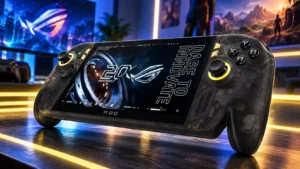
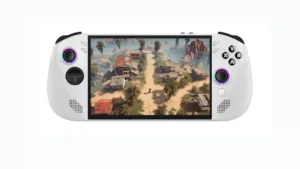
Asus ROG Xbox Ally X20

Asus ROG Xbox Ally X20

Overall score 4.0 / 5

Based on 54 scored reviews

vs
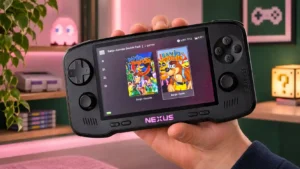
Evercade Nexus

Evercade Nexus

Overall score 4.0 / 5

Based on 31 scored reviews

How we score

Scorata scores summarize analyzed review evidence on a 1–5 scale; they are not laboratory measurements or a simple average of customer star ratings. Feature scores summarize the reviews covering that feature. The overall score averages feature scores within each review, then combines review averages. When both expert and customer evidence are available, those two groups receive equal weight. Products can have different review coverage, so small score gaps do not establish a winner.

Recommendations prioritize important features for the category, with a score of at least 3.5, a gap of at least 0.25 points and at least two supporting reviews per product. Features with widely varying scores or broad connectivity contexts are excluded from recommendations. These safeguards do not establish statistical significance.

Quick verdict

What each product is best for

The available evidence supports the recommendation below, but does not establish an overall winner. Check the remaining features against your priorities.

Choose Asus ROG Xbox Ally X20 for load times and controller quality.

There is not enough comparable review evidence to recommend Evercade Nexus over the other product.

Why these recommendations?

Asus ROG Xbox Ally X20

Where It Has the Edge

  • load times is 4.5 vs 1.6. Fast internal storage helps the system feel responsive. Advanced Shader Delivery is also valued for avoiding the lengthy...
  • controller quality is 4.6 vs 4.2. Sticks, buttons and bumpers usually earn praise for precision, tension and satisfying response. Not everyone prefers the revised...

Evercade Nexus

Where It Has the Edge

No clear scored advantage over the other product.

Asus ROG Xbox Ally X20 4.0 overall score
Evercade Nexus 4.0 overall score

Compare features

Scores are out of 5. Missing scores mean missing review evidence, not a missing feature.

Scored on both products

Ownership and support

Reliability
Asus ROG Xbox Ally X20
2.7

Reports vary sharply: some describe dependable controls and software, while others repeatedly need reboots or workarounds. Sleep, resume, unresponsive inputs and games failing to launch are the main trouble spots.

Evercade Nexus
2.3

Core gaming is generally dependable, yet reports of sticky menu buttons, a failed cartridge launch, software glitches, and loosening screens deserve attention.

Ease of setup
Asus ROG Xbox Ally X20
2.0

Scattered Windows, firmware and app updates commonly make first setup tedious. A minority find the improved Xbox interface handles most initial tasks conveniently.

Evercade Nexus
5.0

Starting with a cartridge is generally easy, with little account setup or installation. Even straightforward play must contend with slow cold booting.

Value for money
Asus ROG Xbox Ally X20
2.5

The high price is the most persistent reservation because core gaming performance stays close to the previous model. Some consider the screen and control refinements worth the premium, especially against pricier rivals.

Evercade Nexus
3.7

Many consider the $199.99 console fair value with the bundled Banjo titles, provided physical retro gaming is the goal. Extra cartridges quickly raise the total cost.

Other features

Ease of use
Asus ROG Xbox Ally X20
2.6

Quick settings and controller shortcuts help, but ordinary Windows tasks can still mean tiny touch targets and awkward trips to the desktop. Experiences range from near-console convenience to substantial frustration.

Evercade Nexus
4.9

Cartridges are easy to insert and the streamlined interface keeps playing uncomplicated. A few settings and power-state quirks interrupt that otherwise straightforward experience.

Load times
Asus ROG Xbox Ally X20
4.5

Fast internal storage helps the system feel responsive. Advanced Shader Delivery is also valued for avoiding the lengthy shader preparation encountered on a compared Intel device.

Evercade Nexus
1.6

Cold starts often take around 30–44 seconds, with extra waiting to load a cartridge. This feels especially inconvenient without a sleep function.

Accessory compatibility
Asus ROG Xbox Ally X20
4.3

AR-glasses integration and useful protective cases receive substantial praise. Existing Xbox Ally X cases often fail to fit, and reactions to the size and usefulness of bundle accessories vary.

Evercade Nexus
2.0

The handheld offers useful standard headphone and USB-C connections, but charging compatibility is not universal; one tester could not charge it with a Steam Deck power adapter.

Multiplayer experience
Asus ROG Xbox Ally X20
4.0

Online FIFA play is described as fun on the handheld. This is a positive experience with that game rather than a broad assessment of every online service.

Evercade Nexus
3.0

Local wireless multiplayer with one cartridge is an exciting addition, and Doom sessions can work smoothly. Other tests raise stability questions and ownership of a second unit is essential.

Backward compatibility
Asus ROG Xbox Ally X20
4.0

The addition of Xbox backward-compatibility support for PC is welcomed. The praise does not establish compatibility with every older Xbox title.

Evercade Nexus
5.0

Compatibility with the existing Evercade cartridge range protects earlier purchases and lets players keep sharing one collection across multiple Evercade devices.

Controller features
Asus ROG Xbox Ally X20
4.0

Programmable controls, impulse triggers and the transforming D-pad add flexibility. The D-pad’s practical value is disputed: some love its versatility, while others find little difference between modes or report looseness and unintended movement.

Evercade Nexus
4.5

The new twin sticks are the most meaningful control upgrade for early 3D games, though their size, potentiometer mechanism, and placement temper the praise.

Controller quality
Asus ROG Xbox Ally X20
4.6

Sticks, buttons and bumpers usually earn praise for precision, tension and satisfying response. Not everyone prefers the revised feel, and one account reports squeaky triggers.

Evercade Nexus
4.2

The D-pad, face buttons, and shoulders often feel responsive and appropriate for retro games. Raised or stiff pads, spongy buttons, and loud clicks receive criticism.

Game library quality
Asus ROG Xbox Ally X20
4.8

Broad Windows launcher access is a major strength, especially for an existing PC collection. Play Anywhere also earns praise for carrying supported purchases and saves between Xbox and PC.

Evercade Nexus
4.6

A broad, licensed catalog of older arcade, console, and computer games gives collectors lots to explore. The curated selection is narrower than unrestricted emulation libraries.

Digital storefront experience
Asus ROG Xbox Ally X20
4.2

Third-party stores increasingly fit into the Xbox launcher, making installed games easier to reach. Adding and managing them can still feel less seamless than using a dedicated console interface.

Evercade Nexus
4.0

The lack of a conventional digital store is refreshing for cartridge buyers who want ownership and fewer distractions, but unsuitable for those who prefer downloadable catalogs.

Collectibility and presentation
Asus ROG Xbox Ally X20
4.8

The anniversary shell, subtle internal details and matching bundle make it feel like a genuine collector’s item. Its appeal extends beyond a routine color change for buyers drawn to special-edition hardware.

Evercade Nexus
4.8

Boxed licensed cartridges, full-color manuals, and themed hardware editions make collecting part of the appeal, not just a way to acquire games.

Performance

Performance
Asus ROG Xbox Ally X20
4.0

The hardware remains capable across a broad range of games, especially with sensible settings. Its unchanged processor makes the performance story less compelling beside newer Intel handhelds or for owners of the previous Xbox Ally X.

Evercade Nexus
3.8

Games themselves generally run well, especially the optimized native ports. System startup and occasional emulator hiccups are noticeably less polished.

Noise level
Asus ROG Xbox Ally X20
4.3

Most accounts praise quiet fans, even in demanding modes. Loud button or D-pad clicks remain a separate complaint, and one account finds the fans loud under higher loads.

Evercade Nexus
1.8

Clicky shoulder controls are noticeably loud in several accounts, sometimes detracting from otherwise quiet handheld play.

Graphical performance
Asus ROG Xbox Ally X20
2.6

Upscaling can preserve useful detail and improve playability, but it also draws complaints about softness, noise or doubled images. Several encounter black foliage or missing materials in a specific game, highlighting the importance of drivers.

Evercade Nexus
4.3

Sharper, widescreen native adaptations make older 3D graphics look unusually good for this hardware, though the modest LCD cannot match premium displays.

Frame rate performance
Asus ROG Xbox Ally X20
3.5

Tuned settings can deliver smooth play, and lighter games often reach high frame rates. Demanding releases may settle around modest targets or exhibit dips and stutter, so a 120Hz screen does not guarantee 120fps gaming.

Evercade Nexus
4.6

Banjo-Kazooie and DOOM benefit from smooth, frequently 60 fps native versions. Some emulated arcade titles preserve noticeable original slowdown.

Display quality
Asus ROG Xbox Ally X20
4.9

The OLED screen is the standout attraction, with deep blacks, vivid color, bright HDR and smooth variable refresh. A few find the improvement less dramatic than expected or dislike aspects of HDR, reflections or color balance.

Evercade Nexus
4.9

The bright, colorful 5.89-inch IPS screen is a major highlight and makes older games much easier to enjoy. Lower pixel density and the absence of OLED contrast remain caveats.

Battery and charging

Battery life
Asus ROG Xbox Ally X20
3.7

Battery endurance depends heavily on the game, brightness and power profile: demanding play often lasts only a few hours, while lighter titles can stretch much further. Reported improvements over the previous model range from negligible to substantial.

Evercade Nexus
4.2

Most hands-on estimates land around four to five hours, enough for substantial portable play, though long outings and demanding games can use up the charge.

Comfort and build

Controller ergonomics
Asus ROG Xbox Ally X20
4.7

Controller-style grips, balanced weight and added texture make this exceptionally comfortable for many players. The rubberized surface divides a few opinions, including complaints about sweat or an unpleasant texture.

Evercade Nexus
3.8

The spacious chassis improves grip for some players, but low thumbsticks, flat rear surfaces, and distant triggers cause discomfort for others over long sessions.

Design and aesthetics
Asus ROG Xbox Ally X20
4.8

The smoky translucent shell and gold details are widely admired as a distinctive anniversary design. A few find it too busy, dislike gold or object to bright lighting that cannot fully match the theme.

Evercade Nexus
4.0

The modern shape, subtle texture, and customizable LED appeal to many, while glossy scratch-prone trim and plain coloring divide taste.

Build quality
Asus ROG Xbox Ally X20
4.1

The handheld and collector accessories often feel solid and premium, with particular praise for protective cases and the Killswitch kickstand. Two accounts criticize an included stand whose rubber pad peeled off almost immediately.

Evercade Nexus
3.9

Many reviewers find the shell more substantial and polished than older Evercades. Sticky buttons, scratches, and problematic screen attachment undermine confidence in some units.

Size and portability
Asus ROG Xbox Ally X20
3.5

Opinions on the 756g body depend on grip preference and arm support. Some find it compact and well balanced for its capabilities, while others regard its weight and bulk as significant obstacles to casual portability.

Evercade Nexus
3.7

The large screen and bigger handholds are welcome, but this is a bag-sized rather than pocket-sized handheld; its portability is a tradeoff.

Controls and connectivity

User interface
Asus ROG Xbox Ally X20
3.5

Xbox Mode makes controller navigation and a combined library more useful, and several find it noticeably smoother. Others still encounter clutter, sluggish overlays or input failures that interrupt the experience.

Evercade Nexus
4.2

The menus are pleasant, organized, and customizable, with helpful cartridge artwork and game details. In-game access to certain global settings is inconsistent.

Evidence available for one product

Other features

Accessibility features
Asus ROG Xbox Ally X20
4.0

The anti-flicker setting is a welcome attempt to help users affected by OLED dimming. It offers potential mitigation rather than a guarantee of comfort.

Evercade NexusNo score yet
Availability
Asus ROG Xbox Ally X20
3.5

Major-retailer availability is reassuring for buyers concerned about overseas purchase and support. A separate regional account criticizes bundle-only purchase options, so access varies by the reported market.

Evercade NexusNo score yet
Built-in RGB lighting
Asus ROG Xbox Ally X20No score yet
Evercade Nexus
4.1

The adjustable illuminated logo adds character and can be dimmed or switched off, a welcome touch for players who dislike bright decorative lighting.

Cartridge pricing
Asus ROG Xbox Ally X20No score yet
Evercade Nexus
2.0

Cartridges are collectible and often contain multiple games, but typical prices around $20–$40 make expanding the library expensive compared with some alternatives.

Cartridge slot usability
Asus ROG Xbox Ally X20No score yet
Evercade Nexus
5.0

The updated cartridge slot is easier to use than the sometimes tight fitting on earlier models, making swaps less fiddly.

Charger compatibility
Asus ROG Xbox Ally X20No score yet
Evercade Nexus
2.0

USB-C charging is convenient but may not accept every high-powered charger; one tester encountered incompatibility with a Steam Deck power supply.

Cooling efficiency
Asus ROG Xbox Ally X20
4.8

The revised cooling generally earns strong praise for reducing temperatures and avoiding throttling. Improvements are not consistently accompanied by higher frame rates, and some observers find the change comparatively modest.

Evercade NexusNo score yet
Device compatibility
Asus ROG Xbox Ally X20
4.1

Ports and external-device flexibility are generally appreciated, with several successful TV, monitor and peripheral setups. One account reports serious monitor and controller handoff issues, so the experience is not uniformly dependable.

Evercade NexusNo score yet
Fingerprint reader
Asus ROG Xbox Ally X20
5.0

Fingerprint unlocking is appreciated for convenience. One comparison also finds it more consistent than the reader on an MSI rival.

Evercade NexusNo score yet
Firmware updateability
Asus ROG Xbox Ally X20No score yet
Evercade Nexus
5.0

Wi-Fi firmware updates provide a path to software fixes and new features, although several desired improvements were not present during testing.

Heat management
Asus ROG Xbox Ally X20
4.7

Low temperatures and cool grips are recurring strengths, including during extended or demanding sessions. Several notice meaningful improvement over the previous model without heat becoming intrusive at the main touchpoints.

Evercade NexusNo score yet
Image scaling
Asus ROG Xbox Ally X20No score yet
Evercade Nexus
2.5

Aspect-ratio choices and retro visual effects help games fit the screen, but imperfect non-integer scaling and filter limitations bother some players.

Included accessories
Asus ROG Xbox Ally X20No score yet
Evercade Nexus
3.2

The pack-in Banjo-Kazooie collection adds genuine value, and special editions offer appealing themed extras. The regular bundle lacks a power brick and protective case.

Launch quality control
Asus ROG Xbox Ally X20No score yet
Evercade Nexus
1.0

A minority of reports describe launch hardware problems, including screen adhesion, sticky controls, or inconsistent assembly, warranting a careful check of a new unit.

Microphone quality
Asus ROG Xbox Ally X20
2.0

The built-in microphone is considered below the standard of the device’s better features. Its presence is useful, but capture quality does not earn praise.

Evercade NexusNo score yet
Network stability
Asus ROG Xbox Ally X20
5.0

The Wi-Fi implementation earns praise for strong performance. One longer account reports no drops, connection trouble or noticeable lag.

Evercade NexusNo score yet
Packaging quality and presentation
Asus ROG Xbox Ally X20
4.0

The collector bundle’s Pelican case and presentation can feel unusually impressive. Missing chargers and cables in some European review packages fall short of the expectations created by premium pricing.

Evercade NexusNo score yet
Physical cartridge ownership
Asus ROG Xbox Ally X20No score yet
Evercade Nexus
5.0

Licensed cartridges can be collected, lent, and resold without a revocable digital-game license. That tangible ownership is central to the handheld’s appeal.

Power-on readiness
Asus ROG Xbox Ally X20No score yet
Evercade Nexus
1.2

Lengthy power-on waits and slightly odd shutdown behavior make the handheld feel less instantly ready than a modern portable should.

Power efficiency
Asus ROG Xbox Ally X20
3.8

Low-power modes can stretch lighter-game runtime impressively, and moderate settings often offer a sensible balance. Higher wattages bring diminishing gains, while newer Intel hardware is credited with better efficiency in a comparison.

Evercade NexusNo score yet
Quality of native game ports
Asus ROG Xbox Ally X20No score yet
Evercade Nexus
5.0

The native Banjo-Kazooie and DOOM releases are praised for widescreen presentation, smoother frame rates, and modernized inputs that go beyond basic emulation.

Repairability
Asus ROG Xbox Ally X20
2.0

The integrated controls cannot be swapped like a separate controller. Repairing them requires opening the handheld, making long-term stick durability especially valuable.

Evercade NexusNo score yet
Retail availability
Asus ROG Xbox Ally X20No score yet
Evercade Nexus
2.5

Several accounts describe preorder or retail supply frustrations, with availability varying by edition and seller.

Retro game emulation quality
Asus ROG Xbox Ally X20No score yet
Evercade Nexus
3.0

Older cartridge games generally preserve their original feel, but occasional slowdown, latency, and unusual boot artifacts prevent a completely seamless emulation experience.

Speaker quality
Asus ROG Xbox Ally X20No score yet
Evercade Nexus
4.6

Front-facing stereo speakers are consistently described as louder, clearer, and well suited to old-school game audio.

Storage capacity
Asus ROG Xbox Ally X20
4.0

The 1TB SSD is considered a useful starting point for a mixed game library. It offers more room than one directly compared same-price competitor, though large modern installs can still fill it.

Evercade NexusNo score yet
Storage expandability
Asus ROG Xbox Ally X20
4.4

microSD Express is welcomed for faster removable storage and the option to expand without opening the device. Older cards may run at slower fallback speeds, while internal SSD replacement still takes more work.

Evercade NexusNo score yet
Suspend and resume
Asus ROG Xbox Ally X20No score yet
Evercade Nexus
1.1

The absence of sleep or suspend-and-resume is a repeated frustration. Stopping play often means leaving the unit powered on or shutting down and reloading later.

TV output connectivity
Asus ROG Xbox Ally X20No score yet
Evercade Nexus
1.5

The complete absence of HDMI or TV-out is an often-mentioned compromise, especially for owners accustomed to older Evercade handhelds that could connect to a television.

Weight and handling
Asus ROG Xbox Ally X20No score yet
Evercade Nexus
4.5

The device has reassuring substance without approaching the bulk of a handheld gaming PC, but the flat shape and larger footprint can be tiring or cumbersome.

Performance

Audio quality
Asus ROG Xbox Ally X20
5.0

The front-facing speakers repeatedly impress with loud, full, clear sound and convincing spatial presentation. Several regard them as among the best on a handheld and find headphones optional for ordinary play.

Evercade NexusNo score yet
Display panel adhesion
Asus ROG Xbox Ally X20No score yet
Evercade Nexus
1.0

Reports of a display separating from the casing cast a shadow over the otherwise praised screen; long-term adhesive integrity warrants attention.

Vertical arcade display mode
Asus ROG Xbox Ally X20No score yet
Evercade Nexus
4.4

Dedicated portrait mode presents vertical arcade games at a more fitting scale and feels steadier on the larger body. The mandatory right-stick controls frustrate D-pad purists.

Controls and connectivity

Bluetooth audio connectivity
Asus ROG Xbox Ally X20No score yet
Evercade Nexus
4.1

Bluetooth support is a welcome upgrade alongside the headphone jack. Wireless-audio latency varies substantially between the headsets reported.

Display filter customization
Asus ROG Xbox Ally X20No score yet
Evercade Nexus
4.2

Aspect-ratio, scanline, and border controls help personalize the retro look, though scanline availability and global access vary by game.

Media app support
Asus ROG Xbox Ally X20
4.0

The screen and speakers make video and general media use appealing. This praise concerns the viewing and listening experience rather than a specific app catalog.

Evercade NexusNo score yet
Software and driver support
Asus ROG Xbox Ally X20
2.7

Support attracts opposing judgments, with praise for ASUS’s relative effort alongside complaints about slow releases. Delayed fixes for visible game-rendering faults are a particular frustration.

Evercade NexusNo score yet
Wi-Fi standard
Asus ROG Xbox Ally X20No score yet
Evercade Nexus
4.0

Wi-Fi 6 and 5 GHz support make updates and monthly downloadable extras more convenient than on earlier models.

Battery and charging

Charging speed
Asus ROG Xbox Ally X20
4.8

Fast charging is welcomed for reducing downtime, with compatible higher-power adapters offering quicker partial refills. Charging speed is distinct from the much more variable gaming runtime.

Evercade NexusNo score yet

Comfort and build

Control input comfort
Asus ROG Xbox Ally X20No score yet
Evercade Nexus
3.9

Textured contact points and redesigned triggers provide a secure grip for some hands, though the reach between low sticks and shoulders can feel awkward.

Ownership and support

Local multiplayer support
Asus ROG Xbox Ally X20No score yet
Evercade Nexus
3.7

EverSync makes local wireless co-op possible without buying two copies of a cartridge. The feature is promising but not universally tested or trouble-free.

Manufacturer customer support
Asus ROG Xbox Ally X20No score yet
Evercade Nexus
3.0

Experiences with manufacturer responses to launch problems are uneven, including frustration about exchanges and confidence in follow-up service.

Subscription service value
Asus ROG Xbox Ally X20
2.7

The bundled Game Pass trial is a small bonus rather than a major offset to the price. Eligibility restrictions for existing subscribers and the included subscription tier reduce its appeal.

Evercade NexusNo score yet

Other Top Video Game Console to Consider

#1 Analogue 3D
4.4

Choose it if you own N64 cartridges and want the most polished, low-lag way to play them on a 4K TV. Skip it if you want cheap emulation, broad flash-cart/controller...

Pros: display quality, performance

Cons: availability

#2 Nex Playground
4.3

Best for easy, controller-free family play that gets kids moving. Skip it if you want deep games, cutting-edge graphics, or dislike paying for Play Pass.

Pros: game library quality, value for money

Cons: subscription service value, graphical performance

#5 Lenovo Legion Go S
3.9

Choose the SteamOS version for a comfortable, console-like handheld with a sharp 120Hz screen and strong performance. Skip it if you prioritize long battery life, quiet fans, or effortless access...

Pros: display quality, user interface

Cons: controller features, battery life

#6 Nintendo Switch 2
3.7

Choose Switch 2 for a sharper, faster, more social Switch with stronger Joy-Cons and broad backward compatibility. Skip it if short battery life, expensive storage, thin launch exclusives, or the...

Pros: value for money, controller features

Cons: power efficiency, user interface