Best for button remapping options
GameSir Cyclone 2 Wireless Controller
4.9 attribute score
Highest scored product for this attribute based on supporting review evidence.

Highest scored product for this attribute based on supporting review evidence.
Balances the attribute score, supporting reviews, and overall product strength.
Has the broadest review evidence for this attribute.
Strongest overall product among items with scored evidence for this attribute.

Button remapping options were praised across app and onboard workflows, including keyboard mapping and rear-button remaps.
Pros: value for money, charging dock support
Cons: d-pad feel, compatibility with Xbox
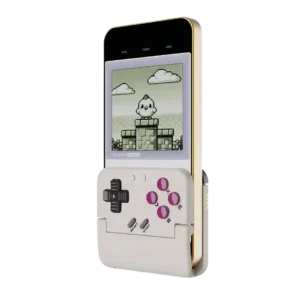
Button remapping is a useful strength, especially for swapping A/B layouts between Nintendo-style and Xbox-style games. It helps classic titles feel more natural.
Pros: retro gaming suitability, ease of setup
Cons: overall satisfaction, d-pad accuracy
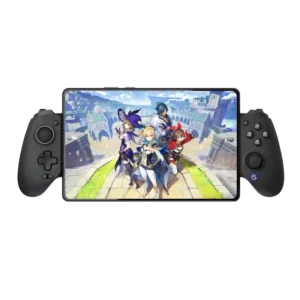
Both software remapping and physically swappable ABXY layouts make platform changes easier.
Pros: value for money, phone grip and fit
Cons: companion app quality, vibration quality
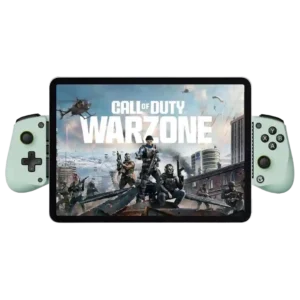
Reviewers discuss button remapping options as part of the X5 Lite’s budget mobile-controller tradeoff. Comments are practical and tied to phone gaming, device fit, or the limits of the Lite...
Pros: overall satisfaction, value for money
Cons: d-pad accuracy, analog trigger precision
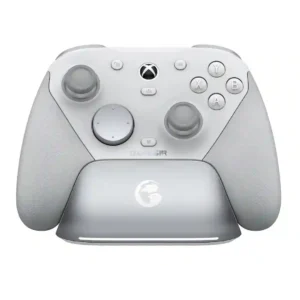
Button mapping is flexible both through Nexus and with on-controller shortcuts, so extra inputs can be assigned quickly. The system is easy to use, although some external software cannot treat...
Pros: overall satisfaction, premium feel
Cons: compatibility with Xbox, d-pad feel
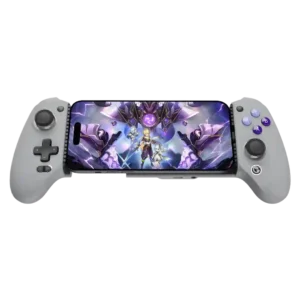
Remapping is broad and often easy, whether performed on the controller or through the app. Touch-only games may still require per-game setup and experimentation.
Pros: overall satisfaction, overall comfort
Cons: phone grip and fit, durability
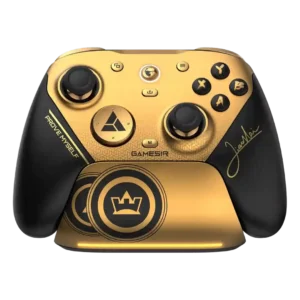
Remapping is powerful through the Windows software, but one owner disliked that direct on-controller mapping is less convenient than expected.
Pros: overall satisfaction, button quality
Cons: vibration quality, compatibility with Xbox