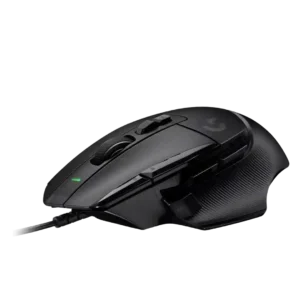
Best for precise tracking, many programmable buttons, and strong ergonomics. Skip it if you need RGB, adjustable weights, quiet scrolling, or a smaller-hand fit.
Pros: button customization, switch feel
Cons: RGB features, weight tuning

Best for precise tracking, many programmable buttons, and strong ergonomics. Skip it if you need RGB, adjustable weights, quiet scrolling, or a smaller-hand fit.
Pros: button customization, switch feel
Cons: RGB features, weight tuning
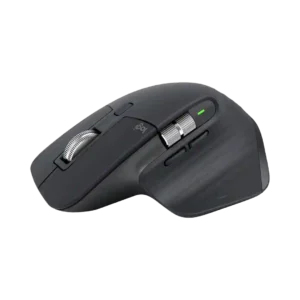
Best for all-day productivity, exceptional scrolling, quiet clicks, deep customization, and multi-device work. Skip it if you are left-handed, want a light competitive-gaming mouse, or need onboard profiles, true wired...
Pros: click noise, ergonomic design
Cons: gaming suitability, handedness options

Good if you want a comfortable, button-rich wireless mouse with excellent battery life and precise tracking. Skip it if you need ultralight FPS handling, polished software, quiet clicks, or the...
Pros: shape comfort, programmable buttons
Cons: value for money, side button quality

Choose the G502 X Plus for precise wireless tracking, ergonomic comfort, vivid RGB, and many customizable buttons. Skip it if you need Bluetooth, ultralight FPS handling, adjustable weights, or strong...
Pros: RGB features, weight
Cons: value for money, scroll wheel quality

Best for small hands, soft RGB, easy wireless use, and a comfortable compact shape. Skip it if you need large-hand comfort, elite FPS specs, long RGB battery life, or stronger...
Pros: shape comfort, battery life
Cons: value for money, DPI range
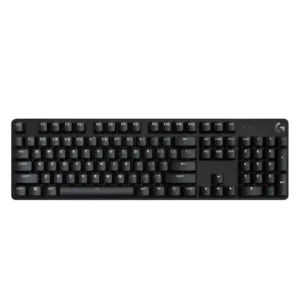
Good if you want a simple, sturdy, compact mechanical keyboard with PBT caps and white lighting. Skip it if you need smooth switches, macros, software, RGB, USB passthrough, or stronger...
Pros: design aesthetics, keycap quality
Cons: value for money, software quality