
Ergonomics were generally helped by the desk stability, soft palm rest, and incline, though the evidence focused on comfort rather than compactness.
Pros: reliability, key responsiveness
Cons: desk space efficiency, wireless performance

Showing Electronics only. Switch back to all Gaming Keyboards anytime.
Ergonomics were generally helped by the desk stability, soft palm rest, and incline, though the evidence focused on comfort rather than compactness.
Pros: reliability, key responsiveness
Cons: desk space efficiency, wireless performance
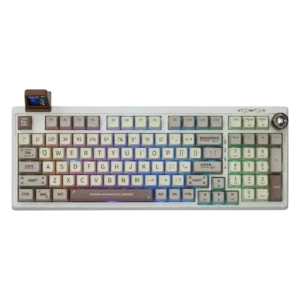
Ergonomics are generally positive due to soft mounting, comfortable key profiles, typing angle choices, and carpal-tunnel-friendly spacing in one review.
Pros: noise level, acoustics
Cons: rapid trigger support, actuation consistency

Ergonomics are generally positive thanks to the wrist rest, adjustable angle, and typing comfort, with few direct complaints.
Pros: per-key lighting control, wireless performance
Cons: rapid trigger support, analog input support

Ergonomics were mixed: adjustable feet and stable placement helped comfort, but the high-profile, heavy design could become tiring without support.
Pros: durability, wireless performance
Cons: passthrough features, onboard memory

Ergonomics were mixed, with positive comments on height, palm support, and hand comfort but complaints about tall chassis positioning.
Pros: per-key lighting control, compatibility
Cons: ease of switch replacement, hot-swappable switches

Ergonomics were mixed: some liked the feet and angle, while others wanted more adjustment or found the tall compact body uncomfortable.
Pros: volume control, key responsiveness
Cons: wireless performance, wrist rest quality

Ergonomics were mixed: wrist comfort and long-use ergonomics could be excellent, but side buttons and the extra left column caused accidental presses or reach issues.
Pros: key stability, ease of switch replacement
Cons: compatibility, battery life